
- Overview
- Scorecard
- Updates9
Obsidian 小米笔记同步插件是一个社区插件,用来将小米笔记转换为 Markdown 格式保存到 Obsidian 指定的文件夹中。首次使用,如果笔记数量较多,更新会比较慢,后面再去更新的时候只会增量更新有变化的笔记,一般速度很快。
更新历史
https://github.com/emac/obsidian-minote-plugin/releases
功能
- 按文件夹存放笔记,同时保留笔记的创建时间和修改时间
- 自动下载笔记中的图片,并将引用方式替换成 Markdown 格式
- 替换
<background>标签为<span>标签,以支持文字高亮 - 去除多余的
<text>、<new-format/>标签 - 兼容旧版本无标题笔记(根据首行内容和笔记 ID 自动生成标题)
- 支持强制同步模式,即全量覆盖更新
- 支持非中国区的小米云服务
安装方法
打开 Obsidian 的设置页面,点选左侧第三方插件,点击关闭安全模式按钮以启用第三方插件,点击社区插件市场的浏览按钮,搜索 minote,找到 Minote Sync 插件,然后安装和启用。也可以直接在 releases 页面手动下载最新版本。
设置
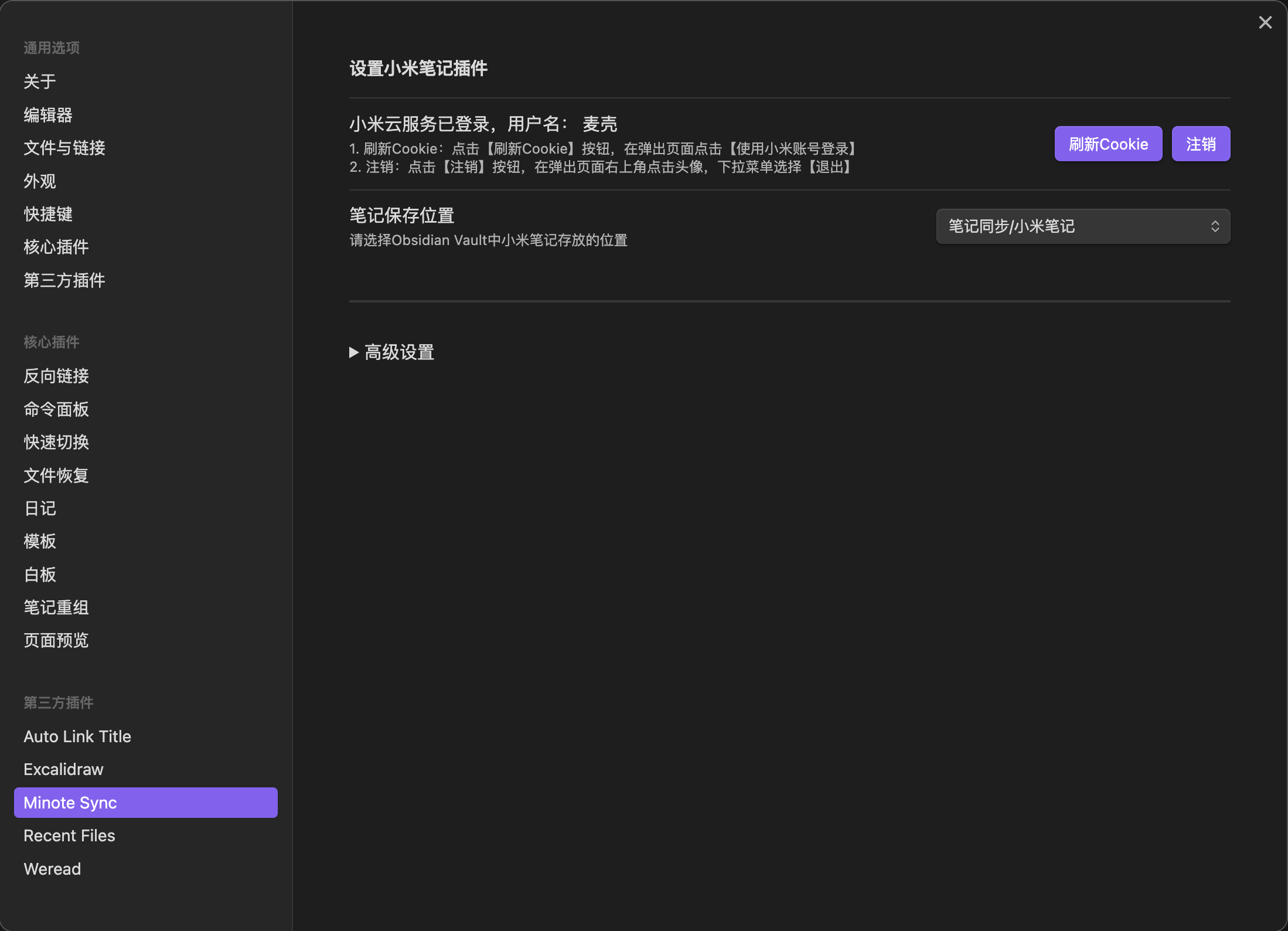
- 打开 Obsidian 的设置页面,找到
Minote Sync进入到插件设置页面 - 点击右侧
登录按钮,在弹出的登录页面扫码登录,登录完成后,会显示个人昵称 - 注销登录可以清除插件的 Cookie 信息,注销方法和网页版小米云服务一样,右上角点击头像,点击退出
- 设置笔记保存位置,默认保存到
/minote文件夹,可以修改为其他位置
使用
⚠️ 本插件采用覆盖式更新,请不要在同步的文件里修改内容。
增量同步:点击左侧 Ribbon 上的小米笔记按钮( ),或者
),或者 command+P(windows ctrl+P) 调出 Command Pattle 输入 Minote 找到同步小米笔记并点击。
全量同步:右键点击左侧 Ribbon 上的小米笔记按钮()然后选择强制同步小米笔记,或者 command+P(windows ctrl+P) 调出 Command Pattle 输入 Minote 找到强制同步小米笔记并点击。
已知问题
- 一段时间不使用本插件,Cookie 可能会失效,需要到插件设置页面手动刷新Cookie。
- 偶尔可能会有网络连接问题,重新点击同步即可,已同步的笔记不会再次更新。
- 本插件采用覆盖式更新,不会自动清理已删除的笔记,如需清理过期笔记,请先删除本地笔记文件夹,然后执行一次全量同步。
TODO
- 支持思维笔记
- 支持待办
- 支持移动端
赞赏

免责声明
所有笔记内容均来自小米云服务,用户登录即授权本插件同步用户的笔记内容到本地。
感谢
Obsidian Plugin: Minote Sync Plugin
This community plugin syncs your Xiaomi notes to Obsidian by converting them to Markdown format and saving them in a specified folder. The initial sync might be slow if you have many notes, but subsequent syncs will only update changed notes incrementally.
Features
- Stores notes in folders while preserving their creation time and modification time
- Automatically downloads images from notes and converts references to Markdown format
- Replaces
<background>tags with<span>tags to support text highlighting - Removes redundant
<text>、<new-format/>tags - Compatible with old version untitled notes (auto-generates titles based on first line and note ID)
- Supports force sync mode for full overwrite updates
- Supports Xiaomi Cloud Services in non-Chinese regions
Installation
Open Obsidian settings, go to Community plugins on the left, click the Turn off safe mode button to enable third-party plugins. Click the Browse button in the Community plugins marketplace, search for minote, find Minote Sync plugin, then install and enable it. You can also manually download the latest version from the release page.
Settings
- Open Obsidian settings, find
Minote Syncin the plugin settings - Click the
Loginbutton and scan the QR code in the popup login page - To logout and clear the plugin's Cookie information, follow the same process as the web version of Xiaomi Cloud Service - click the avatar in the top right corner and select logout
- Set note storage location (default is
/minotefolder)
Usage
⚠️ This plugin uses overwrite-based updates. Please don't modify content in synced files.
Incremental Sync: Click the Xiaomi notes button() in the left Ribbon, or use command+P(windows ctrl+P) to open Command Palette and search for Minote and choose the first option.
Full Sync: Right-click the Xiaomi notes button() in the left Ribbon and choose the second option, or use command+P(windows ctrl+P) to open Command Palette and search for Minote and choose the second option.
Known Issues
- Cookie may expire after periods of inactivity, requiring manual refresh in plugin settings
- Occasional network connection issues may occur; simply retry sync (already synced notes won't update again)
- This plugin uses overwrite-based updates and does not automatically remove deleted notes. To clean up outdated notes, please delete the local notes folder first, then perform a full sync
TODO
- Support mind maps
- Support todos
- Support mobile devices
Disclaimer
All note content comes from Xiaomi Cloud Services. User login authorizes this plugin to sync notes to local storage.