Supernote (Unofficial)
 Brandon Philips18k downloads
Sync and view Supernote notes and Atelier drawings in your vault
- Overview
- Scorecard
- Updates73
I use my Supernote for capturing hand written notes and reading documents.
But, I also use Obsidian for organizing and capturing all of my digital notes.
This plugin enables me (and now you!) to import handwritten notes directly from your device (no cloud!) into Obsidian and view/export/organize them on a desktop, phone or tablet.
This plugin has seven main features:
📝 View Supernote
*.notefiles in your Obsidian Vault. You can link to these notes from your Markdown notes too[My Note](example.note).🔗 Embed a note inline in another note with
![[example.note]](scrollable, with page nav), or just one page with![[example.note#page=2]].➡️ Export Supernote
*.notefiles as PNGs, SVGs, PDFs and/or markdown files and attach them to your Vault.🧠 Attach all of today's modified Supernote notes and text to the current Obsidian note with the "Import notes edited today" command (great when paired with daily notes)
📺 Copy an image from a Supernote via screen mirroring into your current note with the "Insert Supernote mirror image" command (demo video)
⬇️ Download & Upload files directly from your device via the Supernote Browse & Access feature. (demo video). Or sync all your Supernote files to your vault with the sync command.
✏️ Extensible OCR: (beta) build a companion plugin to customize OCR pages during conversion to markdown. See
ocr-plugins.md.
See SCREENSHOTS.md for a screenshot gallery of each of these features.
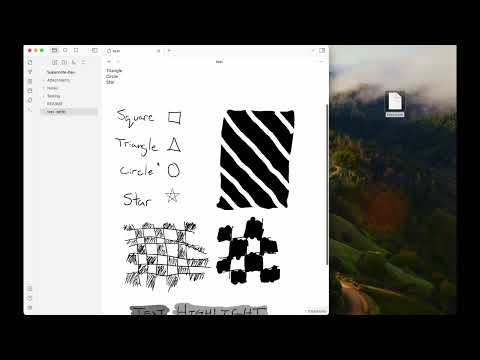
Video Demo
Install via Community Plugin Store
This plugin is available via the Obsidian Community Plugin Store. Click the previous link or search for "Supernote (Unofficial)".
Install via BRAT
To test Beta builds of this plugin follow these steps:
- Install the BRAT plugin via Community Plugin Search
- Read the docs
- Add
https://github.com/philips/supernote-obsidian-plugin
If you are testing a Beta for a bug fix please close and re-open your Obsidian vault OR run the Obsidian command "Reload app without saving". Otherwise, not all of the code will be reloaded and your testing will not work.
Manually installing the plugin
- Copy over
main.js,manifest.jsonto your vaultVaultFolder/.obsidian/plugins/obsidian-plugin-supernote/from https://github.com/philips/supernote-obsidian-plugin/releases
Known Issues
There are a handful of known issues. Please check the issue list. If you don't see a matching issue please create a new issue?
Thank You
Thank you to Tiemen Schuijbroek for developing the initial supernote Typescript library I forked.
FAQ
Q Why isn't there a table of contents in the generated Markdown file?
A Because the Obsidian Outline sidebar accomplishes this same feature.
Q The on-screen note's or exported PDF's ink looks different from the device / renders wrong. Can I turn vector ink off?
A Yes. The note viewer and exported PDFs/SVGs draw pen strokes as crisp vector paths by default (instead of rasterizing the ink), so they stay sharp at any zoom. If ink renders incorrectly or differently from your device, disable Settings → Supernote → Vector ink — the view and exports then fall back to the original rasterized ink. The setting is on by default. (PNG export and the thumbnail sidebar stay rasterized either way, since a PNG is pixels and a tiny preview gains nothing from vector paths.)
Relevant Resources
- Obsidian and Supernote by Organizing for Change
- E-Ink notes in Obsidian / Notion? by Brandon Boswell
- Academic HANDWRITTEN notes in OBSIDIAN ft. Supernote by pixel leaves
Funding
I personally don't accept funding or donations for this project. However, if you feel inclined, consider donating to the Signal Foundation or Internet Security Research Group (ISRG). Open an issue or send me an email to let me know about your donation. It will make my day.
Developer Notes
For notes on building, releasing, OCR plugins, supernote-webcomponent, etc see DEVELOPER.md