Mac Now Playing
 Hajorda390 downloads
Displays the currently playing Spotify song in the status bar on Mac.
- Overview
- Scorecard
- Updates4
A native macOS plugin for Obsidian that displays your currently playing song (from Spotify or Apple Music) directly in your status bar.
Clicking the status bar item reveals a interactive popover with album art, a live progress bar, and media controls—all without needing complex API keys or developer accounts.
Features
- Zero Configuration: Uses native macOS AppleScript. No Spotify Developer API keys, OAuth logins, or internet connections required. It just works.
- Support for Players: Choose between Spotify or Apple Music in the settings.
- Interactive Popover: Click the status bar to see:
- Album Art (Spotify only)
- Live track progress bar with timestamps
- Play/Pause, Next, and Previous media controls
- Customizable:
- Choose your status bar icon (Animated EQ Bars, Spinning Vinyl 💿, or Static Emoji 🎵).
- Customize the display format (e.g.,
{{title}} - {{artist}}). - Choose your Status Bar Position (Far Left or Right).
- Set a maximum title length to keep your status bar clean.
- Automatically hide the plugin when music is paused.
- Turn off the Album Art or Progress Bar for a minimalist popover.
Screenshots
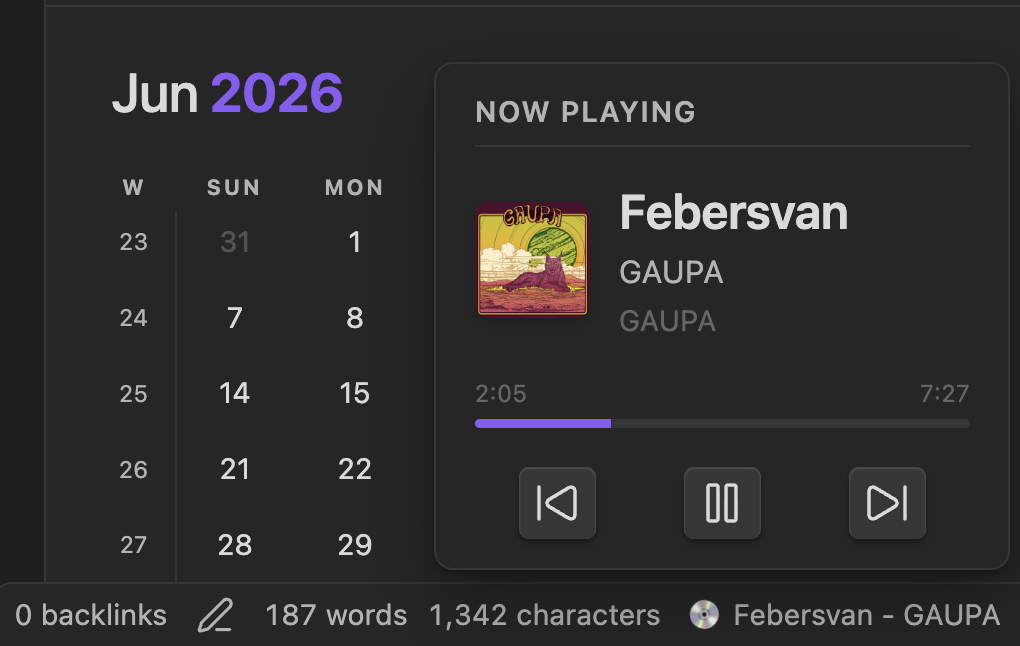 The interactive popover featuring album art, live progress, and media controls.
Installation
Option 1: Manual Installation (Before Official Release)
- Download the latest release from the Releases page.
- Extract the
obsidian-mac-now-playingfolder. - Place the folder into your vault's plugin directory:
[YourVault]/.obsidian/plugins/. - Open Obsidian, go to Settings > Community plugins, turn off "Safe mode", and enable Mac Now Playing.
Option 2: Obsidian Community Plugins
Once approved by the Obsidian team, you will be able to search for "Mac Now Playing" directly in the Community Plugins browser inside Obsidian!
Settings
You can configure the plugin in the Obsidian settings under "Mac Now Playing":
- Media Player: Switch between Spotify and Apple Music.
- Refresh Interval: Adjust how often the plugin polls for new songs (1-10 seconds).
- Hide When Paused: Keep your status bar tidy by hiding the track when no music is playing.
- Show Album Art / Progress Bar: Toggle the visual enhancements inside the popover.
- Use Sliding Text: Smoothly scrolls long track names inside the popover instead of cutting them off with
.... - Status Bar Position: Force the status bar item to sit on the far left side of the screen instead of the default right side.
Development
If you want to contribute or build the plugin from source:
npm install
npm run build
Author
Created by Hajorda.