Better Word Count
 lukeleppan616k downloads
Count the words of selected text in the editor.
- Overview
- Scorecard
- Updates31
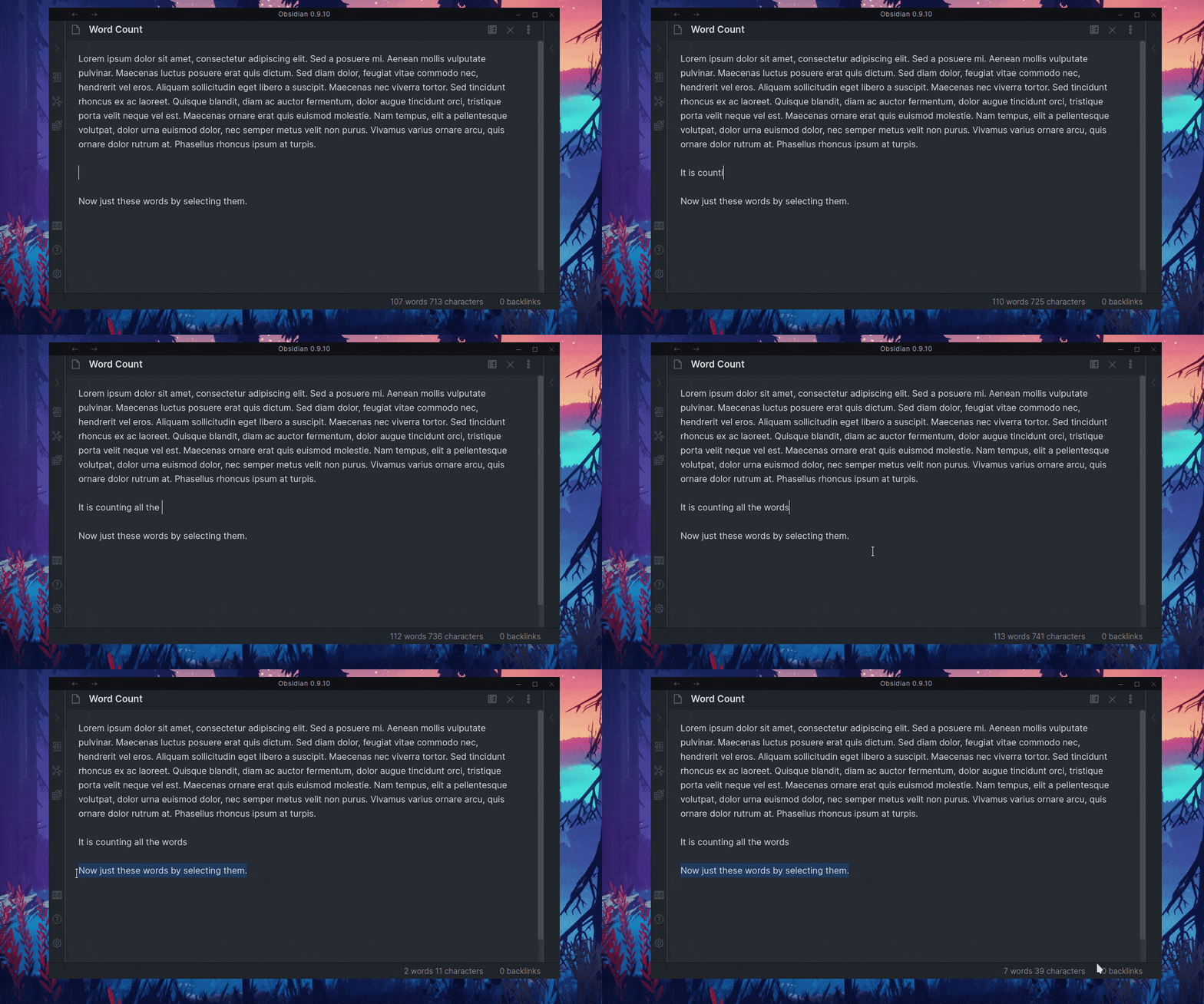
This plugin is the same as the built-in Word Count plugin, except when you select text, it will count the selected word instead of the whole document. I recommend turning off the built-in Word Count because this plugin is designed to replace that. This plugin also has the ability to store statistics about your vault.
Features
- Allows you to store statistics about your vault.
- Works with all languages.
- Can display a variety of different stats. Including:
- Words, Characters, Sentences, Footnotes, and Pandoc Citations in current file.
- Total Words, Characters, Sentences, Footnotes, Pandoc Citations, and Files in vault.
- Words, Characters, Sentences, Footnotes, and Pandoc Citations typed today.
- Highly Customizable status bar that can be adapted to your needs.
Contributors
- @leoccyao
- Added all word, char, sentence count when not viewing a markdown file.
- @chrisgrieser
- Added Footnotes and Citation Counting.
- @bakuzan
- Added page counts.
- Fixed issue that caused errors at start up.
- @THeK3nger
- Fixed issue that occurred when renaming files.
- @lishid
- Helped solve the performance issue.
- @Noxellar
- Fixed alt bar spacing issue.
- @mgmeyers
- Added word counts to section titles.
Special Thanks
- @liamcane
- @eleanorkonik
- @AngelusDomini
- @archelpeg
- @aproximate
- @Quorafind
- @torantine
- @lammersma
- @aknighty74
- @dhruvik7
Support Me
If you enjoyed the plugin you can support me by clicking the button below. I am currently a student so anything helps.
HealthFair
ReviewCaution
About
Replace the built-in word count with a counter that counts selected text or the entire file. Record vault-wide statistics and display words, characters, sentences, footnotes, Pandoc citations, file/page totals, and today's counts in a highly customizable status bar.Details
Current version
0.10.1
Last updated
3 years ago
Created
6 years ago
Updates
31 releases
Downloads
616k
Platforms
Desktop, Mobile
License
MIT