Local Citation Page Jump
 theluckystrike1 downloads
Open a local PDF at the page number given in an existing citation.
- Overview
- Scorecard
- Updates1
Local Citation Page Jump opens a PDF in your vault from a citation in the current manuscript. It reads a reference note, takes the first printed page in the locator, and adds the saved offset. The manuscript stays unchanged.
The v1 features are free. The jump command, target preview, one property map and reference error reports need no account. Saved maps for several folders and checks of citations in a selected folder are later work. The Sponsors controls are present for that later version; v1 has no paid features. Do not sponsor to get the planned features now.
Features
Read reference properties
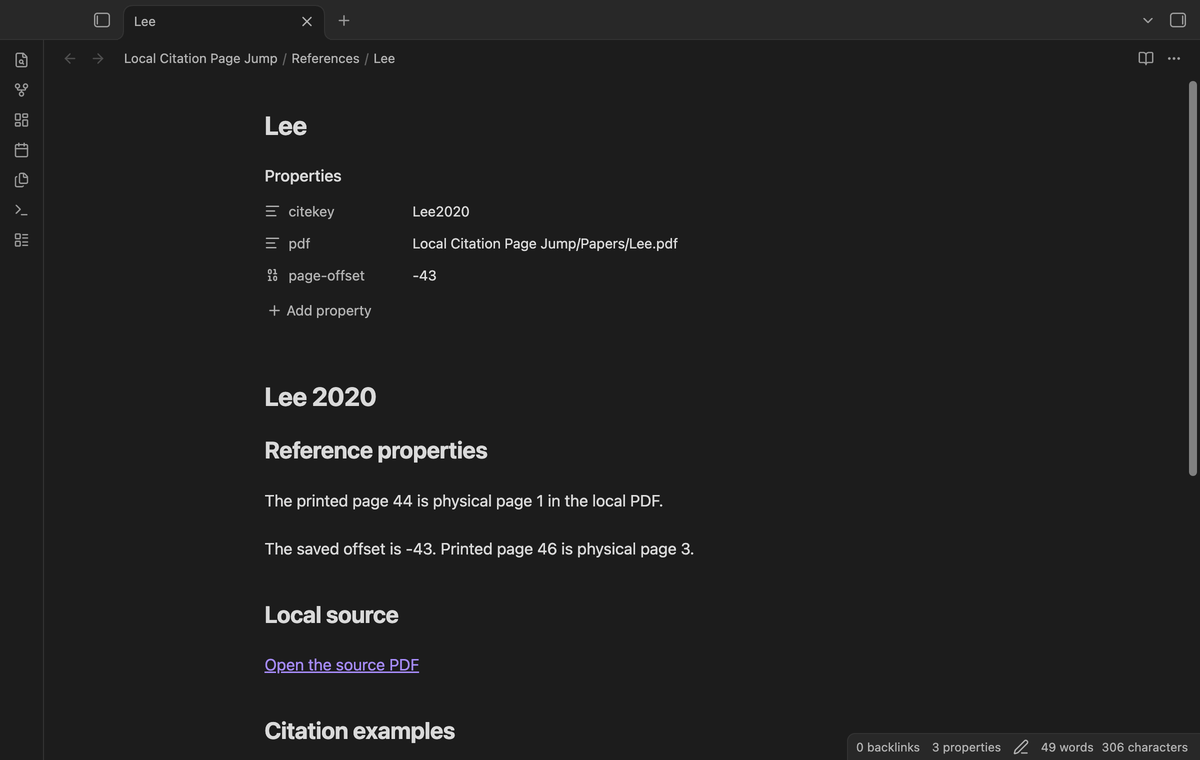
Make one Markdown reference note for each citekey. The default properties are citekey, pdf and page-offset. The key is text, the PDF value is an exact path from the vault root, and the offset is a number. The command reads the metadata cache when you run it. It does not change the reference note or create a citation database.
Open the citation at the cursor
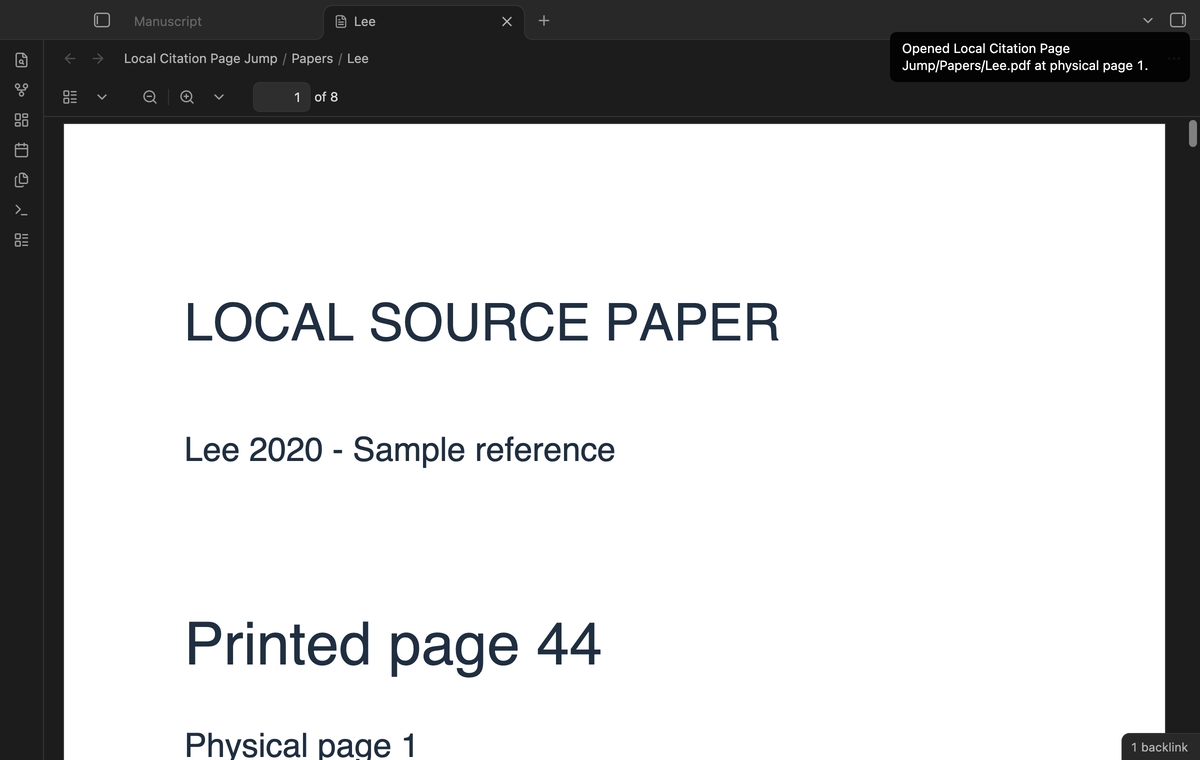
Put the cursor inside a citation such as [@Lee2020, p. 44]. Run Open the PDF at the citation page from the command palette. The command opens the PDF in a new tab through the Obsidian PDF viewer. It leaves the manuscript available in its tab. Set a hotkey in Obsidian if you use this command often; the plugin supplies no default hotkey.
Convert printed pages with an offset
The formula is physical page = printed page + offset. If printed page 44 is physical page 1, save page-offset: -43. Printed page 46 then maps to physical page 3. A missing offset is zero. A decimal, quoted number or null offset causes an error. Check the offset against the PDF viewer before you use it for a manuscript.
Use ranges and keys without a locator
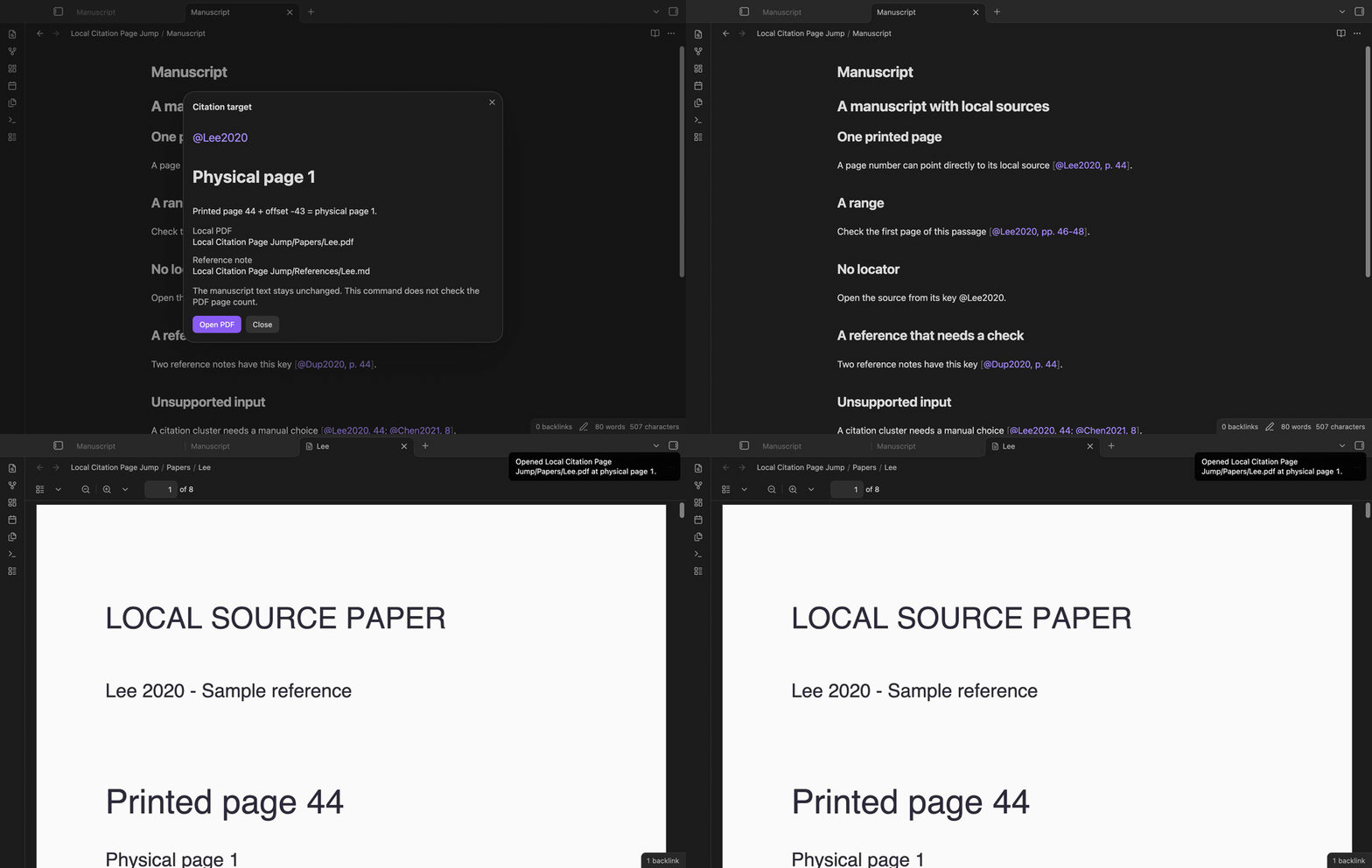
For [@Lee2020, pp. 46-48], the command uses 46. A hyphen or an en dash can separate the range. The end must be at least the start. [-@Lee2020, 5] supports the suppressed author form. A bare @Lee2020 or [@Lee2020] without a locator opens physical page 1, without adding the offset to that default page.
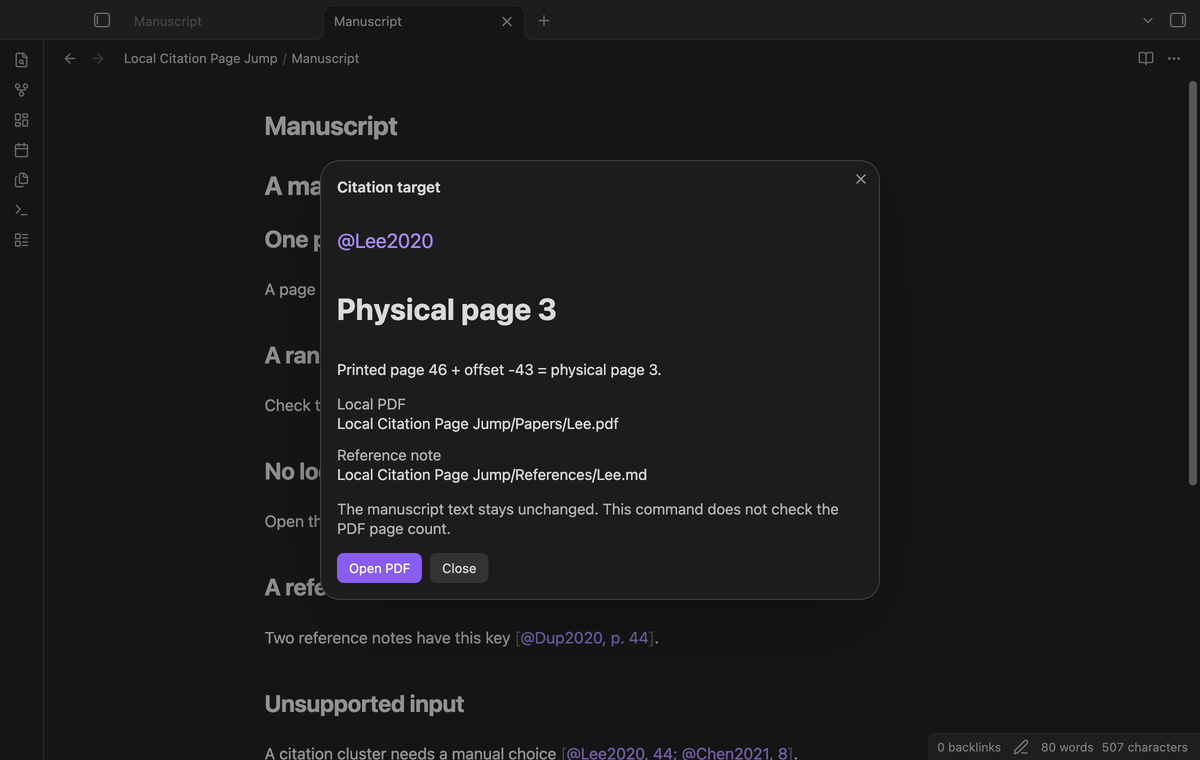
Report reference errors
Duplicate citekeys produce a report with the matching note paths. Missing references, absent PDFs, web URLs and invalid pages produce an error instead of a file open. Code spans, fenced code, frontmatter, email addresses and citation clusters are unsupported. The command does not try to choose between two keys in one cluster. Give reference notes unique keys before you use the jump command.
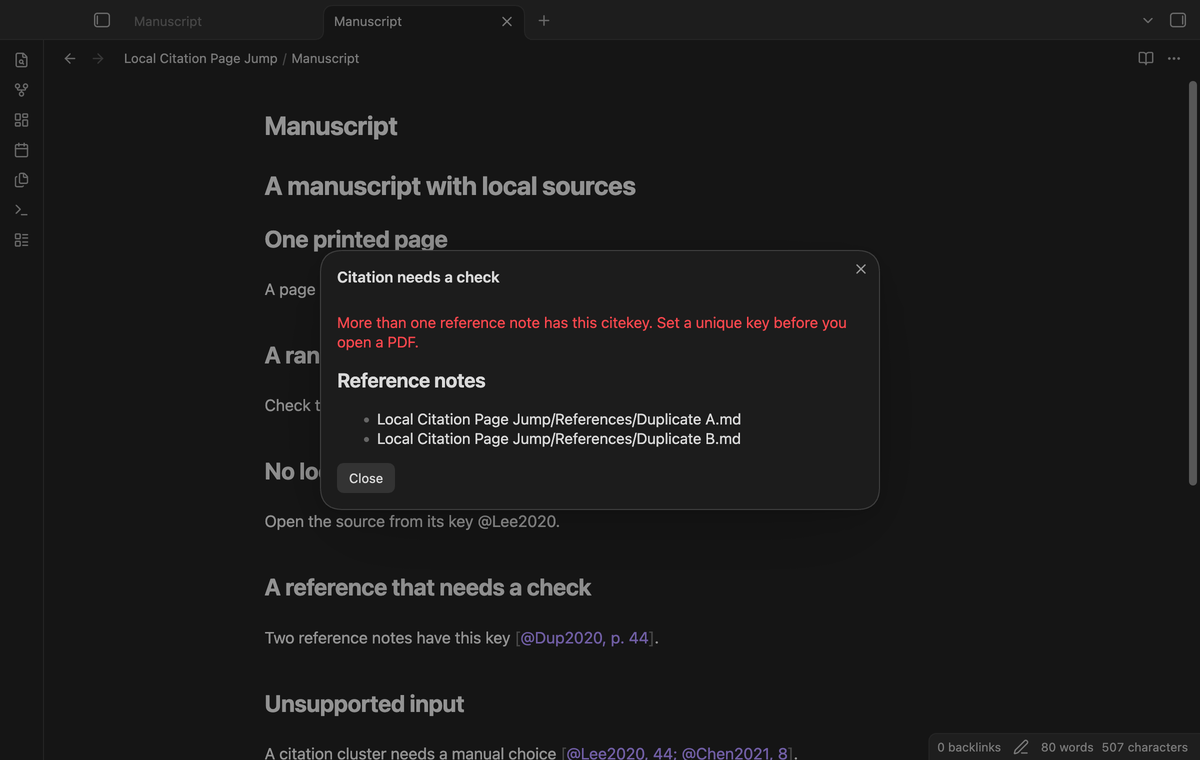
Preview before opening
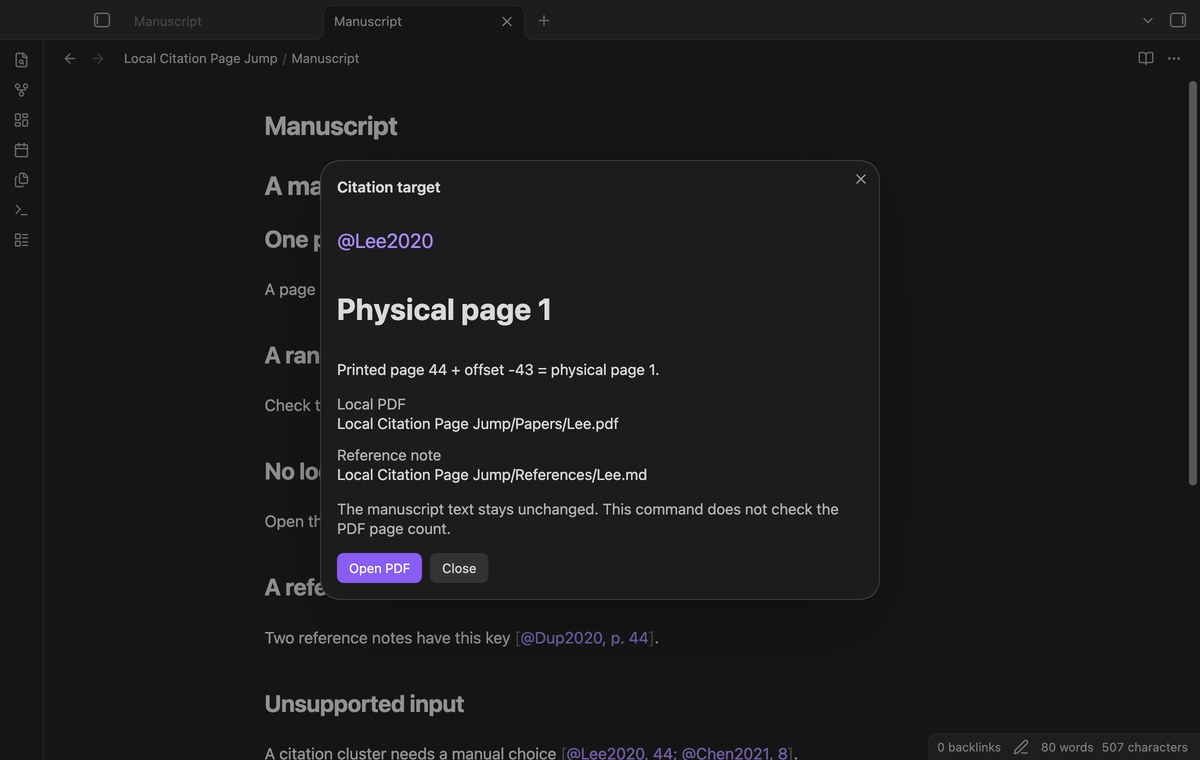
Run Preview the citation target to see the key, reference path, PDF path and page calculation. Select Open PDF to follow that target, or Close to return to the manuscript. The button checks that the PDF still exists. The preview uses the same citation rules as the direct jump command.
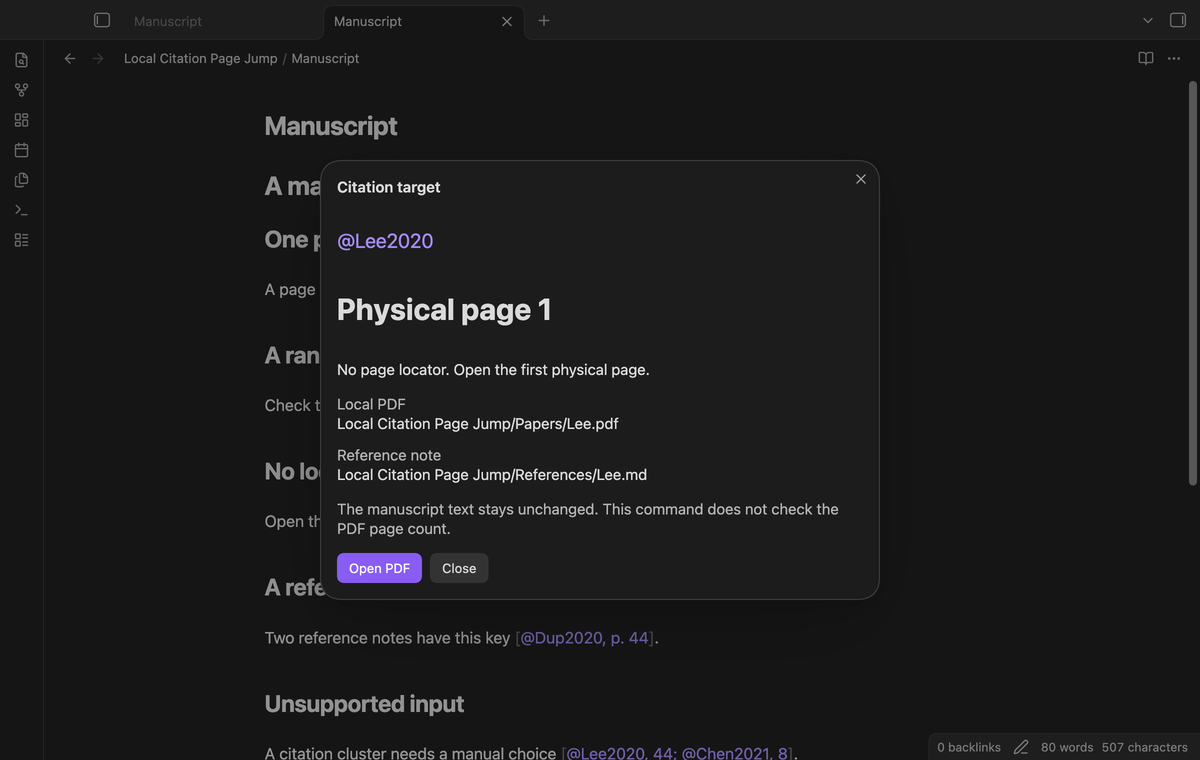
Install
Copy main.js, manifest.json and styles.css from a release into <vault>/.obsidian/plugins/local-citation-page-jump/. In Obsidian, open Community plugins and enable Local Citation Page Jump. This version needs Obsidian 1.13.4 or later. The repository uses the MIT license. Source builds use Node 24 and npm 11; those tools are not needed to run the installed plugin.
Usage
Start with a PDF already inside the vault. Add its reference note with properties like these:
---
citekey: Lee2020
pdf: Papers/Lee.pdf
page-offset: -43
---
Open the manuscript in Source mode or Live Preview. Put the cursor on the key or the locator inside the brackets, then run the jump or preview command. Locators need decimal digits; Roman page labels and text such as “chapter two” are unsupported. A locator outside brackets is also unsupported. A PDF property can use [[Papers/Lee.pdf|Source paper]]; the display alias is ignored. The .pdf extension is required.
Settings
| Setting | Use |
|---|---|
| Reference folder | One vault folder, including subfolders. Empty means the vault. |
| Citekey property | Name of the text property. Default: citekey. |
| PDF property | Name of the local path property. Default: pdf. |
| Page offset property | Name of the integer number property. Default: page-offset. |
Property names and citekeys are case sensitive. These four values are saved in the plugin settings. They apply to both commands. A folder name does not select another folder with a similar prefix. Use the exact folder path from the vault root. The GitHub section below these values has the account controls and the notice about the free v1.
FAQ
Does this import references or edit citations?
It reads existing reference notes and citations. It does not import a bibliography, update citation text or insert links into the manuscript. Changes to property names are plugin settings, rather than note edits.
Can the command check the last PDF page?
The public API does not expose a PDF page count for this command. The plugin rejects physical pages below one and unsafe integer calculations. It cannot tell whether physical page 200 exists in a ten-page PDF. A single offset also cannot model mixed Roman and Arabic page labels.
What was not tested?
PDF page fragments on iOS and Android, Windows and Linux app runs, mixed page labels, encrypted PDFs and large vault performance were not tested in this local build. Live GitHub payment and account sign-in were not tested. The unit suite checks citation rules; the app suite checks the commands on the earliest supported and latest public desktop versions on macOS.
Saved folder maps (Pro)
Maps for several reference folders are planned. This version saves one map and has no Pro map editor.
Selected folder checks (Pro)
A check of citation targets in a selected folder is planned. This version checks the citation at the cursor.
Payment, account and network
The core features are free. Pro features need a GitHub Sponsors sponsorship of theluckystrike: $5 a month or more, or $15 once. A total payment of $15 meets the payment requirement for Pro without further payment. Sign-in and the checks below still apply. Your notes stay readable and editable with or without Pro.
GitHub handles the payment. Sponsor at https://github.com/sponsors/theluckystrike. You need no account for the free features. Pro needs the GitHub account that sponsors.
Until you select "Sign in with GitHub" in the settings, Local Citation Page Jump makes no network requests. Sign in uses the GitHub device flow. Local Citation Page Jump sends its public client ID and the scope read:user to https://github.com/login/device/code and shows you a code. While you enter the code at https://github.com/login/device, it asks https://github.com/login/oauth/access_token every few seconds to check the sign-in status. The scope permits profile reads only. GitHub needs this access to show the sponsorship tier. It grants no repository scope and no write access.
After sign in, Local Citation Page Jump sends one query to https://api.github.com/graphql. It checks if the signed-in account sponsors theluckystrike. It asks for the tier and the total payment to theluckystrike. The plugin reuses a successful check for 7 days. Failed checks can retry after 6 hours. Select Refresh to request an earlier check. It sends no note content, file names or other vault data, and it has no telemetry.
After a successful check, Pro can work offline for up to 14 days. Sign out or a negative sponsorship answer turns Pro off. The plugin stores the GitHub token through the secret storage API of Obsidian. It does not put the token in its saved settings or its local sponsorship data. The local storage of this device keeps your GitHub login, the tier and the time of the last check. Sign out clears the token. You can also revoke the access in your GitHub settings, under Applications.
Support
Use this repository's issues for a bug report. Give your Obsidian version, the command name and a small citation example. Include the property names and offset. Remove private source text and personal paths before you post. For a duplicate-key report, check the listed reference notes first. Publisher: theluckystrike, notemods.com.