Live Template Results
 theluckystrike1 downloads
Show dynamic template results while you edit notes in Live Preview.
- Overview
- Scorecard
- Updates1
Show Templater dynamic results beside the text you write in Live Preview. A command such as <%+ 1 + 1 %> shows 2 after you enable the note. Put the cursor inside the result to edit the original command. The command stays in your Markdown source.
Templater must be installed and enabled. This plugin passes commands to the public Obsidian Markdown renderer, where Templater handles them. It does not provide its own script evaluator. Enable only notes with scripts you trust: a Templater command can change files or send data to a service.
Features
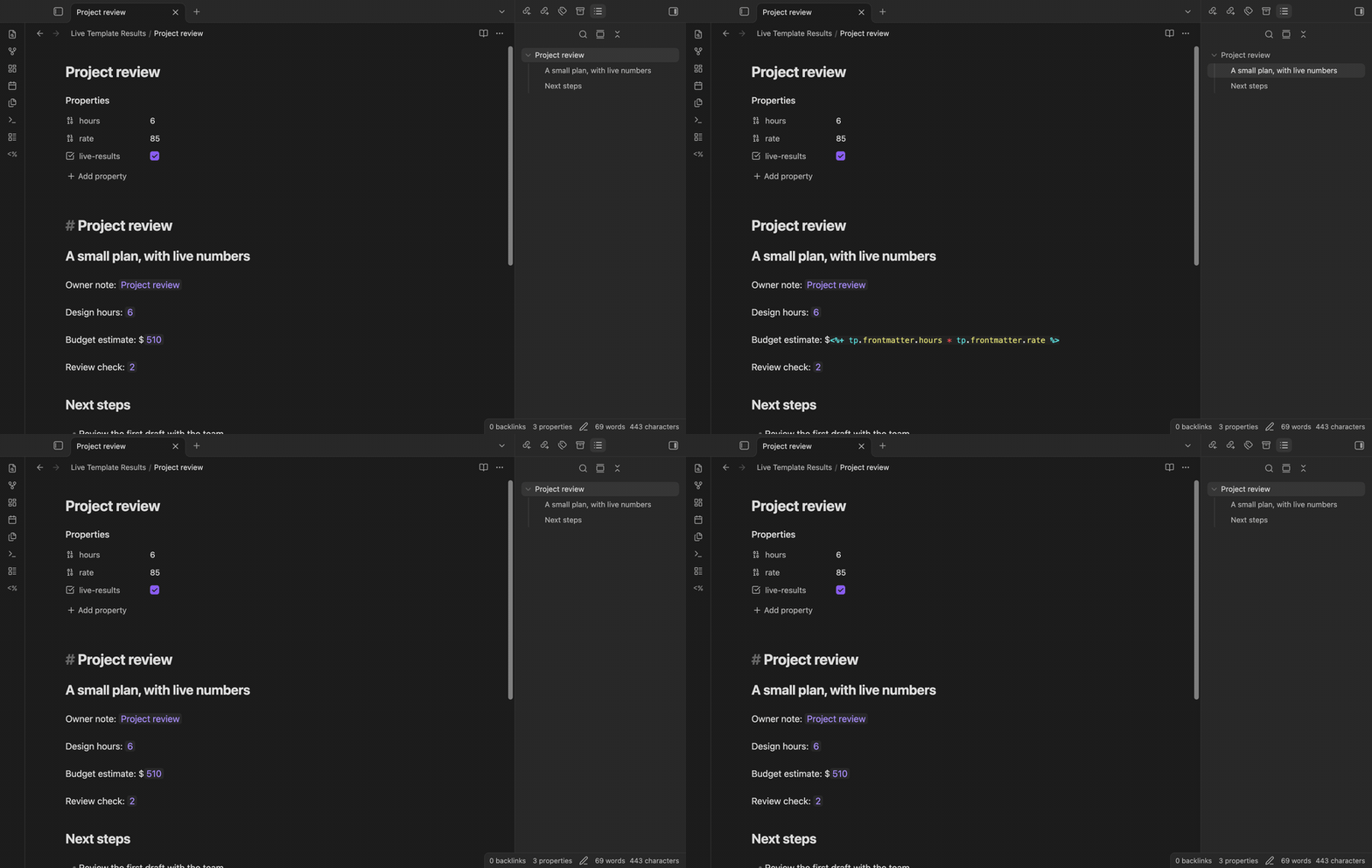
Results in Live Preview
Single-line dynamic commands use the <%+ expression %> form. Results appear as plain text at the command position. For example, a calculation can show a total, while tp.file.title can show the owner note name. The renderer receives the owner file path, including when another note is active. Empty output shows an empty-result label.
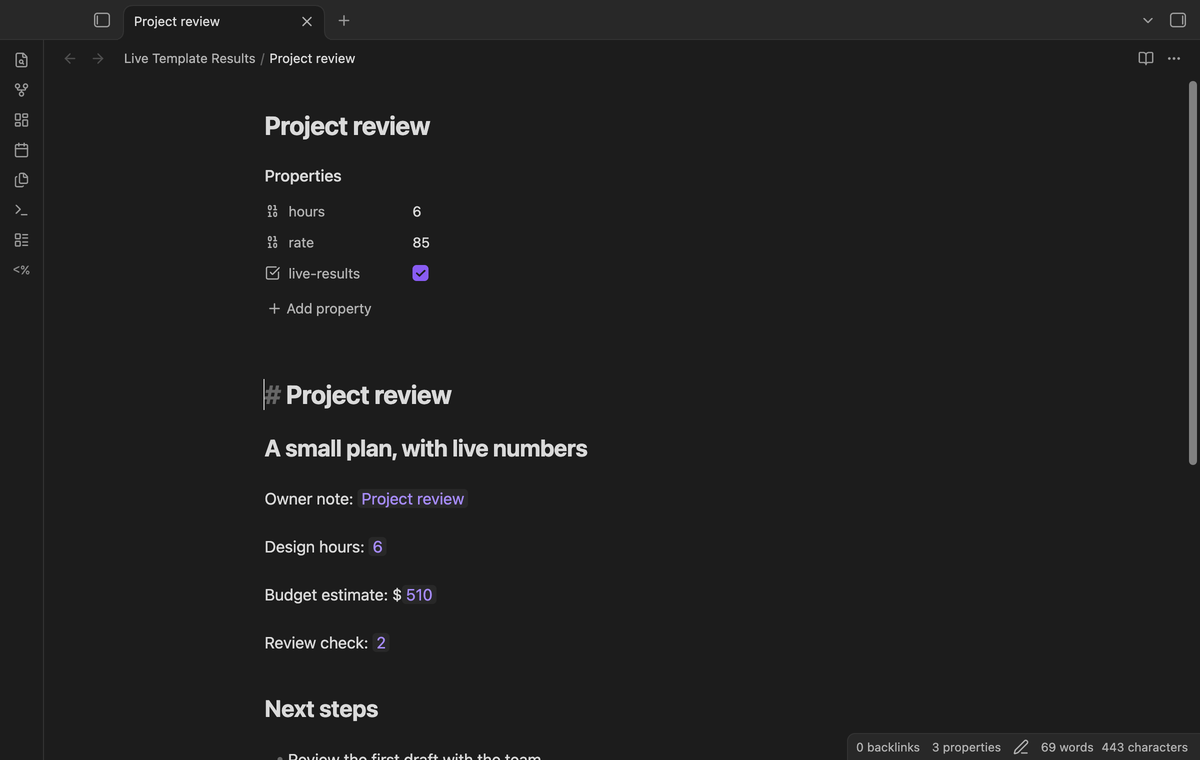
Edit the source command
Click or tap a result, or move the cursor into its range, to expose the command. When the cursor leaves, the cached result returns. Cursor movement does not request another script run. An edit to the note discards its cached results. Use refresh after the edit. Results are temporary editor content; the plugin does not write them into the note.
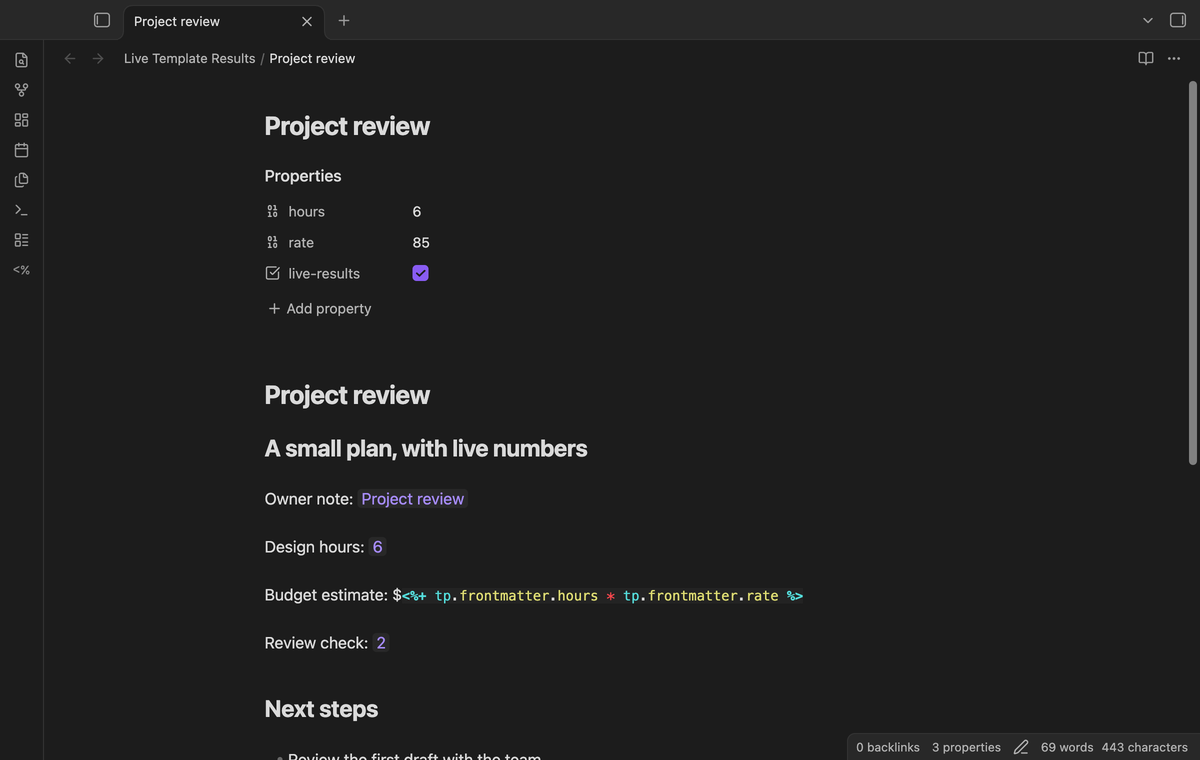
Enable a trusted note
Run Enable template results in this trusted note from the command palette. The choice is saved in the plugin data. A note without that choice has no results from this feature, unless a Pro rule enables it. Disable template results in this note removes its cached results and takes priority over rules. Templater still controls Reading view.
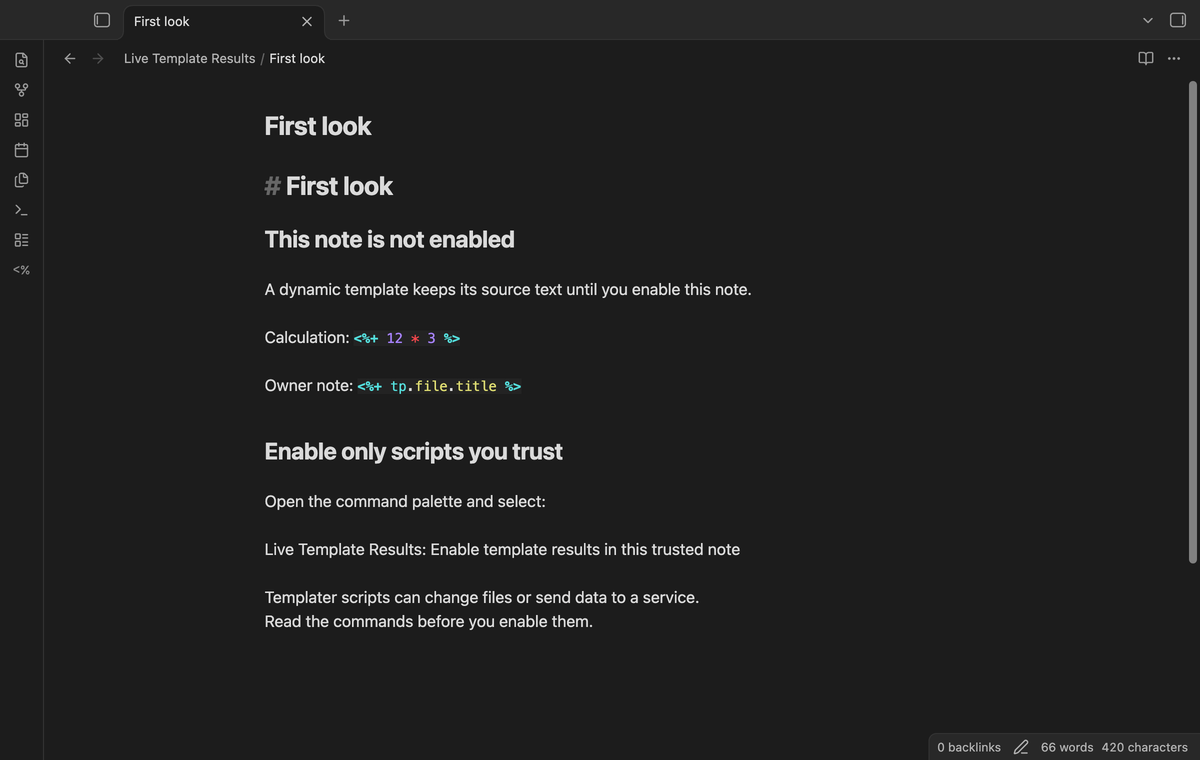
Refresh and inspect errors
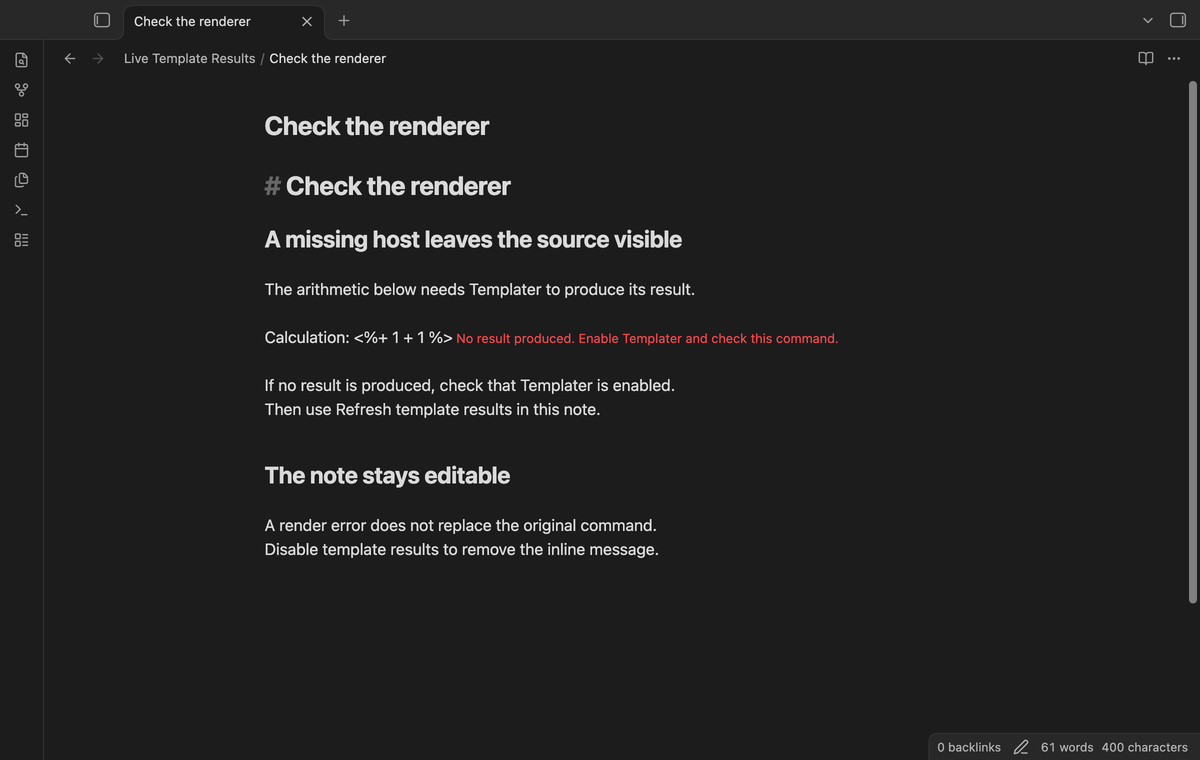
Use Refresh template results in this note to run eligible commands again. The plugin puts render requests through one serial queue. Fenced code, inline code, frontmatter, indented code, HTML comments, %% comments, and escaped openers are excluded. A render failure leaves source visible with a message. A result that finishes after a source change is discarded. Discarding output does not stop a script that has started.
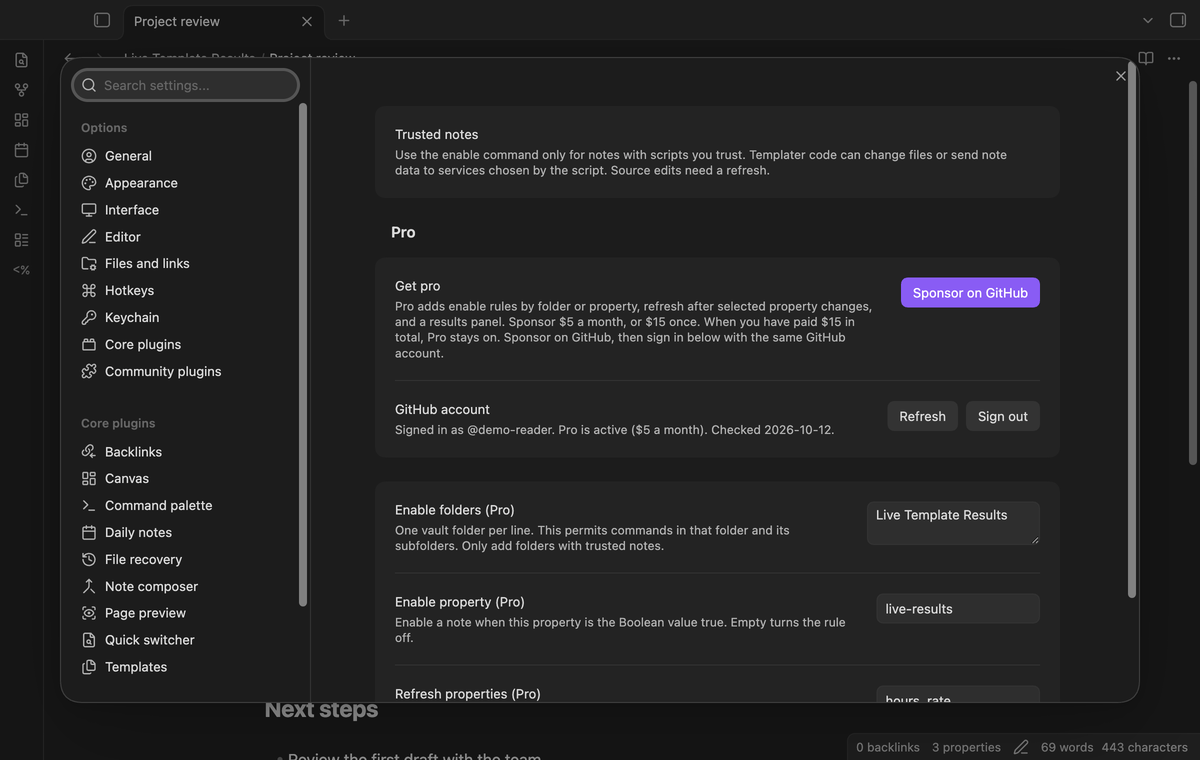
Enable rules by folder or property (Pro)
In settings, enter trusted folder paths, one per line. A folder rule includes its subfolders and uses a path boundary: Work does not match Workshop. Alternatively, name a property that must have the Boolean value true. The text value "true" does not match. Adding a rule permits execution in matching open notes, so review the notes before you add it.
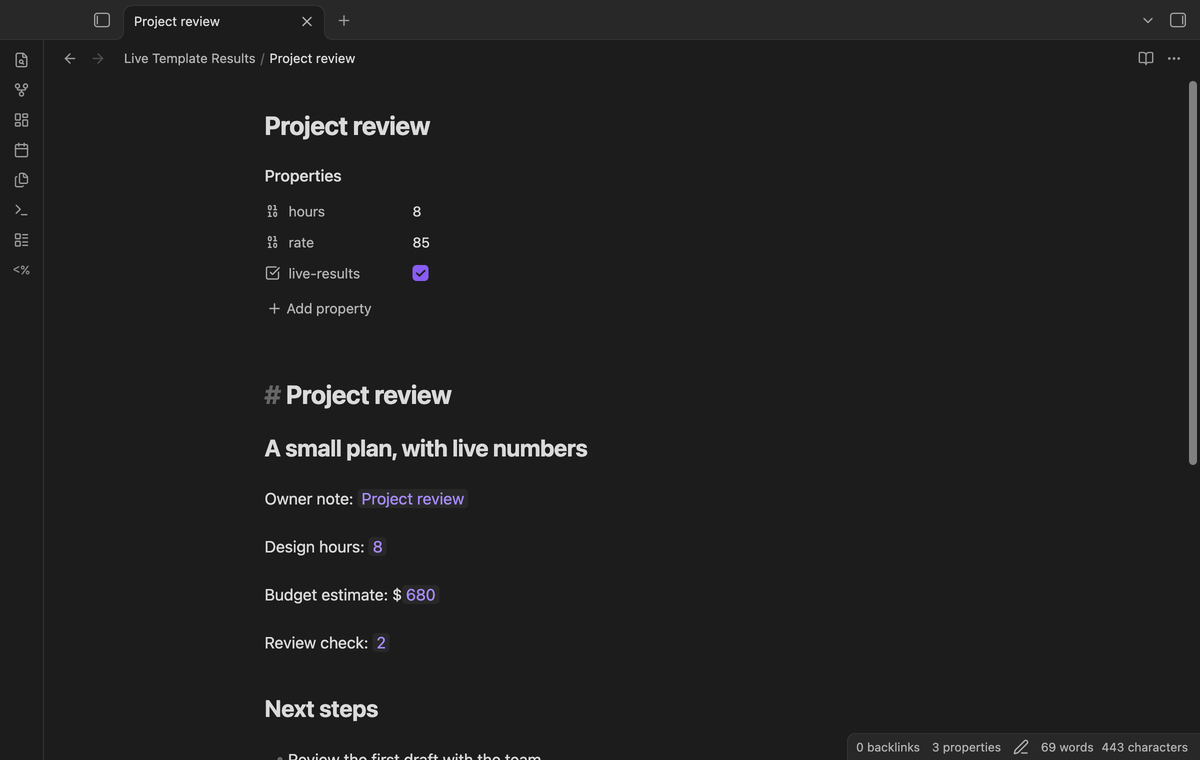
Refresh after selected property changes (Pro)
Enter property names separated by commas in Refresh properties. A change to a selected property can refresh an open enabled note. Changes to other properties do not trigger this refresh. Changes observed during a render do not start a second refresh. A script that changes a watched property after a render can trigger another refresh. Exclude properties that the script writes. Manual refresh remains available without Pro.
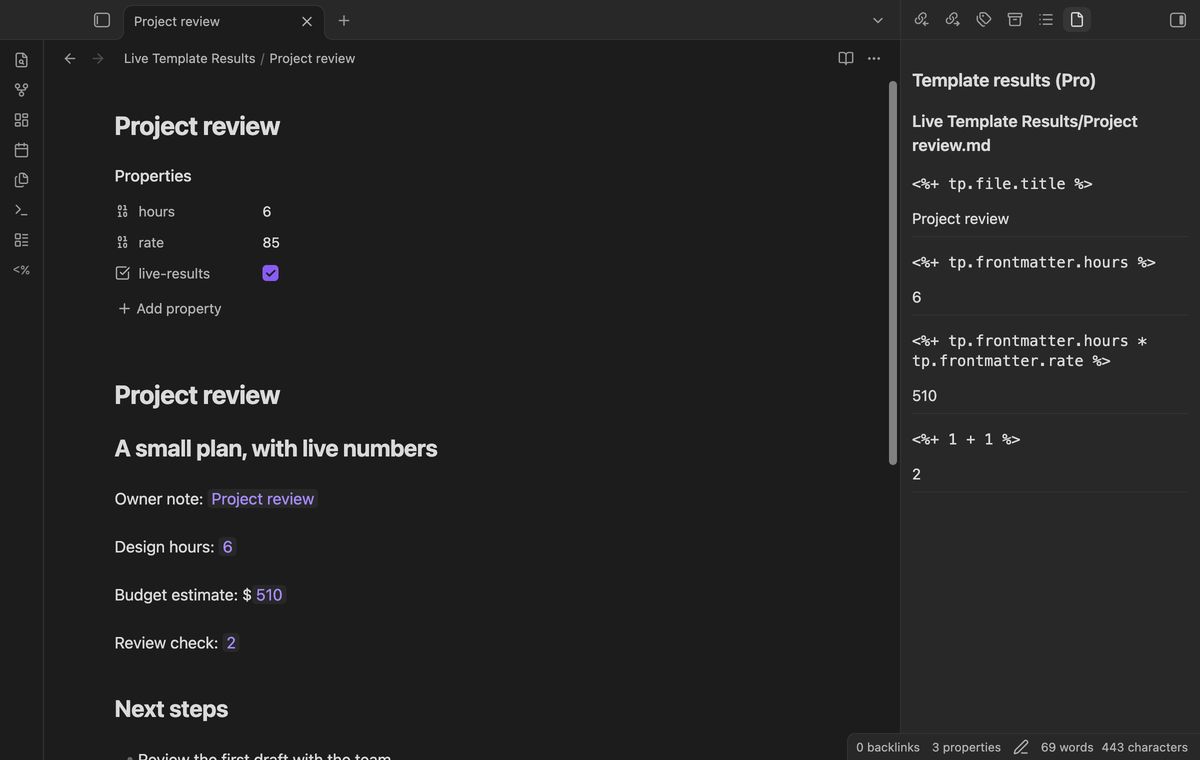
Results and errors panel (Pro)
Run Open template results panel to see cached commands, output, and errors from open enabled editors. The panel uses the existing cache; opening it does not run the scripts again. It shows the owner path above each group. Closing an editor removes that editor's results from the panel. When Pro is off, the panel shows a payment status message.
Install
This source is prepared for review. A community directory listing is not claimed here. Build the source or use release files supplied by the publisher. Copy main.js, manifest.json, and styles.css into <vault>/.obsidian/plugins/live-template-results/, then enable the plugin in Community plugins. Install Templater separately. Obsidian 1.13.4 or later is required.
Usage
Start with a test note containing a heading, a blank line, and <%+ 1 + 1 %>. Switch to Live Preview. Read the command before you enable the note. Run the enable command, then move the cursor to the heading. The result should show 2. Move back into the command to edit it. After an edit, run refresh to see the new result.
Settings
Manual enable and disable choices are saved by path. Renaming a note removes the old manual choice; enable the new path again if no rule applies. Results are held in memory for each editor. Two open editors of one note have separate caches and render jobs. Source mode does not show result widgets. The Pro controls save their values while Pro is off, but the rules are inactive.
FAQ
What syntax is outside this version?
Multiline commands and block quotes are excluded. A command ends at the first %> on its line; do not use that delimiter inside a script string. A backtick without a closing match excludes later commands in its paragraph. Lines indented by four spaces or a tab, such as nested list items, are excluded. Output is plain text, not a second Markdown render. A script that does not finish holds the queue until it finishes or the plugin is reloaded.
What has not been tested?
App tests use Templater 2.26.0 on Obsidian 1.13.4 and 1.14.4. Physical phones and tablets, Windows, Linux, third-party themes, and arbitrary user scripts have not been tested in this build session. Desktop pointer input is covered, but it does not prove mobile keyboard behavior. The source uses no Node or Electron API. Templater scripts can still use desktop-only functions. Real payment, GitHub authorization, and external services called by user scripts were not exercised.
Payment, account and network
The core features are free. Pro features need a GitHub Sponsors sponsorship of theluckystrike: $5 a month or more, or $15 once. A total payment of $15 meets the payment requirement for Pro without further payment. Sign-in and the checks below still apply. Your notes stay readable and editable with or without Pro.
GitHub handles the payment. Sponsor at https://github.com/sponsors/theluckystrike. You need no account for the free features. Pro needs the GitHub account that sponsors.
Until you select "Sign in with GitHub" in the settings, Live Template Results makes no network requests. Sign in uses the GitHub device flow. Live Template Results sends its public client ID and the scope read:user to https://github.com/login/device/code and shows you a code. While you enter the code at https://github.com/login/device, it asks https://github.com/login/oauth/access_token every few seconds to check the sign-in status. The scope permits profile reads only. GitHub needs this access to show the sponsorship tier. It grants no repository scope and no write access.
After sign in, Live Template Results sends one query to https://api.github.com/graphql. It checks if the signed-in account sponsors theluckystrike. It asks for the tier and the total payment to theluckystrike. The plugin reuses a successful check for 7 days. Failed checks can retry after 6 hours. Select Refresh to request an earlier check. It sends no note content, file names or other vault data, and it has no telemetry.
After a successful check, Pro can work offline for up to 14 days. Sign out or a negative sponsorship answer turns Pro off. The plugin stores the GitHub token through the secret storage API of Obsidian. It does not put the token in its saved settings or its local sponsorship data. The local storage of this device keeps your GitHub login, the tier and the time of the last check. Sign out clears the token. You can also revoke the access in your GitHub settings, under Applications.
Script network access
The disclosure above describes this plugin's GitHub Sponsors client. Rendering a trusted command can also run Templater user code. That code can send note names, file paths, and note text to hosts chosen by its author, including before GitHub sign in. This plugin has no fixed rendering host and cannot list script-selected hosts in advance. Inspect scripts before enabling them.
Support
The publisher is theluckystrike at notemods.com. For a bug report, include the Obsidian and Templater versions, the command that failed, and a small sample without private note data. Include whether the note was enabled manually or by a rule. The source license is MIT. Templater is a separate project by SilentVoid13 and its contributors.