Search...Search plugins and themes...
⌘K
Sign in
  • Get started
  • Download
  • Pricing
  • Enterprise
  • Account
  • Obsidian
  • Overview
  • Sync
  • Publish
  • Canvas
  • Mobile
  • Web Clipper
  • CLI
  • Learn
  • Help
  • Developers
  • Changelog
  • About
  • Roadmap
  • Blog
  • Resources
  • System status
  • License overview
  • Terms of service
  • Privacy policy
  • Security
  • Community
  • Plugins
  • Themes
  • Discord
  • Forum / 中文论坛
  • Merch store
  • Brand guidelines
Follow us
DiscordTwitterBlueskyThreadsMastodonYouTubeGitHub
© 2026 Obsidian

Listen Up!

tejas-hosamanitejas-hosamani1k downloads

Covert text to natural voice audio, locally - Listen Up!

Add to Obsidian
  • Overview
  • Scorecard
  • Updates5

An open source plugin to convert your notes into natural language audio files

Join Listen Up discord server if you get stuck somewhere or you have suggestions for features.


Sample:

Your browser does not support the audio tag. Try Sample audio

Get Started - Quick

Follow along video - coming soon

Step 1: Download and enable the plugin

Step 2:

  1. Download, and extract Piper for your OS
  2. Select executable file from Obsidian plugin setting

Step 3: Download and setup language audio models -

  1. Check the samples - https://rhasspy.github.io/piper-samples
  2. Download whichever lang model you like from the samples from - https://github.com/rhasspy/piper/blob/master/VOICES.md
    1. Recommended model
  3. Select these files from the Obsidian plugin settings

Step 3: Run the Convert text to speech command to convert alt text That's it! Start using the plugin!
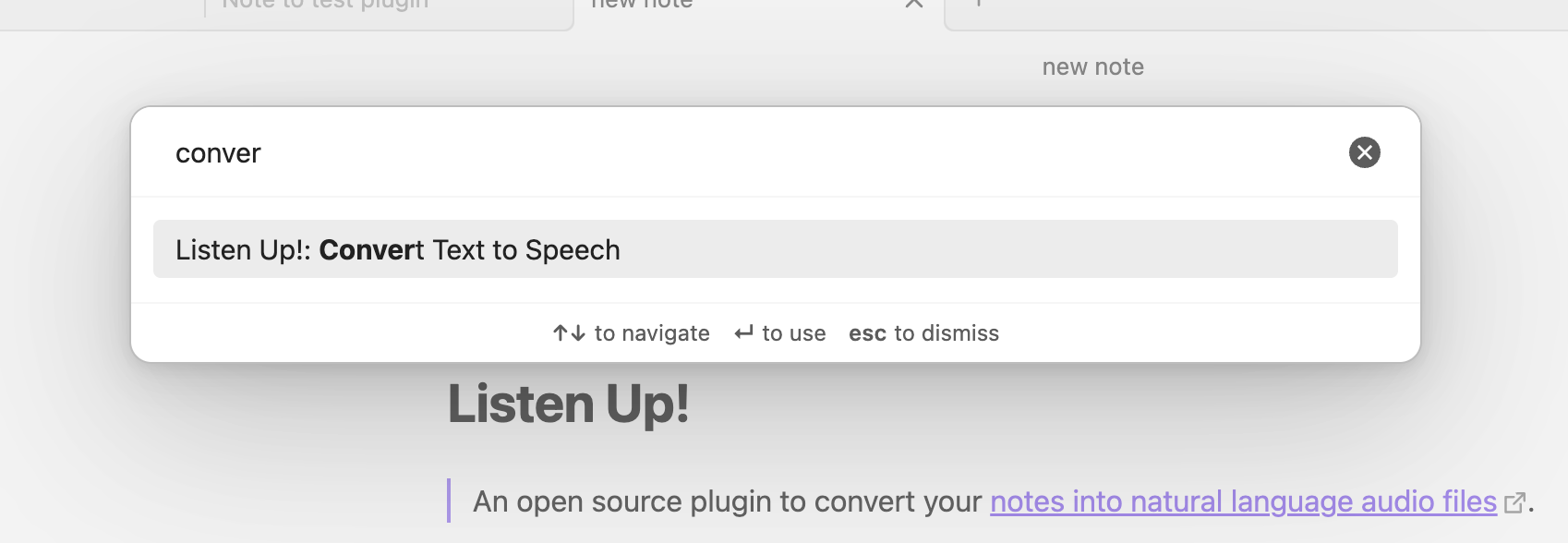
Advanced

Different ways to convert text to audio

  1. Selection
  2. Using special text blocks - {{listen}}Converts to voice{{/listen}}
  3. Without any selection or text blocks, covers entire file to audio

Change language models

Coming soon

69%
HealthFair
ReviewCaution
About
Convert notes into natural-sounding audio using local Piper voice models. Select text, mark blocks with {{listen}}...{{/listen}}, or convert entire files to export audio files per note.
ExportAttachmentsLanguages
Details
Current version
1.0.7
Last updated
2 years ago
Created
2 years ago
Updates
5 releases
Downloads
1k
Compatible with
Obsidian 0.15.0+
Platforms
Desktop only
License
GPL-3.0
Report bugRequest featureReport plugin
Author
tejas-hosamanitejas-hosamani
freedomwithtruth.com/
GitHubtejas-hosamani
  1. Community
  2. Plugins
  3. Export
  4. Listen Up!

Related plugins

Simplified Chinese Word Splitting

Adds Simplified Chinese word splitting support for the editor and Vim mode.

Image Context Menus

Image context menus (mostly on right click): Copy to clipboard, Open in default app, Show in system explorer, Reveal file in navigation, Open in new tab.

Easy Typing

Auto format when typing.

Ink

Hand write or draw directly between paragraphs using a digital pen, stylus, or Apple pencil.

Pandoc Plugin

Commands to export to Pandoc-supported formats like DOCX, ePub and PDF.

Local Images Plus

A reincarnation of Local Images to download images in Markdown notes to local storage.

LanguageTool

Unofficial integration of the LanguageTool spell and grammar checker.

Local GPT

Local Ollama and OpenAI-like GPT's assistance for maximum privacy and offline access.

Consistent Attachments and Links

Move note attachments and update links automatically.

Attachment Management

Customize attachment path, auto-rename attachments, etc.