Koda
 Johannes Kaindl1k downloads
Agentic vault companion: chat with an assistant that searches and reads your notes, writes only with your approval, and learns through a transparent memory note.
- Overview
- Scorecard
- Updates25
🇬🇧 English · 🇩🇪 Deutsch
A companion in your Obsidian vault: a chat sidebar that searches, reads and writes your notes, and asks before it touches anything of yours.
Koda runs against an OpenAI-compatible model you choose, typically one on your own machine (LM Studio, Ollama), so your notes do not have to leave it. Everything that steers Koda — its instructions, its memory, its skills — is a Markdown note you can read and edit.
Features
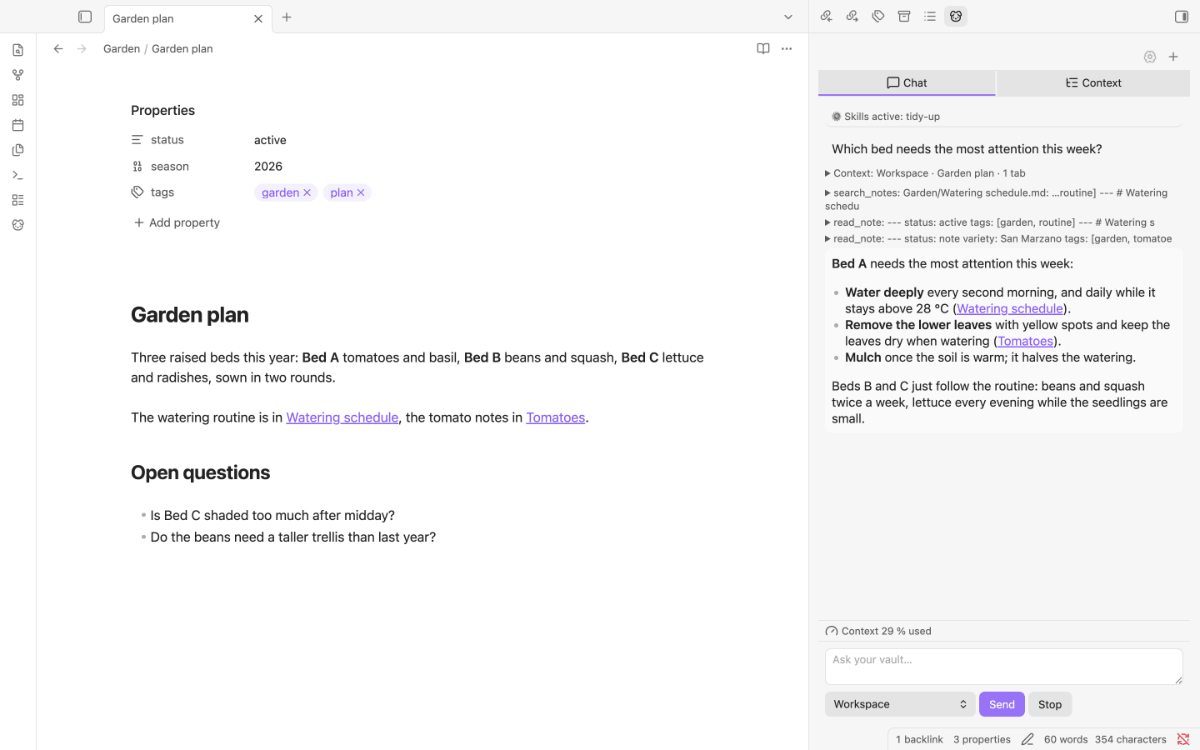
- Chat with your vault. Koda looks things up itself: full-text search, reading notes (including Bases and Canvas files), listing folders with their frontmatter or as a folder tree. Every tool call shows up in the chat, so you see which notes an answer rests on.
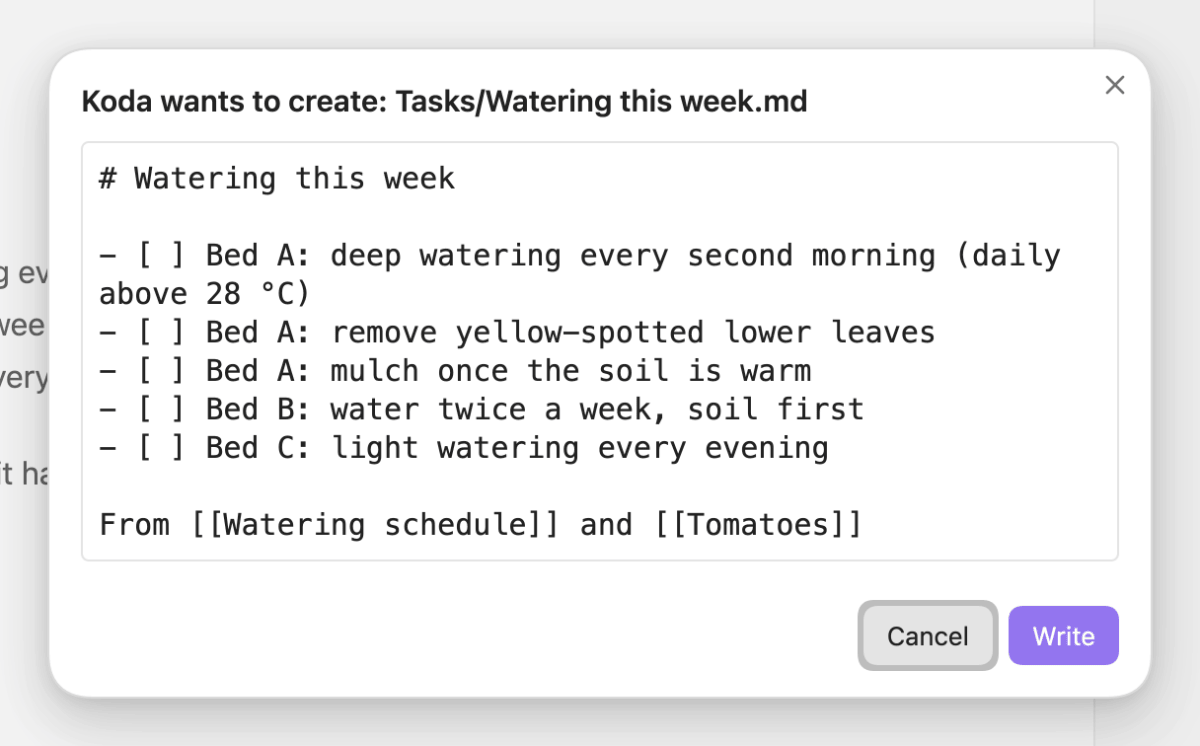
- Writes with your approval. Koda writes freely only in its own folder. Anything else — writing, moving, editing the note you are in — opens a dialog with the text or a line diff first. Deleting and writing skills always ask.
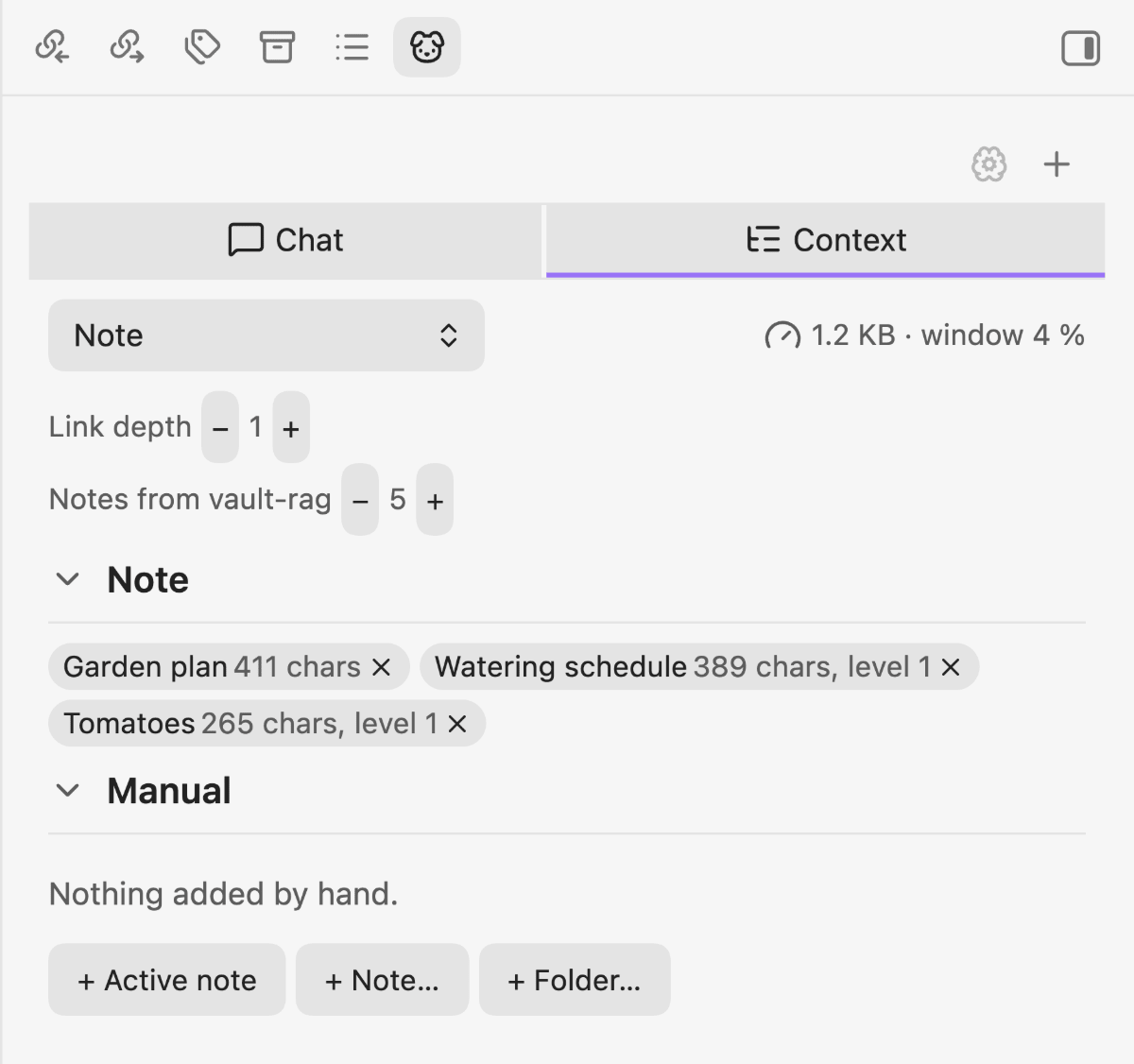
- Working context. Each question can carry what you are looking at: pointers to the open note and selection, or whole notes with their linked neighbours, all open tabs, or the notes that match your question by meaning. The Context tab shows what will go along, and you can leave anything out.
- Looks at images and makes them.
read_imageopens an image from your vault: a model that sees images gets the picture, any other model gets the text recognised by Image to Markdown.generate_imageasks Local Image Generator for a picture and shows it in the chat, after your approval outside the Koda folder. - Memory and skills as notes. "Remember that …" appends a dated line to
Koda/Memory.md. Skills are Markdown notes with standing instructions; Koda can write them for you, with confirmation. A skill withpinned: truein its frontmatter (for example your start routine) is always loaded in full; all others Koda sees by name and description and reads withload_skillwhen a task matches. - Long conversations. Before a conversation overflows the model, Koda compacts it: old tool results first, then a summary of older replies. What you see in the chat and your own messages stay untouched.
- Tunable for small models. Replace the instructions, switch single tools off, and see the exact prompt the model gets.
- Works with neighbours, needs none. With Vault Retrieval installed, Koda adds search by meaning; other plugins can lend Koda their tools. Without them, nothing is missing.
Requirements
- Obsidian 1.11.4 or newer, desktop or mobile.
- An OpenAI-compatible chat endpoint with a tool-calling model: a local server (LM Studio, Ollama, …) or a hosted provider with an API key. Models without native tool calling work through a text fallback, less reliably.
- A local server needs CORS switched on (LM Studio: Enable CORS, or
lms server start --cors; Ollama:OLLAMA_ORIGINS). The connection test passes without it, the chat does not; Koda names this case when it happens. - Optional: Vault Retrieval with an indexed vault, for search by meaning, the Vault context mode and the
related_notestool. - Optional: Image to Markdown for reading images with a model that cannot see them, and Local Image Generator for the
generate_imagetool.
Install
Community plugins (recommended)
- Open Settings → Community plugins → Browse.
- Search for Koda, select Install, then Enable.
AnySource Sideloader
With AnySource Sideloader, add https://github.com/johannes-kaindl/koda-agent as a source and install Koda from there. Updates then arrive like any other plugin update.
Manual
Download main.js, manifest.json and styles.css from the latest release into <your vault>/.obsidian/plugins/koda-agent/, then enable Koda under Settings → Community plugins. Each release also ships checksums.sha256 (shasum -a 256 -c checksums.sha256).
Usage
- Start your model server, open Settings → Koda, check that the endpoint row (default
http://127.0.0.1:1234) shows a green check mark, and pick the model in the endpoint row (Fetch models). - Open the sidebar with the dog icon in the ribbon or the command Open Koda.
- Ask a question about your vault. The status line says what Koda is doing; each tool call appears in the chat.
- Check or change what goes along in the Context tab, or with the dropdown next to Send.
- Approve or cancel writes in the dialog that opens before any change outside the Koda folder.
The Getting started guide walks through this in detail.
Configuration
Everything is under Settings → Koda: endpoints (each with its model), the Koda folder (default Koda), how many tool calls one answer may take, compaction, the working context and model control. The settings reference lists every setting with its default and range.
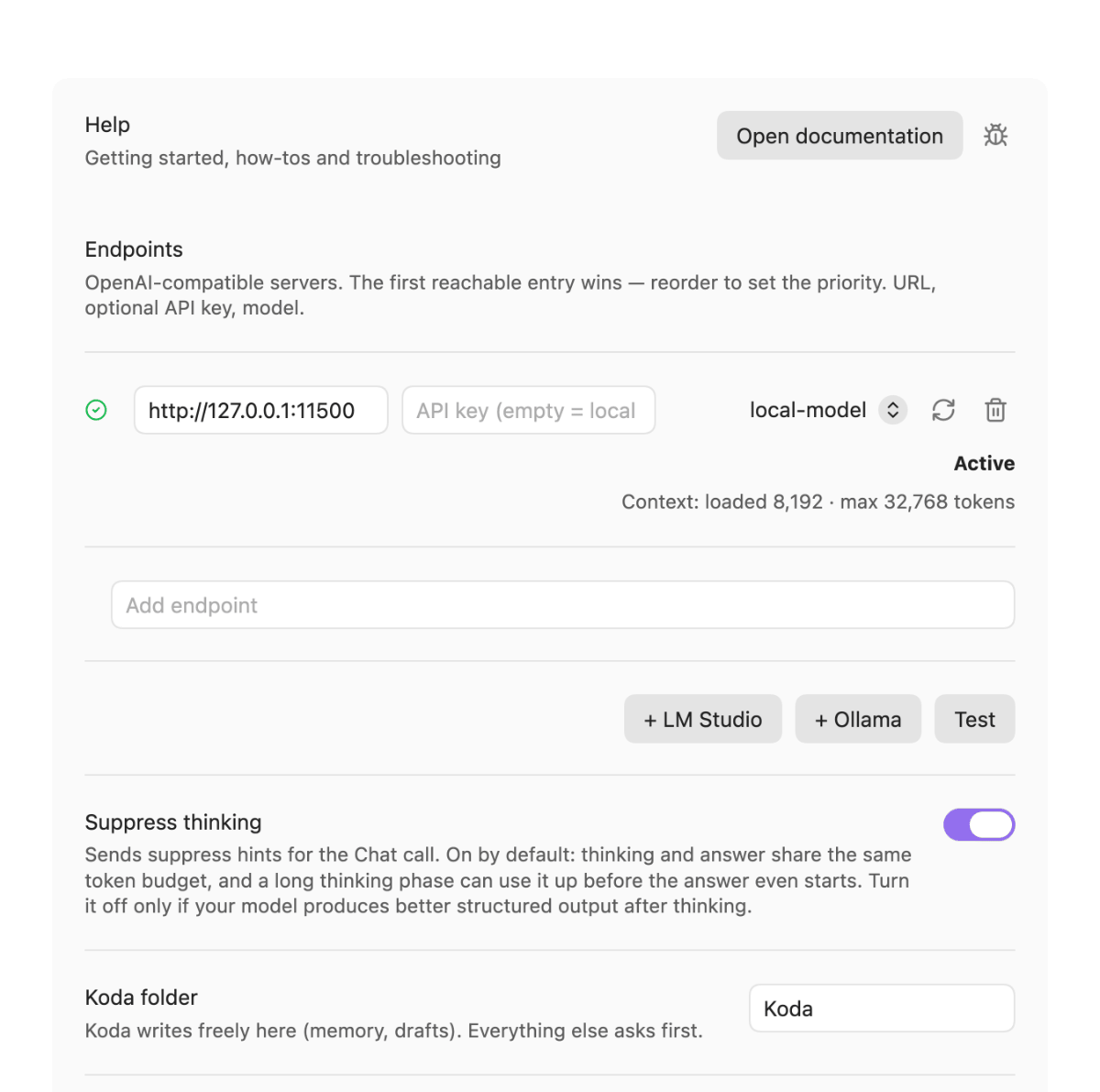
Click the preview for the full-size settings page.
How it works
A question starts an agent loop: the model answers or calls a tool, Koda runs the tool against the vault and hands the result back, up to a limit you set. Writes go through a single rule — free in the Koda folder, a dialog everywhere else — that no tool can bypass. The system prompt is rebuilt for each conversation from Koda's rules, your memory note and your skills. More in How Koda works.
Documentation
- Documentation index — tutorial, how-to guides, reference and explanation.
- Getting started — from installing Koda to its first answer and first approved write.
- Troubleshooting — a message or symptom, its cause, and what to do.
- Let Koda look at images and make them — what a model that sees images and one that does not get, and how a generated image is approved.
Contributing
The canonical repository is git.jkaindl.de/jkaindl/koda-agent; GitHub is its mirror. Issues are welcome on GitHub. Development notes (commands, structure, the smoke checklist) are in CLAUDE.md in the repository.
License
AGPL-3.0-or-later — © 2026 Johannes Kaindl.