
- Overview
- Scorecard
- Updates12
Recipes that live in your vault.
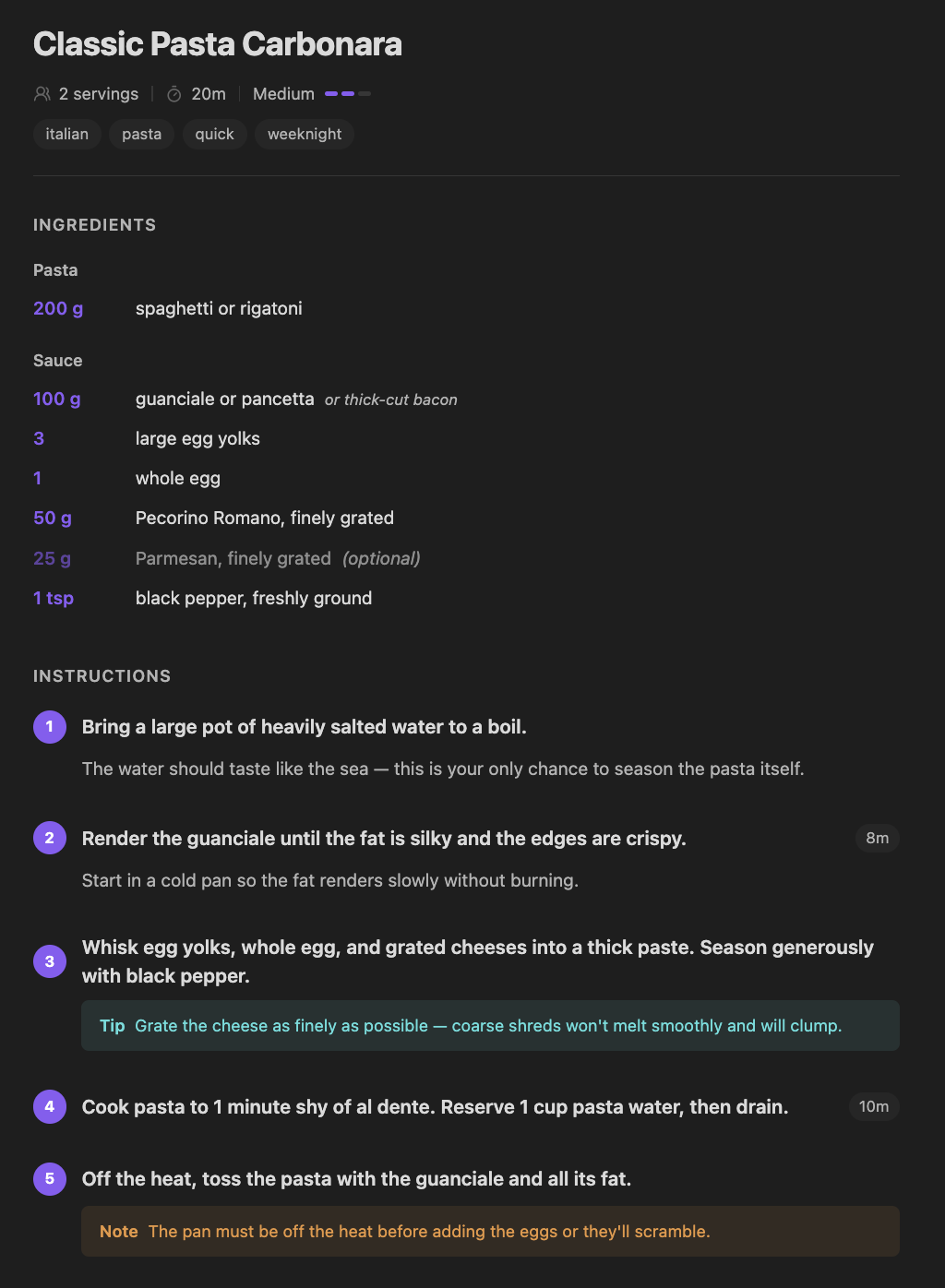
Kaper is a local-first recipe manager — plain markdown files, no cloud, no account. This plugin brings it into your Obsidian vault.
A markdown file with a ```kaper block becomes a structured recipe — preview, form editor, drag-to-reorder ingredients, the lot — rendered inline with the rest of your prose. No external app, no extra database, no second source of truth. Just one more thing your vault knows how to do.
Why bother
You already chose Obsidian because your notes belong on your disk. That's Kepano's file over app bet — outlive the app, keep the notes. Recipes deserve the same treatment. Kaper turns plain .md files into a real recipe manager:
- Lives in your vault. A recipe is a markdown file with
kaper: truein frontmatter and a YAML block in the body. That's it. Anything outside the block is normal markdown — notes, intros, links, photos. - Renders inline in Live Preview and Reading view. No separate panel, no modal. The kaper block becomes a rendered recipe right where it sits, in both editing and Reading mode. Switch to Source mode to see the raw YAML any time.
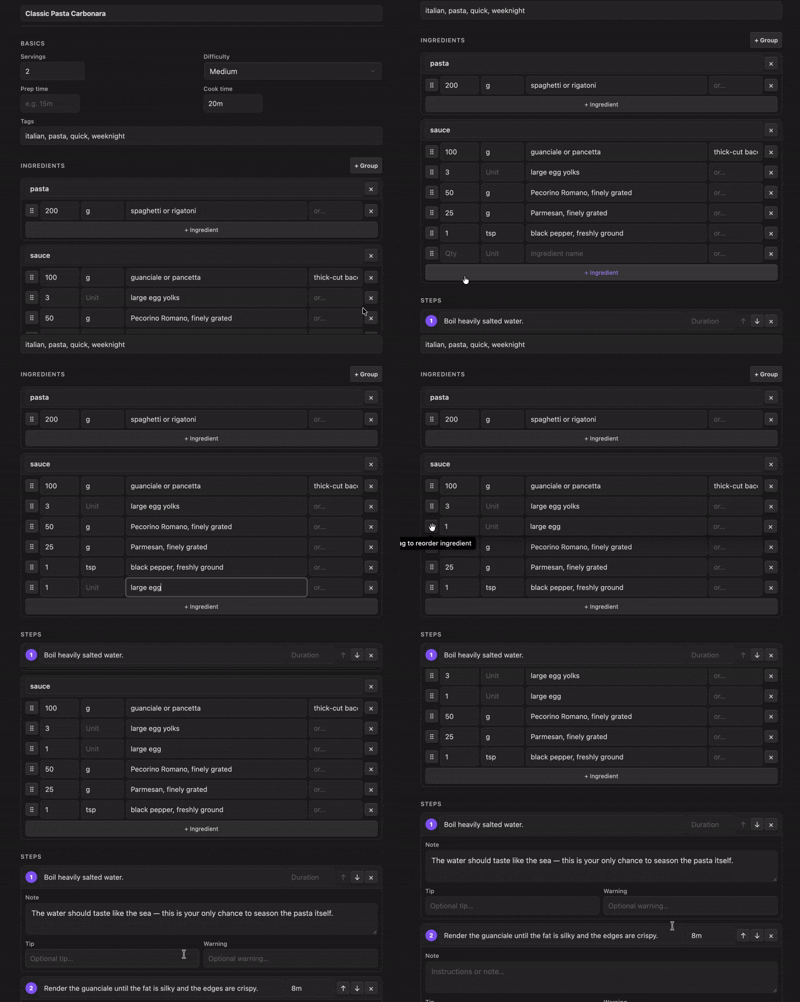
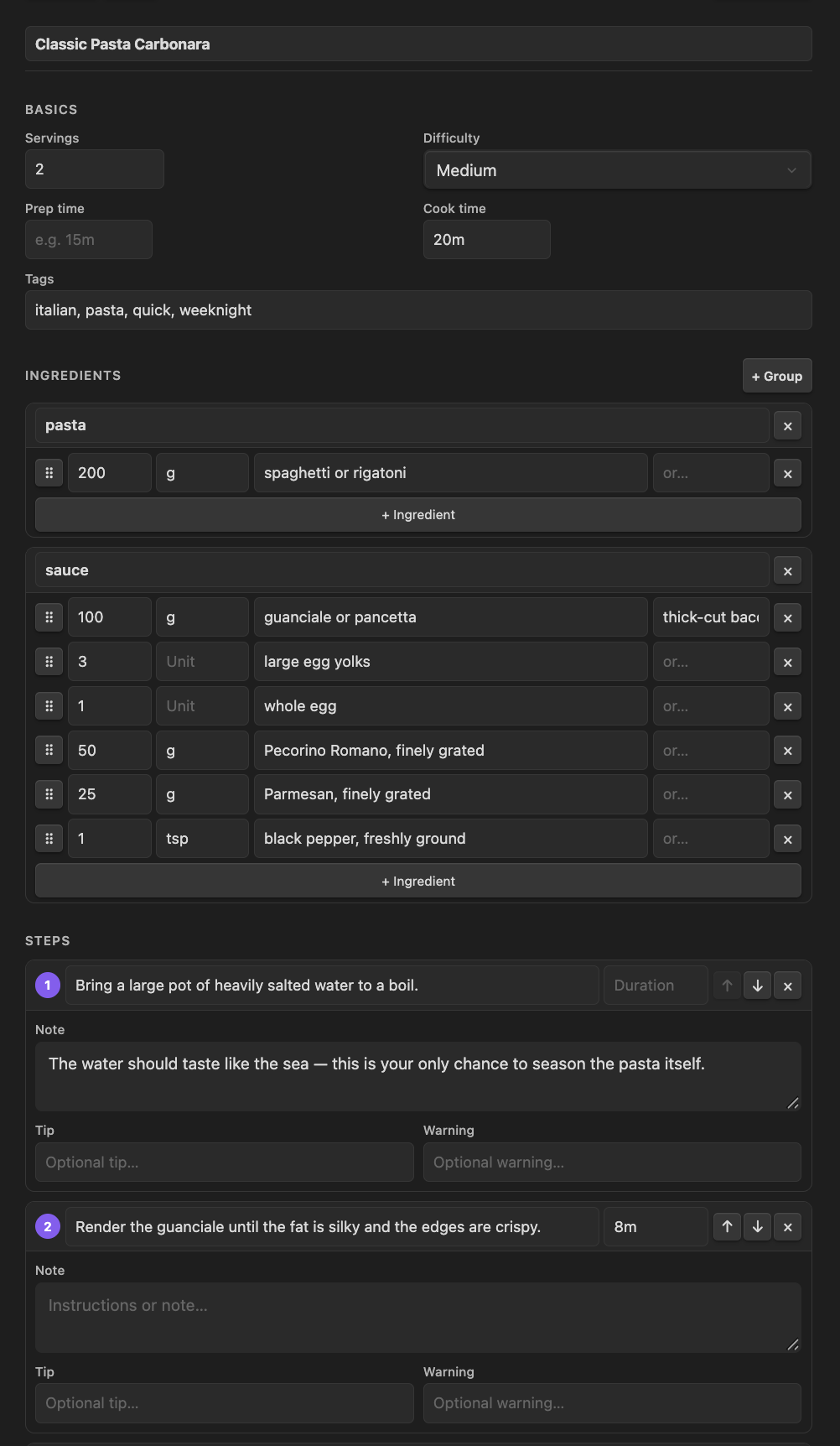
- Form editor for the YAML-shy. Title, servings, prep/cook time, tags, ingredient groups (drag to reorder), steps with notes, tips, warnings, durations. Auto-saves on every change. Desktop only — mobile shows a read-only preview.
- Themed by Obsidian. Uses your accent color and surface palette. Looks at home in any theme you've installed.
Cook Mode
When it's time to actually cook, click Start Cooking on any rendered recipe. Kaper steps you through the recipe one step at a time, right in Obsidian — a full-screen sheet on mobile, a dockable side panel on desktop — with a progress bar and arrow-key navigation. Nothing leaves your vault to get there. If you'd rather use the full Kaper web app instead, View on Kaper opens the same recipe at kaper.me.
File format
A Kaper recipe is two markers — frontmatter kaper: true and a fenced ```kaper YAML block. Anything else in the file is regular markdown.
---
kaper: true
---

A true Roman classic — no cream, no shortcuts.

```kaper
title: Classic Pasta Carbonara
servings: 2
difficulty: medium
time:
  cook: 20m
tags: [italian, pasta, weeknight]
ingredients:
  pasta:
    - amount: 200
      unit: g
      name: spaghetti
  sauce:
    - amount: 100
      unit: g
      name: guanciale
      note: diced
      sub: pancetta
steps:
  - title: Bring a large pot of salted water to a boil.
    note: The water should taste like the sea.
  - title: Cook guanciale in a cold skillet until crispy.
    duration: 8m
version: 1
```

Tips and notes go here as regular markdown.
Required keys: title, servings, ingredients, steps. Everything else is optional.
The kaper: frontmatter value can be anything non-empty. New recipes created by the plugin get a stable id (kaper: r_<nanoid>) so the file survives being renamed or moved; existing kaper: true files keep working and are upgraded lazily the first time you open them.
Use it
- New recipe (desktop) — click the utensils icon in the left ribbon, or run Kaper: Create recipe from the command palette.
- Convert a note (desktop) — run Kaper: Convert current note to recipe to add the frontmatter and starter block to any open
.mdfile. - Edit (desktop) — open any kaper file in Live Preview. Toggle Preview and Form at the top of the rendered block.
- Cook — click Start Cooking for the in-app, step-by-step view, or View on Kaper to cook from the web app instead.
- Raw YAML — switch to Source mode (top-right pane icon).
On mobile, recipes render as a read-only preview and Cook Mode still works — creating, converting, and form editing are desktop-only for now.
Settings
Kaper vault root folder — the folder Kaper's web and desktop apps open as their library. Leave it empty to use the vault root. Step images are stored under _assets/ inside this folder, so the setting has to match the folder you open in Kaper elsewhere. That's the only setting.
Works with the rest of Kaper
Kaper recipe files are 100% portable. The same .md file works in:
- This Obsidian plugin
- The Kaper web app at kaper.me
- The Kaper desktop app, in active development
There's no sync layer to set up. Your files move through whatever you already use — iCloud, Dropbox, Syncthing, git, USB stick. Open the same folder anywhere.
Privacy
The plugin makes no network requests of its own. Cook Mode runs entirely in-app — nothing is sent anywhere to step through a recipe. The only outbound link it adds is the View on Kaper button, which opens kaper.me?from=obsidian in your browser — and even that only carries the URL parameter telling the web app where you arrived from. Your recipe files never leave your vault.
There is no Kaper server. We literally cannot read your files.
One exception, and it's yours to make. You can point a recipe's coverImage or a step image at a remote http(s) URL if you like — and when the recipe renders, Obsidian will load that image straight from wherever it points. That request goes to a host we have no connection to, so whatever it logs or tracks is strictly between you and that server, not us. Use remote URLs only for sources you trust; to keep everything local, point images at vault-relative paths or use the form's image upload instead.
Installation
Community Plugins
- Open Settings → Community plugins.
- Click Browse, search for Kaper, and click Install.
- Click Enable.
Manual
- Download
main.js,manifest.json, andstyles.cssfrom the latest GitHub release. - Drop them into your vault's
.obsidian/plugins/kaper/folder. - Settings → Community plugins → enable Kaper.
Built on
Obsidian's editor is built on CodeMirror 6. This plugin extends CodeMirror directly — recipe blocks render as block widgets inside the editor itself, sharing the same rendering pipeline as headings, embeds, and Live Preview. There's no second UI on top of the editor, just one editor that knows how to render kaper blocks.
Open-source pieces under the hood:
- @dnd-kit/sortable — accessible drag-and-drop for ingredient reordering (keyboard, touch, mouse).
YAML parsing and serialization go through Obsidian's own built-in engine (parseYaml/stringifyYaml) rather than a bundled library.
Development
git clone https://github.com/nikoneex/obsidian-kaper.git
cd obsidian-kaper
npm install
npm run dev    # watch mode → main.js
Symlink the repo into a test vault:
ln -s "$PWD" "/path/to/test-vault/.obsidian/plugins/kaper"
Run tests:
npm test
Lint (same rules CI enforces — eslint-plugin-obsidianmd plus typescript-eslint):
npm run lint
Contributing
Thank you for the interest — it genuinely means a lot. This plugin is a one-person, spare-time project, so a few guidelines help me keep it clean and stable for everyone. If you'd like to contribute:
- Open an issue first. Discuss any new feature, architecture change, or major refactor before writing code. Uncoordinated PRs get closed.
- No AI-generated bulk. Large, AI-generated PRs aren't accepted. Code should be human-readable, minimal, and match the style already here.
- Pass the checks. Before you push, run Prettier (
npm run format), make sure the branch type-checks and builds clean (npm run build), and the tests pass (npm test). - Keep it small. One PR, one issue.
Bug fixes and pre-discussed features are always welcome.
License
MIT — see LICENSE.
Want the full Kaper experience? Open any folder of recipes at kaper.me. No install. No signup.