Kanban Starlane
 akremenetsky35 downloads
Organize notes as Kanban boards backed by plain markdown, with linked boards across files, dates, tags and WIP limits.
- Overview
- Scorecard
- Updates4
Kanban boards for Obsidian, stored as plain markdown notes.
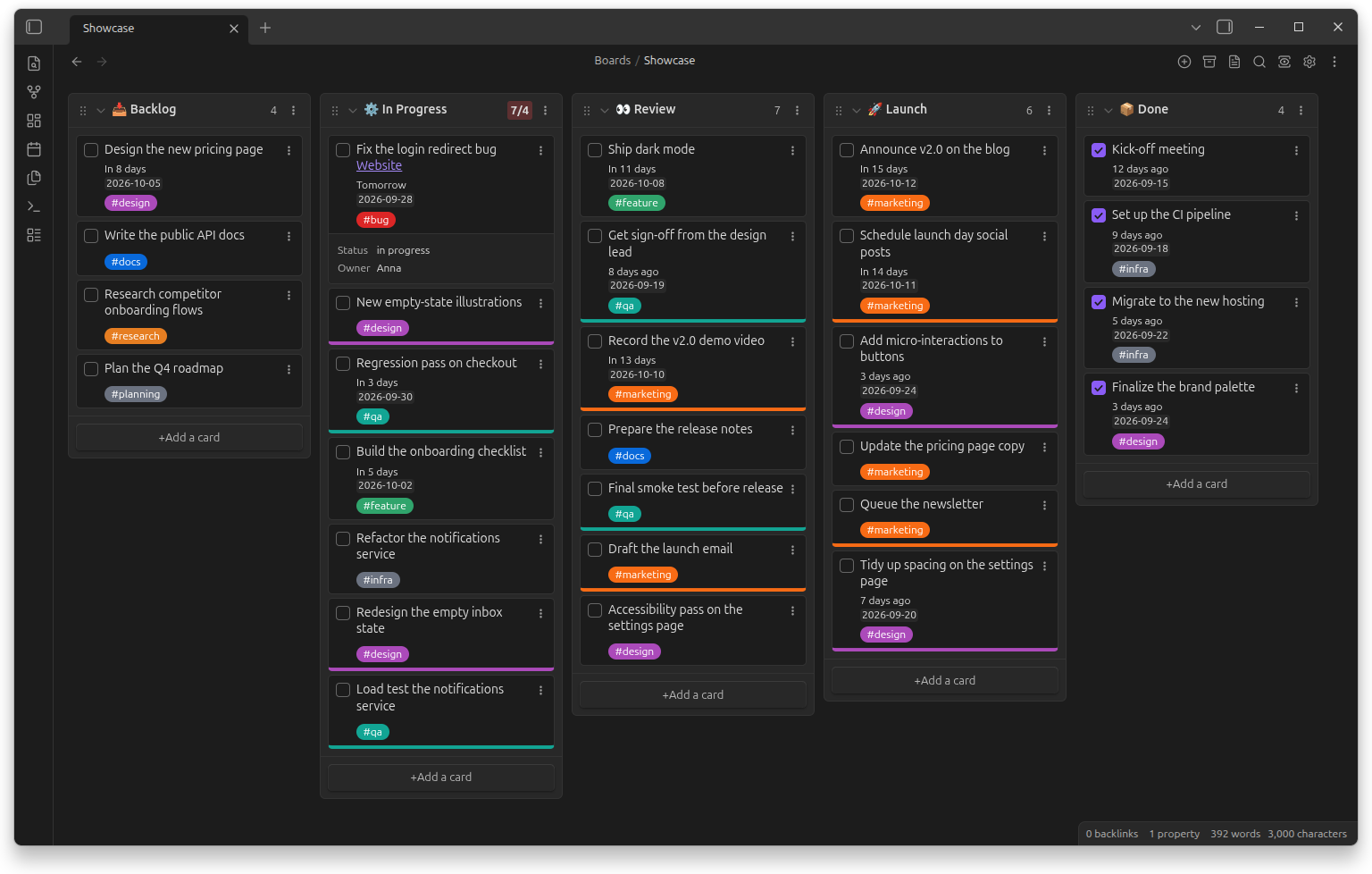
Kanban Starlane turns a note into a board: lists are headings and cards are task-list items, so the note stays readable and editable without the plugin. Cards carry dates, tags and links to other notes, move between lists and boards by drag and drop, and keep a history of what happened to them. One list can also show the cards of lists on other boards, so you can keep a board per area and still see all your work in one place.
Documentation: akremenetsky.github.io/kanban-starlane
Features
- Three views of the same note: board, table and list.
- Cards and lists: edit cards in place, embed images, turn a card into a note, search the board, drag cards between lists and boards.
- Linked lists: a list also shows the cards of lists on other boards; each board's cards carry its color, and changes go to that board's file.
- Dates and times on cards, shown as dates or relative ("in 3 days").
- Tags with their own colors.
- WIP limits per list.
- Card history: when a card was created, edited, moved, checked or archived, even across boards.
- Archive for finished cards.
- Linked page metadata: a card linking to a note shows that note's properties, and Tasks and Dataview fields on the card are shown too.
- Settings set globally or overridden per board.
Installation
- Community plugins (recommended): in Obsidian open Settings → Community plugins → Browse, search for Kanban Starlane, install and enable it (plugin page).
- BRAT: install Obsidian42 - BRAT and add this repository as a beta plugin.
- Manually: download
main.js,manifest.jsonandstyles.cssfrom the latest release into<your vault>/.obsidian/plugins/kanban-starlane/, then enable Kanban Starlane in Settings → Community plugins.
Requires Obsidian 1.8.7 or newer.
Coming from the Kanban plugin
Kanban Starlane can be installed next to the original plugin; it does not open the original's boards until you convert them. Open the command palette and run:
- Convert all boards from the Kanban plugin — converts every board in the vault, or Convert board from the Kanban plugin for the current note;
- Import settings from the Kanban plugin — copies your global settings.
Conversion changes only the plugin identifiers in each file (kanban-plugin →
kanban-starlane); lanes, cards, archive and board settings are kept. After converting,
disable the original plugin.
Documentation
- User guide: akremenetsky.github.io/kanban-starlane (source: docs/user-guide)
- Changes: CHANGELOG.md
Development
npm install
npm run dev        # watch build, installs into test-vault/ — open that folder as a vault
npm run install-plugin -- <path to vault>   # build and install or update the plugin in a vault
npm run check      # typecheck, lint, format check, unit tests
npm run test:e2e   # end-to-end tests in real Obsidian
Start with AGENTS.md (conventions and workflow — for humans and AI agents alike) and docs/dev/ (architecture, board format, testing, decisions).
Credits and license
Kanban Starlane is a fork of the Kanban plugin 2.0.51 by Matthew Meyers. It is developed on its own roadmap.
Copyright (C) 2021–2024 Matthew Meyers — original Kanban plugin (his note on the project's history). Copyright (C) 2026 Anton Kremenetsky — Kanban Starlane modifications (see CHANGELOG.md).
Licensed under the GNU General Public License v3.0. Bundled third-party code keeps its own license: flatpickr (MIT), parts of Dataview and Tasks (MIT), Hot Reload in the test vault (ISC).