Search...Search plugins and themes...
⌘K
Sign in
  • Get started
  • Download
  • Pricing
  • Enterprise
  • Account
  • Obsidian
  • Overview
  • Sync
  • Publish
  • Canvas
  • Mobile
  • Web Clipper
  • CLI
  • Learn
  • Help
  • Developers
  • Changelog
  • About
  • Roadmap
  • Blog
  • Resources
  • System status
  • License overview
  • Terms of service
  • Privacy policy
  • Security
  • Community
  • Plugins
  • Join the community
  • Discord
  • Forum / 中文论坛
  • Merch store
  • Brand guidelines
Follow us
DiscordTwitterBlueskyThreadsMastodonYouTubeGitHub
© 2026 Obsidian

Inline Encrypter

solargatesolargate10k downloads

Encrypt secrets in your notes.

Add to Obsidian
  • Overview
  • Scorecard
  • Updates31

Encrypt your secrets in the Obsidian.md notes.

This is a simple plugin for encrypting the text in Obsidian notes just inline. It was inspired by Obsidian Encrypt Plugin.

⚠️ WARNING: Use at your own risk. Your passwords are never stored anywhere. If you forget your passwords you can't decrypt your notes. Do not give access to your files to a third party to avoid possible decryption of data.

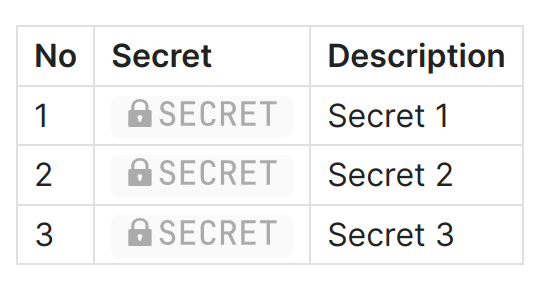
You can encrypt all the text in a note, as well as parts of it, such as the contents of lists, tables, etc. The encrypted value is saved directly in the note as a block of code and appears as a button in reading mode.

Edit mode:

Editing mode

Reading mode:

Reading mode

Live Preview mode is also supported. Buttons for secrets decryption are clickable in Live Preview mode.

Usage

Encryption

  1. In edit mode select text you want to encrypt.

  2. Run Encrypt selected text from command palette.

Commands

  1. Enter the password for encryption.

  2. You can also run Encrypt selected text as code block command for encrypting into common code block.

  3. There is possibility to insert pre-encrypted text. Run Insert pre-encrypted text.
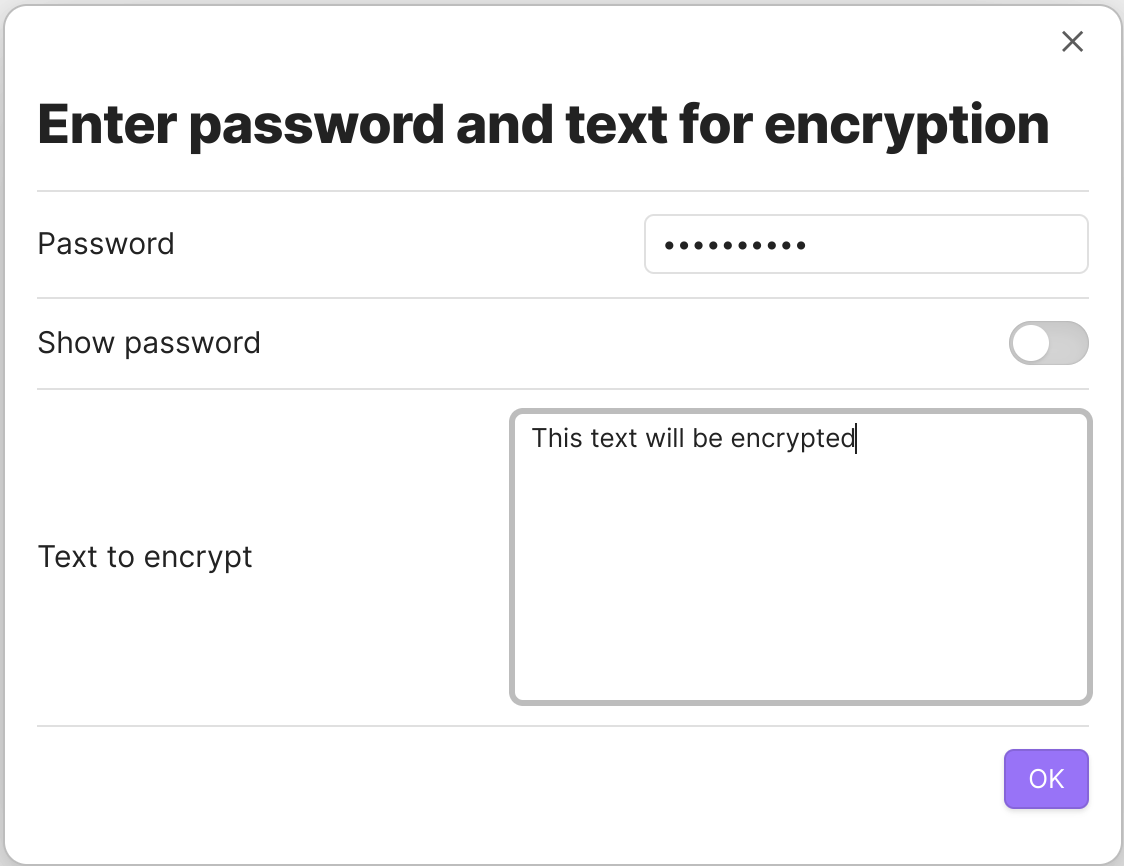
Insert pre-encrypted text

Decryption

  1. To see the decrypted value without decrypting it in the text of the note, simply click on the button in reading mode.

Button

  1. Enter the password for decryption.

  2. To decrypt a secret in the text of a note, select the entire code block in edit mode.

Selecting secret in inline code block

Selecting secret in common code block

You can also just set the cursor inside encrypted block.

Selecting secret in block

  1. Run Decrypt selected text from command palette.

  2. Enter the password for decryption.

When the Ctrl key is pressed, the secret will not be shown on the screen; it will be copied to the clipboard immediately.

You can also use context menu (right click) to choose decryption method.
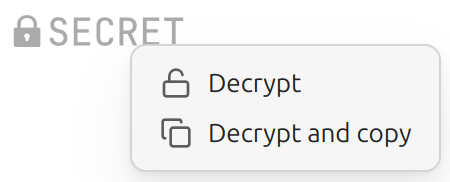
Choosing decryption method from context menu

Decryption outside Obsidian

You can use external decryptor tool to decrypt secrets outside Obsidian: tools/decrypt.html. It's just one HTML file which you can open in your browser.

Security Notes

  • Decrypted content is only held in memory
  • No automatic writing of decrypted content to disk; the only time a decrypted secret is written to disk is when you use the "Decrypt selected text" command
  • Passwords are never written to disk; they are kept only in memory
  • Makes encryption with a given passphrase, if you lose your passphrase, you lose your data

Technical Notes

Encryption algorhytm is aes-256-gcm. Salt and IV are unique and random.

Donations

You can make any donations:

  • DonationAlerts
  • Cryptocurrency
78%
HealthExcellent
ReviewSatisfactory
About
Encrypt selected text inline into secure code blocks or insert pre-encrypted values, and reveal them via clickable decrypt buttons in Reading and Live Preview modes. Decrypt in-place or view decrypted text temporarily and copy to clipboard; passwords are never stored and decrypted content stays only in memory.
EditingCodeInterface
Details
Current version
1.5.8
Last updated
2 weeks ago
Created
3 years ago
Updates
31 releases
Downloads
10k
Compatible with
Obsidian 1.1.1+
License
MIT
Report bugRequest featureReport plugin
Sponsor
Support
Author
solargatesolargate
github.com/solargate
GitHubsolargate
  1. Community
  2. Plugins
  3. Editing
  4. Inline Encrypter

Related plugins

Meta Bind

Make your notes interactive with inline input fields, metadata displays, and buttons.

Hover Editor

Transform the Page Preview hover popover into a fully working editor instance.

VSCode Editor

Edit Code Files like VSCode.

Feed Bases

Adds a feed layout to bases so you can display notes with their content in an editable feed view.

Slash Commander

Customize the slash command list, assign each command an icon.

Dragger

Drag and drop any block (paragraphs, headings, lists, etc.) to rearrange content like Notion.

Lineage

A writing interface that combines structure and content. Inspired by Gingko Writer.

Templater

Create and use dynamic templates.

Hider

Hide interface elements such as tooltips, status bar, titlebar, and more.

Advanced Tables

Improved table navigation, formatting, and manipulation.