Frutiger Liquid Glass
 gelo4 downloads
Add WebGL2 glass and a Frutiger Aero landscape to desktop Obsidian.
- Overview
- Scorecard
- Updates2
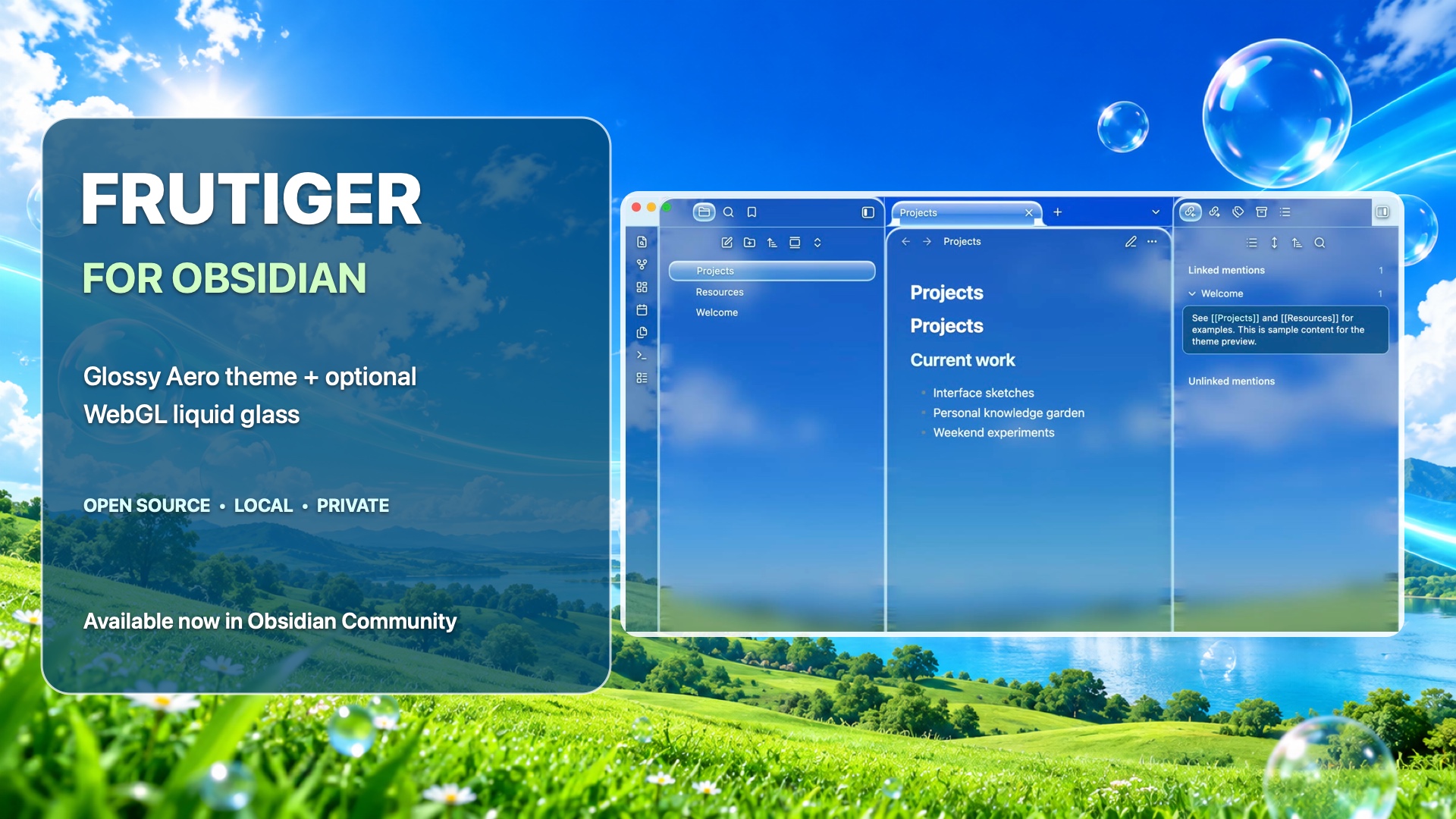
A desktop companion for the Frutiger Obsidian theme. It renders a local blue-sky landscape through WebGL2 glass surfaces behind Obsidian's native text and controls.
Install Frutiger Liquid Glass · Install the Frutiger theme
Status
Version 0.1.1 is published on GitHub. It was tested locally in a clean sample vault with the Frutiger theme on macOS Obsidian 1.14.5. The screenshot uses sample notes only. Obsidian Community review is still pending.
Use
Install Frutiger Liquid Glass from Settings → Community plugins. Enable it and select the Frutiger theme in Settings → Appearance. In the plugin settings, you can enable or disable the shader and adjust refraction strength, glass edge thickness, color dispersion, and reflection brightness. The command palette also has Frutiger Liquid Glass: Toggle shader glass.
For local testing, copy main.js, manifest.json, and styles.css into <vault>/.obsidian/plugins/frutiger-liquid-glass/, then enable it in Community plugins.
The effect requires desktop Obsidian with WebGL2. It is limited to the main workspace; pop-out windows use the theme's CSS appearance. If WebGL2 is unavailable or its context is lost, the canvas is removed and the theme's CSS fallback remains. The renderer stops drawing while idle or hidden and caps its canvas at 1920 × 1400 pixels.
Privacy and source
The plugin uses a bundled landscape image. It does not capture the desktop or note pixels, read or write notes, or make network requests. It saves only its own effect settings through Obsidian's plugin data API.
The WebGL shader is adapted from Liquid Glass Studio by Charles Yin (MIT). See NOTICE.md and LICENSE. The Obsidian lifecycle, multi-surface geometry, wallpaper treatment, and CSS integration were added for this plugin.
The committed main.js is reproducible from main.template.js, shaders/, and aero-landscape.jpg with npm run build. No package installation is needed to build it. npm run check verifies JavaScript syntax.
Release checklist
- Test with Frutiger in a clean vault, including enable, settings, disable, and fallback.
- Capture a screenshot using only sample notes.
- Publish the source in a public GitHub repository.
- Create release
0.1.1and attachmain.js,manifest.json, andstyles.cssas individual assets. - Submit the repository through Obsidian Community and address review feedback.