Extended Markdown Syntax
 kotaindah5510k downloads
Extend your Markdown syntax using delimiters instead of HTML tags, such as underlining, superscript, subscript, highlighting, and spoiler.
- Overview
- Scorecard
- Updates13
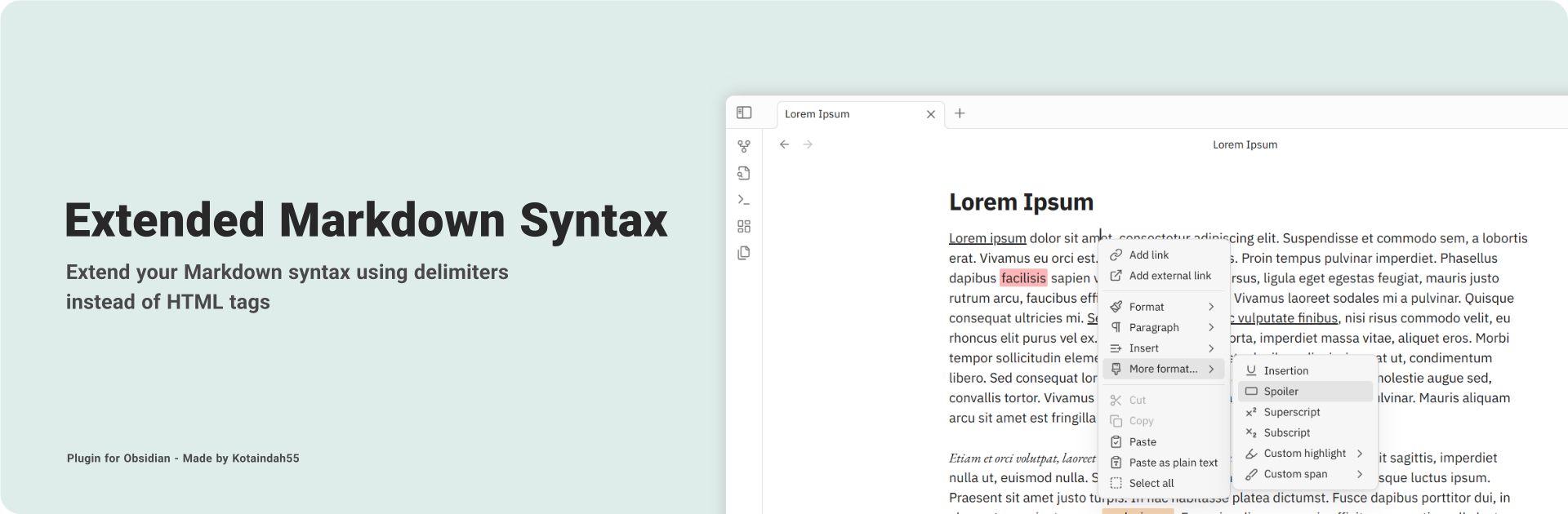
Provides some alternatives for inline and block formatting using non-standard syntaxes instead of using html tags, such as underline, superscript, and much more.
🚀 Main Features
- Extended inline syntax, including:
- insertion (underline),
- Discord-flavored spoiler,
- Pandoc-style superscript and subscript,
- custom color tag for highlight, and
- custom span with ability to insert your own class(es).
- Modified Pandoc-style fenced div for block-level syntax.
- Edit formatted text directly without omitting its style, in contrast to using HTML tags.
- Context-aware, syntax won't be parsed while it encounters such a codeblock, codespan, or context boundary.
- Quick format with commands and context menu.
- Toggle specific syntax on and off.
- Customize your own color tags for custom highlight.
- Predefine your own tags for custom span and fenced div.
- Supports rendering exported PDF.
✍️ Usage
1. Inline Formatting
There are six inline formattings that currently developed in this plugin:
| Type | Syntax | Result |
|---|---|---|
| insertion | ++your text++ |
your text |
| spoiler | ||your text|| |
your text |
| superscript | ^your-text^ |
your-text |
| subscript | ~your-text~ |
your-text |
| highlight | =={color}your text== |
your text |
| custom span | !!{myCls}your text!! |
your text (should be rendered with the myCls class defined) |
By default:
- insertion give the text underline style,
- spoiler hide the text and can be revealed by clicking it (or hovering over it in editor mode),
- superscript and subscript make the text being raised or lowered as
<sup>and<sub>do.
Additionally, for the highlight and custom span, you may insert a tag right after the opening delimiter, specifying the color for the highlight, and the classes for the custom span.
2. Block Formatting
Currenty, this plugin only support Pandoc-style fenced div with some modifications. You only need an opening delimiter (three consecutive colons at least) to start the syntax. Blank line or the end of the document will act as a syntax closing. No need of closing delimiter.
::: my-class-1 my-class-2
This is fenced div content.

::: another-class
Another fenced div content.
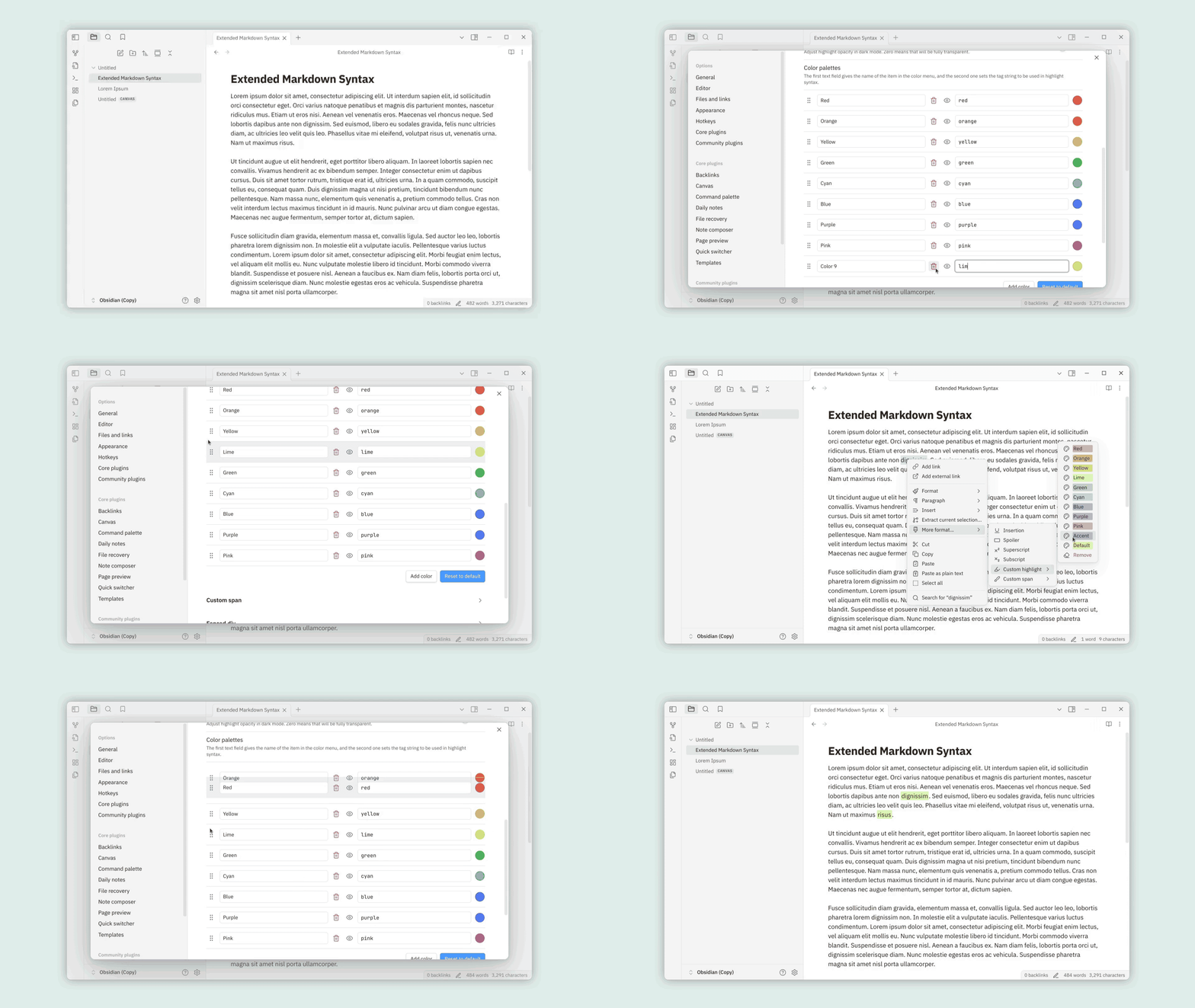
3. Customizable Highlight
Under "Custom highlight" section in the settings, you can:
- show the color button, providing color menu when you click on it,
- adjust opacity of the highlight,
- customize color palettes based on its tag:
- first field for its name displayed in the color menu,
- second field for its tag inserted into the highlight syntax,
- show or hide each palette from the color menu,
- rearrange colors by dragging 6-dots icon on the left side.
4. Predefined Tags
In the settings, you can predefine specific tags for custom span and fenced div, then can be displayed in the tag menu. Same as the color palattes, you can set their name and arrange them.
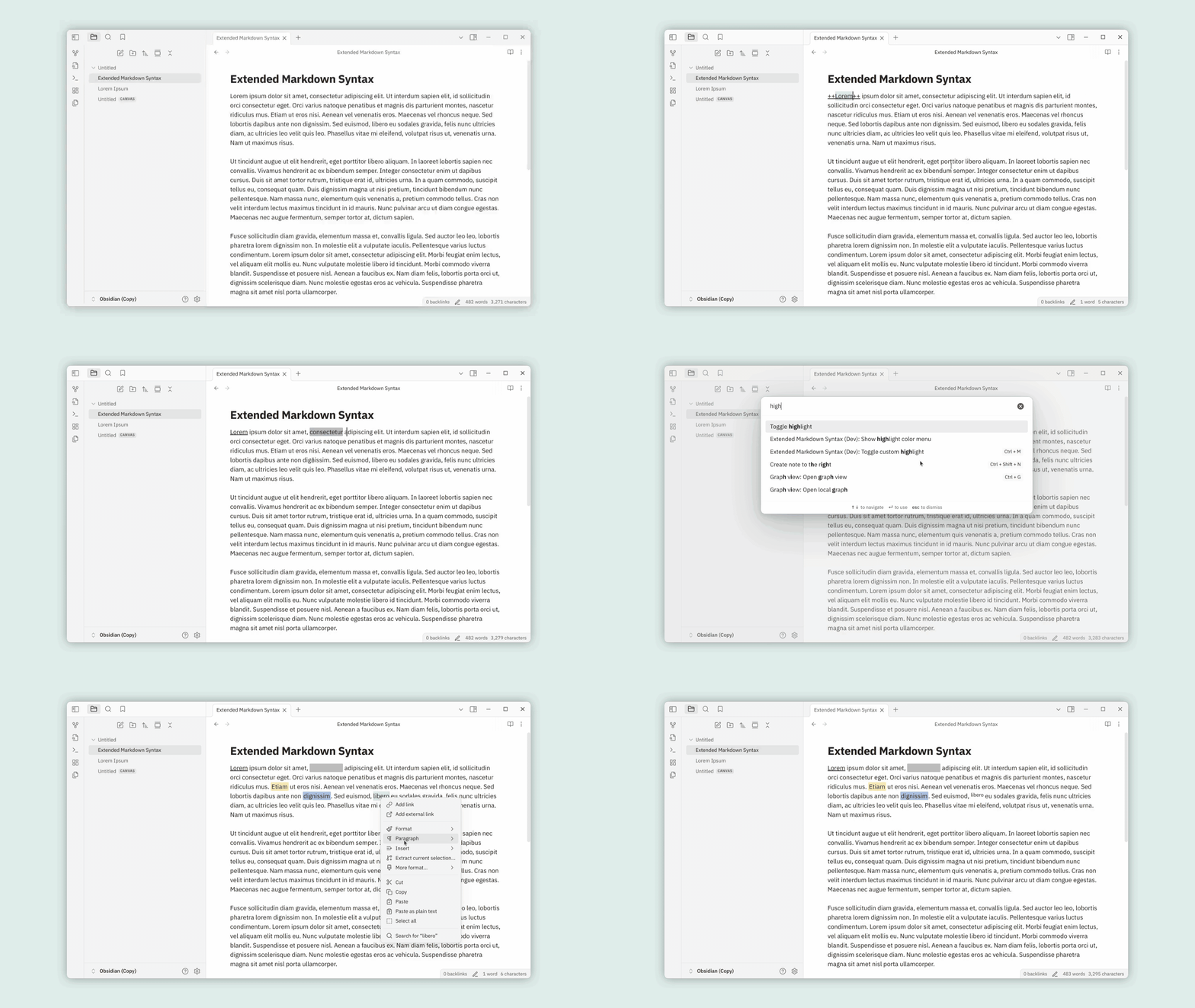
5. Commands and Context Menu
This plugin provides commands to toggle each formatting type, also commands to show the color and tag menu. You can set the keymap for each of them through "Hotkeys" in the settings.
It also brings functionality of all those commands (except for fenced div) to the context menu, by right-clicking on the editor and choosing "More format".
[!Note]
In mobile devices, those commands can be added into the toolbar.
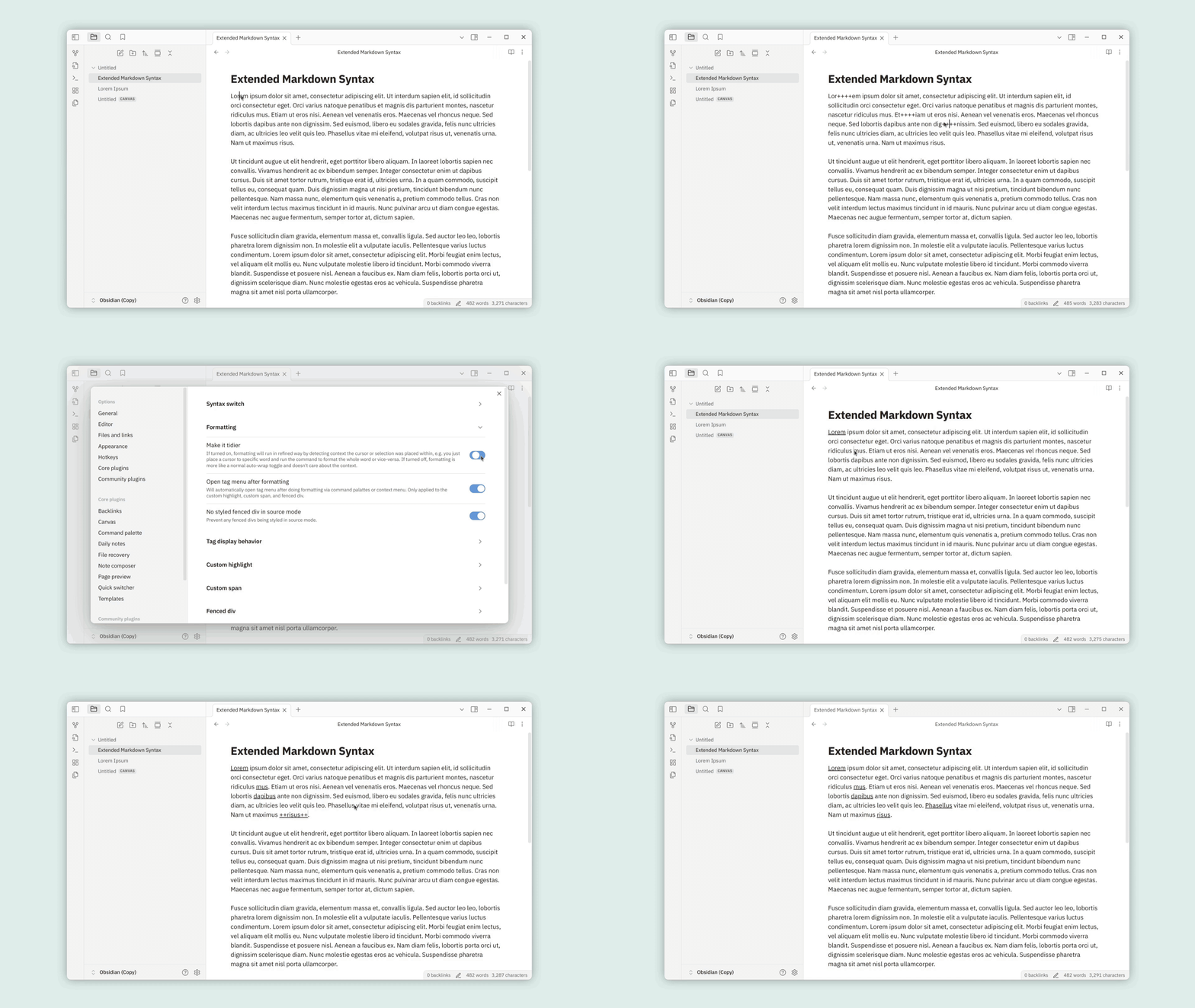
6. Tidier Formatting
With "Tidier formatting" enabled in the settings, you can format a single word simply by placing the cursor on it, without the need to select the entire word. Otherwise, it acts like a normal wrapper.
7. Other Tweaks
- Enable/disable each formatting type individually under "Syntax switch" section.
- Prevent fenced div from being styled in source mode.
- Specifies when tags should be displayed under "Tag display behavior" section.
- etc...
[!Note]
You don't need to reload the app after changing the settings.
🎨 Styling Custom Spans and Fenced Divs
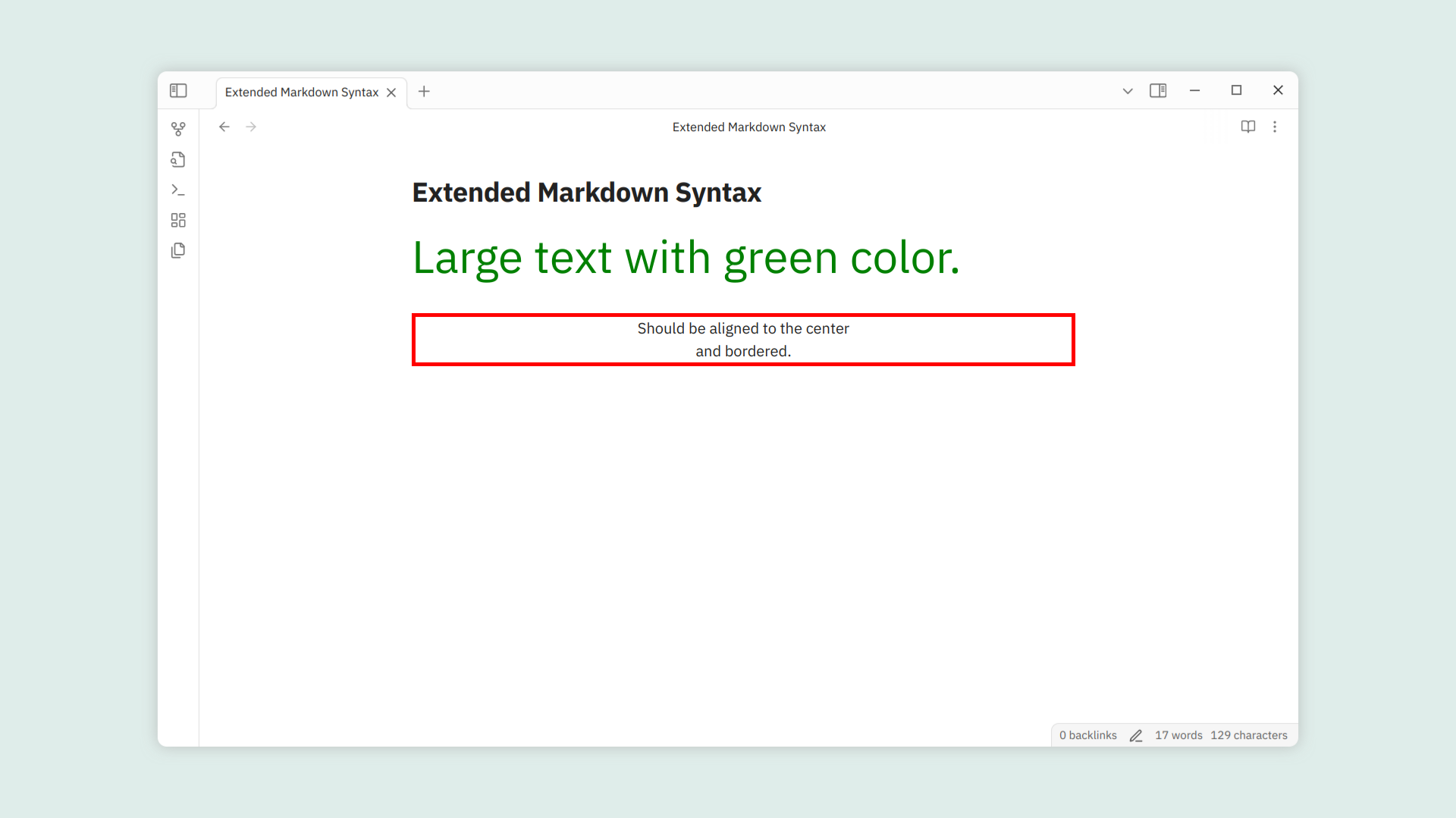
With tag attached to them, you can insert your own CSS style rules based on their tag. For instance, you can apply this CSS rules to the markdown below:
.text-large { font-size: 48px }
.text-green { color: green }

.align-center { text-align: center }
.bordered { border: 4px solid red }
!!{text-large text-green}Large text with green color.!!

:::align-center bordered
Should be aligned to the center
and bordered.
Expected result:
[!Note]
For which characters are allowed in the tag, see "Syntax Rules" section below.
📜 Syntax Rules
We move the explanation to this page.
📦 Installation
- In-app
- Open settings.
- Choose "Community plugins" setting tab.
- Turn off "Restricted mode" if it was enabled before.
- Click "Browse" at "Community plugins" item.
- Type "Extended Markdown Syntax" in the search box.
- Install and enable it.
- Manual
- Create a folder named
extended-markdown-parserunderYOUR_VAULT_NAME/.obsidian/plugins. - Place
manifest.json,main.js, andstyle.cssfrom the latest release into the folder. - Enable it through the "Community plugin" setting tab.
- Create a folder named
- Using BRAT
- Install and enable "BRAT" plugin in "Community plugins" list.
- Choose "BRAT" setting tab.
- Click "Add beta plugin" under "Beta plugin list" section.
- Enter this repo link into "Repository" input field.
- Check "Enable after installing the plugin" and click "Add Plugin".
❓ FAQ's
Is it working on the table and callout?
Of course it's working on both, except for the fenced div.
Does the plugin work on large files?
I tested it on a 250kB file and it's still working fine. This plugin also uses parser that implemented simple incremental and partial parsing, so you don't need to worry about facing with large files. But if you still have some issues with it, feel free to inform me what the issues you are struggling with.
Will it cause conflict with other plugins that concerns extending syntax?
It depends on what character the others use in their syntax.
📋 Roadmap
- Enable/disable formatting in settings
- Applicable on mobile
-
Fixing paragraph alignment bugFor now, use fenced div to customize block level format - Customize highlighting colors
- Customize formatting styles
- Applying syntax quickly using shortcuts and context menu
-
Class suggesterPredefined tags for custom span and fenced div -
More syntax, if necessaryI'll be over here for a while
⚙️ Compatibility Note
This plugin have been tested in the latest version of Obsidian (about 1.7.x - 1.8.x), and haven't been tested yet in the version 1.6.x and below.
🐞 Known Issues
- Delimiter escaping doesn't work in the preview mode.
- Cannot escape spoilers that are inside table cells (in source mode). (cannot be fixed)
Feel free to let me know if you find any bugs...
🙏 Acknowledgment
Thanks to:
- Pandoc for the idea of some syntax,
- CommonMark and Github Flavored Markdown for the markdown specification.
- Discord for the spoiler idea.
- Superschnizel for interactive menu idea,
- Exaroth for custom span idea.
- Mara-Li for some code snippets,
- marcel-goldammer,
- attcoleanderson