Email Viewer
 magical-obama22 downloads
View .eml, .emlx, .mbox and Outlook .msg email files directly in your vault, with attachments, inline images and remote-content blocking.
- Overview
- Scorecard
- Updates3
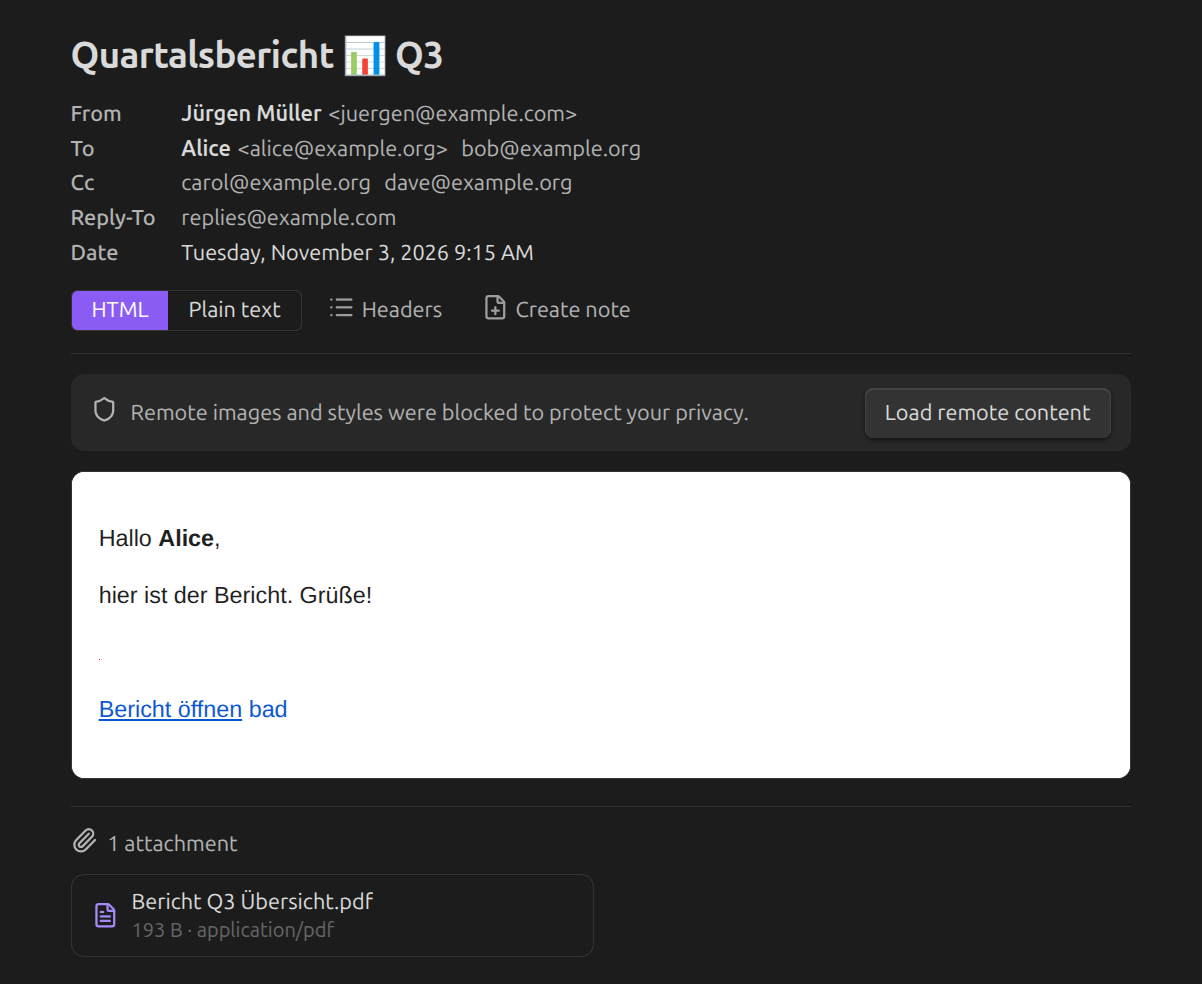
Open email files directly in Obsidian, the same way you open PDFs or Markdown notes.
| Format | Source |
|---|---|
.eml |
Standard RFC 822 / MIME (Thunderbird, Gmail export, most clients) |
.emlx |
Apple Mail |
.mbox |
Mailbox archives (Google Takeout, Thunderbird); shows a filterable message list |
.msg |
Microsoft Outlook |
Features
- Header block with From / To / Cc / Bcc / Reply-To / Date. Click an address to copy it or write an email.
- HTML emails render in a sandboxed frame. Scripts, event handlers,
javascript:links, meta refreshes and embedded frames are removed. - Remote content is blocked by default (tracking pixels, remote CSS and fonts). Load it for a single message with one click, or turn blocking off in settings.
- Inline (
cid:) images are shown in place. - Switch between the HTML and plain-text versions, and view all raw headers.
- Attachments: open them (they're saved to your vault's attachment folder first), save them to the vault, or download them. Forwarded
.emland.msgattachments open in the viewer too. - Create note from email: makes a Markdown note with
subject,from,to,cc,date,attachmentsand asourcelink as properties, and the body converted to Markdown. Available from the view toolbar, the command palette and the file context menu. - Embed cards:
![[message.eml]]shows a card with the subject, sender, date, attachment count and a preview, instead of the bare filename. Click it to open the email. This uses an undocumented Obsidian API, so it can be turned off in settings. - The view reloads automatically when the file changes on disk.
- Works on mobile (no Node.js dependencies).
Install
In Obsidian, open Settings → Community plugins → Browse, search for Email Viewer, then install and enable it. You can also find it on the Obsidian community plugin site.
To install manually, download main.js, manifest.json and styles.css from the latest release into <vault>/.obsidian/plugins/email-viewer/, then enable Email Viewer under Settings → Community plugins.
Privacy
The plugin makes no network requests of its own and collects no data. Remote images in emails are blocked unless you choose to load them for a message, or turn blocking off in settings.
The plugin never reads your clipboard. It writes to it only when you choose Copy address or Copy name and address from the menu on an address in an email's header.
Development
npm install
npm run dev     # rebuild on change
npm test        # parser tests against fixtures in test/fixtures
npm run lint    # Obsidian's review rules (eslint-plugin-obsidianmd)
To release: npm version patch (or minor/major) updates manifest.json and versions.json, then git push --follow-tags. The GitHub workflow builds the plugin and publishes the release.
src/parse.ts: turns every format into oneParsedEmailmodel (postal-mime for MIME, @kenjiuno/msgreader for Outlook). It has no Obsidian dependency.src/html.ts: sanitises the HTML, applies the CSP, resolvescid:images and detects remote content.src/view.ts: theFileView(message rendering, mbox list, attachments).src/embed.ts: the preview card for![[…]]embeds.src/main.ts: plugin registration, commands, Create note.src/shims/iconv-lite.ts: a small TextDecoder-based replacement for iconv-lite. It keeps the bundle small (~175 KB) and mobile-compatible.
The sample .msg files in test/fixtures come from the test suite of msgreader.