Search...Search plugins and themes...
⌘K
Sign in
  • Get started
  • Download
  • Pricing
  • Enterprise
  • Account
  • Obsidian
  • Overview
  • Sync
  • Publish
  • Canvas
  • Mobile
  • Web Clipper
  • CLI
  • Learn
  • Help
  • Developers
  • Changelog
  • About
  • Roadmap
  • Blog
  • Resources
  • System status
  • License overview
  • Terms of service
  • Privacy policy
  • Security
  • Community
  • Plugins
  • Join the community
  • Discord
  • Forum / 中文论坛
  • Merch store
  • Brand guidelines
Follow us
DiscordTwitterBlueskyThreadsMastodonYouTubeGitHub
© 2026 Obsidian

Docxer

developer-mikedeveloper-mike68k downloads

Import Word files easily. Adds a preview mode for .docx files and the ability to convert them to markdown (.md) files.

Add to Obsidian
  • Overview
  • Scorecard
  • Updates13

Logo

Docxer for Obsidian.md


🚀 Boost your productivity by previewing and converting Word files easily to markdown.

Installation

Open the Community Plugins tab in the settings and search for "Docxer" (or click here).

Other installation methods
  • Install it using BRAT
  • Manual folder creation
    1. Create a folder named obsidian-docxer in your vault's plugins folder (<vault>/.obsidian/plugins/).
    2. Download main.js, styles.css and manifest.json from the latest release and put them in the obsidian-docxer folder.
    3. Enable the plugin in Settings -> Community plugins -> Installed plugins

Usage

  1. Add a .docx file to your vault.
  2. Open the file in Obsidian.
  3. Click the "Convert" button in the top right corner of the editor to convert the file to markdown.

Support

Please consider supporting the plugin. The two easiest ways to support the plugin are either by starring ⭐ the repository or by donating any amount on Ko-fi ❤️. Thank you!

Implementation

Docxer uses docx-preview to render the previews, mammoth to convert docx to HTML and turndown to finally convert the HTML to Markdown.

Screenshots

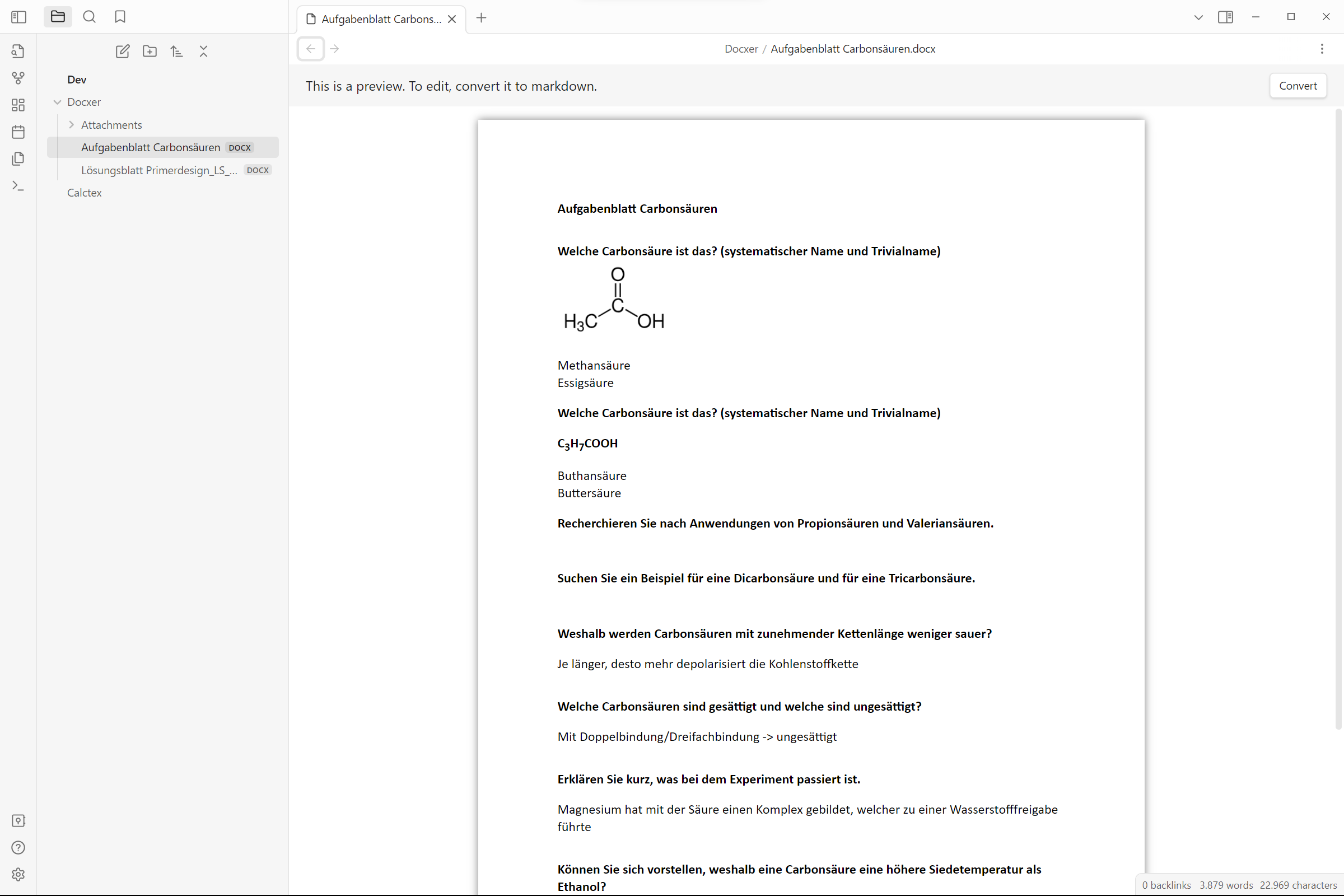
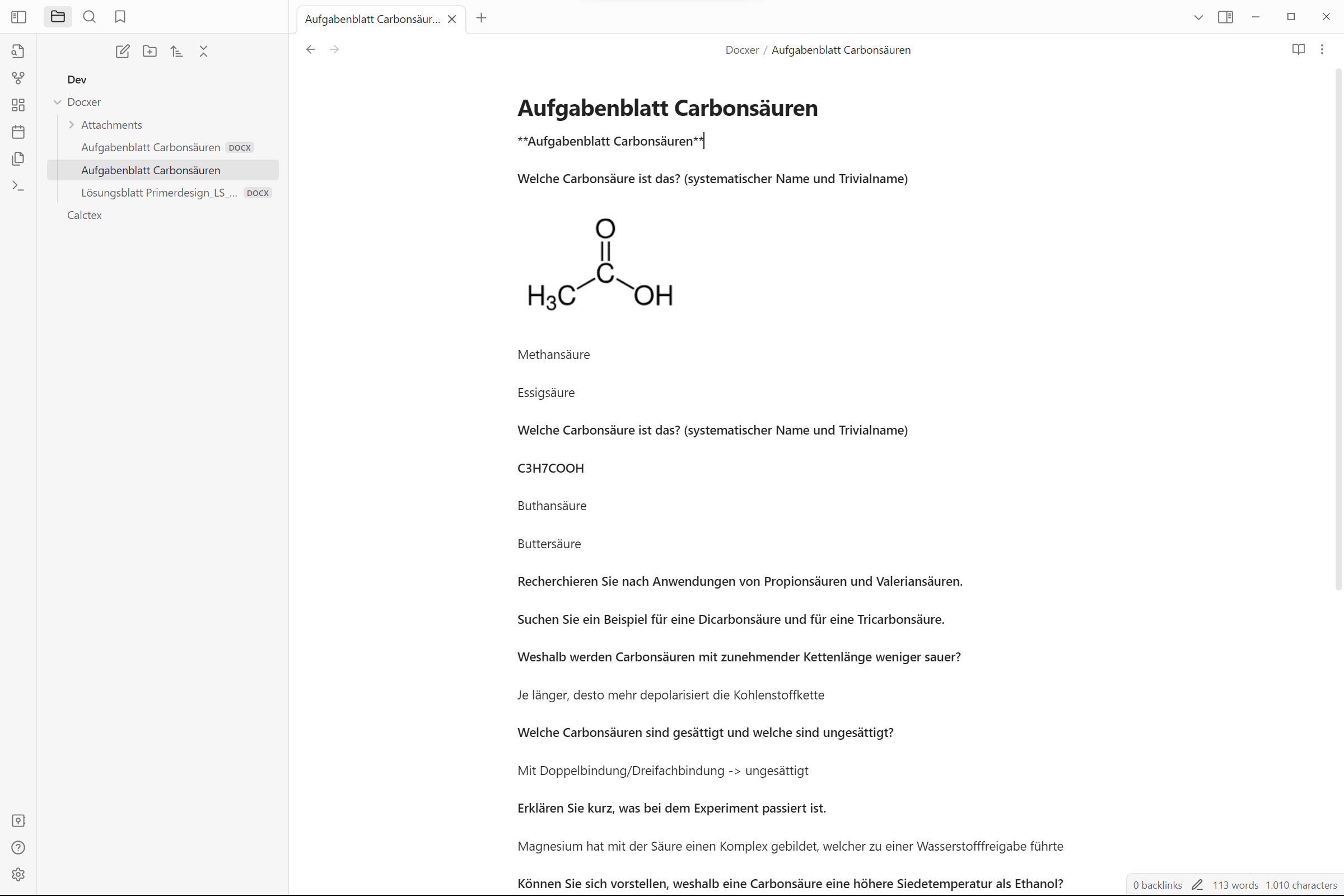
Docx Preview Converted File

Contributing

All contributions are welcome! Here's how you can help:

  • Create a fork of the repository
  • Create a branch with a descriptive name
  • Make your changes
  • Debug the plugin using npm run dev
  • Create a pull request
  • Wait for the review
55%
HealthNeeds work
ReviewCaution
About
Preview .docx files directly in your vault and convert them to Markdown with a single click. Open a Word file to view its contents and click Convert to generate a Markdown version that preserves layout, headings, lists, and basic formatting.
ImportMarkdownFormats
Details
Current version
2.3.0
Last updated
9 months ago
Created
2 years ago
Updates
13 releases
Downloads
68k
Report bugRequest featureReport plugin
Sponsor
Ko-fi
Author
developer-mikedeveloper-mike
github.com/Developer-Mike
GitHubdeveloper-mike
  1. Community
  2. Plugins
  3. Import
  4. Docxer

Related plugins

Importer

Import data from Notion, Evernote, Apple Notes, Microsoft OneNote, Google Keep, Bear, Roam, and HTML files.

Slurp

Slurps webpages and saves them as clean, uncluttered Markdown.

Outliner

Work with your lists like in Workflowy or Roam Research.

Various Complements

Complete words similar to auto-completion in an IDE.

Zotero Integration

Insert and import citations, bibliographies, notes, and PDF annotations from Zotero.

Linter

Format and style your notes. Linter can be used to format YAML tags, aliases, arrays, and metadata; footnotes; headings; spacing; math blocks; regular Markdown contents like list, italics, and bold styles; and more with the use of custom rule options.

Fantasy Statblocks

Create, manage and view a Fantasy Bestiary with Dungeons and Dragons style statblocks.

Readwise Official

Sync highlights from Readwise to your vault.

Custom Frames

Turn web apps into panes using iframes with custom styling. Also comes with presets for Google Keep, Todoist and more.

Auto Link Title

Automatically fetches the titles of links from the web.