DQL Syntax
 Andrew Usher104 downloads
Syntax highlighting for Dynatrace Query Language (DQL) in code blocks.
- Overview
- Scorecard
- Updates6
Obsidian plugin — syntax highlighting for Dynatrace Query Language (DQL)
Engineers and SREs who document their Dynatrace workflows in Obsidian can get proper syntax highlighting for embedded DQL queries.
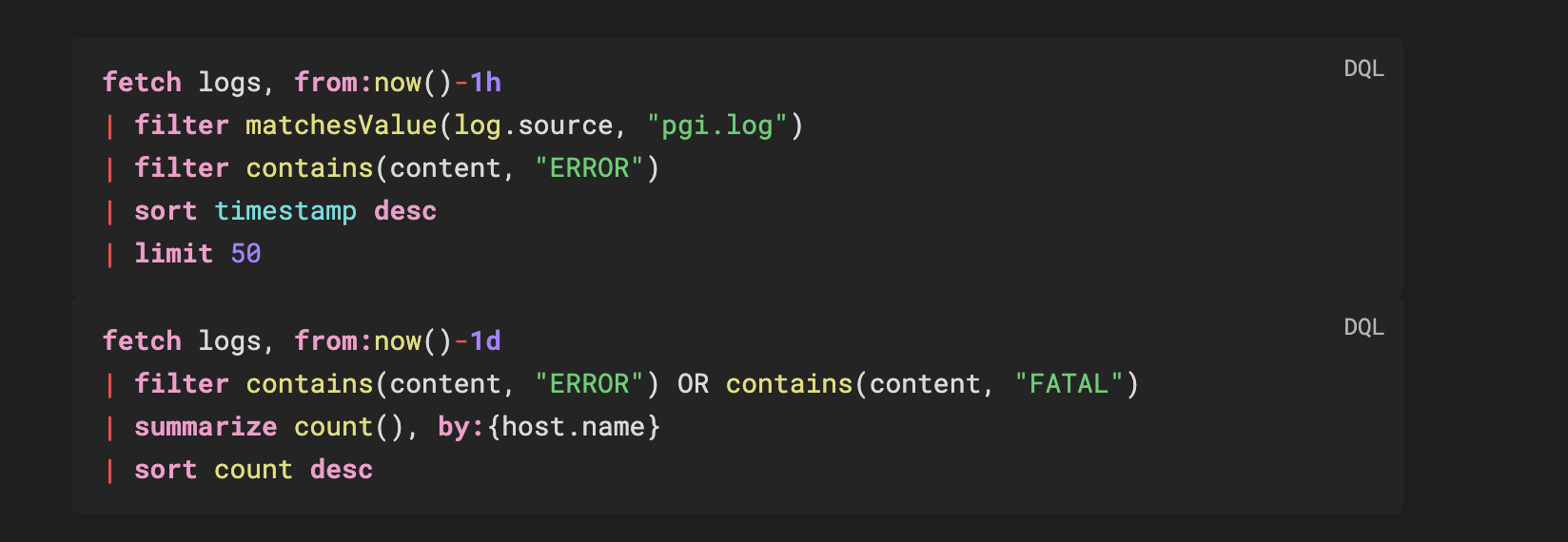
Usage
```dql
fetch logs, from:now()-1h
| filter matchesValue(log.source, "pgi.log")
| summarize count(), by:{status, host.name}
| sort count desc
| limit 100
```
Works in reading mode with full token highlighting and a copy button.
Install
Manual
- Download
main.js,manifest.json,styles.cssfrom the latest release - Create
.obsidian/plugins/dql-syntax/in your vault - Copy the three files there
- Enable in Settings → Community Plugins
What gets highlighted
| Token | Example |
|---|---|
| Commands | fetch, filter, summarize, sort, fields, parse |
| Functions | count, sum, filter, endsWith, matchesValue, if |
| Data types | string, long, double, boolean, timestamp, duration |
| Keywords | and, or, not, in, as, by, from, on, true, false |
| Named params | from:, to:, by:, on: |
| Operators | | == != <= >= + - * / @ ~ |
| Strings | "double" 'single' `backtick-quoted` |
| Duration literals | 1h, 30m, 10s, 7d, 1w, 100ms |
| Numbers | 42, 3.14 |
| Comments | // and /* */ |
Query Templates
Ready-to-use DQL queries in templates/:
| File | Content |
|---|---|
logs-hunting.dql |
Log analysis, error tracking, performance breakdowns |
bizevents-analysis.dql |
Business event aggregation and filtering |
infrastructure-metrics.dql |
Host metrics, timeseries, and Smartscape traversal |
Build
npm install
npm run build   # production → generates main.js
npm run dev     # watch mode for development
References
License
MIT
Credits
- Inspired by and forked from https://community.obsidian.md/plugins/talon-cql
HealthGood
ReviewSatisfactory
About
Highlight DQL code blocks in Obsidian with full token coloring and a copy button in reading mode. Recognize commands, functions, data types, operators, durations, numbers, strings, comments and include ready-to-use query templates.Details
Current version
1.1.0
Last updated
3 months ago
Created
3 months ago
Updates
6 releases
Downloads
104
Compatible with
Obsidian 1.0.0+
Platforms
Desktop, Mobile
License
MIT