Document Weaver
 HJ3k downloads
Convert local documents (Word, PDF, PowerPoint, HWP, Excel) to Markdown and save into your Obsidian vault.
- Overview
- Scorecard
- Updates7
Stop copy-pasting. Drop files, get notes.
Document Weaver converts Word, PDF, PowerPoint, Excel, and HWP files into clean Markdown — instantly. Drag files onto the window, point a watch folder at your Downloads, or pick files from the command palette. Images are extracted automatically. Front matter is injected. Done.
- 📄 DOCX — headings, bold, italic, tables and images, all preserved
- 📑 PDF — text layer extracted with automatic heading detection
- 📊 PPTX — single long-form note or one note per slide, with speaker notes
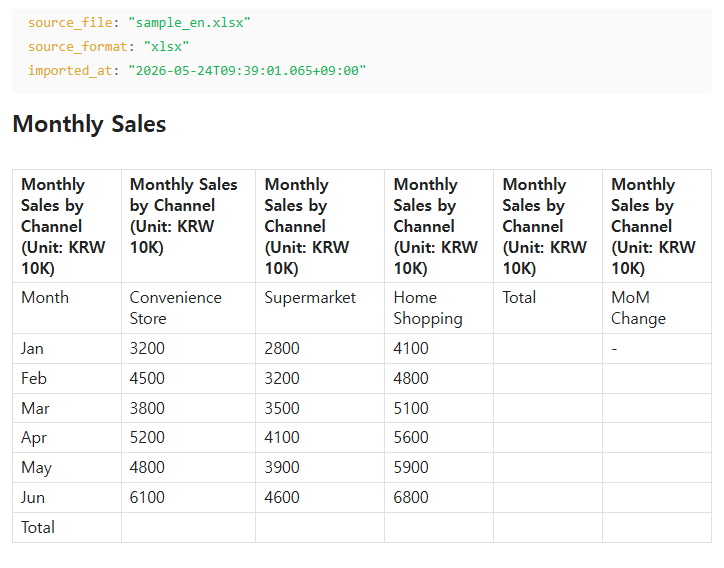
- 📈 XLSX / XLS — every sheet becomes a clean GitHub-flavored table
- 🇰🇷 HWP / HWPx — Korean office format (beta)
- 📝 TXT / CSV — verbatim or auto-formatted as table
No API keys. No cloud. Fully offline.
The local-file companion to Confluence Weaver.
Screenshots
Menu
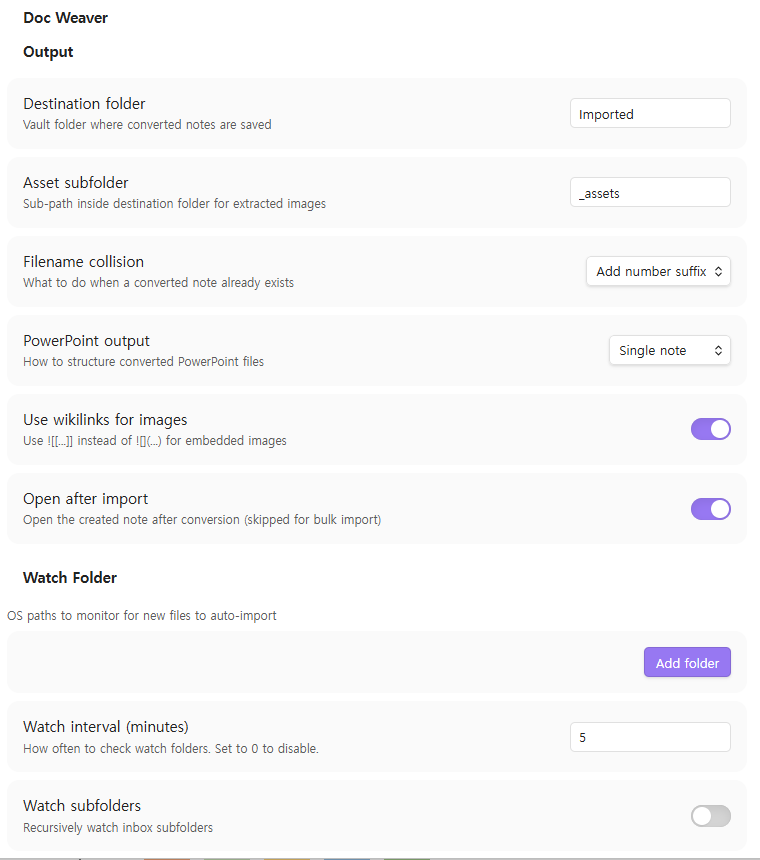
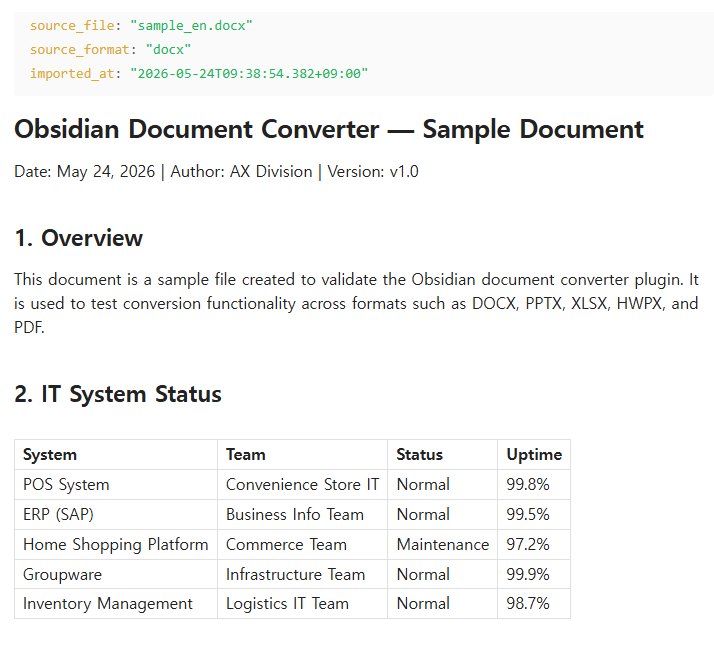
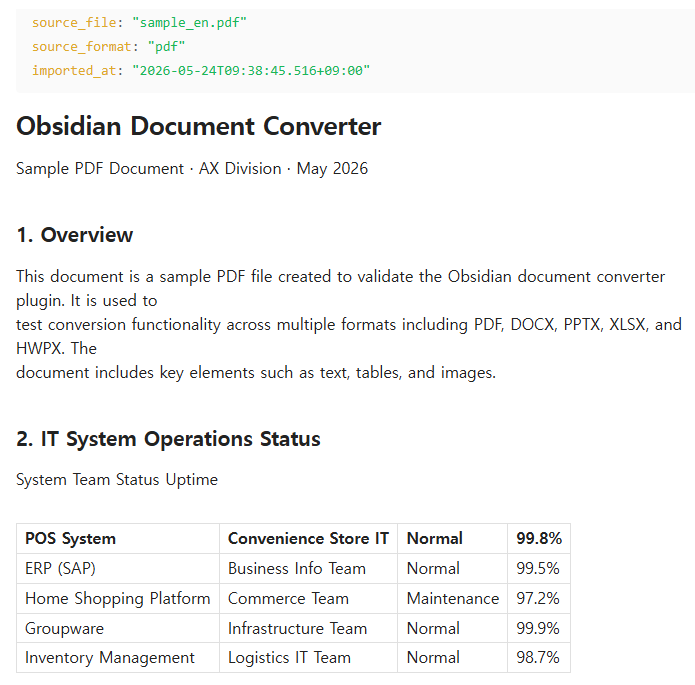
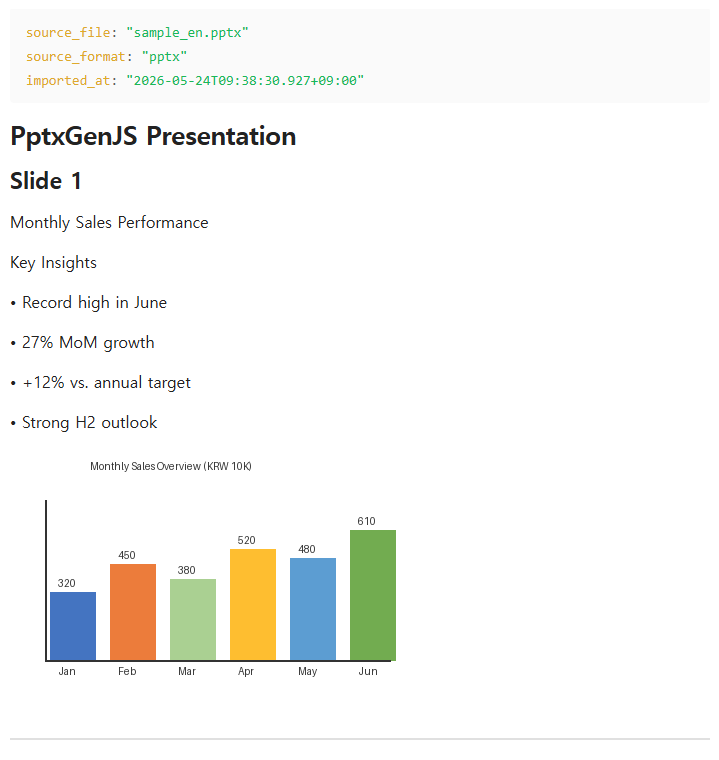
Conversion Examples
| DOCX | |
|---|---|
 |
 |
| PPTX | XLSX |
|---|---|
 |
 |
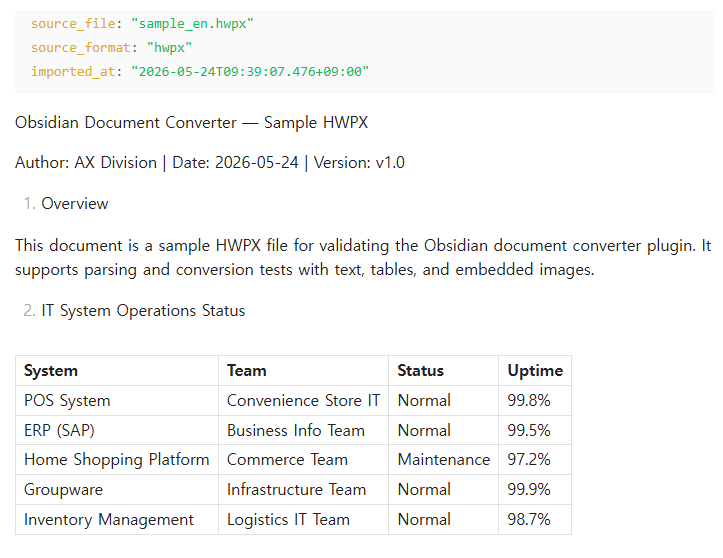
HWPx
Supported Formats
| Format | Extension | Fidelity |
|---|---|---|
| Word | .docx |
★★★★ — headings, bold/italic, tables, images, embedded charts → markdown table. .doc not supported. |
| PowerPoint | .pptx |
★★★☆ — slide titles, bullets, speaker notes, images. Animations and transitions not preserved. |
.pdf |
★★★☆ — text layer + heading detection. Charts extracted as images. Scanned PDFs rendered as page images. Tables as plain text only. | |
| Excel | .xlsx / .xls |
★★☆☆ — each sheet as GFM table. Chart extraction not supported. |
| HWP | .hwp |
★★☆☆ ⚠ beta — binary format, best-effort. Merged cells and complex formatting may be lost. |
| HWPx | .hwpx |
★★★☆ ⚠ beta — ZIP+XML, better fidelity than HWP. Inline image placement depends on XML structure. |
| Plain text / CSV | .txt / .csv |
★★★★ — verbatim or auto-formatted as GFM table. |
Installation
Community Plugins (recommended)
- Obsidian → Settings → Community Plugins → Browse
- Search for Document Weaver and click Install
- Click Enable
Manual
- Download
main.jsandmanifest.jsonfrom Releases - Copy both files to
.obsidian/plugins/document-weaver/inside your Vault - Obsidian → Settings → Community Plugins → enable Document Weaver
Usage
Import entry points
| Method | How |
|---|---|
| Command palette | Doc Weaver: Import file… → system file picker (multi-select supported) |
| Drag & drop | Drop supported files anywhere onto the Obsidian window — editor, file explorer, anywhere. Document Weaver intercepts the drop and converts automatically. Unsupported files (images, .md, etc.) pass through to Obsidian as normal. |
| Watch folder | Configure inbox folders in settings; new files are converted automatically |
Output
Converted notes are saved to the configured destination folder (default: Imported/):
---
source_file: "report.docx"
source_format: "docx"
imported_at: "2026-05-23T10:00:00+09:00"
---

# Report Title
...
Embedded images are extracted to Imported/_assets/<note-name>/image-001.png and linked with ![[image-001.png]] (or a markdown link, per setting).
Completion notices
- Single file:
✅ report.docx → Imported/report.md (12 headings, 3 images) - Bulk:
✅ 5 files imported (1 warning) → Imported/ - Errors are appended to
Imported/_import_errors.md
PowerPoint modes
| Mode | Output |
|---|---|
| Single note (default) | One .md file with ## Slide N sections separated by --- |
| Per-slide | One .md per slide + an index note with [[wikilinks]] |
Settings
Output
| Setting | Default | Description |
|---|---|---|
| Destination folder | Imported |
Vault folder for converted notes |
| Asset subfolder | _assets |
Sub-path for extracted images |
| Filename collision | number |
skip / overwrite / add number suffix |
| PowerPoint output | single |
Single note or per-slide notes |
| Use wikilinks | ON | ![[...]] vs  for images |
| Open after import | ON | Open the note after conversion (skipped for bulk) |
Watch Folder
| Setting | Default | Description |
|---|---|---|
| Watch folders | (none) | OS paths to monitor (add multiple) |
| Watch interval (min) | 5 |
Set to 0 to disable |
| Watch subfolders | OFF | Recursively watch inbox subfolders |
| After import | archive |
archive / delete / keep |
| Archive folder | (none) | OS path to move originals after conversion |
Advanced
| Setting | Default | Description |
|---|---|---|
| Show HWP beta features | OFF | Enable HWP/HWPx conversion (limited quality) |
| Language | Auto | Auto / English / 한국어 / 日本語 / 中文 |
v1.0 Non-Goals
- No reverse export — Markdown → Word/PDF not supported
- No OCR — scanned PDFs produce a stub note only
- No cloud sync — local files only (use Confluence Weaver for remote)
- HWP/HWPx — beta quality; complex formatting and merged table cells may be lost
- PDF tables — rendered as plain text in v1 (heuristic reconstruction planned for v2)
License
MIT © GS-AX
HealthGood
ReviewSatisfactory
About
Stop copy-pasting. Drop files, get notes.
Document Weaver converts Word, PDF, PowerPoint, Excel, and HWP files into clean Markdown — instantly. Drag files onto the window, point a watch folder at your Downloads, or pick files from the command palette. Images are extracted automatically. Front matter is injected. Done. DOCX — headings, bold, italic, tables and images, all preserved PDF — text layer extracted with automatic heading detection PPTX — single long-form note or one note per slide, with speaker notes XLSX / XLS — every sheet becomes a clean GitHub-flavored table
🇰🇷 HWP / HWPx — Korean office format (beta) TXT / CSV — verbatim or auto-formatted as table
No API keys. No cloud. Fully offline.
The local-file companion to Confluence Weaver.Details
Current version
1.0.11
Last updated
4 months ago
Created
4 months ago
Updates
7 releases
Downloads
3k
Compatible with
Obsidian 1.4.0+
Platforms
Desktop only
License
MIT
Sponsor