DnD Beyond Importer
 jktaisa2k downloads
Import public D&D Beyond characters as beautifully formatted Obsidian notes.
- Overview
- Scorecard
- Updates10
⚔️ DnD Beyond Importer
Pull any public D&D Beyond character into Obsidian — formatted, queryable, and ready to roll.
✨ What it does
| Feature | Description |
|---|---|
| 📋 Full Character Sheet | Ability scores, saving throws, skills, HP, AC, speed, proficiency bonus |
| ⚔️ Equipment | Inventory table with equipped status and weight |
| 📖 Spells | Grouped by level, with school, cast time, range, concentration, and prepared status |
| 🌟 Features & Traits | Racial traits, feats, personality, ideals, bonds, flaws |
| 💰 Currency | All coin types tracked automatically |
| 📜 Backstory & Notes | Backstory and campaign notes pulled straight from D&D Beyond |
| 🏷️ YAML Front Matter | Key stats exposed as queryable properties for Dataview |
| 🔄 Re-import / Refresh | One-click refresh button updates the existing note in place |
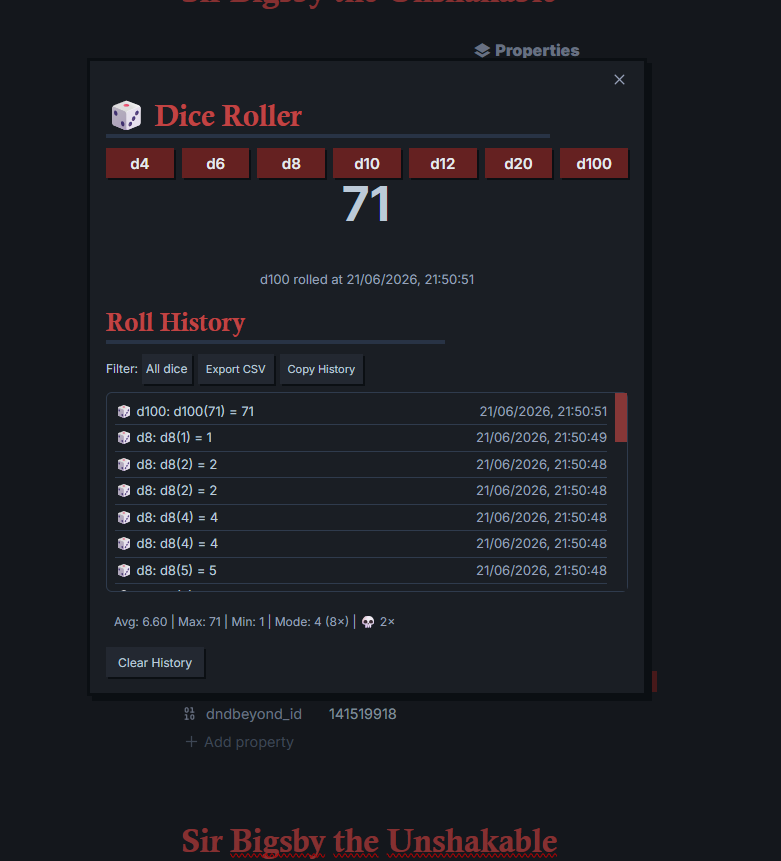
| 🎲 Dice Roller | d4 through d100, with toast notifications and roll history |
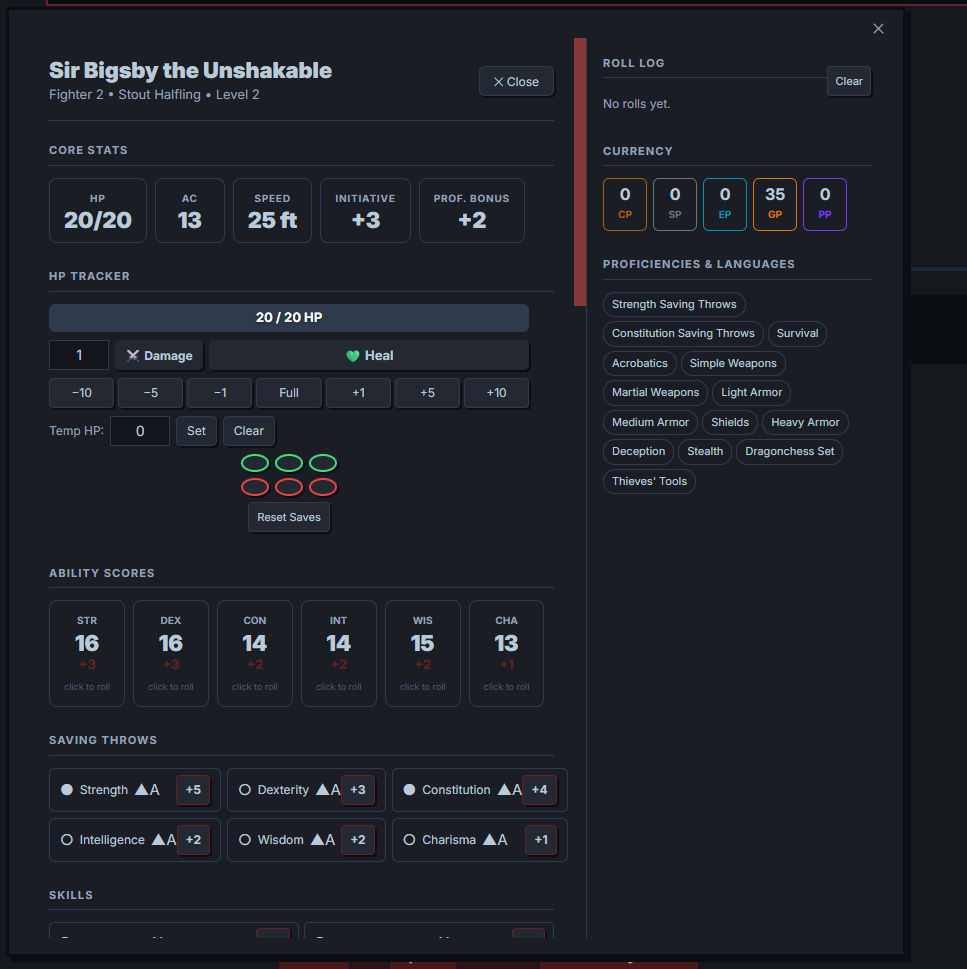
| 🗺️ Interactive Character Sheet | Full visual overlay with HP tracking, rolling, and spell slots |
📦 Installation
Automatic (recommended for stable releases)
- Open Settings
- Go to Community plugins
- Click Browse
- Search "DnD Beyond Importer"
- Click Install, then Enable
- Configure plugin settings (optional)
Manual
- Download the latest release zip from the Releases page (or build from source below)
- Unzip into your vault's plugin directory:
The folder needs<YourVault>/.obsidian/plugins/dndbeyond-importer/main.js,manifest.json, andstyles.css - Go to Obsidian → Settings → Community Plugins and enable DnD Beyond Importer
Build from source
git clone https://github.com/Webcreator3478/D-D-Beyond-Character-Importer---Obsidian-Plugin.git
cd dndbeyond-importer
npm install
npm run build
This produces main.js in the project root.
🚀 Usage
Importing a character
Ribbon: click the ⚔️ sword icon in the left sidebar
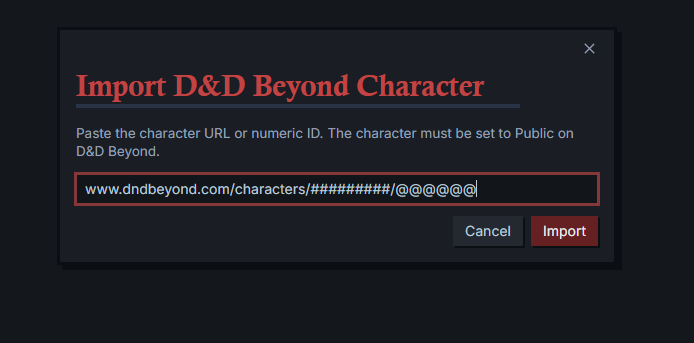
Command palette: Ctrl/Cmd + P → DnD Beyond Importer: Import character from D&D Beyond
Any of these input formats work:
- Full URL —
https://www.dndbeyond.com/characters/137202151/GpDg8C - Short URL —
https://www.dndbeyond.com/characters/137202151 - Bare ID —
137202151
⚠️ The character sheet must be set to Public on D&D Beyond. Private sheets can't be fetched.
Interactive Character Sheet
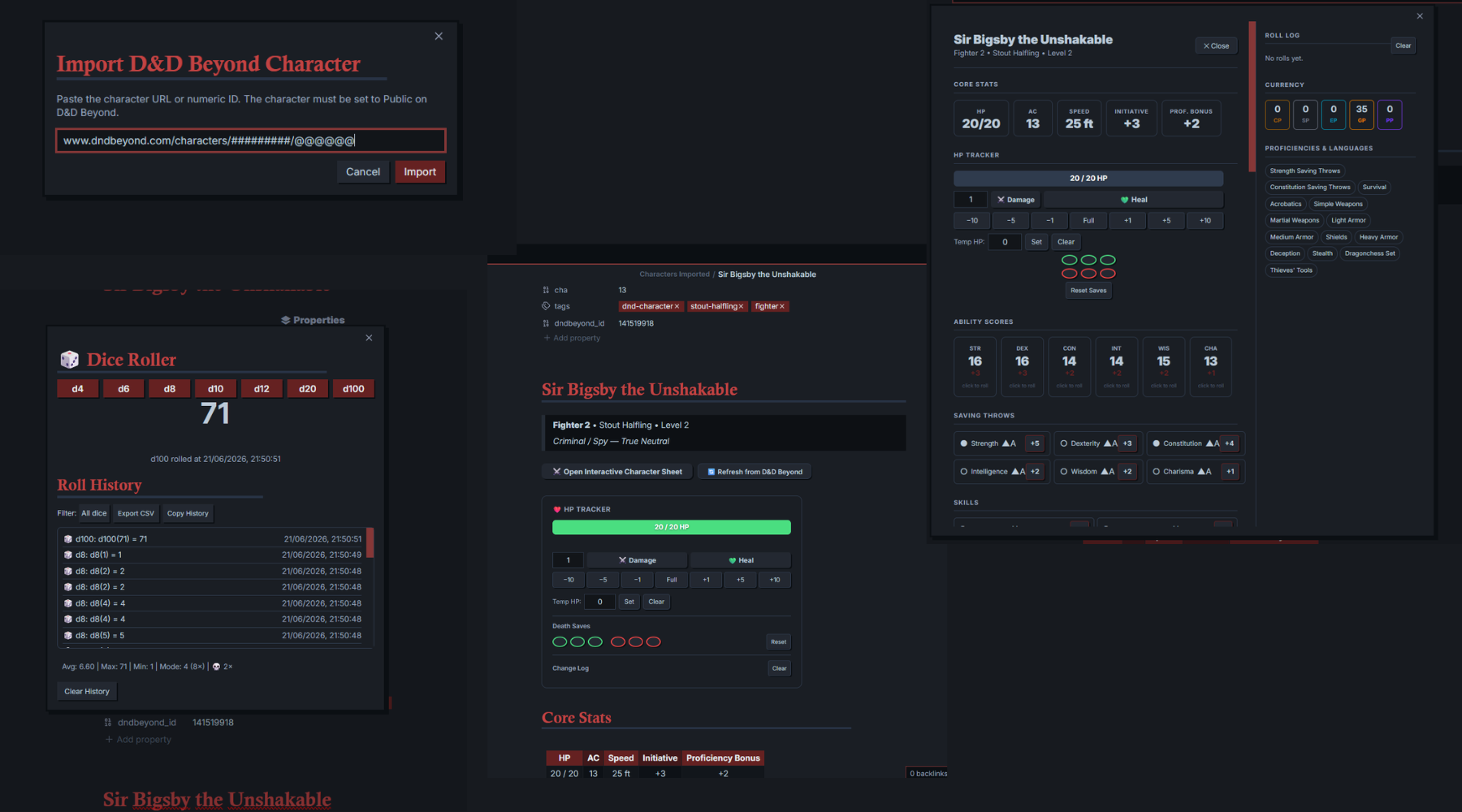
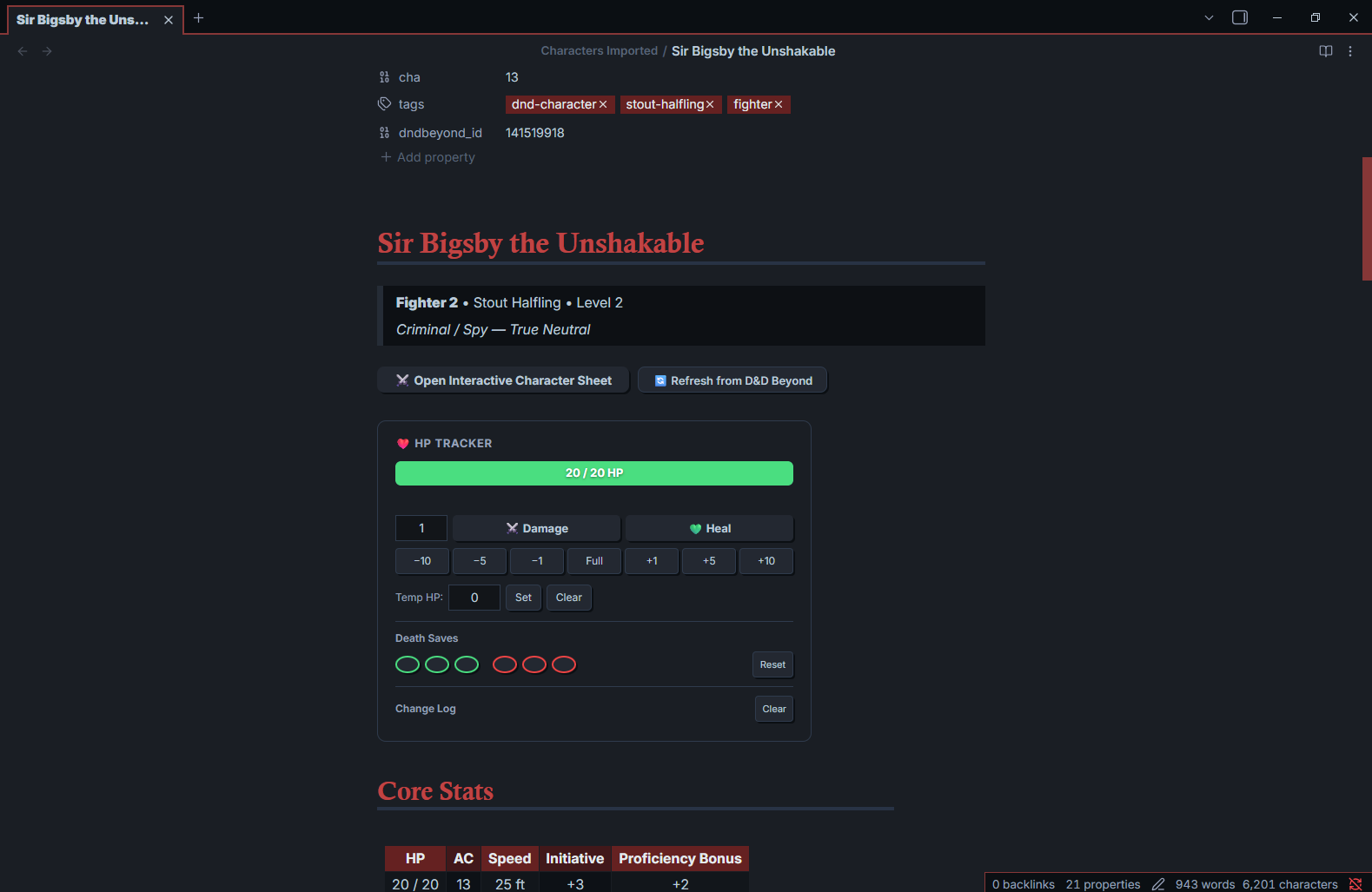
After importing, click the ⚔️ Open Interactive Character Sheet button at the top of any character note to open the full interactive overlay. The Markdown note underneath stays untouched.
Next to it, 🔄 Refresh from D&D Beyond re-fetches the character and updates the note in place — handy after leveling up or changing equipment. It shows a brief ✅ or ❌ confirmation, and is disabled on notes without a D&D Beyond character ID.
The interactive sheet covers HP tracking, ability score rolls, saving throws, skills, actions & attacks, spell slots, spells, equipment, features & traits, session notes, a live roll log, currency, and proficiencies.
Standalone Dice Roller
Ribbon: click the 🎲 dice icon in the left sidebar Command palette: DnD Beyond Importer: Open Dice Roller
Available dice: d4, d6, d8, d10, d12, d20, d100. Each roll appears in the modal, fires a toast (e.g. 🎲 d20: 17), and logs to history with a timestamp. History caps at the last 50 rolls and can be wiped with Clear History — it persists for the session.
📸 Screenshots
⚙️ Settings
| Setting | Default | Description |
|---|---|---|
| Output folder | Characters |
Where character notes are saved in your vault |
| Include spells | ✓ | Spell list and spell slots |
| Include equipment | ✓ | Inventory table |
| Include features & traits | ✓ | Racial traits, feats, personality traits |
| Include backstory & notes | ✓ | Backstory and campaign notes |
🗂 Note structure
---                          ← YAML front matter (queryable with Dataview)
name, race, class, level
hp_max, hp_current, ac …
tags: ["dnd-character", …]
---

# Character Name
> Class • Race • Level N

## Core Stats        (HP / AC / Speed / Initiative / Prof. Bonus)
## Ability Scores    (STR / DEX / CON / INT / WIS / CHA with modifiers)
## Saving Throws     (proficient saves marked ✓)
## Skills            (proficient ✓, expertise ★)
## Proficiencies & Languages
## Currency
## Equipment         (table: item / qty / equipped / weight)
## Features & Traits (racial traits, feats, personality)
## Spells            (grouped by level, spell slots table)
## Backstory & Notes
## Session Notes     ← blank section for your own notes
🔌 A note on the D&D Beyond API
The plugin fetches from an unofficial internal endpoint:
https://character-service.dndbeyond.com/character/v5/character/{ID}
This isn't officially documented or supported by D&D Beyond / Wizards of the Coast and could change or break without warning. The plugin is read-only — it never writes anything back to D&D Beyond.
Mobile: character fetching uses Obsidian's requestUrl API to work around browser CORS restrictions. This works reliably on desktop (Windows, macOS, Linux). On mobile, the request may be blocked depending on your network setup.
🐛 Features & Bugs
Feature requests — open an issue labeled Enhancement. If it fits the plugin's goals, it'll land in the next major or minor update.
Bugs — open an issue labeled Bug. All bugs are addressed as soon as possible and fixed in the next major, minor, or patch release.
👥 Contributors
❤️ Support
Built with ❤️ for the Obsidian and D&D community.
⭐ Star this repository if you find it useful.