Diary
 pobsiz4k downloads
Turn date-based Markdown notes into yearly, monthly, daily, and 3-day planners with ranges, recurrence, reminders, holidays, and calendar overlays.
- Overview
- Scorecard
- Updates75
Diary turns ordinary Markdown notes into yearly, monthly, daily, and 3-day planner views in Obsidian.
Diary는 Obsidian 볼트의 일반 Markdown 노트를 연간·월간·일간·3일 플래너로 보여주는 커뮤니티 플러그인입니다.
📖 Full documentation: English | Deutsch | Español | Français | 日本語 | 简体中文 | 繁體中文 | 한국어
At a glance
| Item | Value |
|---|---|
| Plugin ID | diary |
| Version | 1.24.0 |
| Minimum Obsidian version | 1.7.2 |
| Platforms | Desktop and mobile (isDesktopOnly: false) |
| Default language | en |
| Default planner folder | Planner |
What's new
1.24.0: Improves UI wording in all eight languages, translates custom calendar validation errors, fixes clipped settings labels on narrow screens, and localizes month–year headings.1.23.1: Preserves the first entry of legacycolorlists for display and palette linking.1.23.0: Recognizes multiple date formats with one creation default for each note type. Adds named linked palette colors, selective linking of existing notes, and theme/fixed/palette holiday colors.1.22.0: Shows a fixed six-week monthly grid with adjacent-month dates, notes, events and holidays. Date selection and note creation use the actual selected date, including across year boundaries.1.21.0: opens the monthly grid from its ribbon icon in the main workspace, consistently with the yearly and monthly list icons. The sidebar remains available through its command. Updates the runtime Moment dependency to a patched version.1.20.2: fixes mobile sidebar detection so creating or opening notes from the sidebar planner opens a new main workspace tab and preserves the planner.1.20.1: removes the obsolete pnpm lockfile and declares npm as the package manager so community source reviews install the release dependencies consistently.1.20.0: opens notes created or selected in the sidebar planner in a new main-area tab, keeping the sidebar planner in place.1.19.0: moves timed multi-day ranges across dates as one interval in the daily and 3-day planners, with drag previews and protection for ranges with incomplete time fields.1.18.1: fixes plan note path token handling, reports invalid paths and create failures, and refreshes previews after plan notes change.1.18.0: adds a Monday-first monthly grid option, clearer weekend shading, and custom yearly and monthly plan note paths.1.17.9: opens the selected day's summary when a range chip is tapped in the compact monthly grid.1.17.8: keeps the intended gap below all-day range chips when mobile button heights grow beyond the minimum.1.17.7: aligns all-day range chips with regular chips on mobile, including horizontal insets, text padding, and vertical spacing.1.17.6: prevents mobile all-day range bars from overlapping entries and keeps the 00:00 label visible.1.17.5: fixes iPad all-day clipping and restores readable planner header icons.1.17.4: removes the mobile all-day CSS lint warning.1.17.3: fixes clipped and hard-to-scroll all-day entries on mobile daily and 3-day views.1.17.2: updates transitive dependencies to resolve the security advisory reported forjs-yaml.1.17.1: fixes scrolling and overlapping items in the all-day section of the daily and 3-day planners on mobile, and keeps button icons readable in narrow layouts.1.17.0: adds a collapsible all-day section with event counts to the daily and 3-day planners, and improves sub-20-minute events with readable compact cards, time tooltips, and collision-aware layout.
Older changes are listed on the Releases page. The 1.23.1 release record covers migration, verification, and the follow-up for issues #4 and #5.
The 1.24.0 release record covers multilingual copy, screen checks, and Community distribution verification.
Screenshots
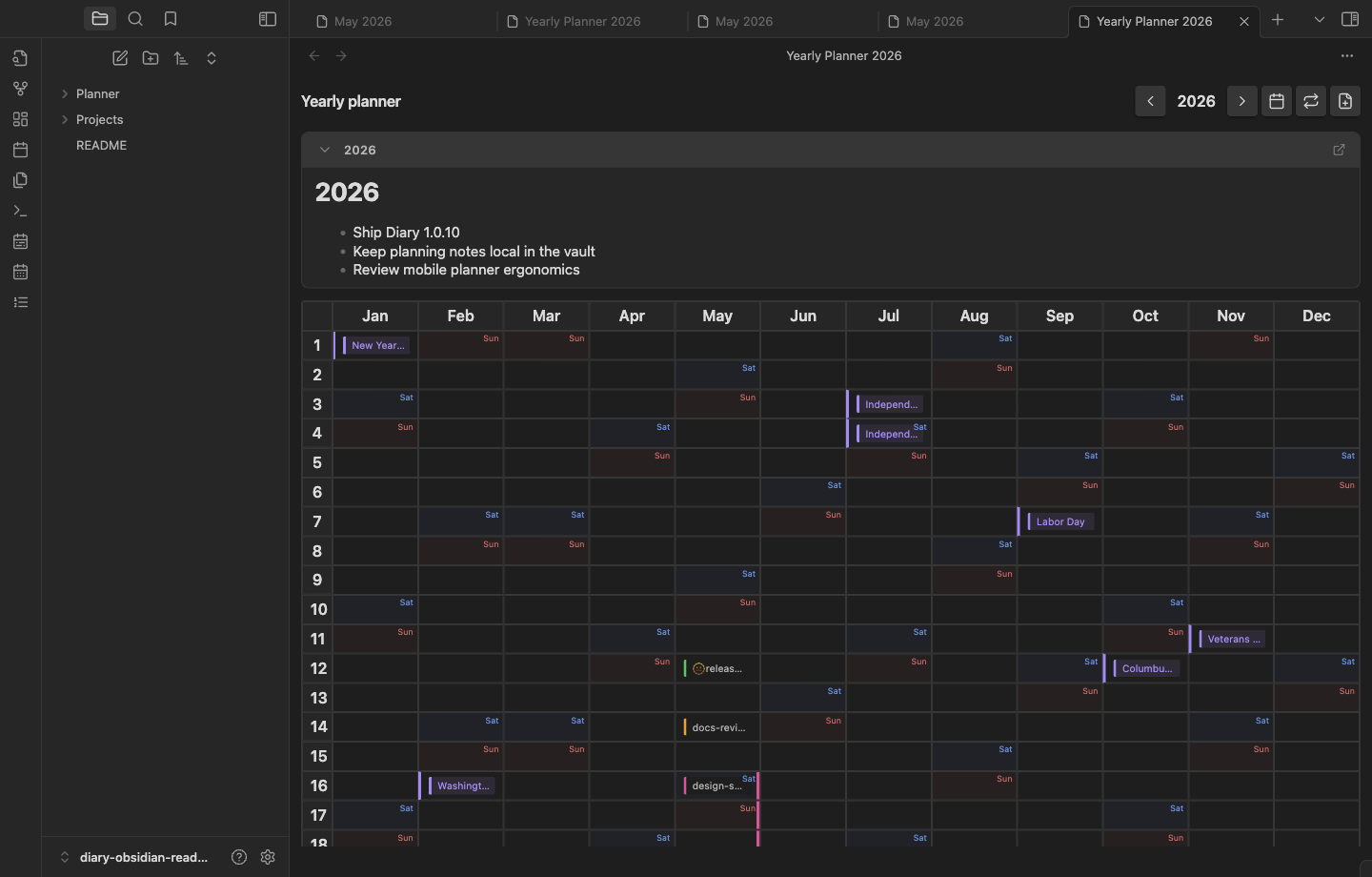
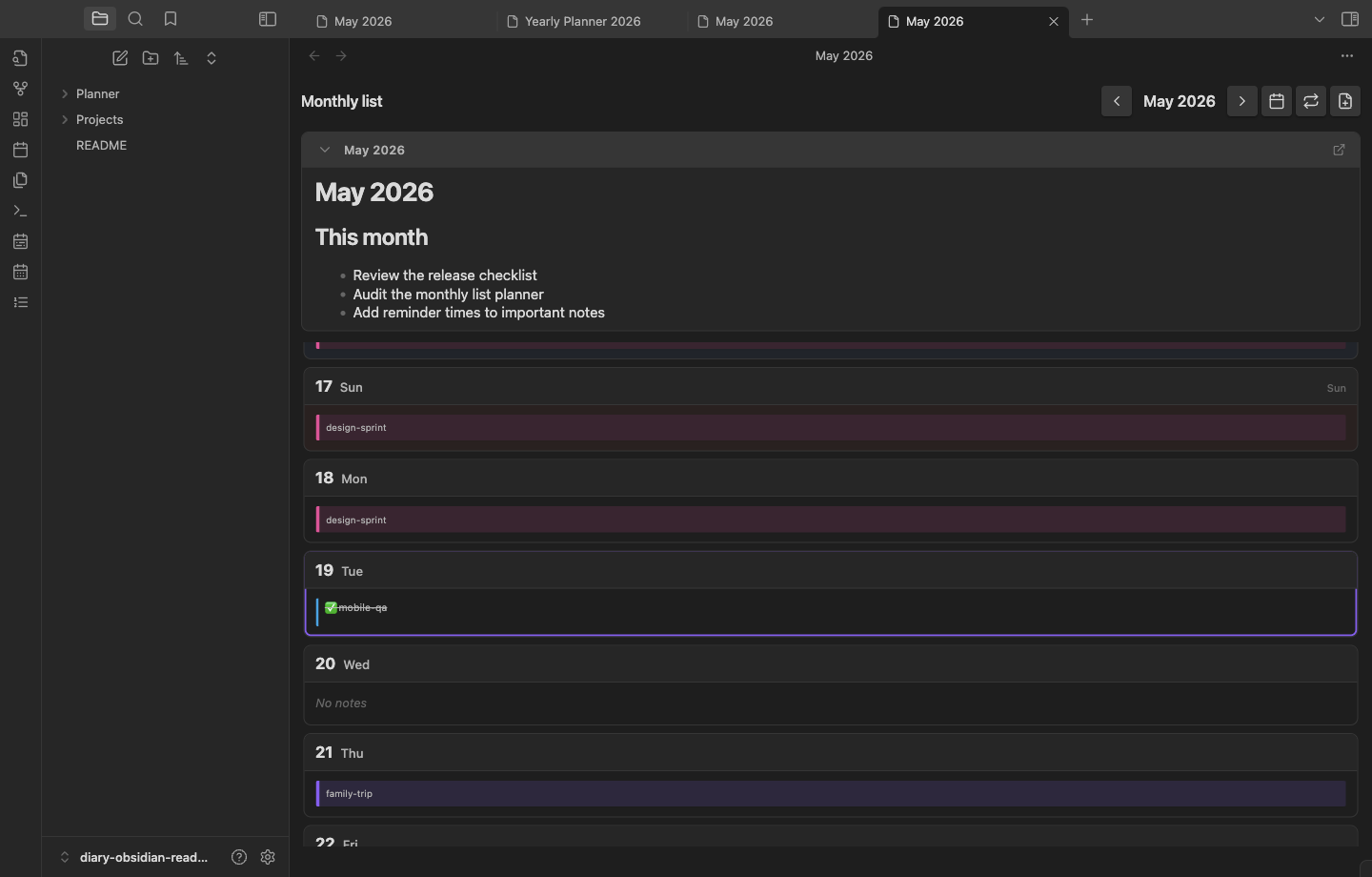
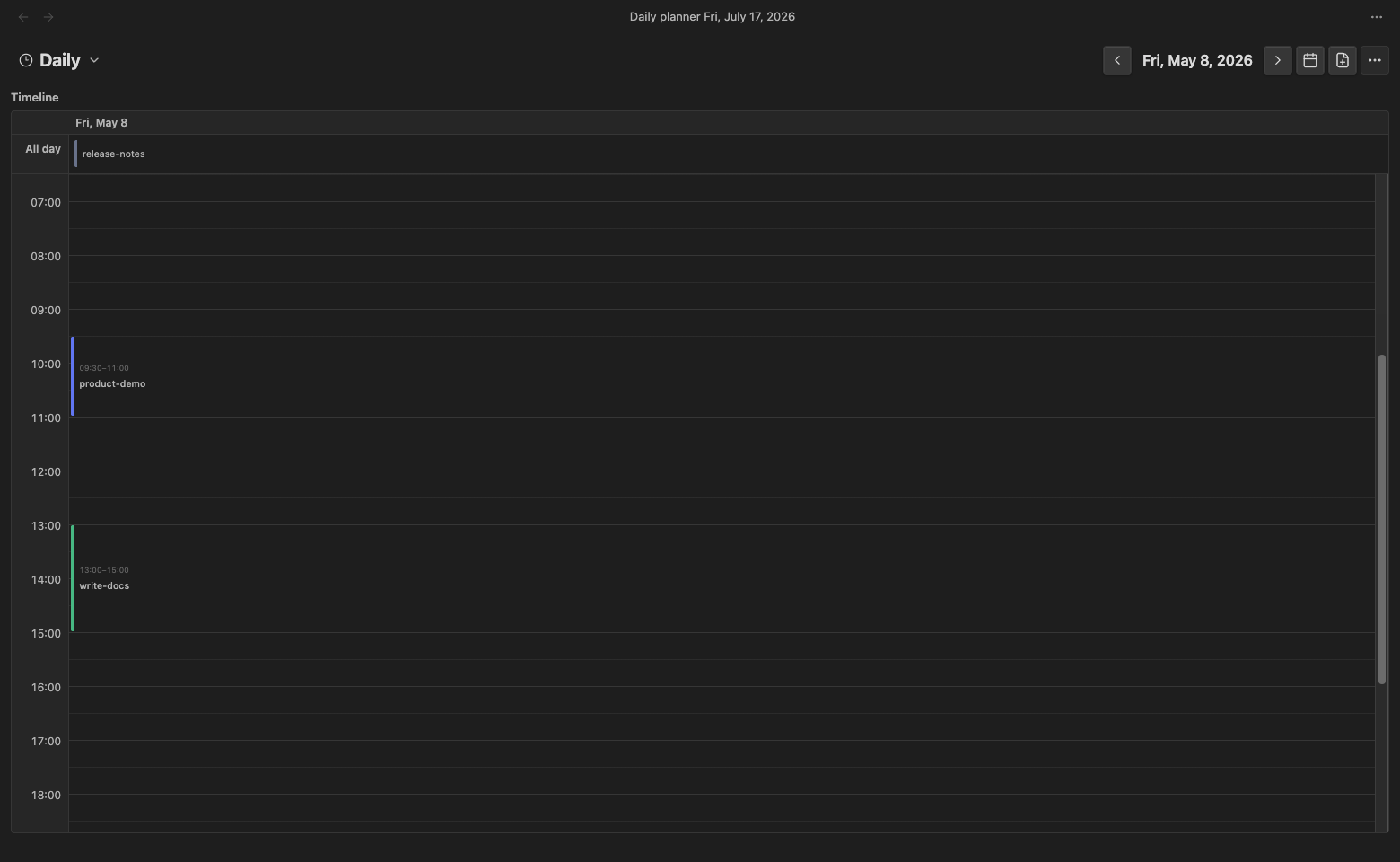
These screenshots use temporary demo notes for all-day, timed, range, todo, and plan entries. The demo folder was removed after capture.
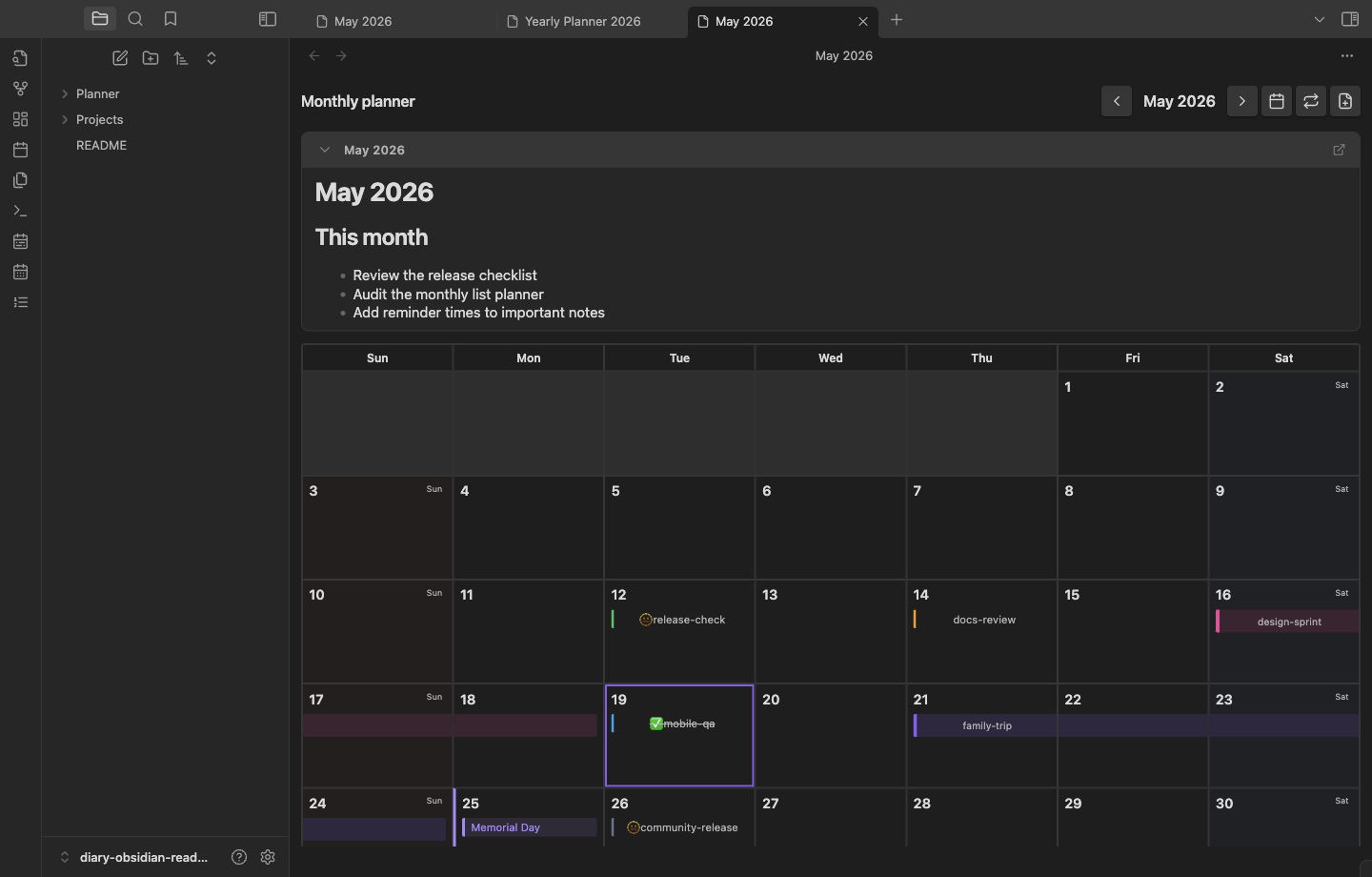
| Yearly planner | Monthly list planner |
|---|---|
 |
 |
| Daily timeline | 3-day timeline |
|---|---|
 |
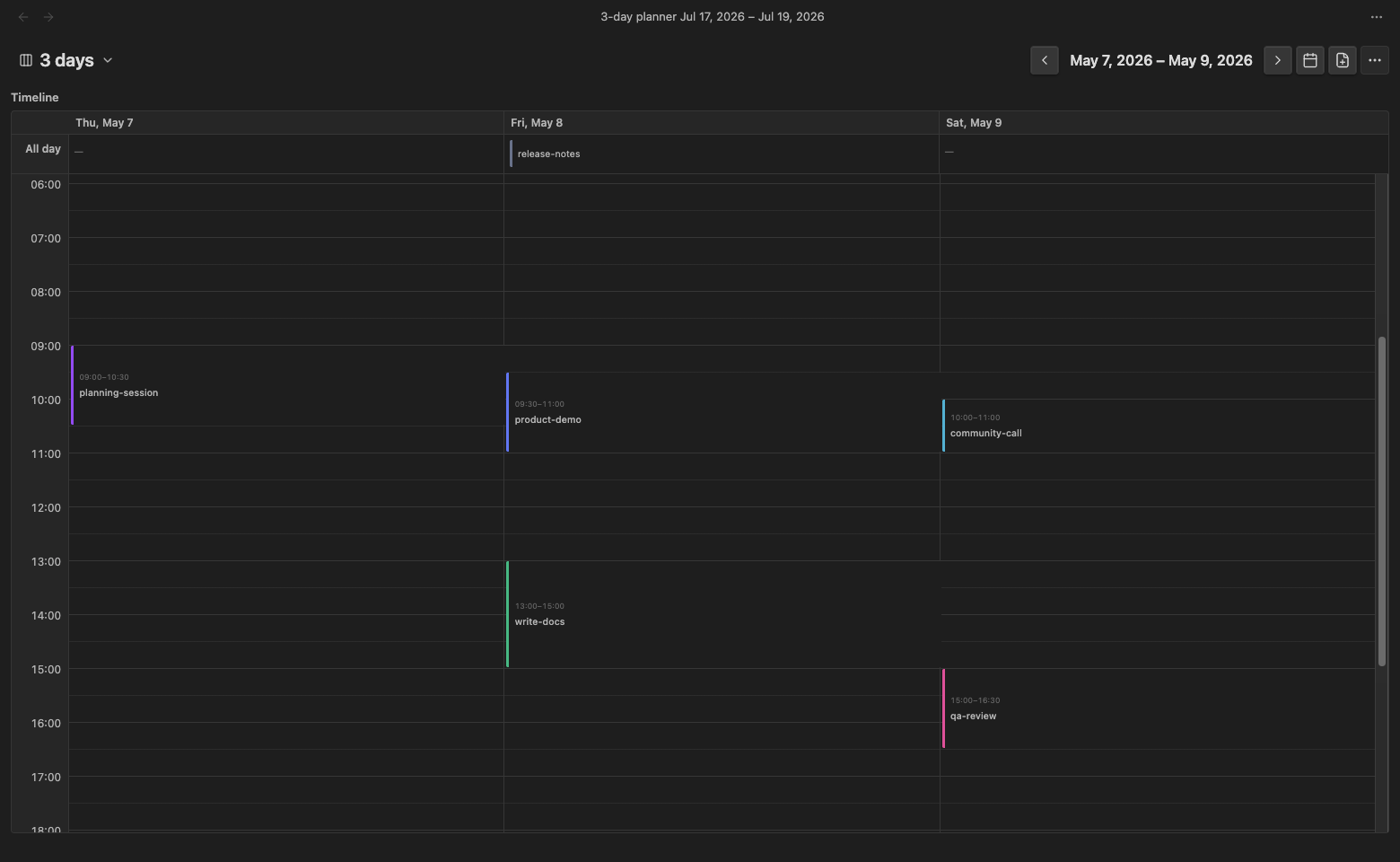 |
| Narrow monthly grid | Narrow monthly list |
|---|---|
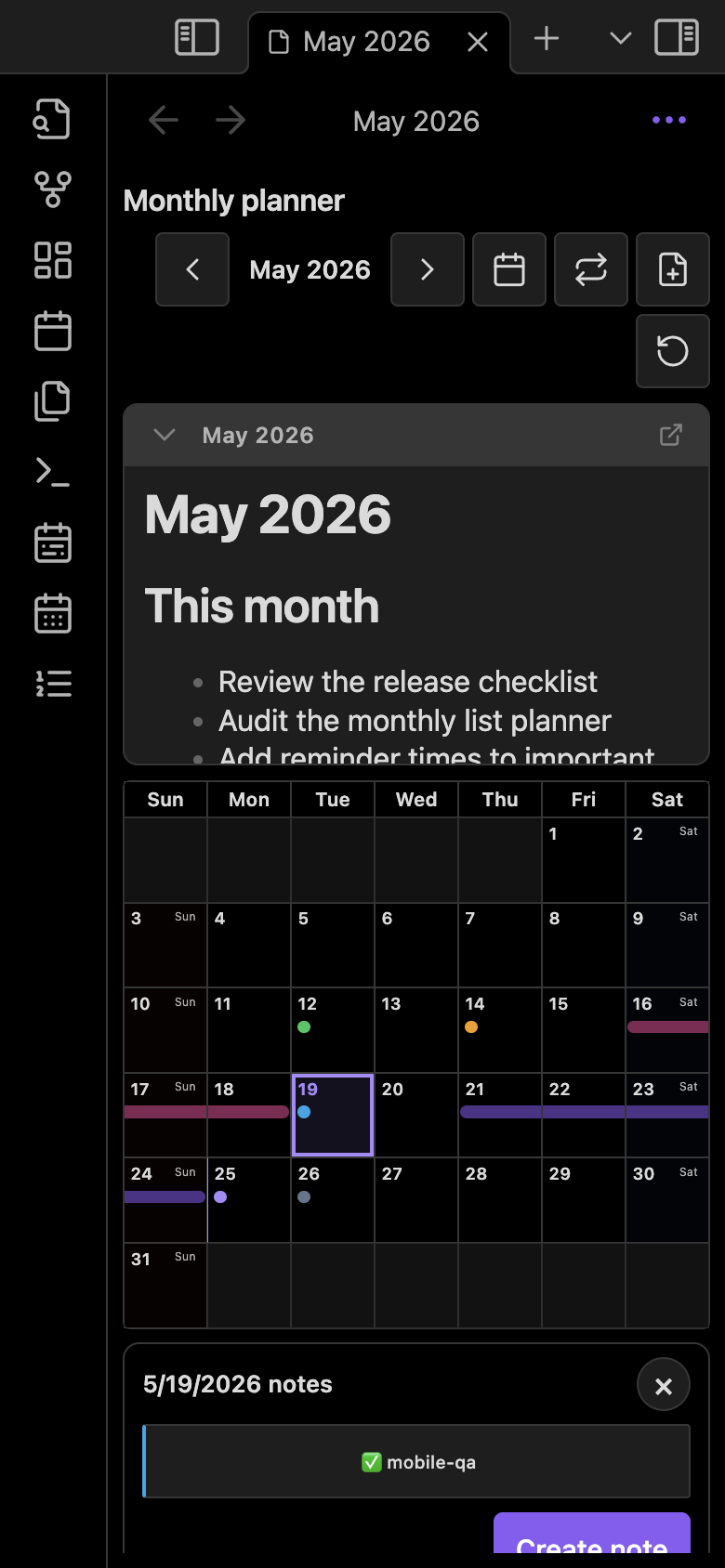 |
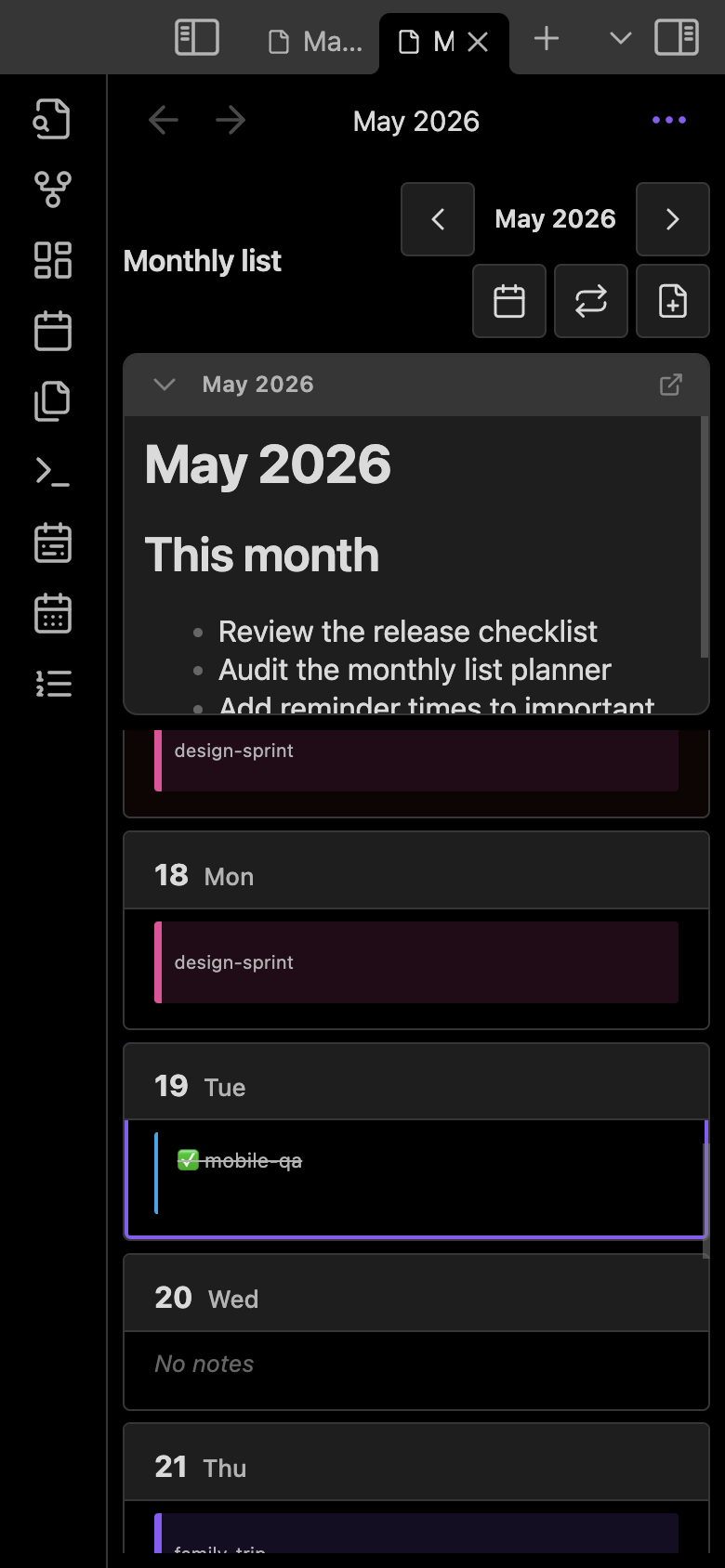 |
Features
- Yearly planner:
12 months × 31 daysoverview. - Localized UI: switch Diary between English, German, Spanish, French, Japanese, Simplified Chinese, Traditional Chinese, and Korean.
- Monthly grid planner: one-month calendar view with date chips, range bars, holidays, calendar overlay labels, external calendar overlays, and mobile pinch zoom.
- Monthly list planner: day-by-day list for dense monthly review, with
All,With notes, andUpcomingfilters. - Daily planner: a 24-hour timeline that separates timed plans from all-day and untimed notes. Collapse the all-day section to reclaim timeline space; its saved state and event count remain visible. Multi-day ranges render as continuous all-day bars or datetime slices, with cross-date time selection, interval dragging, and boundary resizing. Events shorter than 20 minutes use readable compact cards with time tooltips and collision-aware columns. Select an empty time slot to create a note with start and end times prefilled.
- 3-day planner: compare three consecutive days in parallel columns on the same 24-hour timeline. Narrow screens keep readable column widths with horizontal scrolling.
- Direct view selector: switch directly among yearly, monthly grid, monthly list, daily, and 3-day views. In narrow layouts it remains visible while secondary actions move into More.
- Monthly grid: always shows six weeks (42 dates), including adjacent-month notes, events and holidays. Muted backgrounds and month labels distinguish adjacent dates; actions use the selected date.
- Sidebar planner: a compact monthly planner opens in the right sidebar by default, can be revealed from the command palette, and can cycle through yearly, monthly grid, and monthly list layouts in the same side leaf. On desktop and mobile, creating or opening a sidebar note uses a new main workspace tab and preserves the planner and existing tabs.
- Date notes and range notes: recognize several configured filename formats and use one creation default; ISO filenames remain the initial defaults. By default Diary scans the entire vault, with an optional planner-folder-only scope. Title suffixes can keep visible spaces.
- File options: switch an existing planner note between single-date and range modes, choose its folder, and edit the complete date-based filename. Diary moves the file and synchronizes
date_start/date_endmetadata. - Range title continuity: monthly range bars repeat their title at new week and month boundaries, while yearly cells repeat it at month and year boundaries.
- Plan notes: the initial paths are yearly
{plannerFolder}/{year}.mdand monthly{plannerFolder}/{year}-{month}.md. With empty path overrides, new notes use the monthly or yearly creation default in the planner folder. Nonempty vault-relative path overrides take priority; yearly paths supportYYYYand[literal text], while monthly paths also supportMM. Existing path templates retain their old interpretation until edited. Preview state persists on desktop and separately on mobile. - Remembered yearly cell width: expanded month-cell widths are saved across reloads.
- Linked colors: name and edit palette entries, connect selected existing planner notes, and archive or restore entries. Linked notes follow color changes; independent fixed colors remain available. Holiday colors support theme, fixed, or palette selection.
- Chip metadata:
diary_color_id,diary_color_inherit,color,todo,completed,start_time,end_time,notify_minutes,title,date_start,date_end, and recurrence frontmatter. For range files,date_start+start_timeanddate_end+end_timedefine one continuous datetime interval; times remain independent from reminders. - Recurring events: repeat every N days, weeks, months, or years with a Gregorian or alternate-calendar basis. Occurrences stay virtual until you explicitly create Markdown notes from them.
- Custom calendar overlays: create local fantasy/campaign calendar profiles and show one custom label in planner cells. Filenames follow the configured date formats while date values remain Gregorian.
- External calendar overlays: add opt-in
webcal://orhttps://.icsfeeds, refresh them manually or on an interval, and show events as read-only chips/ranges. Select an external event only when you want to create a normal Markdown note for it. - Scoped styling: Diary's CSS is limited to planner views, settings panels, and plugin modals so it does not restyle ordinary vault content.
- Desktop workflows: right-sidebar companion planner, drag range selection, chip drag-to-move, keyboard activation, internal planner copy/paste/delete/undo.
- Mobile workflows: use 44/48 px standalone controls, responsive modal action layouts, safe-area-aware modal sizing, keyboard-safe form scrolling, day summary sheets, monthly-grid pinch zoom, and automatic clearance above standard or floating Obsidian navigation.
Use Settings → Diary → Date formats to add recognition formats and choose one creation default separately for daily, monthly, and yearly notes. For example, YYYY-[M]MM-DD creates 2026-M10-13.md. Changing a default keeps existing filenames; moving a note preserves its recognized format. Color palette and Holiday color configure linked note colors and holiday styling. Existing-color linking previews notes in the configured scan scope and changes only your selection.
Quick start
- Enable Diary in Settings → Community plugins.
- Run Open monthly planner in sidebar, Open monthly planner, Open yearly planner, Open monthly list planner, Open daily planner, or Open 3-day planner from the command palette.
- Select a date cell or the add-file button.
- Choose Single date or Range, then set the folder, dates, filename, color, todo state, reminder time, and optional every-N-days/weeks/months/years repeat rule, calendar, and end date.
- Select Create. Diary creates an ordinary Markdown note and renders it in the planner.
한국어로 빠르게 시작하기:
- Settings → Community plugins에서 Diary를 활성화합니다.
- 커맨드 팔레트에서 Open monthly planner in sidebar, Open monthly planner, Open yearly planner, Open monthly list planner, Open daily planner, Open 3-day planner 중 하나를 실행합니다.
- 날짜 셀 또는 파일 추가 버튼을 선택합니다.
- Single date 또는 Range를 고르고 폴더, 날짜, 파일명, 색상, todo 여부, 알림 시간, N일·주·월·년 반복 간격/역법/종료일을 입력합니다.
- Create를 선택하면 Markdown 노트가 생성되고 플래너에 표시됩니다.
Install
- Download the latest release from Releases.
- Copy
main.js,manifest.json, andstyles.csstoVault/.obsidian/plugins/diary/. - Enable Diary in Settings → Community plugins.
After updating, reload Obsidian to load the installed build. If notes still open inside the sidebar planner, confirm Diary is 1.20.2 or later; sidebar notes should open in a new main workspace tab on desktop and mobile.
Development
See the development guide for date-format, color, testing, and release rules.
npm install
npm run dev
Production build:
npm run build
Lint:
npm run lint
Design document lint:
npm run design:lint
Regression and locale consistency checks:
npm test
Repository layout
src/main.ts: plugin lifecycle, view registration, sidebar planner setup, commands, refresh wiring.src/settings.ts,src/settings/*: settings schema/defaults and shared settings UI.src/utils/date-formats.ts,src/utils/planner-colors.ts: filename parsing/creation and linked color resolution.src/views/yearly-planner/*: yearly calendar UI, interactions, modals, file operations.src/views/monthly-planner/*: monthly grid UI, sidebar compact layout, mobile pinch zoom, interactions.src/views/monthly-list-planner/*: monthly list UI, filters, and interactions.src/views/*/sidebar-view.ts: compact side-leaf variants for planner views.src/views/planner-clipboard.ts: multi-select copy/paste/delete/undo flow.src/views/planner-components.ts,src/views/planner-dom.ts: shared planner chips, badges, labels, and pointer/DOM lookup helpers.src/views/planner-layout.ts,src/views/plan-note-panel.ts: shared headers, filters, container/scroll restoration, and reusable plan-note panels.src/ui/components.ts: shared buttons, button rows, fields, disclosures, badges, errors, and press feedback for planner, modal, and settings surfaces.src/planner-reminders.ts: runtime reminders based onnotify_minutes.src/i18n.ts,locales/*: English, German, Spanish, French, Japanese, Simplified Chinese, Traditional Chinese, and Korean localization.docs/*/README.md: full documentation for each supported UI language.design.md: current planner design rules; runtime tokens and component primitives live instyles.css,src/ui/components.ts, andsrc/views/planner-components.ts.styles.css: shared styling tokens and per-view UI styles.
Release
- Release workflow:
.github/workflows/release.yml - Release assets:
main.js,manifest.json,styles.css - Version bump helper:
npm version patch|minor|major --no-git-tag-version - Release assets are built from the tagged source in GitHub Actions and uploaded directly to the matching GitHub release.
Feedback and support
These links open public GitHub issues and require a GitHub account. Do not include private vault content, calendar URLs, access tokens, or other sensitive information.
License
See LICENSE.