Search...Search plugins and themes...
⌘K
Sign in
  • Get started
  • Download
  • Pricing
  • Enterprise
  • Account
  • Obsidian
  • Overview
  • Sync
  • Publish
  • Canvas
  • Mobile
  • Web Clipper
  • CLI
  • Learn
  • Help
  • Developers
  • Changelog
  • About
  • Roadmap
  • Blog
  • Resources
  • System status
  • License overview
  • Terms of service
  • Privacy policy
  • Security
  • Community
  • Plugins
  • Join the community
  • Discord
  • Forum / 中文论坛
  • Merch store
  • Brand guidelines
Follow us
DiscordTwitterBlueskyThreadsMastodonYouTubeGitHub
© 2026 Obsidian

Custom State for Task List

okamiwongokamiwong5k downloads

Add custom states to task list items.

Add to Obsidian
  • Overview
  • Scorecard
  • Updates4

A plugin for Obsidian to help you define your own states for task list!
How to install

Please refer to Community plugins - Obsidian Help

How to use

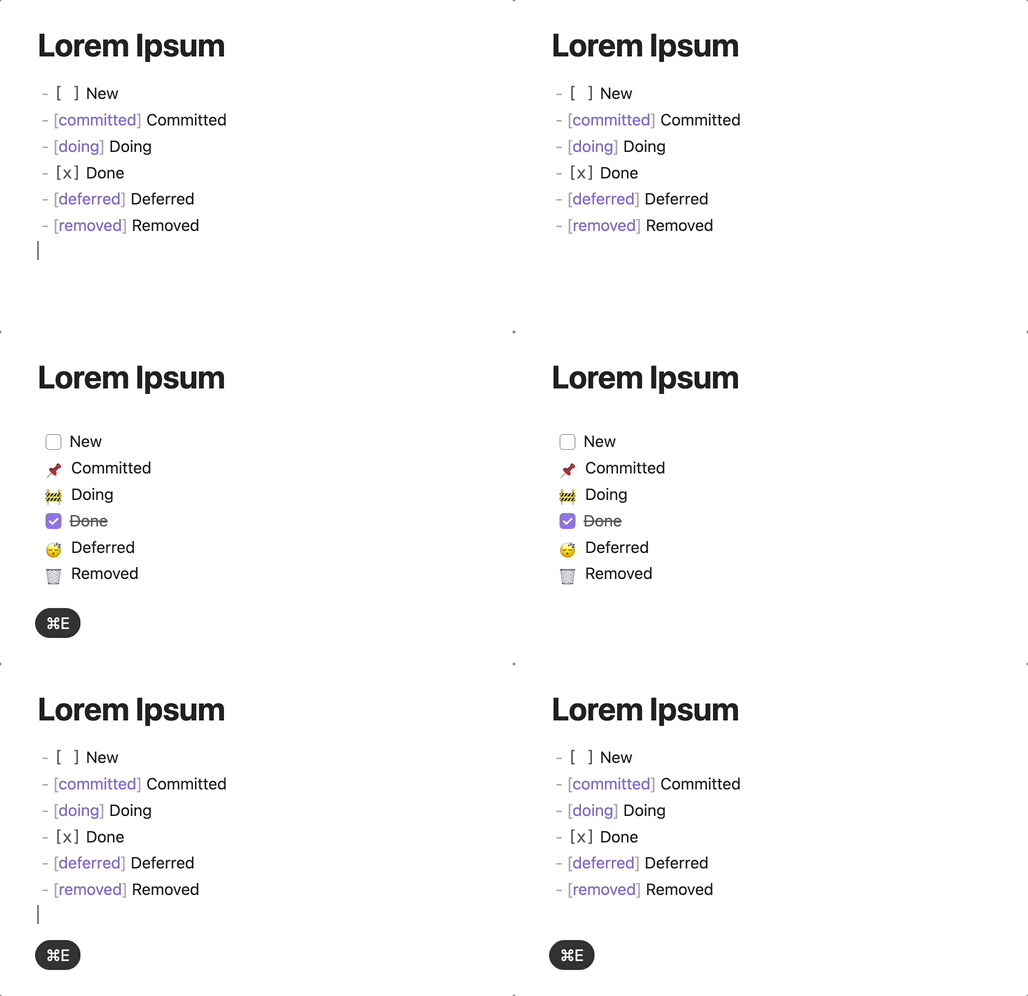
  • Simply put the name of your custom state inbetween the square brackets of a task item.

    • For example, if you want to mark the following task as doing
      • - [ ] Some task
    • Just put doing inside the square brackets like
      • - [doing] Some task
    • In the reading view of Obsidian, this task will be rendered as
      • 🚧 Some task
  • The default states are ({stateName} ➡ {readingView})

    • committed ➡ 📌
      • You have decide to do this task some day
    • doing ➡ 🚧
      • You are currently working on this task
    • deferred ➡ 😴
      • The completion of this task is postponed
    • removed ➡ 🗑
      • The task is removed
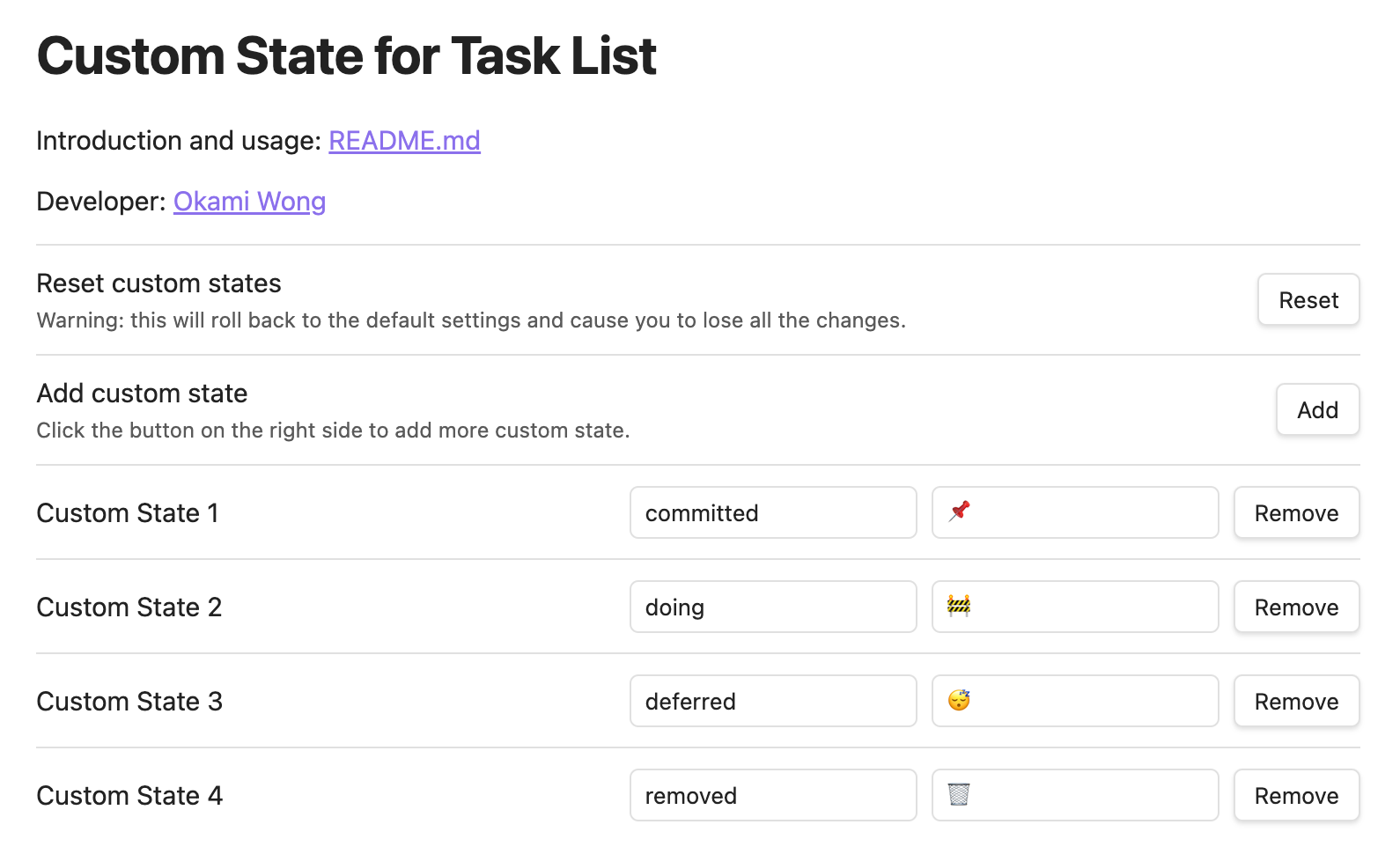
  • You can edit the default states and add more states in the settings.
76%
HealthGood
ReviewSatisfactory
About
Define custom task states by placing a state name inside a task's square brackets (e.g., [doing] Task) to mark progress beyond checked/unchecked. Render states as readable icons or labels in reading view and edit default states or add new ones like committed, doing, deferred, and removed.
TasksIcons
Details
Current version
1.0.3
Last updated
Last year
Created
3 years ago
Updates
4 releases
Downloads
5k
Compatible with
Obsidian 0.15.0+
License
MIT
Report bugRequest featureReport plugin
Author
okamiwongokamiwong
github.com/OkamiWong
GitHubokamiwong
  1. Community
  2. Plugins
  3. Tasks
  4. Custom State for Task List

Related plugins

Day Planner

Day planning from a task list in a Markdown note with enhanced time block functionality.

Tasks

Track tasks across your vault. Supports due dates, recurring tasks, done dates, sub-set of checklist items, and filtering.

Iconic

Customize your icons and their colors directly from the UI, including tabs, files & folders, bookmarks, tags, properties, and ribbon commands.

Reminder

Manage Markdown TODOs with reminder.

Checklist

Consolidate checklists across all files into a single view.

Task Collector (TC)

Change task status and collect tasks within a document using hotkeys and context menus.

Day Planner (OG)

Day planning from a simple task list in a Markdown note (bare bones, preserves the features and behavior of the original plugin).

Rollover Daily Todos

Rollover any unchecked checkboxes from your last daily note into today's note.

Todoist Sync

Materialize Todoist tasks within your notes.

CardBoard

Display Markdown tasks on kanban-style boards.