Color Folders and Files
 mithadon40k downloads
Customize the appearance of folders and files in the file explorer.
- Overview
- Scorecard
- Updates7
Customize the appearance of folders and files in Obsidian through an easy-to-use context menu with color picker and style options.
The aim is to provide a more robust, customizeable, plugin-based solution inspired by .css snippet applications like https://github.com/CyanVoxel/Obsidian-Colored-Sidebar.
Tested with Obsidian's default theme on Windows and Android. Compatible with the Iconize plugin, which takes precedence (default icon colors are changed with text, while defined icon colors remain).
New in version 1.4.0:
- !!! New style snippet (custom-file-styles.css) to style filenames based on their extension. Designed to work with the Style Settings plugin (https://github.com/mgmeyers/obsidian-style-settings). Supports a wide number of file types, with default colors matching the common software that use them. You can easily add your own extensions as well by editing the file.
- Automatic hover styling
- Settings menu preset selector
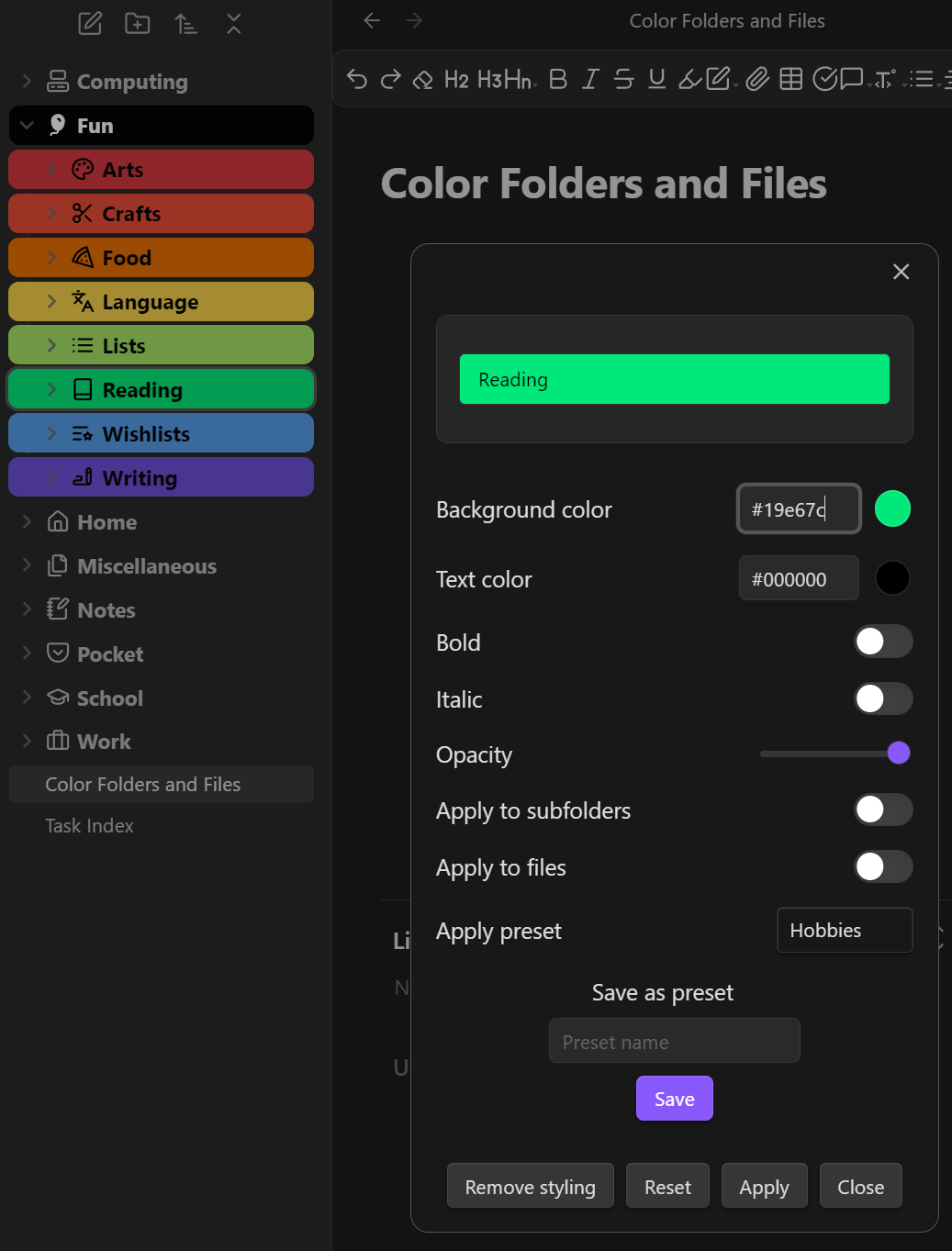
Features
- Right-click any file or folder to customize its appearance
- Change background and text colors with a color picker
- Adjust font weight (normal/bold) and style (normal/italic)
- Control opacity
- Save and apply style presets
- Works in both light and dark themes
- Apply styles to subfolders and contained files (optional)
Usage
- Right-click any file or folder in the file explorer
- Select "Customize appearance"
- Use the color pickers and style options to customize the appearance:
- Background color
- Text color
- Font weight (normal/bold)
- Font style (normal/italic)
- Opacity
- Apply to subfolders (optional)
- Apply to files (optional)
- Click "Apply changes" to save
Presets
Save your favorite style combinations as presets to quickly apply them to other files and folders:
Create a preset:
- Customize a file/folder appearance as desired
- Enter a name in the "Save as preset" field
- Click "Save preset"
Apply a preset:
- Select a preset from the "Apply preset" dropdown
- Click "Apply changes"
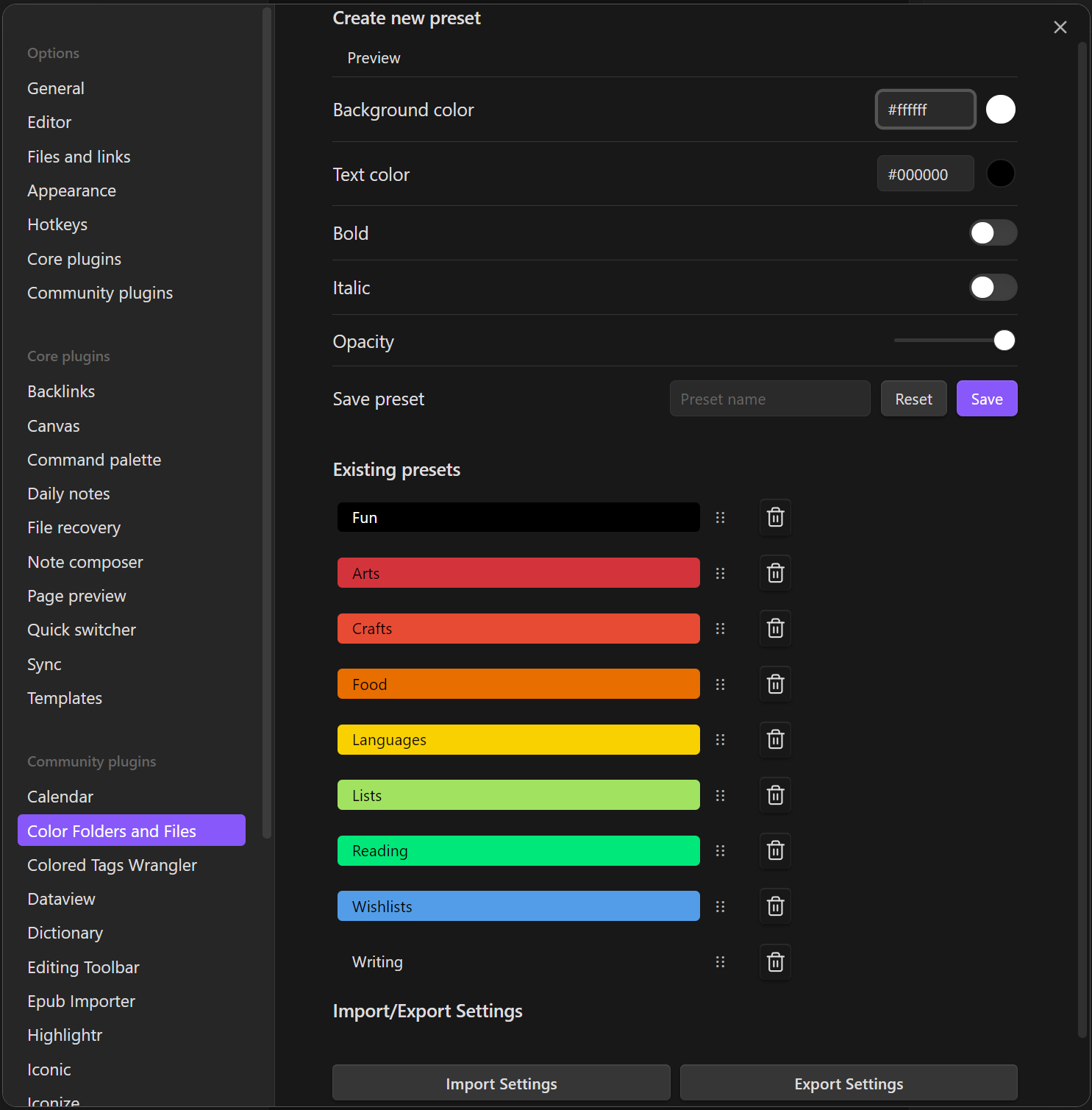
You can also manage presets in the plugin settings:
- Create new presets
- Preview existing presets
- Delete unwanted presets
Installation
Manually
- Download the
main.js,manifest.json, andstyles.cssfiles from the releases page - Copy these into a folder called
color-folders-filesinside of your vault, for example: \vault.obsidian\plugins\color-folders-files - Restart Obsidian
Within Obsidian (NOT YET AVAILABLE)
- Open Obsidian Settings
- Navigate to Community Plugins and disable Safe Mode
- Click Browse and search for "Color Folders and Files"
- Install the plugin
- Enable the plugin in the Community Plugins tab
Future improvements
- Apply opacity only to background (not to text, icon, or arrows)
- Fix bug where changing a parent folder without "apply to subfolders" removes styling from subfolders.
- Apply to subfolders should apply once, not in perpetuity. *Debatable
- Fix bug where modal preview does not update if only text color is changed
Support
If you find this plugin helpful and would like to support its development: