Search...Search plugins and themes...
⌘K
Sign in
  • Get started
  • Download
  • Pricing
  • Enterprise
  • Account
  • Obsidian
  • Overview
  • Sync
  • Publish
  • Canvas
  • Mobile
  • Web Clipper
  • CLI
  • Learn
  • Help
  • Developers
  • Changelog
  • About
  • Roadmap
  • Blog
  • Resources
  • System status
  • License overview
  • Terms of service
  • Privacy policy
  • Security
  • Community
  • Plugins
  • Themes
  • Discord
  • Forum / 中文论坛
  • Merch store
  • Brand guidelines
Follow us
DiscordTwitterBlueskyThreadsMastodonYouTubeGitHub
© 2026 Obsidian

Chancli Font Size Resizer

Mateo SantosMateo Santos40 downloads

Quickly increase or decrease the editor font size.

Add to Obsidian
  • Overview
  • Scorecard
  • Updates7

Increase or decrease the note editor font size from the status bar. Headers scale proportionally; body text scales independently.

Works in Live Preview, Reading View, and Source Mode. Size persists across restarts.

Demo
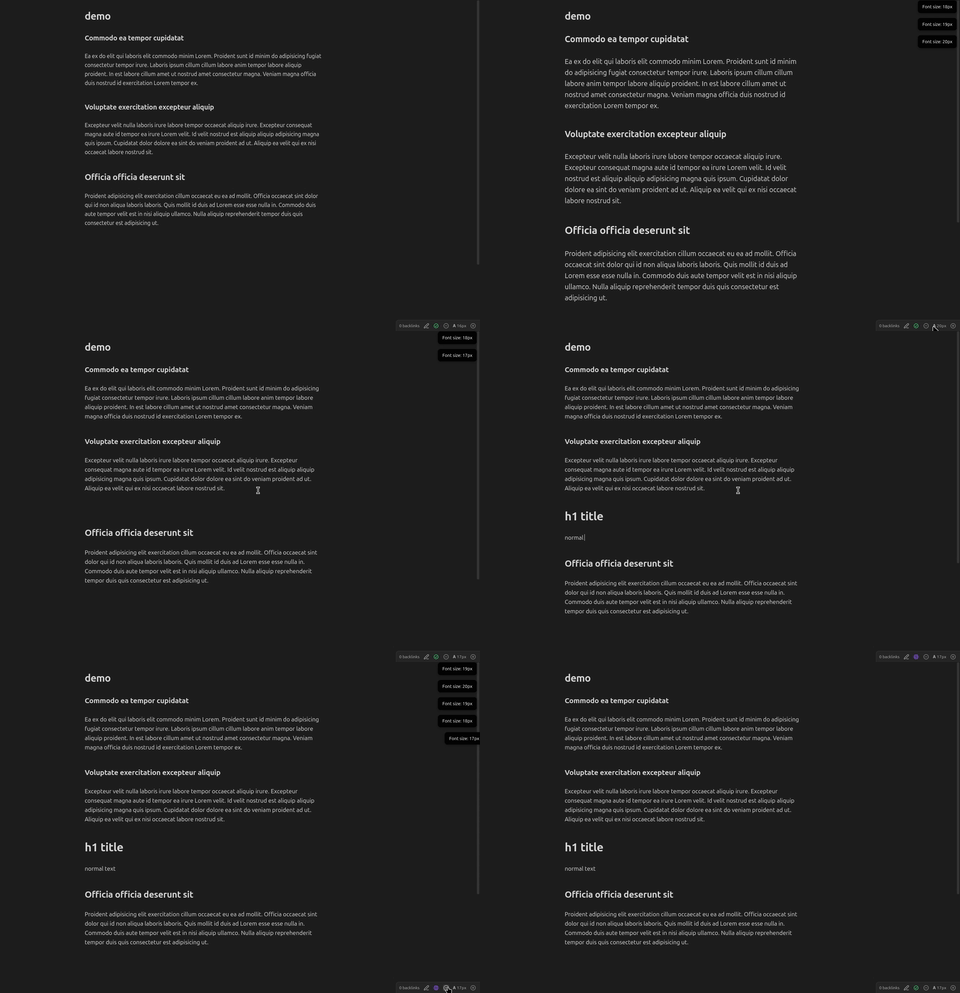
Demo

Usage

  • Status bar — click − / + buttons next to the 𝐀 16px indicator
  • Command palette — Increase / Decrease / Reset note font size
  • Settings tab — adjust step size, min/max bounds, or drag the live slider

Settings

Setting Default
Font size 16 px
Step size 1 px
Minimum 10 px
Maximum 32 px

Installation

  1. Run npm install && npm run build
  2. Copy dist/main.js, manifest.json, and styles.css into <vault>/.obsidian/plugins/chancli-font-size-resizer/
  3. Enable the plugin in Settings → Community Plugins

License

MIT

98%
HealthExcellent
ReviewPassed
About
Adjust note editor font size from the status bar or command palette with quick − / + controls. Scale headers proportionally while keeping body text independent; changes apply in Live Preview, Reading View, and Source Mode and persist across restarts.
FontsStatus barAppearance
Details
Current version
1.0.10
Last updated
6 days ago
Created
Last week
Updates
7 releases
Downloads
40
Compatible with
Obsidian 1.4.0+
Platforms
Desktop, Mobile
License
MIT
Report bugRequest featureReport plugin
Author
Mateo SantosMateo Santosmateosantosdev
GitHubmateosantosdev
  1. Community
  2. Plugins
  3. Fonts
  4. Chancli Font Size Resizer

Related plugins

Minimal Theme Settings

Control the colors and fonts in Minimal Theme.

Editor Width Slider

Customize Obsidian's editor width with a slider for a tailored editing experience.

Hider

Hide interface elements such as tooltips, status bar, titlebar, and more.

Style Settings

Adjust theme, plugin, and snippet CSS variables.

Link Favicons

See the favicon for a linked website.

Lapel

Show the heading levels in the gutter of the editor.

Note Toolbar

Add customizable toolbars to your notes.

Day Planner (OG)

Day planning from a simple task list in a Markdown note (bare bones, preserves the features and behavior of the original plugin).

Pretty Properties

Makes note properties look more fun: adds side image, banners, list property colors and allows to hide specific properties.

Colored Text

Color the selected texts.