Canvas Cards
 zhang2 downloads
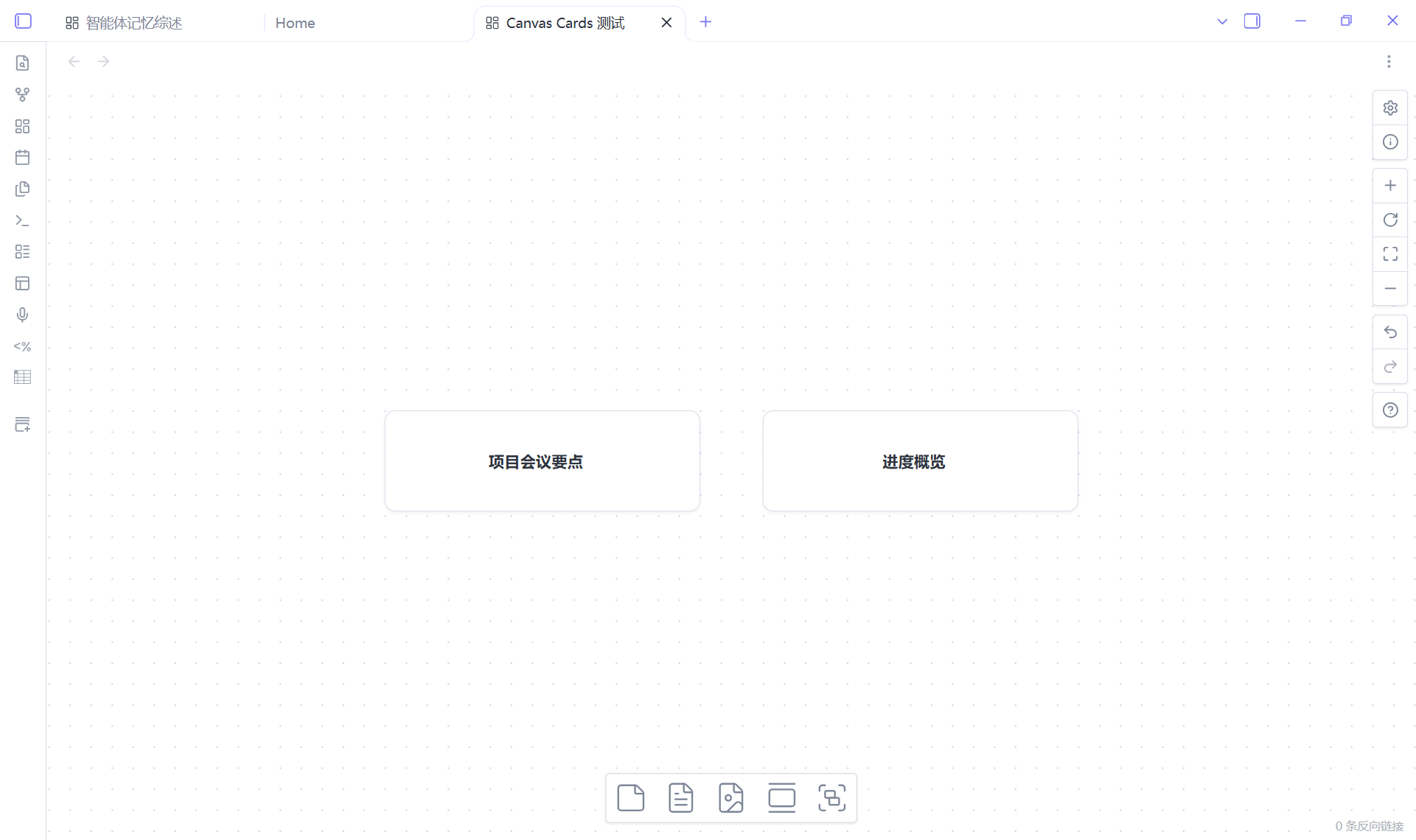
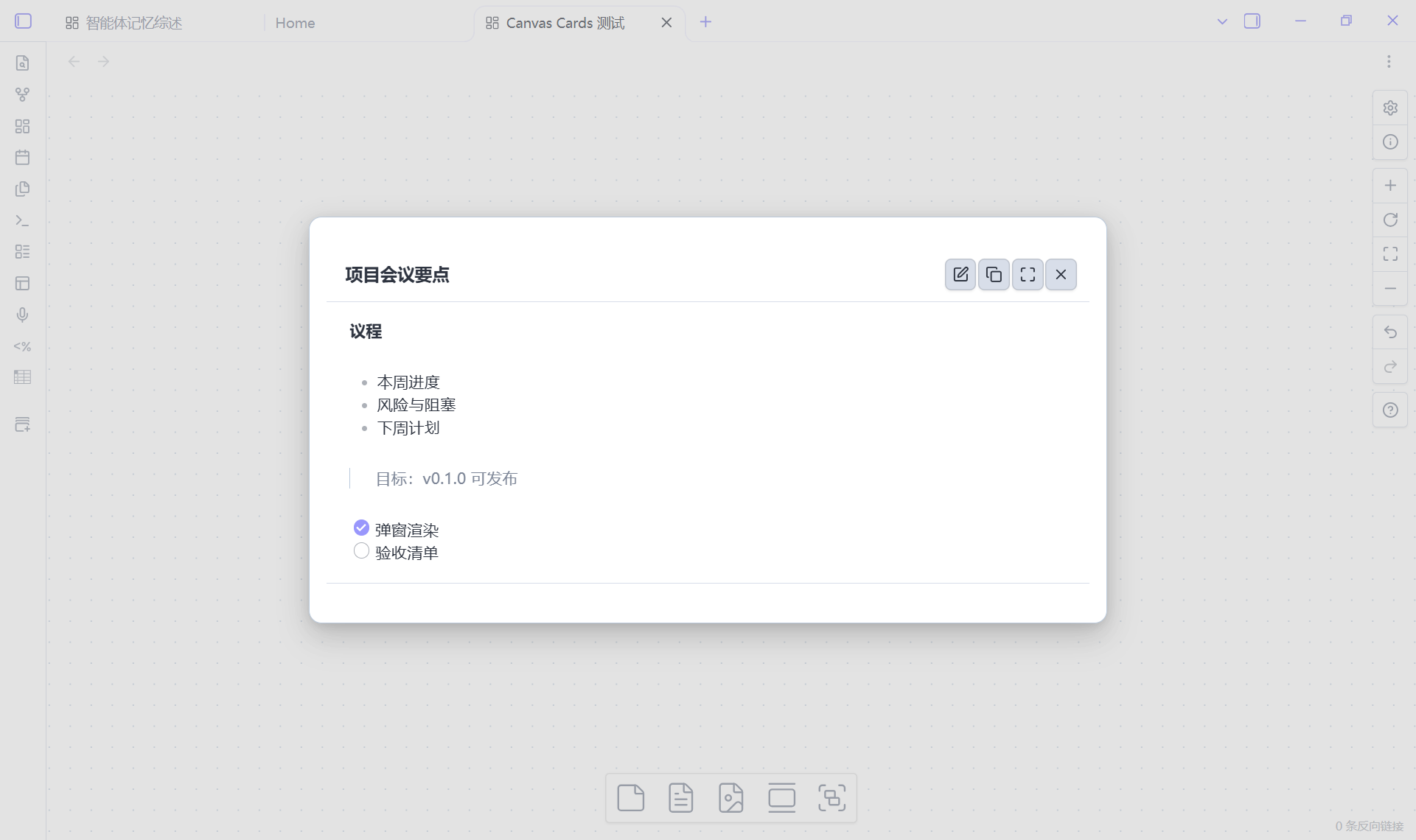
Canvas cards show only a clickable title; click to open a popup with the full body content.
- Overview
- Scorecard
- Updates1
Repository: knink-owo/obsidian-canvas-cards
Turn any Canvas text node into a card: the canvas only shows a clickable title
(optionally button-styled), and clicking the title opens a popup with the full,
rendered Markdown body. The body stays hidden inside the .canvas file until you
open it.
Features
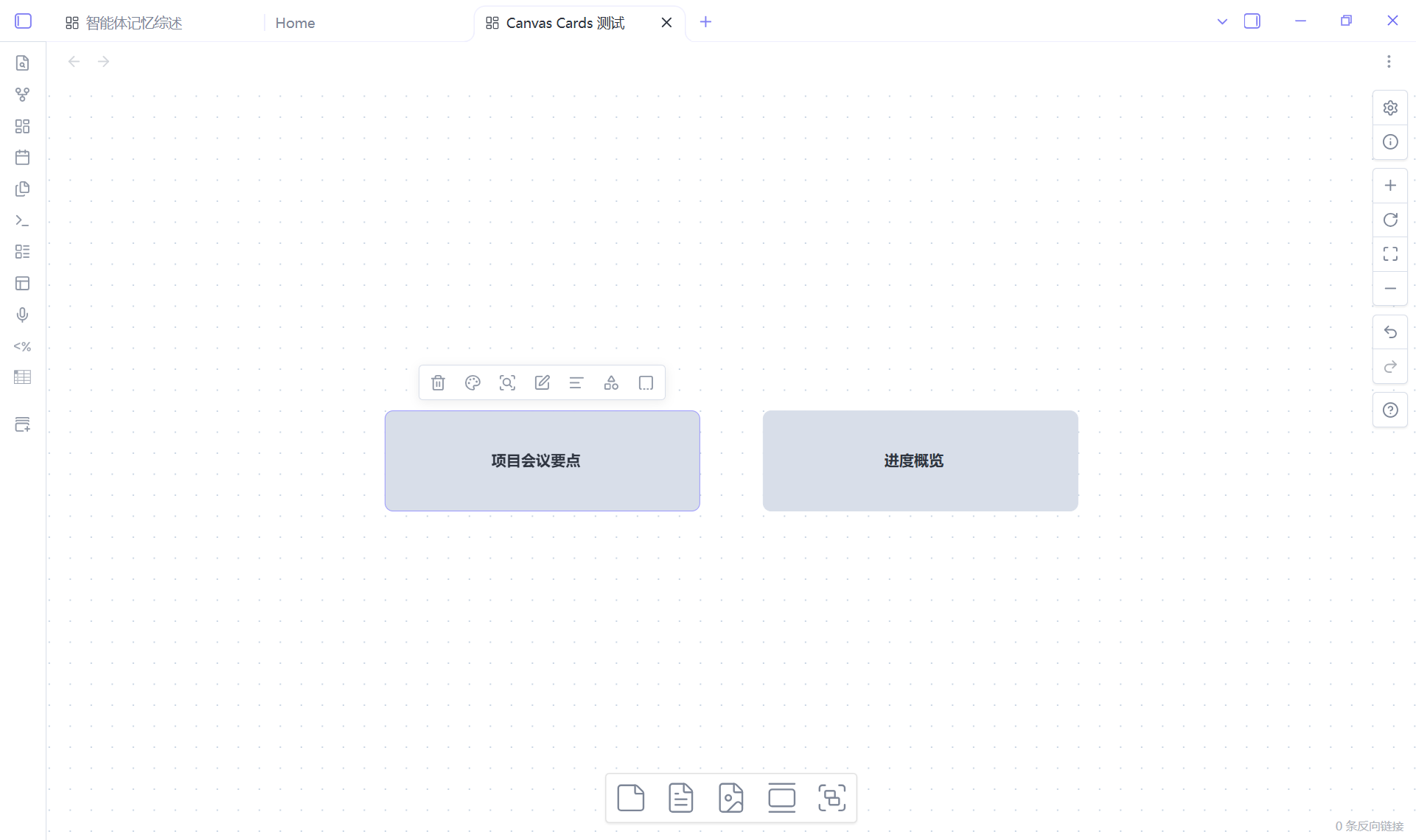
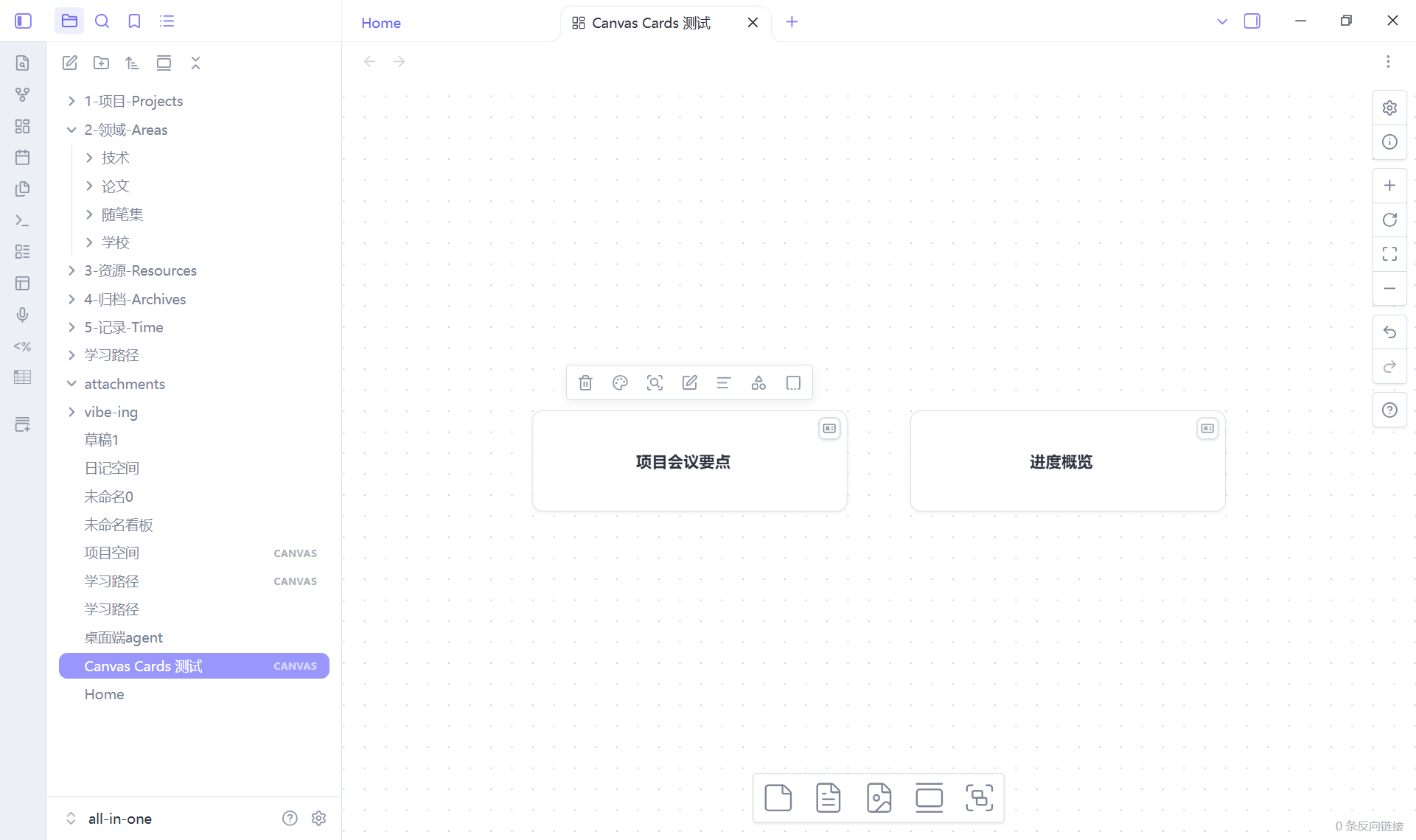
- Card look on the canvas — cards are native Canvas text nodes that render as a compact, centered title. One small corner button is the only injected element; the rest is a CSS class, so dragging, zooming, selecting and the Advanced Canvas features keep working.
- Click to open — a single click opens the card body in a centered popup; Shift, Ctrl/Cmd and middle-click are left to Canvas itself. The click also selects the node, so Delete and the native right-click menu still work. A corner button on each card opens it too, and the trigger can be set to corner button only.
- Rendered Markdown body — headings, lists, tables, callouts, task lists, links,
![[embeds]]and images render through Obsidian's own Markdown renderer with the.canvasfile as source path. - Lightweight editor — toggle the popup into edit mode, edit the raw Markdown in
a textarea, and the body autosaves (400 ms debounce, on blur and on close). Paste
an image into the textarea and it is saved to the attachment folder with an
![[image]]embed inserted. The popup also switches to full screen;Escleaves full screen first, then closes. - Title editing — the popup's title field renames the card (an explicit rename exists because a double-click no longer starts the native text editor, see Behaviour details).
- Commands and context menu — create, convert selected text nodes, cancel a card, edit a body, copy a body and export a card, from the command palette or the node context menu. Works next to Advanced Canvas menu items.
- Bilingual UI — English and Chinese follow Obsidian's language.
- Graceful degradation — the body lives in a normal node field
(
canvasCard), so a card opened in a vault without the plugin is just a text node whose title is the text; nothing is lost or corrupted. - Two appearances — minimal (card) or button (
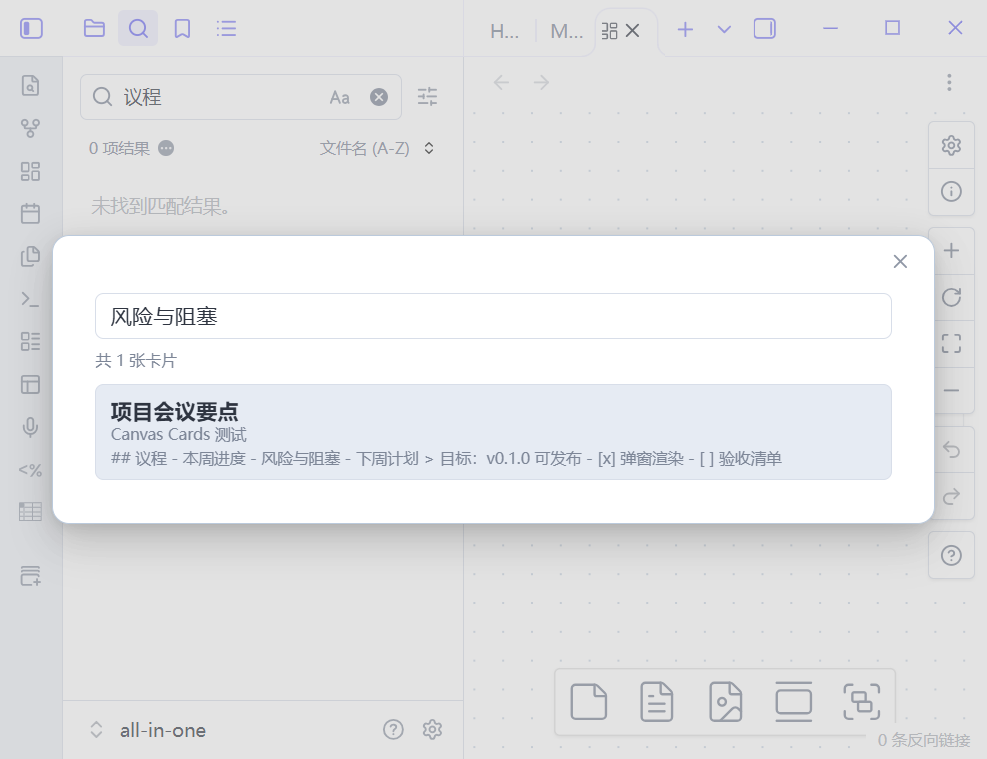
appearancesetting), and cards keep an explicit Canvas node color. - Search card bodies — the Search card bodies command opens a search popup that indexes every card's title and hidden Markdown body across all canvases. Pick a result and the canvas opens, the card gets selected and its popup opens. (Obsidian's own global search still only sees Canvas node titles.)
- Export a card to a note — export the selected card as a Markdown note next to the canvas, with frontmatter recording the source canvas, node id and export time.
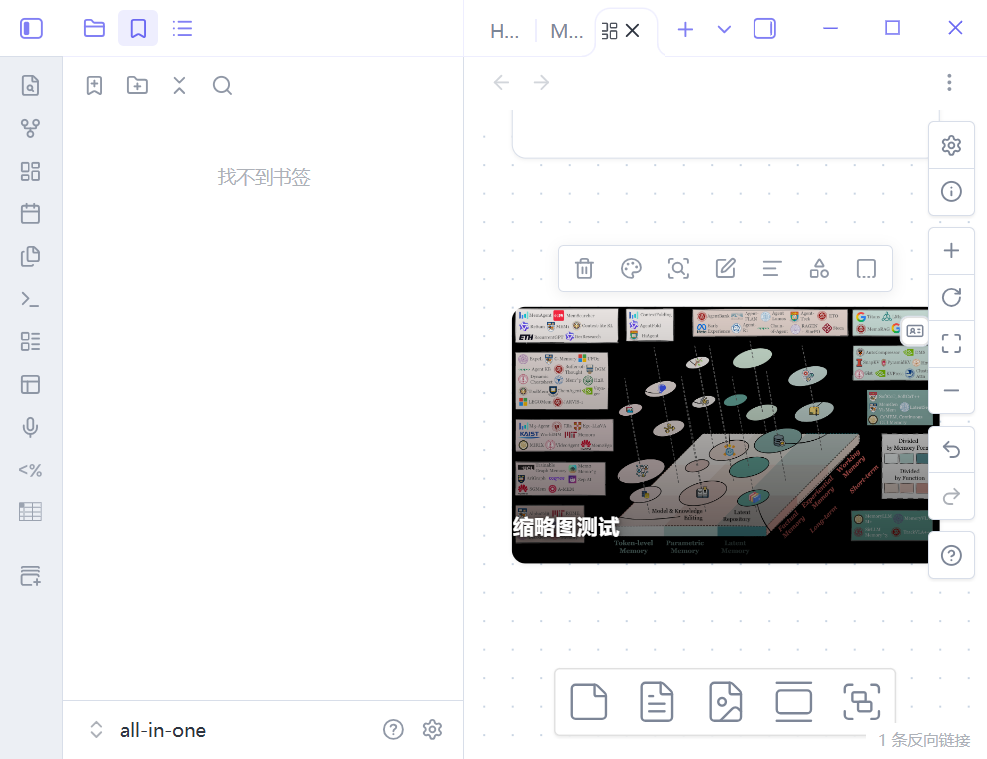
- Cover thumbnail — the first image embed anywhere in the body (
![[img.png]]or) becomes the card cover with a dark gradient behind the title. Disable with the Show thumbnails setting.
Installation
From the community store
- Open Settings → Community plugins → Browse.
- Search for Canvas Cards, install it and enable it.
Manually
- Download
main.js,manifest.jsonandstyles.cssfrom the latest release. - Create
<your-vault>/.obsidian/plugins/canvas-cards/and put the three files there. - Reload Obsidian and enable Canvas Cards in Settings → Community plugins.
Requires Obsidian 1.14.4+ (desktop). Mobile is not supported (the plugin is
isDesktopOnly). To uninstall, disable the plugin and delete its folder; card data
stays inside the .canvas files and is never deleted by the plugin.
Usage
| Action | How |
|---|---|
| Create a card in the viewport center | Command Create card |
| Convert selected text nodes to cards | Command Convert selection to cards, or node context menu → Convert to card |
| Open a card body | Click the card title or its corner button (or command Edit card body, or context menu → Edit card) |
| Rename a card | Open the popup and edit the title field |
| Remove a card (body kept, hidden) | Command Remove card from selection, or context menu → Remove card |
| Copy a card body | Command Copy card body, or context menu → Copy body |
| Search all card bodies | Command Search card bodies (works from any view) |
| Export a card to a note | Command Export card to note (needs a selected card), or context menu → Export to note |
Settings (Settings → Canvas Cards):
- Card appearance —
minimal(default card look) orbutton. - Opening —
click(default: click the card) oricon(only the corner button opens the popup; the card keeps Canvas' native click behaviour). - Show thumbnails — use the first image embed in the body as the card cover.
- Show save status — show/hide the small status line in the popup.
Behaviour details
- Click vs drag — a press that moves more than 5 px is treated as a drag, not a click, so moving a card never opens the popup.
- Corner button — fades in when a card is hovered or focused, stays visible in
the
icontrigger mode, and is hidden while the native text editor is open. It opens the popup without starting a canvas drag. - Double-click no longer edits the title on a card; use the popup title field. Edits to the body are made in the editor inside the popup.
- Undo — body autosaves are written without pushing every keystroke into the
Canvas undo stack, but closing the popup pushes one history snapshot for the
editing session. So one
Ctrl+Zsteps back over that body edit, and undoing earlier movement/creation actions cannot silently drop a body that was saved before them. Text edits inside the textarea use the browser's own undo. - Loading/rebuilds — cards are re-detected after
rebuildView, tab changes, zooming and plugin reloads; card data and the card look are restored from the.canvasfile.
How the data is stored
A card is an ordinary text node plus one namespaced field:
{
  "id": "10b05ce72fddabb9",
  "type": "text",
  "text": "Card title",
  "x": 200,
  "y": 240,
  "width": 300,
  "height": 96,
  "canvasCard": {
    "v": 1,
    "card": true,
    "body": "## Markdown body\n\n- item",
    "updated": 1792405295679
  }
}
text is the title (rendered natively by Canvas), canvasCard.body is the hidden
Markdown body. Unknown node fields survive Canvas save/reload round-trips; cancelling
a card only flips card to false and keeps body. Advanced Canvas' own fields
(styleAttributes, toFloating, …) are untouched.
Compatibility
- Tested with Obsidian 1.14.4 on Windows and with Advanced Canvas 7.1.0 enabled (cards, dragging, context menus and Advanced Canvas features coexist).
- Obsidian Publish has no Canvas support, so published sites cannot show cards.
Limitations
- Desktop only; the plugin is marked
isDesktopOnly. - The body text is not part of Canvas' own index, so Obsidian's global search and graph do not see it; use Search card bodies or Export card to note instead.
- The body editor is a plain textarea, not CodeMirror: no live preview, autocomplete or in-editor image preview.
- Cards cannot be moved between vaults without the plugin to re-attach the look;
the data itself travels with the
.canvasfile. - The plugin uses a small, documented set of Canvas internals (not public API); see
AGENTS.mdfor the allowlist and constraints. It does not patch Canvas prototypes, so a Canvas update is unlikely to break saving or interaction.
Support
Report bugs and feature requests in the
issue tracker.
Please include the Obsidian version, the plugin version and, when possible, a minimal
.canvas file that shows the problem.
Development
pnpm install
pnpm run dev      # watch build to main.js
pnpm run build    # type-check + production bundle
pnpm run lint
Copy main.js, manifest.json and styles.css into
<vault>/.obsidian/plugins/canvas-cards/ and reload the plugin to test. UI and
interaction changes must be verified in a running Obsidian instance.
Releasing: bump the version with pnpm version <patch|minor|major>, push the tag,
and let the Release GitHub workflow build and attach main.js, manifest.json and
styles.css to the release.
More design material:
docs/DESIGN.md— decisions, data model, interaction spec, milestones.docs/research/m0-runtime-notes.md— runtime probes of Canvas internals.docs/VERIFICATION.md— acceptance evidence for v0.2.0 (v1.0 acceptance + v1.1 features).
License
0BSD — see LICENSE.