Better Embedded Canvas
 kotaindah556k downloads
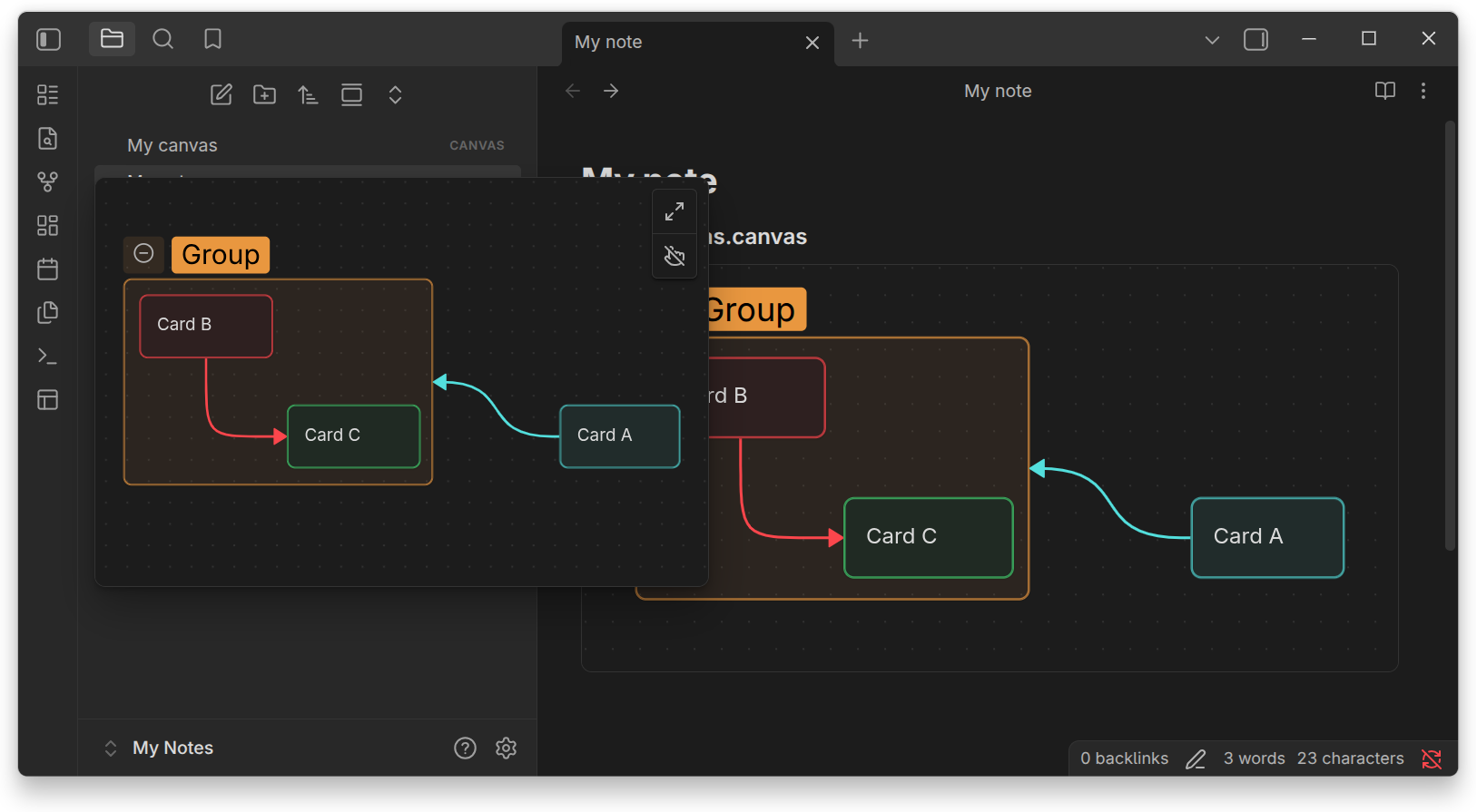
Give your embedded canvas better display and interactivity.
- Overview
- Scorecard
- Updates20
Give your embedded canvas better display and interactivity.
[!NOTE]
Although this plugin already fulfills the need for a full preview of embedded canvas, I still strongly support including this feature as a built-in feature. Visit here to give your support.
[!WARNING]
This plugin uses monkey patch and accesses internal API to unlock features that cannot be provided using public API alone.
Overview
- Canvas embedding: Embed canvas or specific card while preserving original canvas view interface.
- Hover preview: Preview canvas by hovering the cursor over a link or file.
- Basic interaction: Navigate using panning and zooming across the canvas.
- Advanced Canvas support: Support advanced customization from Advanced Canvas.
Installation
In-app installation
- Open settings.
- Choose "Community plugins" setting tab.
- Turn off "Restricted mode" if it was enabled before.
- Click "Browse" at "Community plugins" item.
- Type "Better Embedded Canvas" in the search box.
- Install and enable it.
Manual installation
- Create a folder named
better-embedded-canvasunderYOUR_VAULT_NAME/.obsidian/plugins. - Place
manifest.json,main.js, andstyle.cssfrom the latest release into the folder. - Enable it through the "Community plugin" setting tab.
Using BRAT
Terminology
- Canvas: Visual and spatial note-taking that uses cards and connection lines.
- Card: Object within canvas that displays text, files, web pages, or acts as group of other cards. Technically referred as node.
- Text card: Card that displays text and does not reference any file. Technically referred as text node.
- File card: Card that references a file, e.g. notes and media files, and displays its content if supported. Technically referred as file node.
- Webpage card: Card that references a link and displays it as a webpage. Technically referred as link node.
- Group card: Card that groups other cards, thus they can be moved simultaneously along with moving their group card. Technically referred as group node.
- Connection lines: Line that connects between cards. Technically referred as edge.
- Interactive canvas (or usually just referred as canvas): Canvas which user can interact with, i.e. panning, zooming, selecting, etc.
- Static canvas (or canvas minimap): Canvas which user cannot interact with, and displays cards within without their content. This is default behavior when embedding a canvas in Obsidian.
- Canvas view: Intractive canvas that is displayed as a whole tab. Mainly used by Obsidian to display and edit a canvas.
- Embedded canvas (or canvas embed): Canvas that is embedded within a note or another canvas, or displayed as page preview. It can be either interactive or static.
Features and Usage
Embed canvas in a note
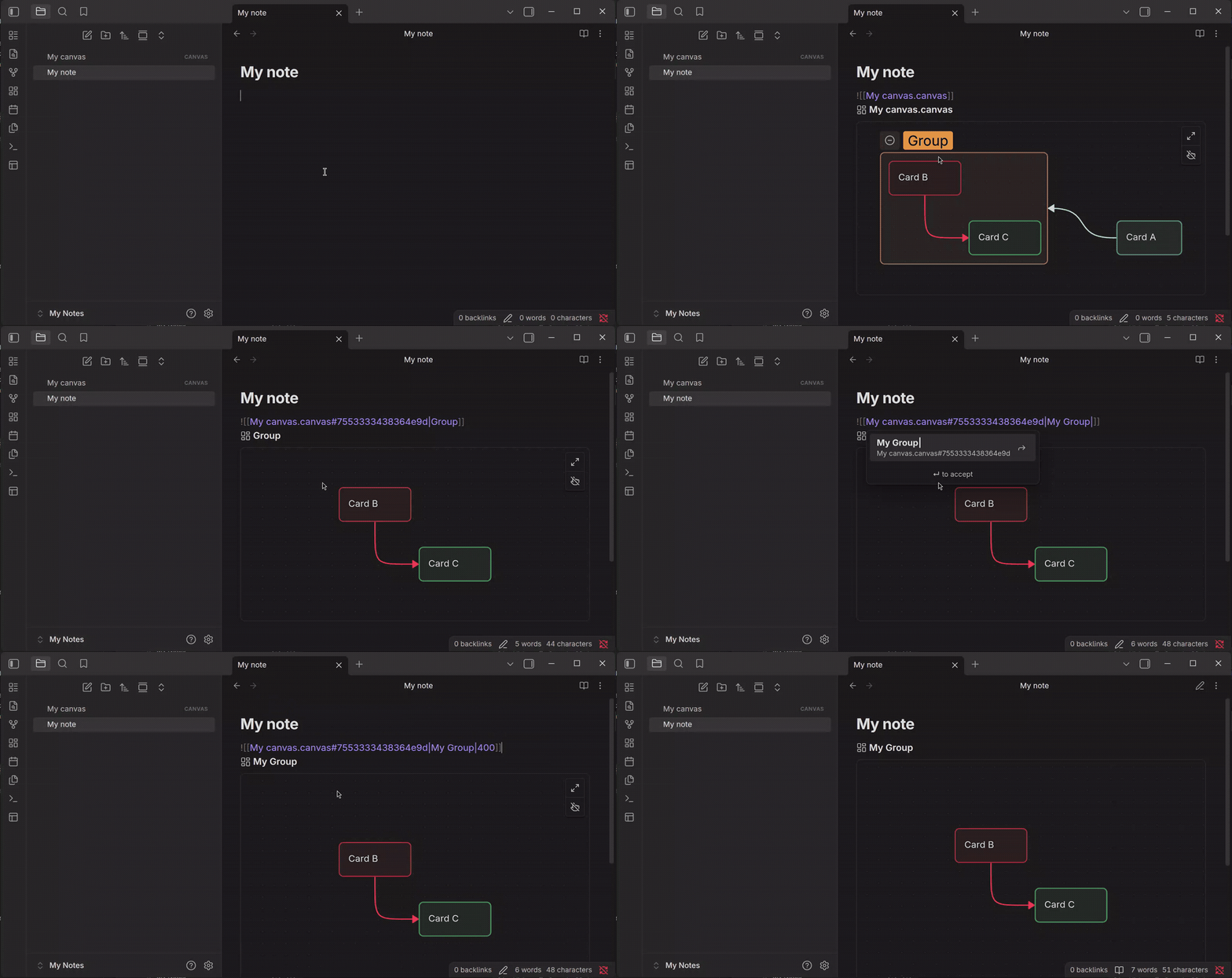
You can embed a canvas in a note using the same way as embedding notes and other files. To do that, use internal link prefixed with an exclamation mark (!):
![[My canvas.canvas]]
Adjust the height
To adjust the height of an embedded canvas, add a vertical bar (|) followed by the length of the height:
![[My canvas.canvas|500]]
By default, the height will be adjusted to 300. Therefore, ![[My canvas.canvas]] has the same result as ![[My canvas.canvas|300]].
For quick adjustment, you can drag the bottom side of the embedded canvas, or hold it for a moment first on touchscreen device, to adjust the height.
[!NOTE]
This drag-to-resize approach only applies to canvas embedded within note in editing view.
Change the title
The title of an embedded canvas is located at the top of the embed, prefixed with canvas icon ( ).
).
By default, the title is the name of the canvas file. To change it, add a vertical bar (|) followed by the replacement title:
![[My canvas.canvas|My diagram]]
If you want to change the title while also adjusting the height, place the replacement title first then the height, separated by vertical bar (|):
![[My canvas.canvas|My diagram|500]]
You can also hide the title globally by disabling it under Settings → Better Embedded Canvas → Show canvas title.
Embed single card
You can embed single card in a note instead of the whole canvas. To do that, add a hash (#) at the end of the link destination, followed by the card id:
![[My canvas.canvas#00b6cc18e01988a6]]
You can adjust the title and the height by adding them after the card id.
With custom title:
![[My canvas.canvas#00b6cc18e01988a6|My card]]
You can embed a canvas or single card
With adjusted height:
![[My canvas.canvas#00b6cc18e01988a6|500]]

With both:
![[My canvas.canvas#00b6cc18e01988a6|My card|500]]
You can change how the card embed should be displayed:
- Enable Settings → Better Embedded Canvas → Card embed → Embed card content only to embed only the content of the text card. Or, disable it to embed the card along with the canvas interface.
- Enable Settings → Better Embedded Canvas → Card embed → Embed cards without group to hide group card while only show the cards inside. Or, disable it to show the group card instead.
Searching and typing card id manually can be very inconvinient. Therefore, Better Embedded Canvas provides autocompletion for that. To use autocompletion:
- Type a hash (
#) at the end of the link destination (as mentioned before). Autocompletion popover will be shown right after that. - You can search for specific card by the content of text card, the name of the group card, or the card id itself.
- Select the card you want to embed.
[!NOTE]
Autocompletion suggests text and group cards only.
[!NOTE]
Group card is suffixed with group icon (
) in autocompletion popover.
Embed using hotkey and command
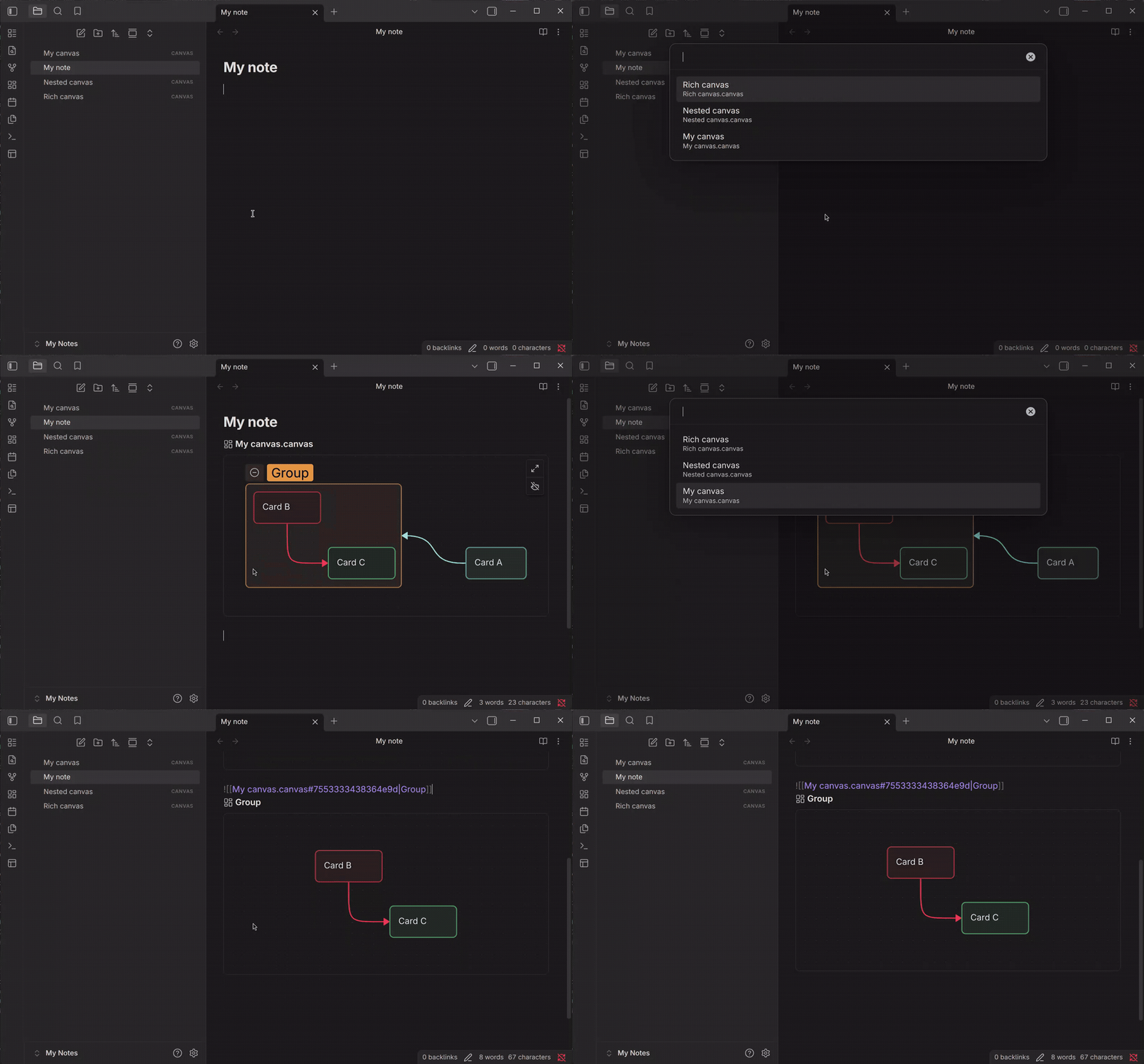
You can embed a canvas or single card in a note via hotkey and command:
- Better Embedded Canvas: Embed canvas to embed a canvas.
- Better Embedded Canvas: Embed canvas card to embed single card.
Especially for mobile user, you can add them as options in the mobile toolbar.
Drag and drop functionality
You can drag the title of an embedded canvas, then you can drop it on a tab header to open the canvas there, into an editor to insert it as a link, or into a canvas view to embed it as a card.
Embed a canvas in a canvas
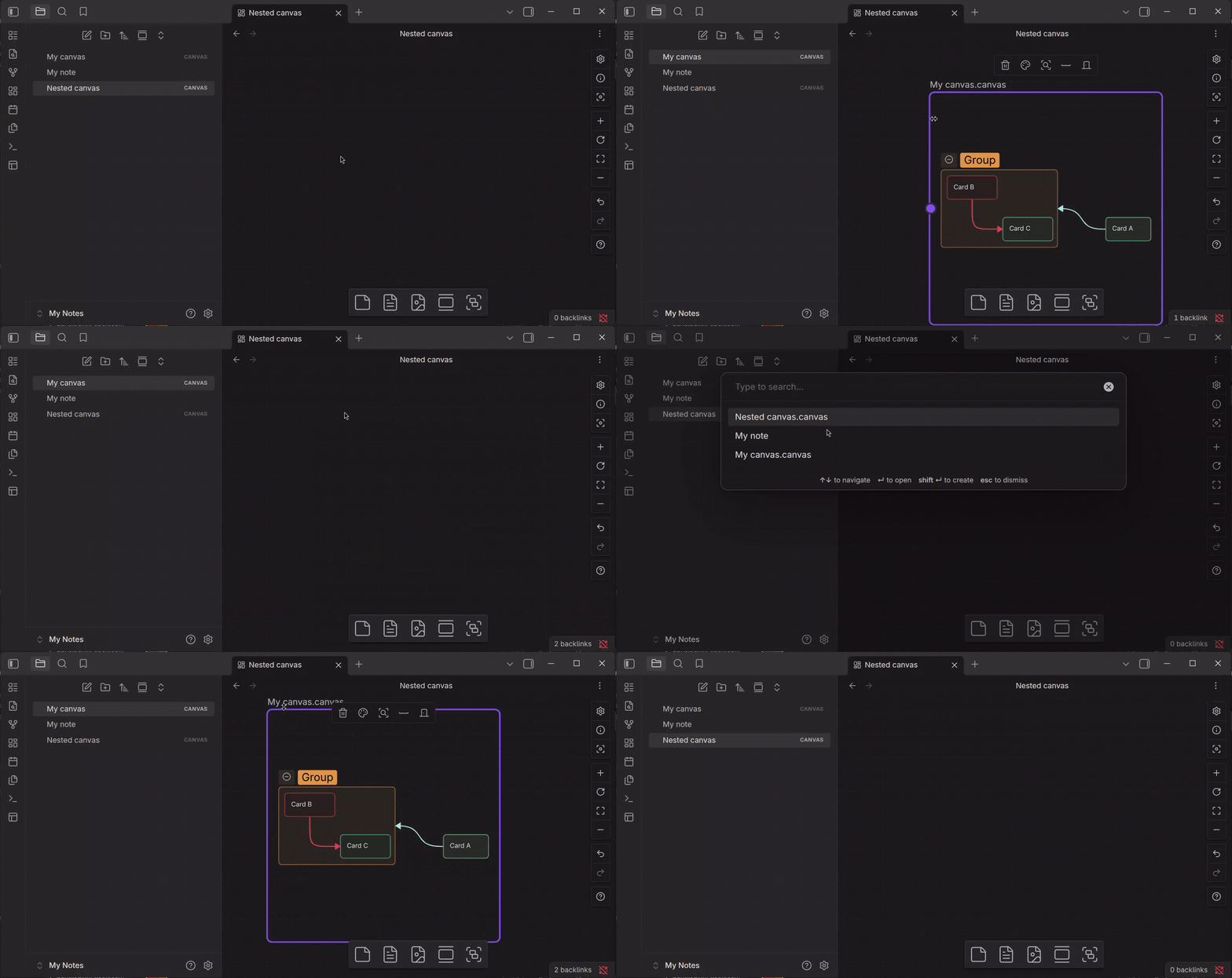
You can embed a canvas in another canvas using the same way as adding a card from a note.
To embed a canvas from your vault:
- Select or drag the document icon (
 ) at the bottom of the canvas.
 - Select the canvas you want to embed.
You can also embed a canvas from the canvas context menu:
- Right-click the canvas and then select Add note from vault.
- Select the canvas you want to embed.
You can also drag a canvas from the File explorer, or an embedded canvas from a note, into another canvas.
[!WARNING]
By default, embedding interactive canvas inside another canvas is disabled due to performance issue, especially when you have a lot of cards that show embedded canvases. If you still want this feature, you can enable it under Settings → Better Embedded Canvas → Nested canvas. See this section.
Preview a canvas
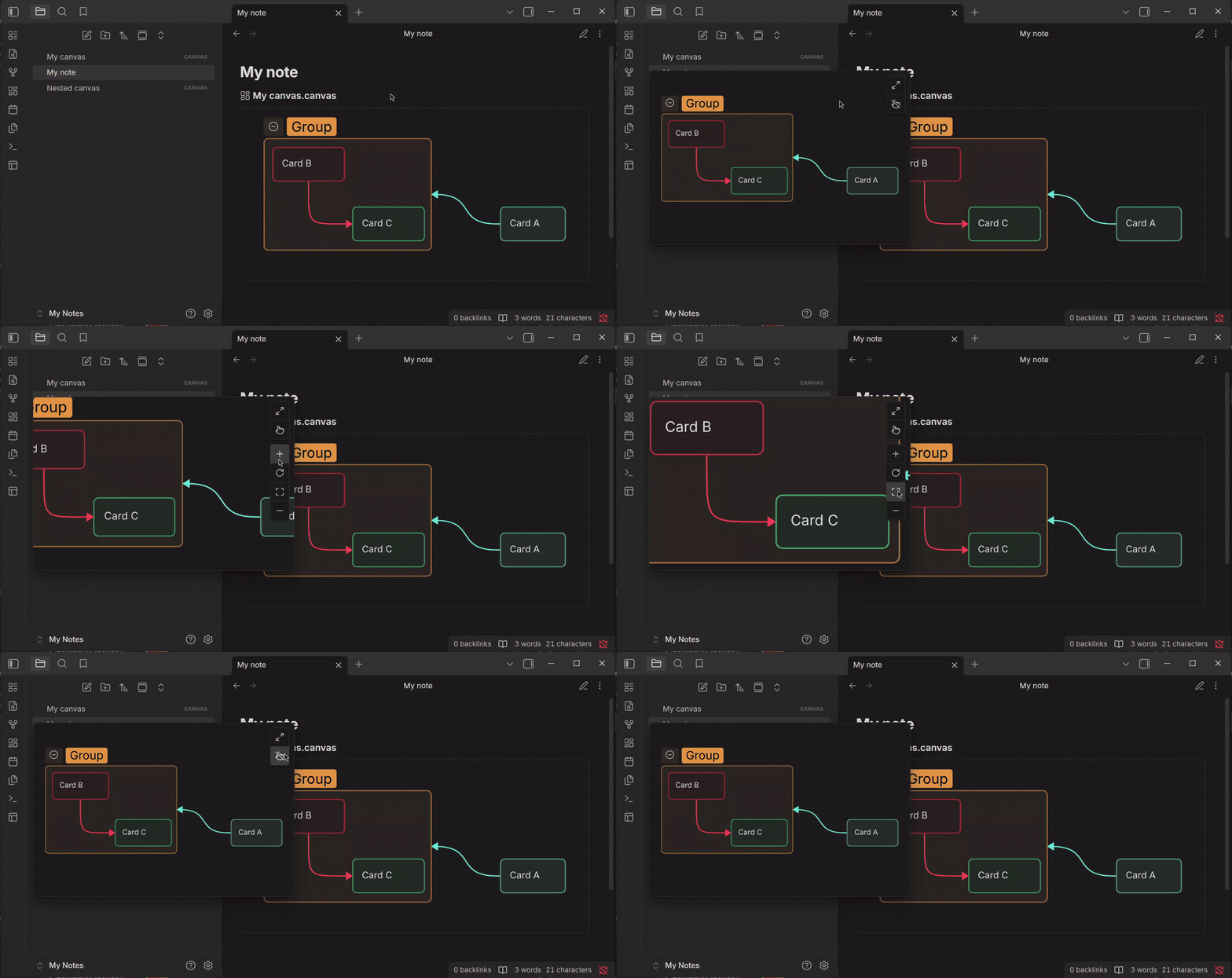
You can preview a canvas by hovering the cursor over an internal link to the canvas in Editing view, File explorer, Search, and more. The behavior of the preview depends on Page preview plugin.
[!NOTE]
To preview a canvas, you first need to enable Page preview plugin.
Interact with an embedded canvas
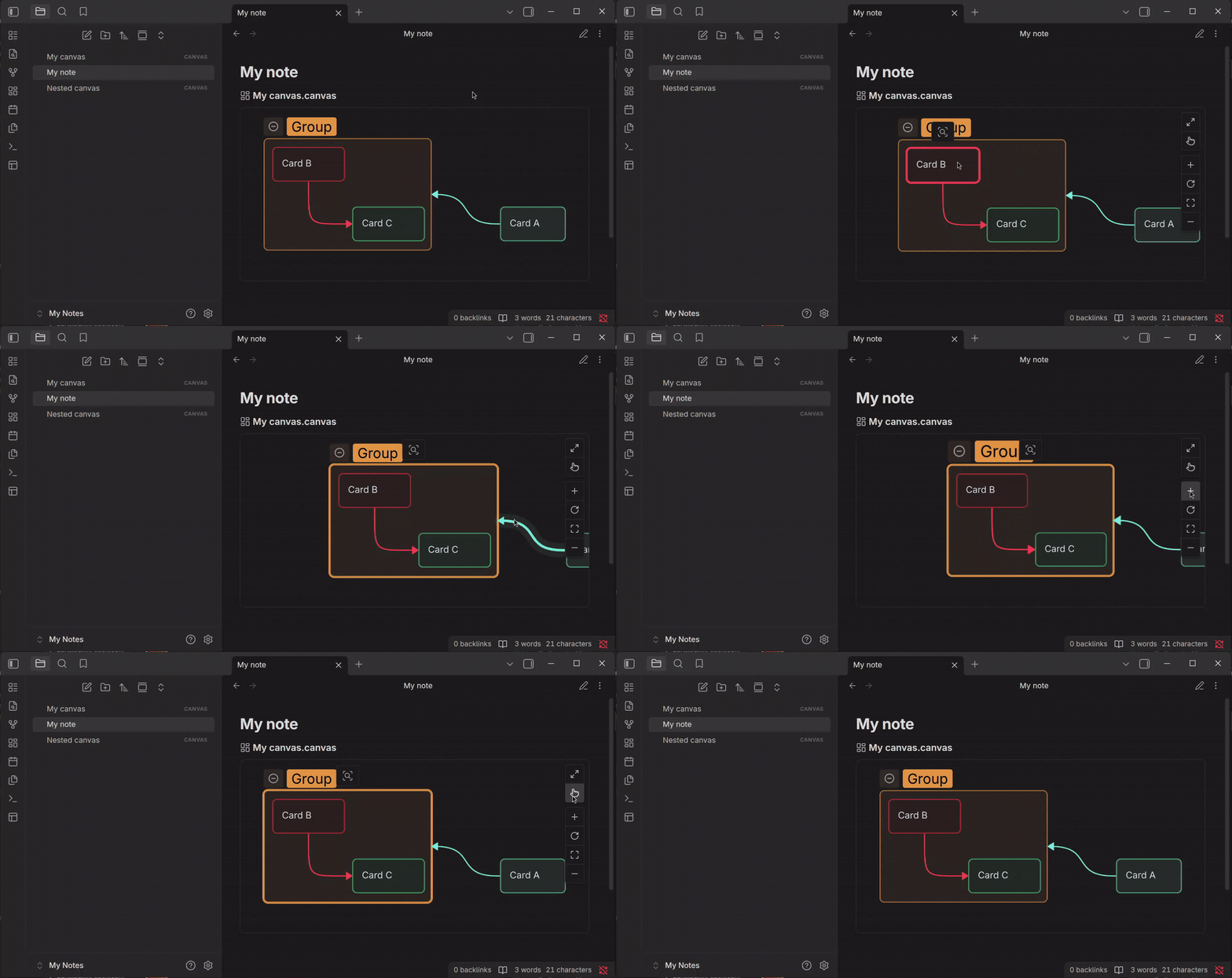
You can interact with an embedded canvas the way interacting with a canvas view, with some limitations.
[!NOTE]
Embedded canvas is set to read-only. Therefore, you cannot add, delete, edit, or move cards and connection lines. To do that, open canvas view instead.
Select cards
To select single card or cards, you can use any of the following approaches:
- Select individual cards.
- Drag a selection around multiple cards.
- Add and remove cards from an existing selection by pressing Shift and selecting them.
To scroll the content of a card, you first need to select it.
[!NOTE]
You cannot use Ctrl A (or Cmd A on macOS) to select all cards.
Pan canvas
To pan an embedded canvas, you can use any of the following approaches:
- Press Space and drag the canvas. It does not apply on canvas embedded within another canvas.
- Drag the canvas using the middle mouse button (or tap on mobile).
- Scroll the mouse to pan vertically, and press Shift while scrolling to pan horizontally.
Zoom manually
To zoom an embedded manually, press Space or Ctrl (or Cmd on macOS) and scroll using the mouse wheel. Or, select Zoom in ( ) and Zoom out (
 ) from the zoom controls in the upper-right corner.
Zoom to fit
To zoom the canvas so that every item is visible, select Zoom to fit ( ) from the zoom controls in the upper-right corner.
Zoom to selection
To zoom the canvas so that all selected items are visible, right-click selected card or cards and then select Zoom to selection.
Reset zoom
To change the zoom level back to the default, select Reset zoom ( ) from the zoom controls in the upper-right corner.
Toggle interaction
When interaction is disabled, the embedded canvas will prevent user from interacting with the canvas, including selecting cards, panning, and zooming.
To toggle interaction, select pointing hand icon ( ) in the upper-right corner. This will toggle interaction globally and save the current interaction state.
Open in canvas view
To open an embedded canvas in canvas view, select Open canvas ( ) in the upper-right corner.
Advanced Canvas support
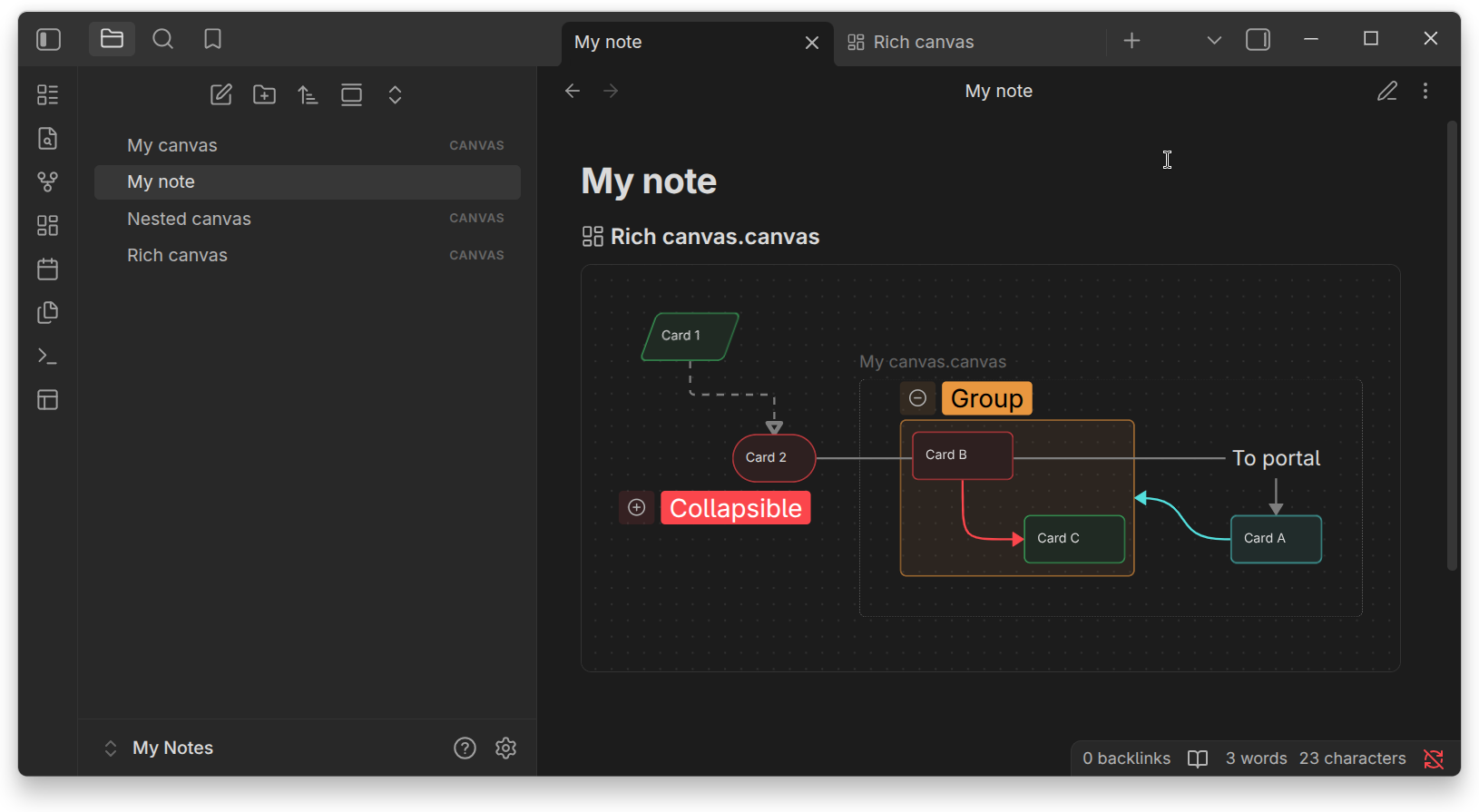
Embedded canvas includes some of Advanced Canvas' notable features (you need to enable Advanced Canvas plugin):
- Card and connection line (node and edge) styling.
- Collapsible group.
- Portal.
However, some of other features collide with Better Embedded Canvas' features:
- Single card embed.
- Single card link autocompletion.
In the case of collided features, Better Embedded Canvas takes precedence over Advanced Canvas. This is simply because those collided features, i.e. single card embed and autocompletion, includes enhancement that Advanced Canvas does not have.
Nevertheless, you can have Better Embedded Canvas and Advanced Canvas enabled simultaneously without expecting significant conflicts.
[!NOTE]
Sometimes, right after enabling or disabling any of Better Embedded Canvas and Advanced Canvas, you will get a notification to reload all notes or to restart the app. It should only happen once until you enable or disable any of those two plugins.
TL;DR - How deep can a canvas be embedded
Multiple canvases can be embedded within one another like a tree structure, something like this:
A.canvas --> B.canvas
         \
          --> C.canvas --> D.canvas --> E.canvas
           \                        \
            \                        --> F.canvas --> G.canvas
             \
              --> A.md --> B.md --> H.canvas
                       \
                        --> I.canvas
When you have such massive structure in your canvas, you will likely have significant performance impact due to frequent changes made within the DOM.
You have two methods to solve this:
- Disable embedding interactive canvas within another canvas completely under Settings → Better Embedded Canvas → Nested canvas (it is disabled by default).
- Limit the embedding depth of the canvas under Settings → Better Embedded Canvas → Embedding depth (default to 1).
From the example above:
- If you set embedding depth to 1, only
B.canvasandC.canvasthat will be displayed as interactive canvases. - If you set it to 2,
D.canvasandI.canvaswill also be displayed as interactive canvases. - If you set it to 0, any embedded canvas will be displayed as static canvas, even within a note (behaves like when this plugin is not enabled or installed).
Attribution
This plugin includes some of the type definitions developed by Michael Naumov, Fevol, and the others at Obsidian Typings, with some adjustments. All their works are licensed under MIT.
Acknowledgment
Thanks to:
- Michael Naumov, Fevol, and the others at Obsidian Typings.
- mika.dev at Advanced Canvas.