Bases Read Only
 theluckystrike3 downloads
Lock chosen bases to block clicks, keys and drags that change cells, cards or view settings.
- Overview
- Scorecard
- Updates3
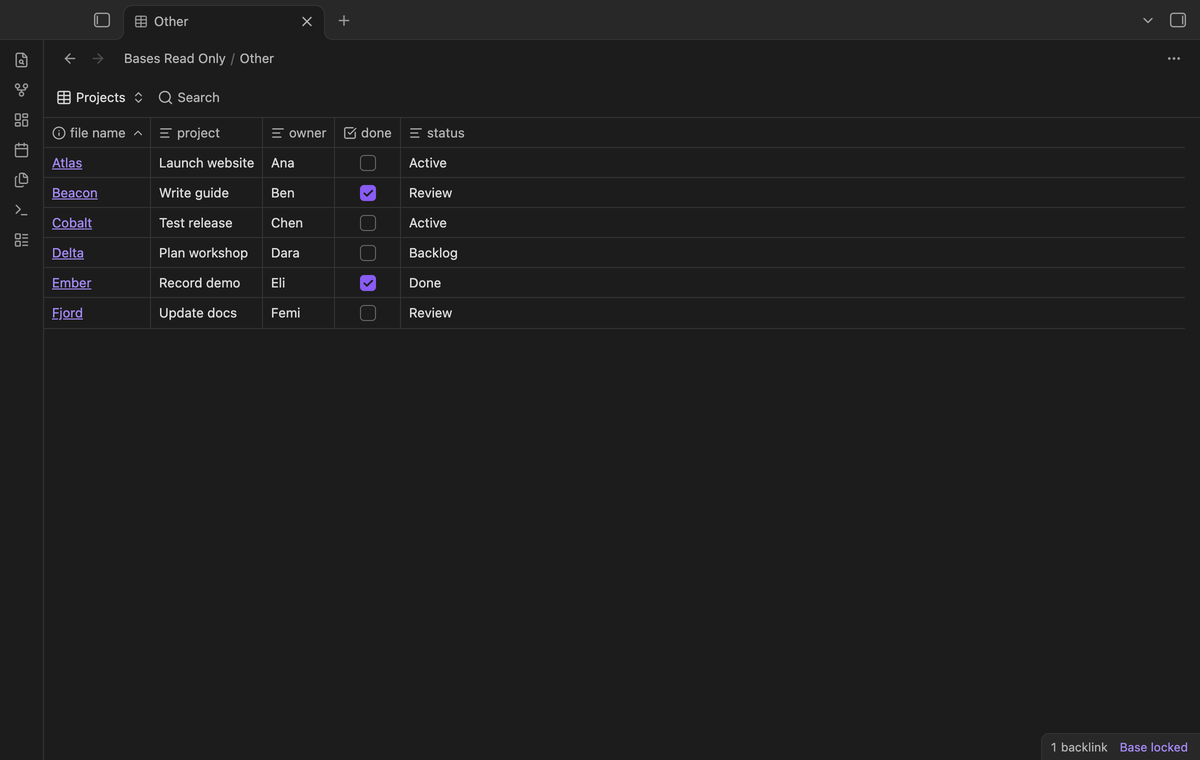
Lock a project base before you read it or show it to someone. Bases Read Only blocks cell edits, checkbox clicks, typing, paste and drags in locked views. File links stay clickable. The free version keeps a list of chosen base files on this device.
The plugin guards Bases controls in the Obsidian interface. It does not set file permissions. You can still edit a note in its own editor. Keep a backup of your vault when you need to recover earlier values.
Features
A lock for each base file
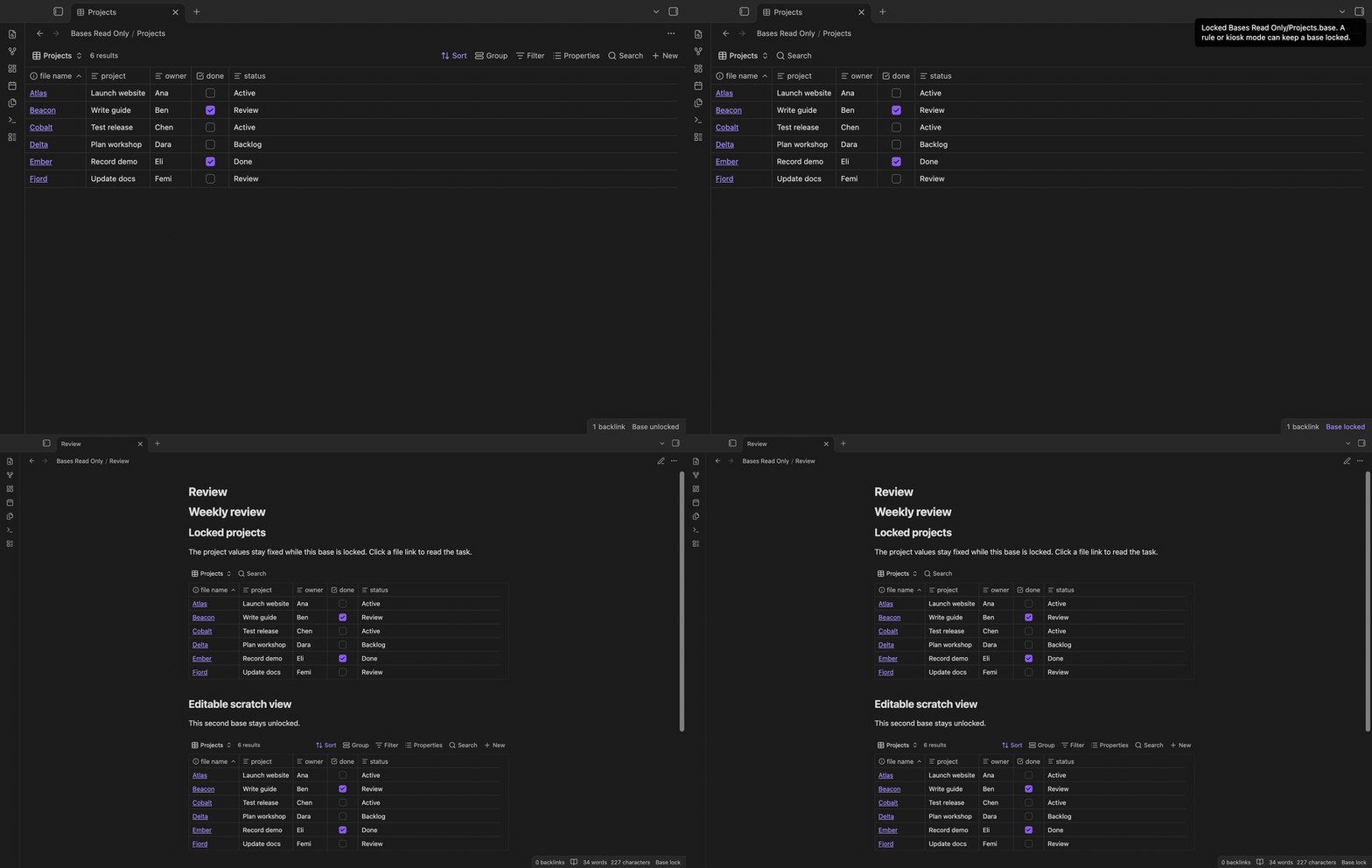
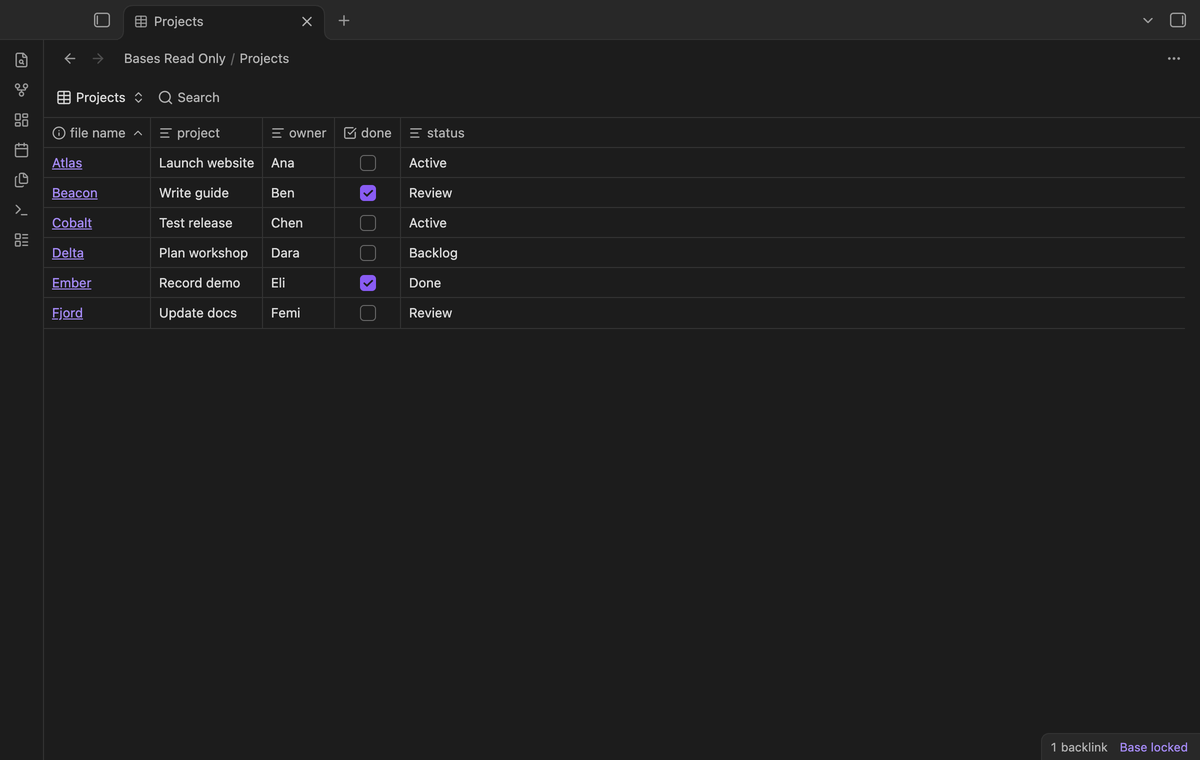
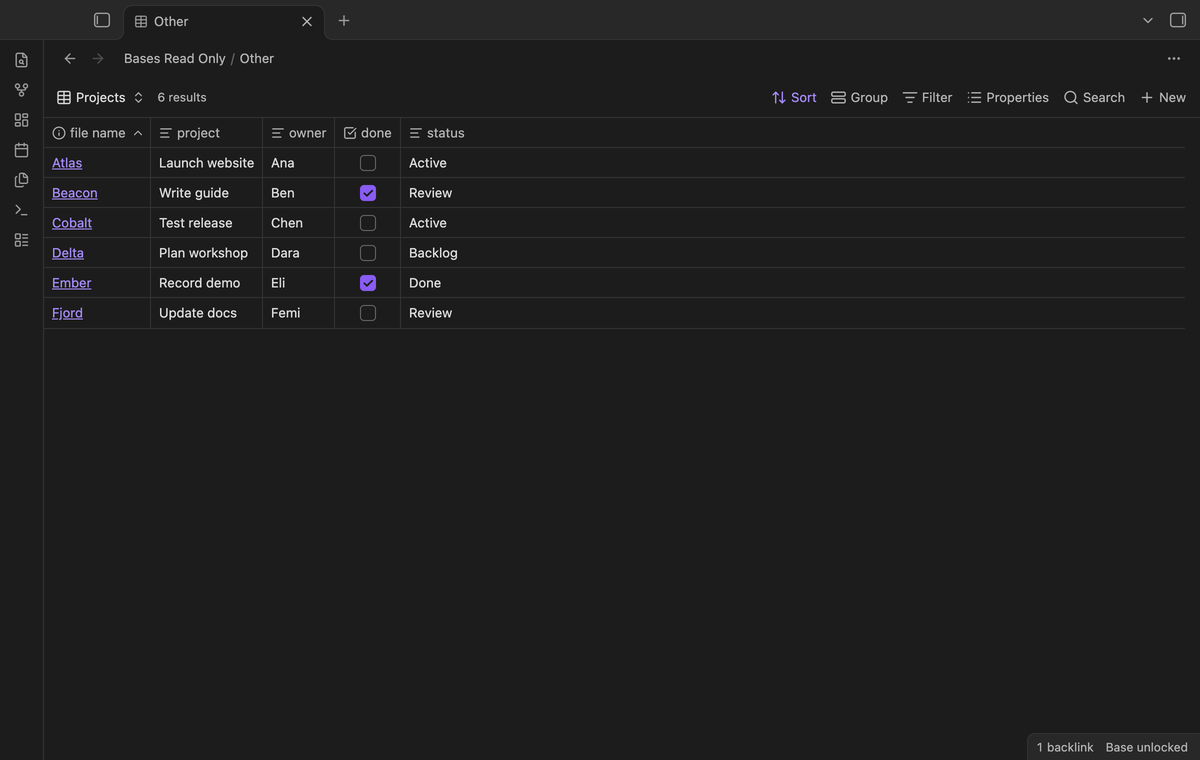
Open a .base file and run "Toggle lock for current base" from the command palette. The desktop status badge shows "Base locked" or "Base unlocked". Select the badge to change the manual lock. You can also right-click a base file in the file explorer and select "Lock base" or Unlock base. The lock list is saved in plugin data. A file rename or move changes its entry in that list.
Read cells without an accidental edit
In a locked base, the plugin stops edit events before they reach a cell handler. It blocks double-click edits, checkbox toggles, paste, text input, cut and edit keys. Copy shortcuts, arrow keys, Tab and scroll remain available. Arrow keys that step a value in a number or date cell are blocked. Cell context menus are blocked because they can offer property changes. The guard does not change the note frontmatter itself.
Links and separate embeds
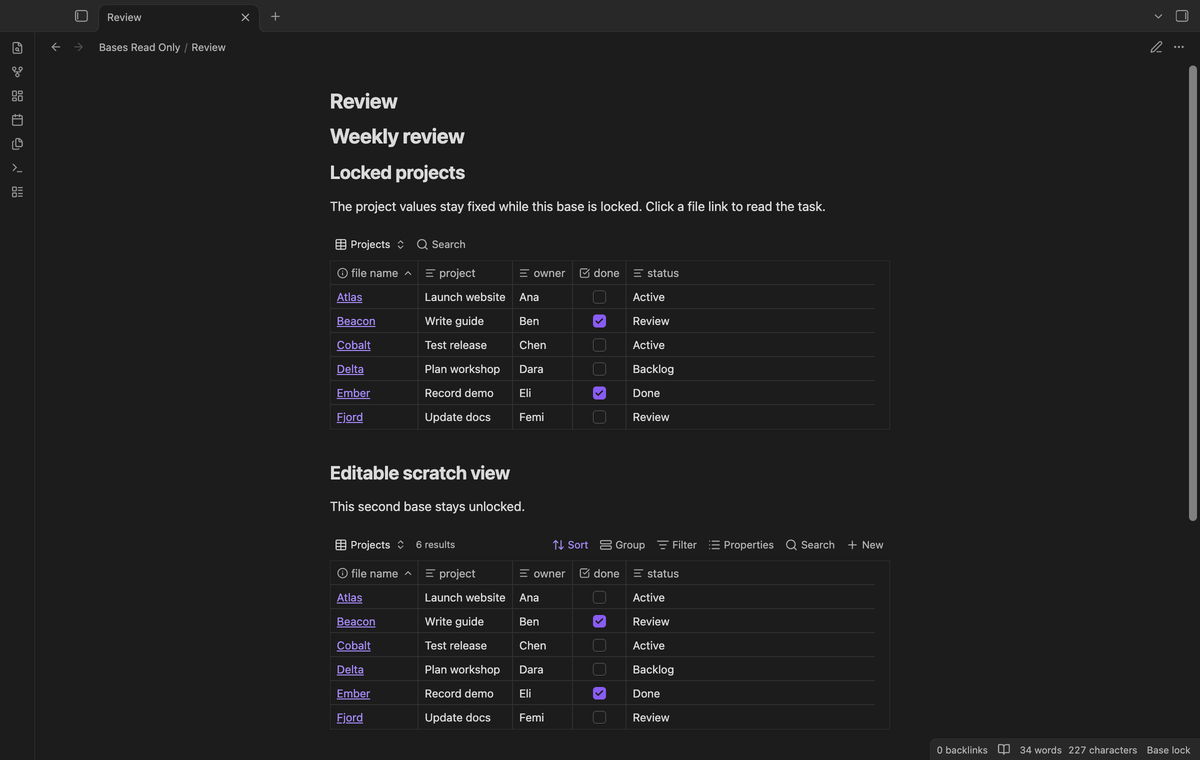
File links and property links can open their notes from a locked base. A note can embed a locked base and an unlocked base together. Each embed uses the path of its source base, so the two views keep separate lock states. The source note remains editable. Inline fenced base code blocks have no base file path and are outside the lock scope.
Keep cards and view controls fixed
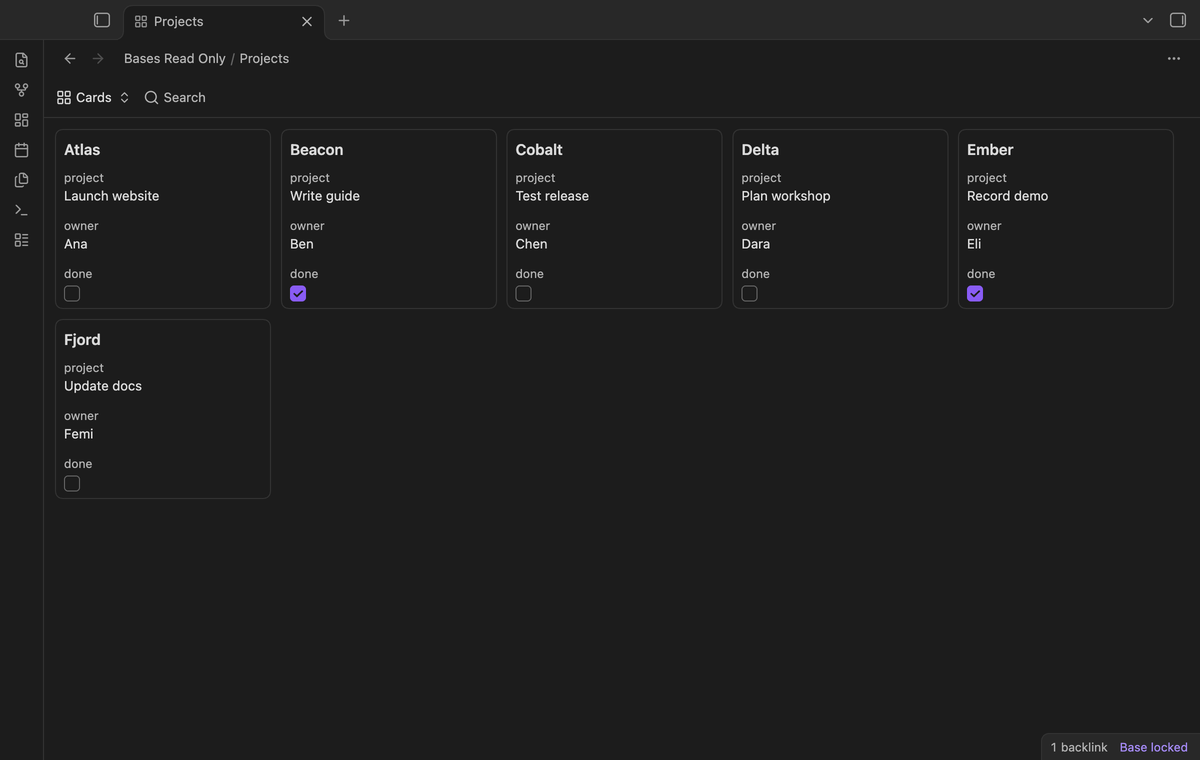
The capture guards block drag events in locked base views. They also block pointer starts on card and column drag targets. The view settings, sort, group, filter, properties and New controls are hidden. The view-switch menu stays visible so you can read another saved view. Remove the lock when you need to change its columns or filters.
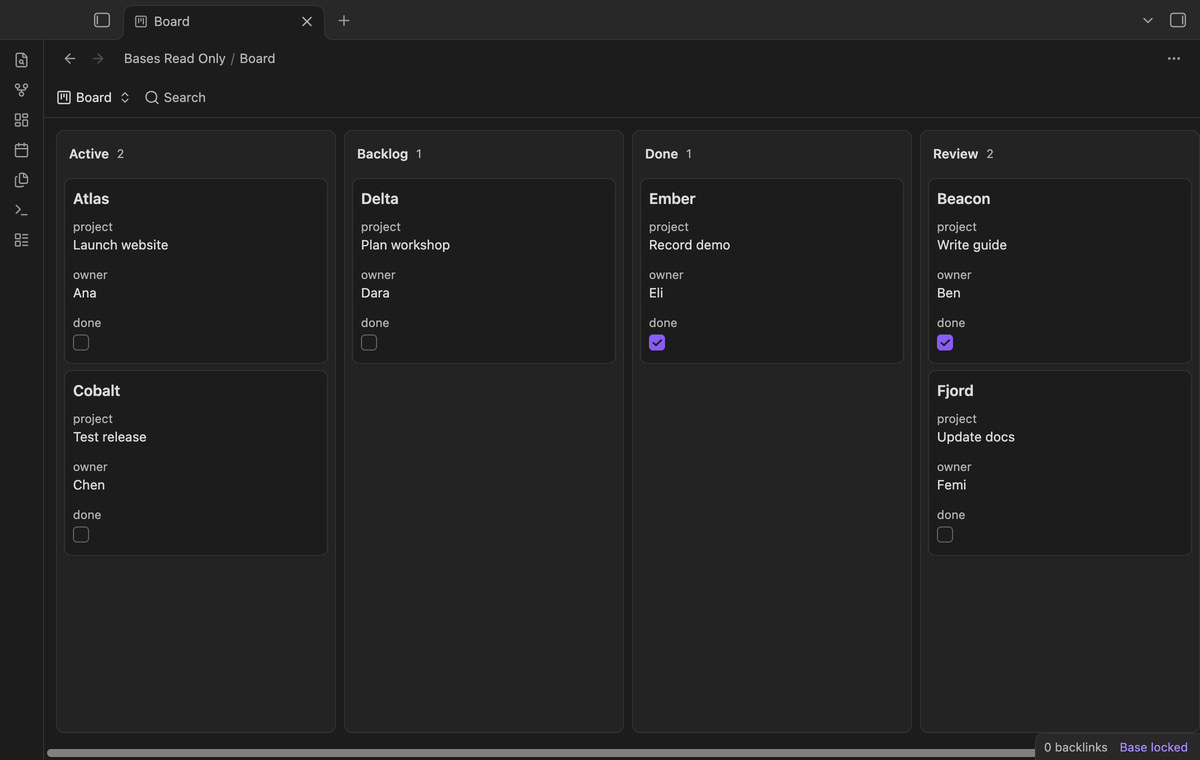
Native Kanban views in Obsidian 1.14 and later use the same lock. The per-column New controls are hidden while the board is locked.
Folder and glob rules (Pro)
Enter a folder path or a glob in "Lock rules". A rule such as Archive/**.base selects base files below Archive, including nested folders. A plain folder path selects base files in that folder tree. The * token stays within a folder; ** can cross folders; ? matches one character. Rules are case sensitive and use vault-relative paths. A matching rule keeps the base locked even if you remove its manual lock.
Editable properties (Pro)
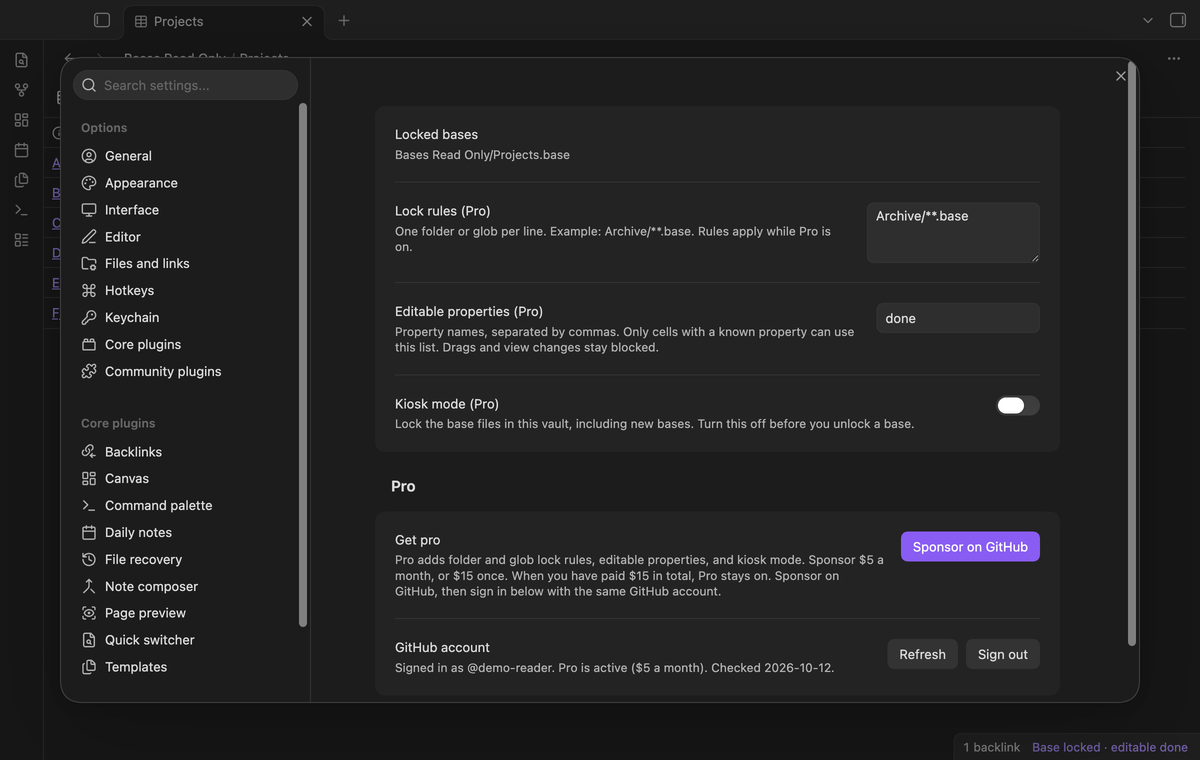
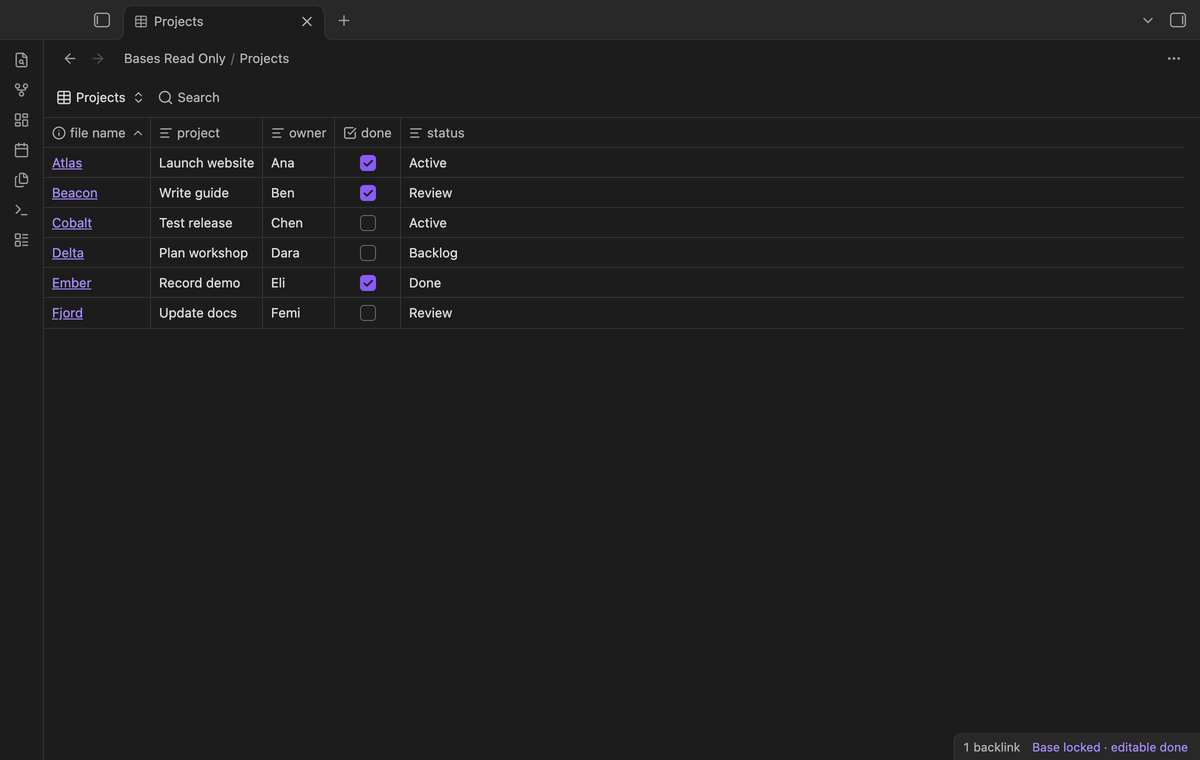
Add property names, separated by commas, to "Editable properties". For example, done permits the checkbox while project text stays locked. This exception requires a known property ID in the rendered cell. If the plugin cannot identify the property, the cell stays locked. Row and column drags and view changes stay blocked when a property is on this list.
Kiosk mode (Pro)
Run "Lock all bases in kiosk mode" to enable a vault-wide base lock. This covers base files created later as well as the files already in the vault. Run "Turn off kiosk mode" to remove that mode. Manual locks stay set. This command remains available after sign out so you can clear a saved kiosk choice.
Install
The build needs Obsidian 1.13.4 or later and the core Bases plugin. For a manual install, place main.js, manifest.json and styles.css in <vault>/.obsidian/plugins/bases-read-only/. Open Community plugins and enable Bases Read Only. This build has not been submitted to the community directory.
Usage
Create the base and set its views before you lock it. Open the base tab, run the toggle command, and check the badge. Use file links to read the project notes. In a Markdown note, embed the saved file with ![[Projects.base]]. The embed uses the same manual lock as the tab.
Remove the manual lock before you edit the base. If it stays locked, check the Pro rule list and kiosk mode. Those choices can keep it locked after the manual path entry has been removed.
Settings
The plugin options show the manual lock paths, Pro rules, editable property names, kiosk mode and the GitHub Sponsors controls. Rules and exceptions stay saved when Pro turns off, but the free guard ignores them. Manual locks continue to work. Locks are per vault and depend on the saved plugin data of this device.
FAQ
What does the lock protect?
It reduces accidental changes through supported Bases controls. It does not stop an external editor, sync service or another plugin from writing notes or base files. Disable this plugin and the UI guard is removed.
What was not tested?
Real iOS and Android touch interactions, third-party kanban layouts, custom themes, pop-out windows, hover previews, screen readers, large vaults and sync between devices were not tested. App tests ran on macOS with a local sponsor reply. Linux CI, live GitHub sign-in, payments, input method editors and mouse wheel steps in a focused number cell were not checked. Native Kanban needs Obsidian 1.14 or later. A third-party kanban view can use different DOM classes. Bases classes are not a documented API; an Obsidian update can require selector changes.
Payment, account and network
The core features are free. Pro features need a GitHub Sponsors sponsorship of theluckystrike: $5 a month or more, or $15 once. A total payment of $15 meets the payment requirement for Pro without further payment. Sign-in and the checks below still apply. Your notes stay readable and editable with or without Pro.
GitHub handles the payment. Sponsor at https://github.com/sponsors/theluckystrike. You need no account for the free features. Pro needs the GitHub account that sponsors.
Until you select "Sign in with GitHub" in the settings, Bases Read Only makes no network requests. Sign in uses the GitHub device flow. Bases Read Only sends its public client ID and the scope read:user to https://github.com/login/device/code and shows you a code. While you enter the code at https://github.com/login/device, it asks https://github.com/login/oauth/access_token every few seconds to check the sign-in status. The scope permits profile reads only. GitHub needs this access to show the sponsorship tier. It grants no repository scope and no write access.
After sign in, Bases Read Only sends one query to https://api.github.com/graphql. It checks if the signed-in account sponsors theluckystrike. It asks for the tier and the total payment to theluckystrike. The plugin reuses a successful check for 7 days. Failed checks can retry after 6 hours. Select Refresh to request an earlier check. It sends no note content, file names or other vault data, and it has no telemetry.
After a successful check, Pro can work offline for up to 14 days. Sign out or a negative sponsorship answer turns Pro off. The plugin stores the GitHub token through the secret storage API of Obsidian. It does not put the token in its saved settings or its local sponsorship data. The local storage of this device keeps your GitHub login, the tier and the time of the last check. Sign out clears the token. You can also revoke the access in your GitHub settings, under Applications.
Support
This source is prepared for theluckystrike at notemods.com. Give the maintainer your Obsidian version, the affected layout, and a small sample base when you report a problem. Remove private note text from the sample. Include whether the base was manually locked or matched a Pro rule. The plugin has no telemetry and does not submit a bug report for you.