
- Overview
- Scorecard
- Updates7

Bases Lock is a small Obsidian plugin that lets you hide the Bases toolbar and disable header interaction on demand, keeping the view clean and preventing accidental changes.
Note: The plugin only works in Reading view, and is desktop only.
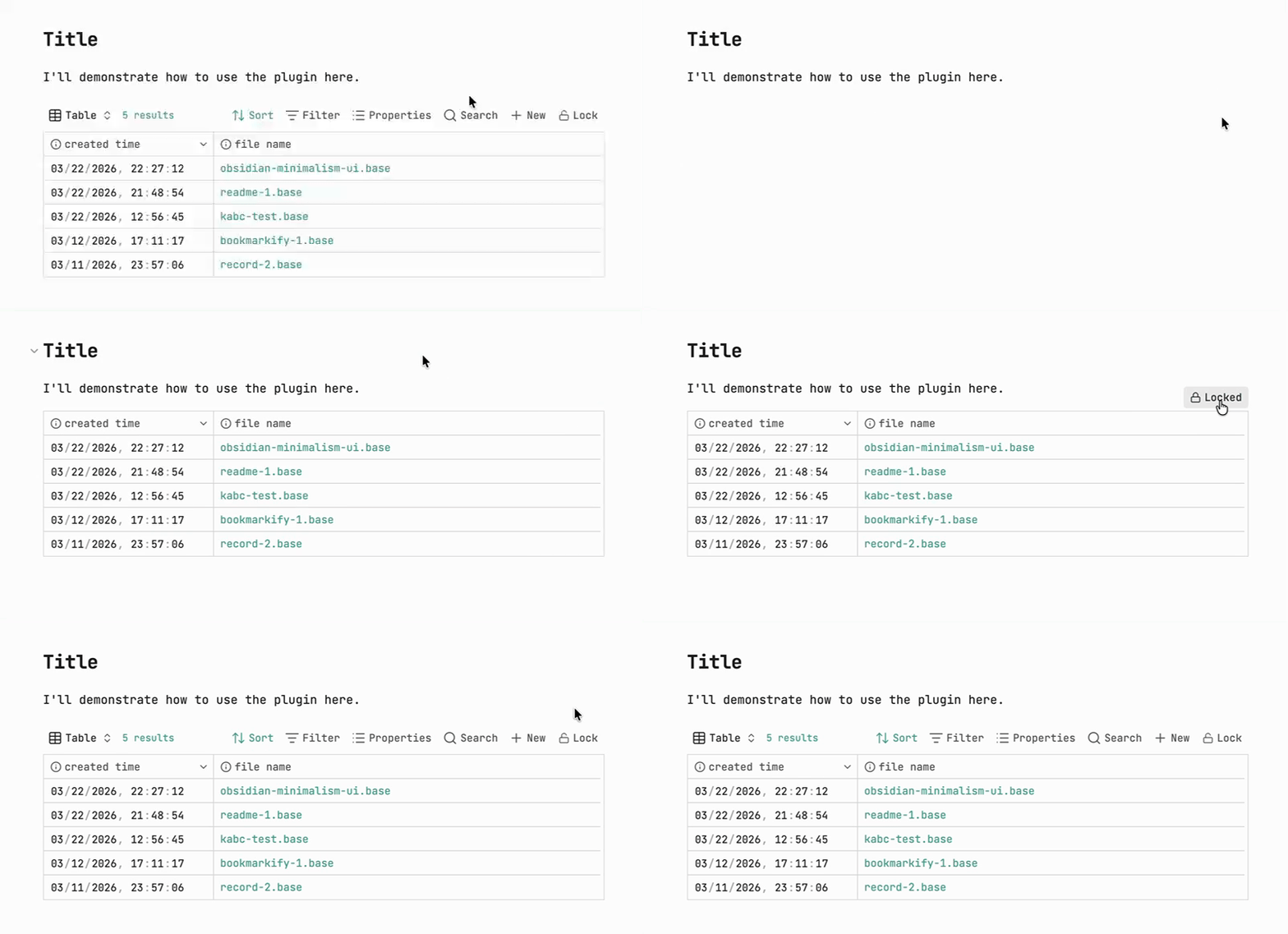
⭐ Usage
- Open a note in Reading view that embeds a Base.
- Click the Lock button in the Base's toolbar to lock it. The toolbar then disappears.
- To unlock, hover your mouse over the locked Base — a lock button appears just above its top-right corner. Click it.
That's it — while locked:
- The Bases toolbar is hidden
- Header (column) interaction is disabled
- Only the
.baseembed in the current document is affected — other notes are never scanned or modified
⬇️ Installation
- Open Obsidian and go to Settings → Community plugins
- Select Browse and search for "Bases lock"
- Click Install, then enable the plugin
- Make sure the official Bases core plugin is also enabled
Or install it directly here: Install from Community Plugins
❓ How it works
When you click the lock button, the plugin rewrites how the Base is embedded in your Markdown, so the locked/unlocked state is saved with the note.
For example, src/a.base embedded as any of the following:
![[src/a.base]]
...becomes this when locked:

(If there was no display name, the file name is used automatically — e.g. ![[src/a.base]] → .)
Clicking again to unlock changes it to:

In short:
|x→ toolbar hidden, header interaction disabled, button shows locked|o→ toolbar and header interaction restored, button shows unlocked
Inline base code blocks
Bases can also be written directly as a code block inside a note:
```base
views:
  - type: table
```
This is supported too. Locking it appends an x flag right after the fence's language token:
```base x
views:
  - type: table
```
Unlocking removes the flag again. Each code block is toggled independently, so a note can freely mix multiple .base embeds and inline base code blocks.