Bases Filter Switches
 theluckystrike2 downloads
One-click switches above a base that turn saved filters on and off, in base tabs and embedded bases.
- Overview
- Scorecard
- Updates2
Bases Filter Switches puts a row of one-click switches under the toolbar of a base. Each switch is a saved filter, such as "Todo" for status == "todo". Click it and the base shows only those notes. Click it again and the filter is gone. You never open the filter editor, and you do not need one view for every mix of filters.
The switches work in base files and in bases embedded in notes. They work with every layout, the table, cards, list and the layouts of other plugins, because a switch changes the filter of the base itself.
The free version gives each base one group of up to 3 switches. Pro removes the limit, adds presets with a command for each, and builds switches from the values of a property. Pro costs $5 a month, or $15 once, through GitHub Sponsors. When you have paid $15 in total, Pro stays on.
Features
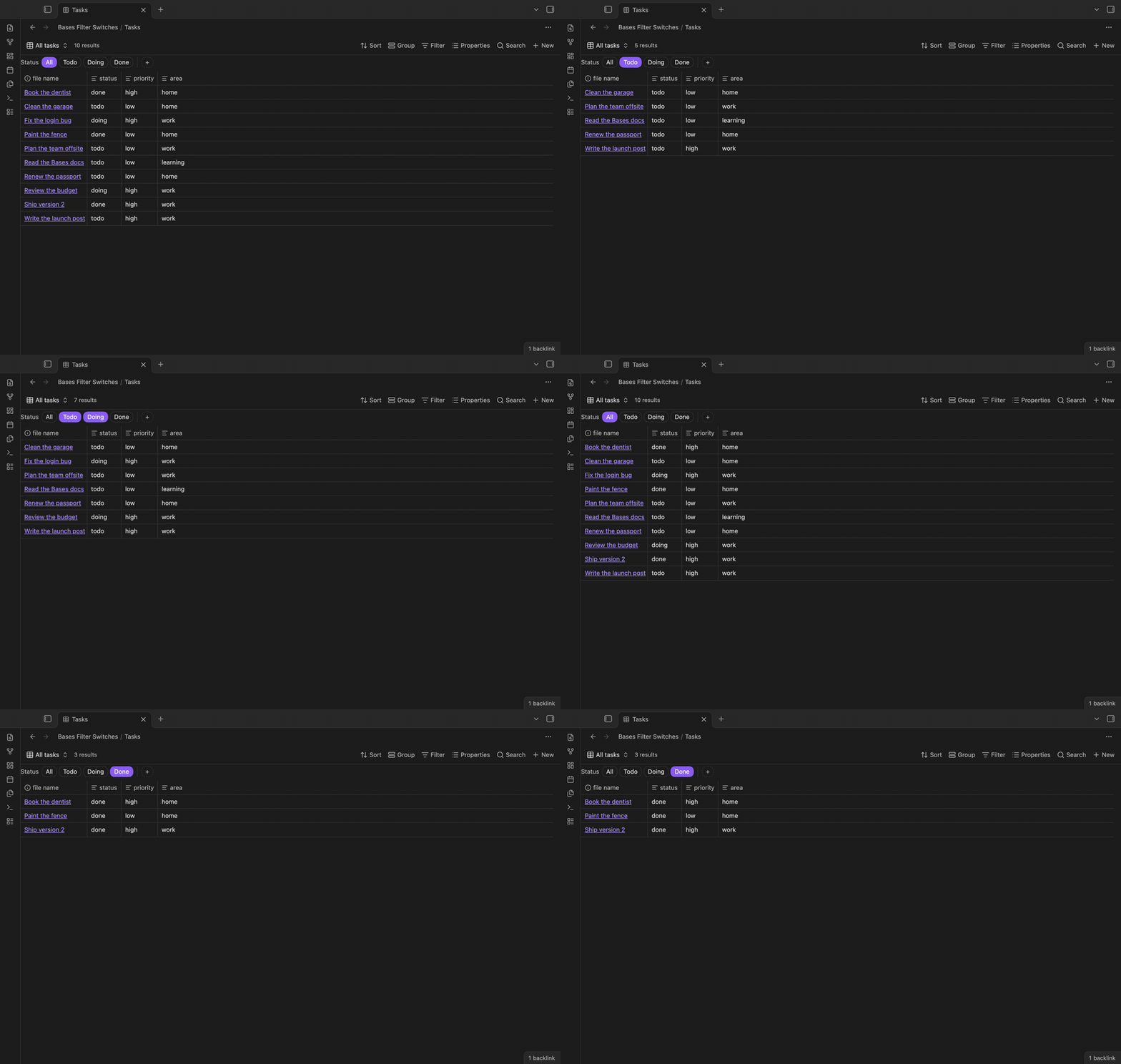
Switches above a base
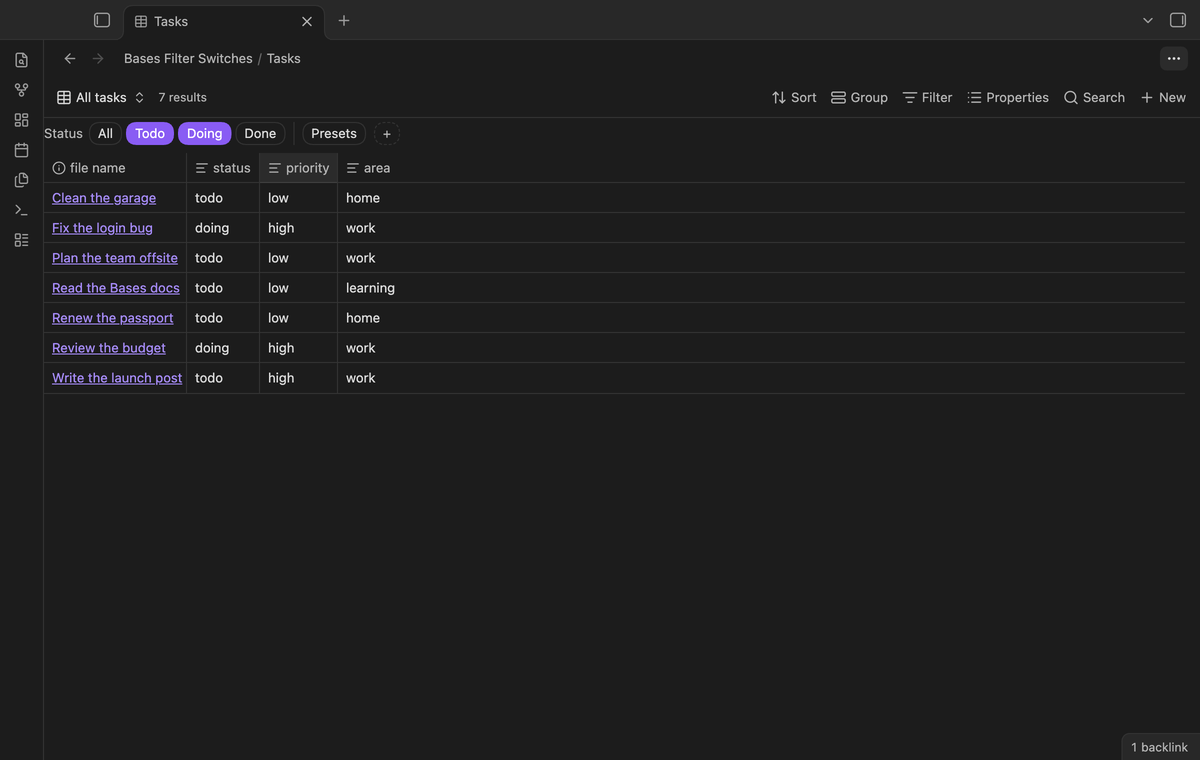
Switches come in groups, for example a Status group with Todo, Doing and Done. Switches of one group are joined with "or": Todo and Doing together show the notes that are todo or doing. Different groups are joined with "and". The "All" switch of a group turns every switch of that group off.
Each switch is a real filter. When a switch is on, its filter is in the top-level filters of the base, next to the filters you wrote yourself. When you open the filter editor, you see it there. Your own filters are never changed or moved.
Embedded bases
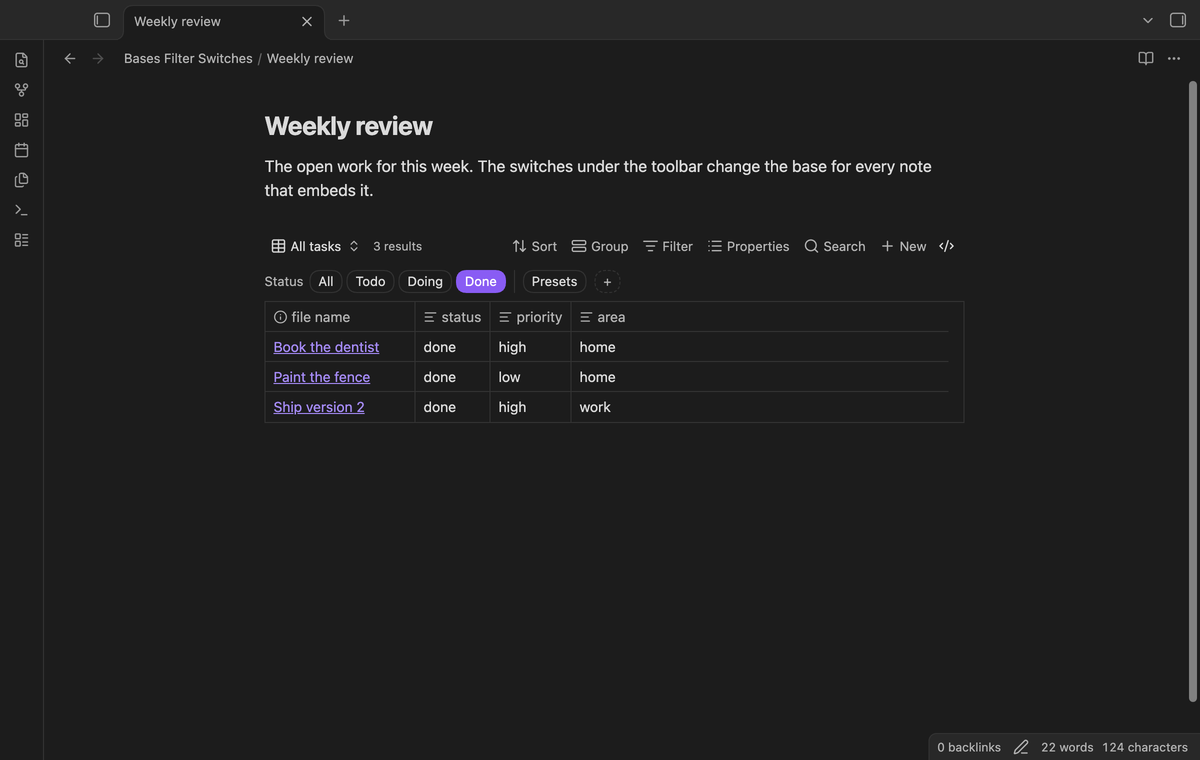
A base embedded in a note with ![[Tasks.base]] gets the same switches under its toolbar, in live preview and in reading view. A switch changes the base file, so every note that embeds this base shows the same filter.
Add a switch without writing YAML
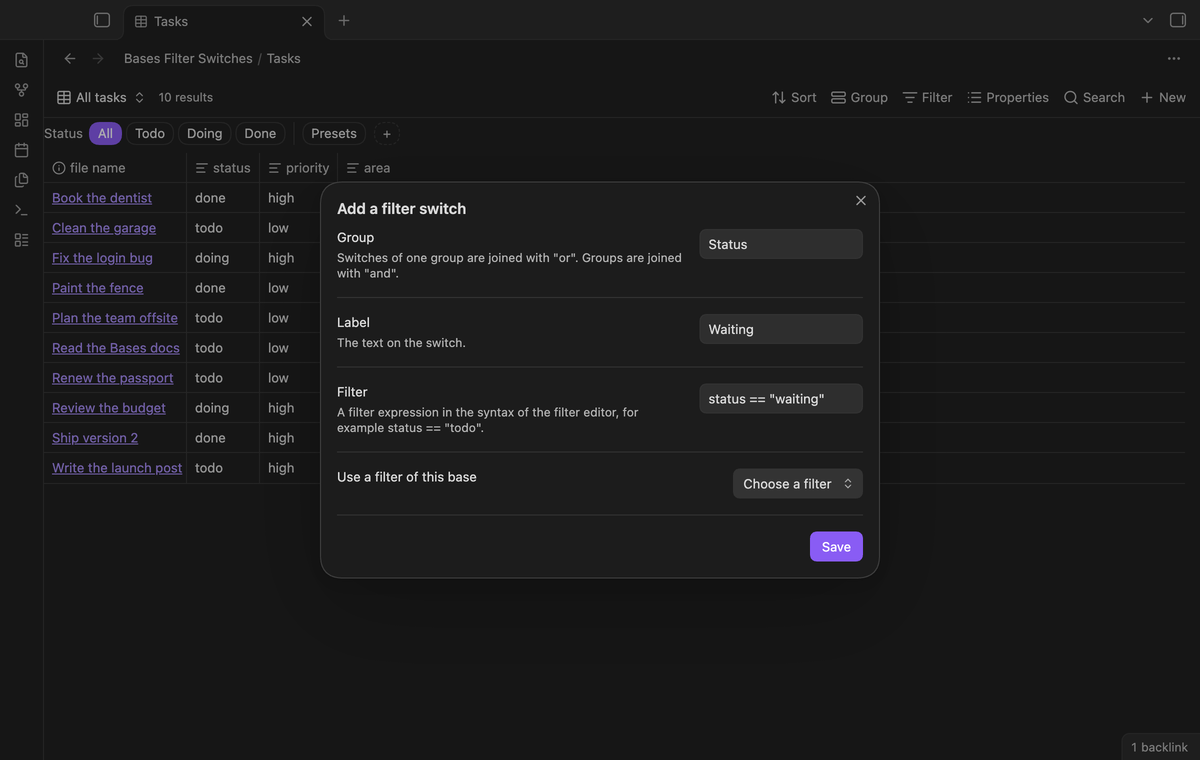
Select the + button, or run "Add a filter switch to the current base". Type a group, a label and a filter. The filter uses the same syntax as the filter editor, for example status == "todo" or file.hasTag("project"). You can also pick a filter that the base already has, and that filter becomes a switch. Right-click a switch to edit or remove it.
Theme colors and keyboard
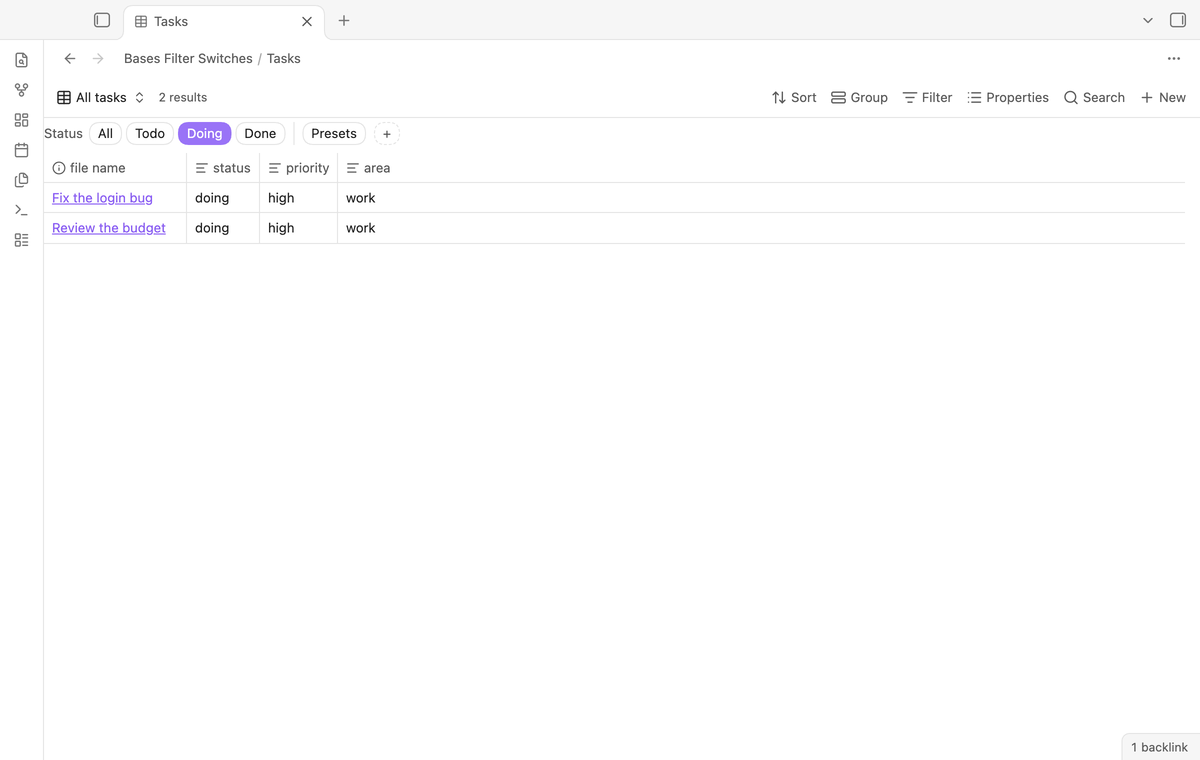
The switches take their colors from your theme, in light and dark mode. A switch that is on has the accent color. Each switch is a button: press Tab to reach the row, the arrow keys to move, and Enter or Space to turn a switch on or off. Home and End go to the first and the last button.
Switches from the values of a property (Pro)
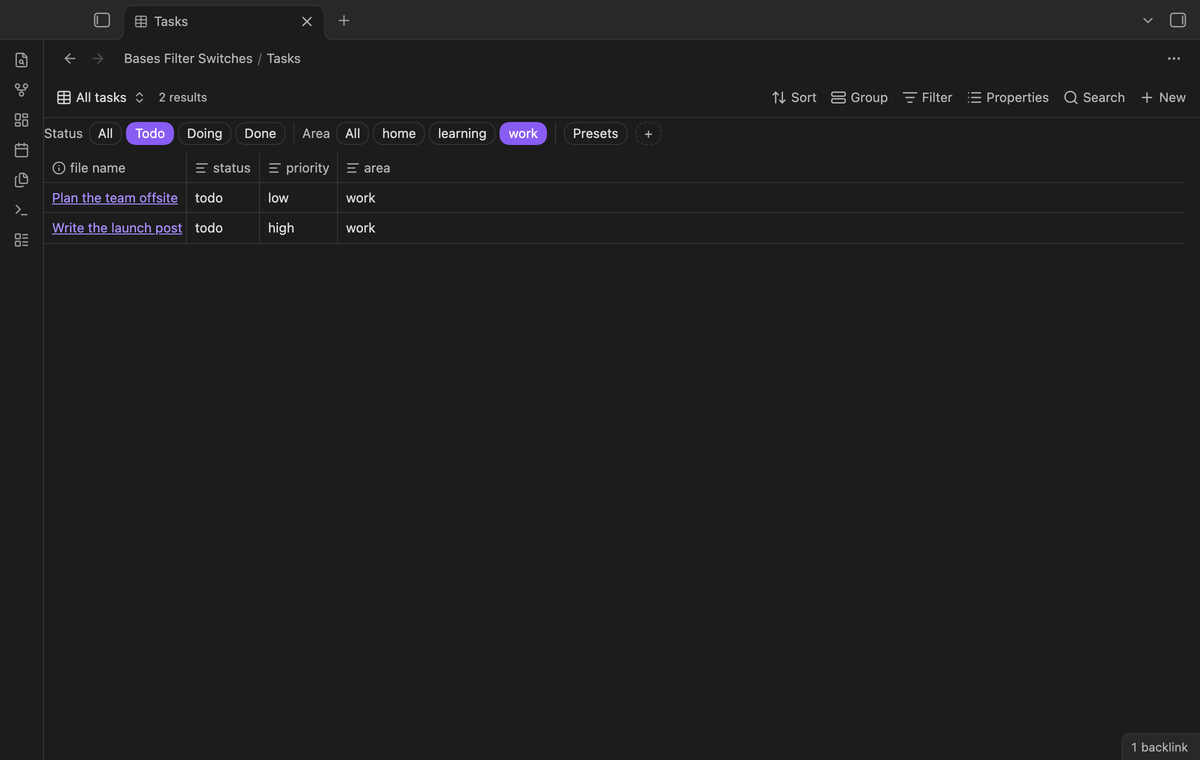
Run "Add switches from the values of a property" and choose a property such as area. The group gets one switch for each value that notes have now, and new values show up by themselves. For a list property, the switches use contains(). You can make the group "one at a time", so a click on one switch turns the others off.
Presets (Pro)
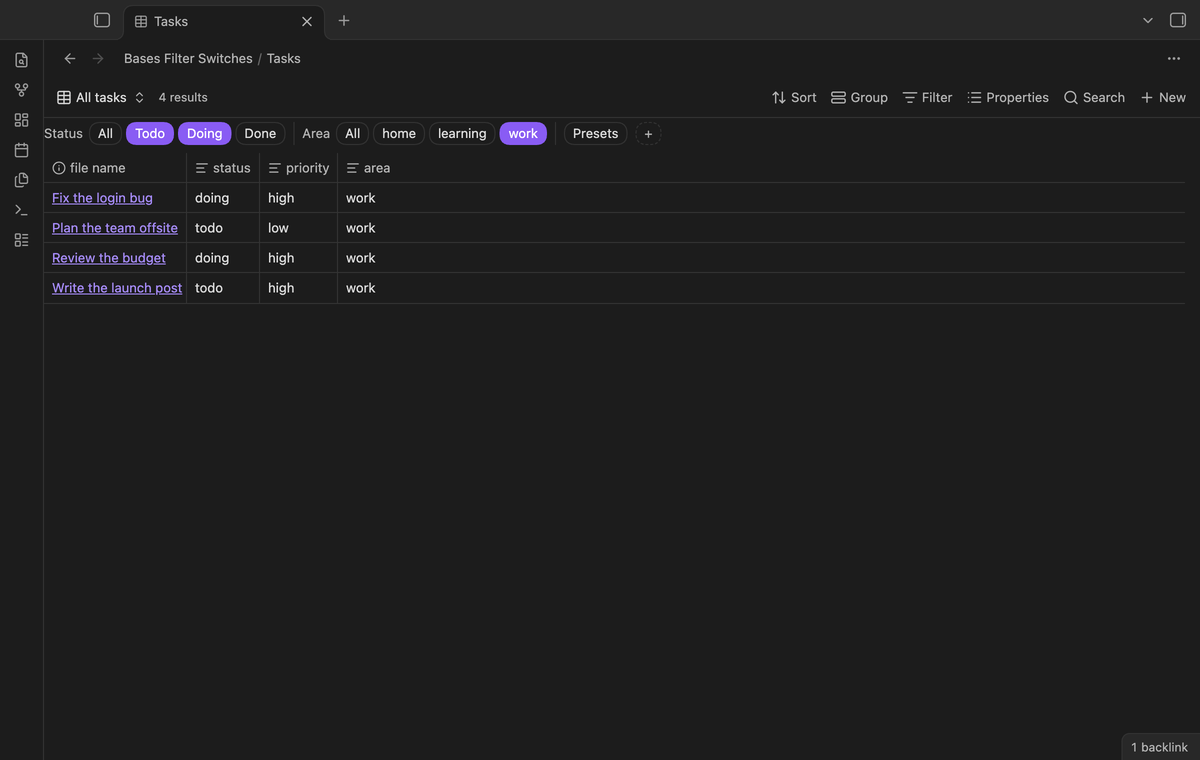
A preset saves which switches are on, in every group, under one name. Choose it from the Presets menu to set all groups at once. Each preset also gets a command, such as "Apply preset Open work to Tasks", so you can give it a hotkey.
Install
When Bases Filter Switches is listed in the community directory, open Settings, then Community plugins, then Browse, and search for "Bases Filter Switches". Select Install, then Enable.
To install by hand, download main.js, manifest.json and styles.css from the latest release. Put the three files in <vault>/.obsidian/plugins/bases-filter-switches/. Reload the list of community plugins, then turn on Bases Filter Switches.
Bases Filter Switches needs Obsidian 1.13.4 or newer and the Bases core plugin. It was tested on desktop with Obsidian 1.13.4 and 1.14.4.
Usage
- Open a base. Under the toolbar you see a small "+ Filter switch" button.
- Select it and add a switch, for example group "Status", label "Todo", filter
status == "todo". - Add more switches to the group. Click them to filter the base.
- Select "All" to show every note again, or run "Turn every filter switch off in the current base".
The switches are saved in the base file under the key filterSwitches. Core Bases ignores this key and keeps it when it saves the file. You can edit it by hand:
filterSwitches:
  groups:
    - name: Status
      switches:
        - label: Todo
          filter: status == "todo"
        - label: Done
          filter: status == "done"
Pro
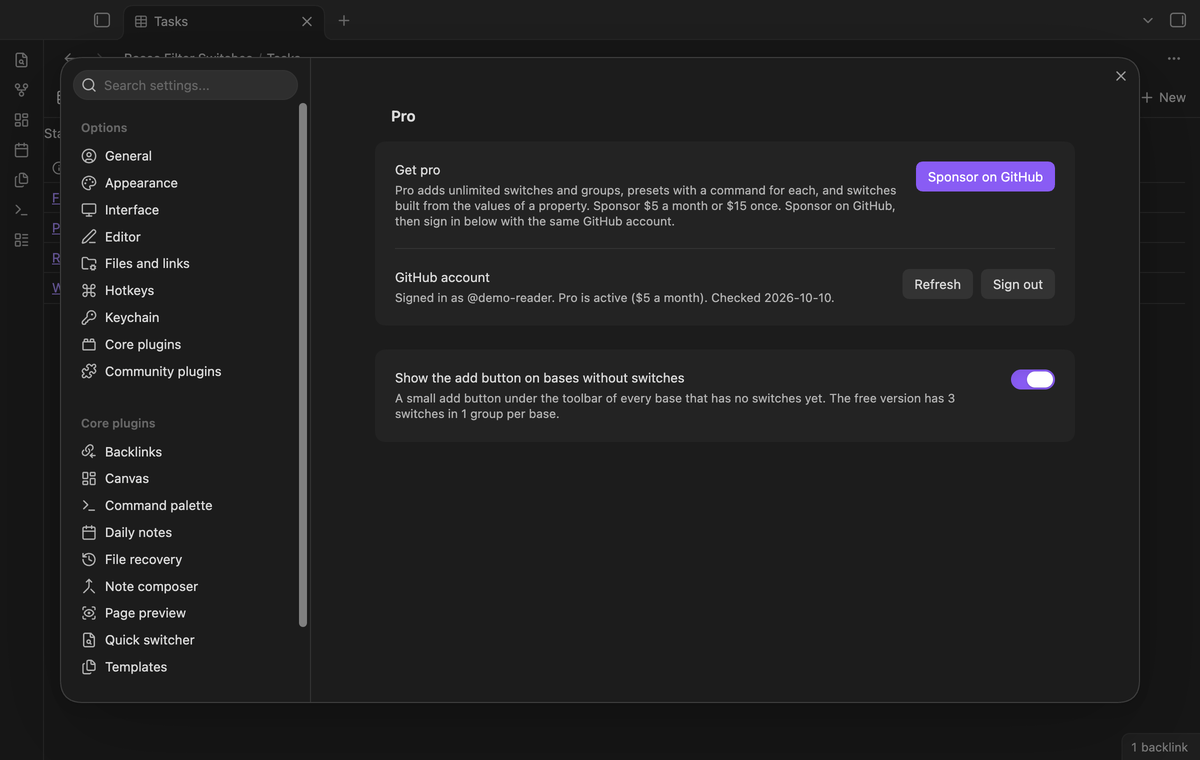
The free version is useful on its own: one group of up to 3 switches in every base. Pro adds unlimited switches and groups, presets with a command for each, and switches built from the values of a property. If a base has more switches than the free version shows, the row says how many more there are. Those switches stay in the file and come back when Pro is on.
- Sponsor theluckystrike on GitHub Sponsors with $5 a month, or $15 once. When you have paid $15 in total, Pro stays on.
- In Obsidian, open the settings of Bases Filter Switches and select "Sign in with GitHub".
- The plugin copies a code and opens github.com/login/device. Paste the code there and approve.
If you sponsor after you sign in, select Refresh. If a monthly sponsorship ends before you have paid $15 in total, Pro turns off at the next check, within 7 days.
Settings
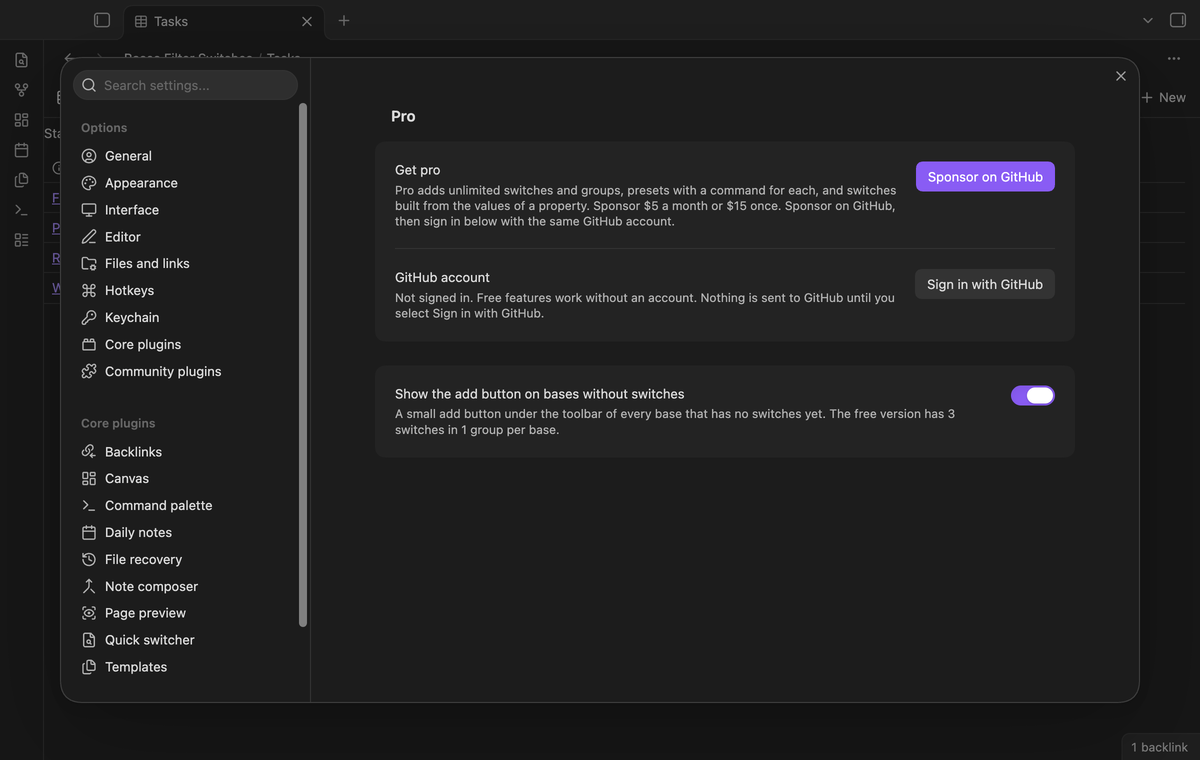
| Setting | Default | Allowed values |
|---|---|---|
| Show the add button on bases without switches | On | On or off |
The Pro section shows your GitHub account, the Pro status, and the Sign in, Refresh and Sign out buttons.
FAQ
Where is the state of the switches saved?
In the filters of the base file. A switch is on when its filter is in the top-level filters. If you type a filter by hand that is the same as a switch, that switch shows as on.
Does it change the rest of my base file?
It edits only the top-level filters and its own filterSwitches key, and it keeps your comments, key order and quotes. Core Bases rewrites the whole file when you change a view in the app, and then the comments of the file are lost. That is how core saves, not this plugin.
Can a switch change one view only?
No. Switches change the top-level filters, so they apply to every view of the base. View filters stay as they are.
Do base code blocks get switches?
No. A base code block lives inside a note, and the plugin only edits base files. Embed a base file with ![[name.base]] instead.
Is there another plugin for this?
Bases Toolbox has a command that turns single top-level filter conditions off and on from a window. Bases Filter Switches puts the switches on the base itself, supports groups with "or" between switches, and works in embedded bases.
Payment, account and network
The core features are free and stay free. Pro features need a GitHub Sponsors sponsorship of theluckystrike: $5 a month or more, or $15 once. When you have paid $15 in total, Pro stays on. Your notes stay readable and editable with or without Pro.
GitHub handles the payment. Sponsor at https://github.com/sponsors/theluckystrike. You need no account for the free features. Pro needs the GitHub account that sponsors.
Until you select "Sign in with GitHub" in the settings, Bases Filter Switches makes no network requests. Sign in uses the GitHub device flow. Bases Filter Switches sends its public client ID and the scope read:user to https://github.com/login/device/code and shows you a code. While you enter the code at https://github.com/login/device, it asks https://github.com/login/oauth/access_token every few seconds whether sign in is done. The scope read:user is read-only access to your profile, which GitHub needs to show the sponsorship tier. It gives no access to repositories and no write access.
After sign in, Bases Filter Switches sends one query to https://api.github.com/graphql: does the signed-in account sponsor theluckystrike, at which tier, and how much it has paid theluckystrike in total. It asks again at most once every 7 days, or when you select Refresh. It sends no note content, file names or other vault data, and it has no telemetry.
Pro keeps working for 14 days without a successful check. The GitHub token stays in the secret storage of Obsidian on this device. It is not written to data.json or other vault files, so it does not sync or reach a git repository. The local storage of this device keeps your GitHub login, the tier and the time of the last check. Sign out deletes the token. You can also revoke the access in your GitHub settings, under Applications.
Support
Report a bug or ask for a feature in the issue tracker of this repository. Please include your Obsidian version and the filters and filterSwitches parts of the base file.
To build from source:
npm ci
npm run build
npm test
The tests check golden cases for every switch operation on real base files. An end-to-end test clicks the switches in Obsidian and checks the rows of the base.
License
MIT