Word Segmentation
 marchell53 downloads
Move, delete, and select one word at a time in languages that do not use spaces (e.g. Chinese, Japanese, Thai, etc.)
- Overview
- Scorecard
- Updates2
Move, delete, and select one word at a time in languages that do not use spaces.
In Japanese, Chinese, Thai, and similar scripts, words run together. Obsidian’s default editor treats a whole sentence as one word. This plugin uses the browser’s built-in word segmenter so each word stands on its own.
Demo
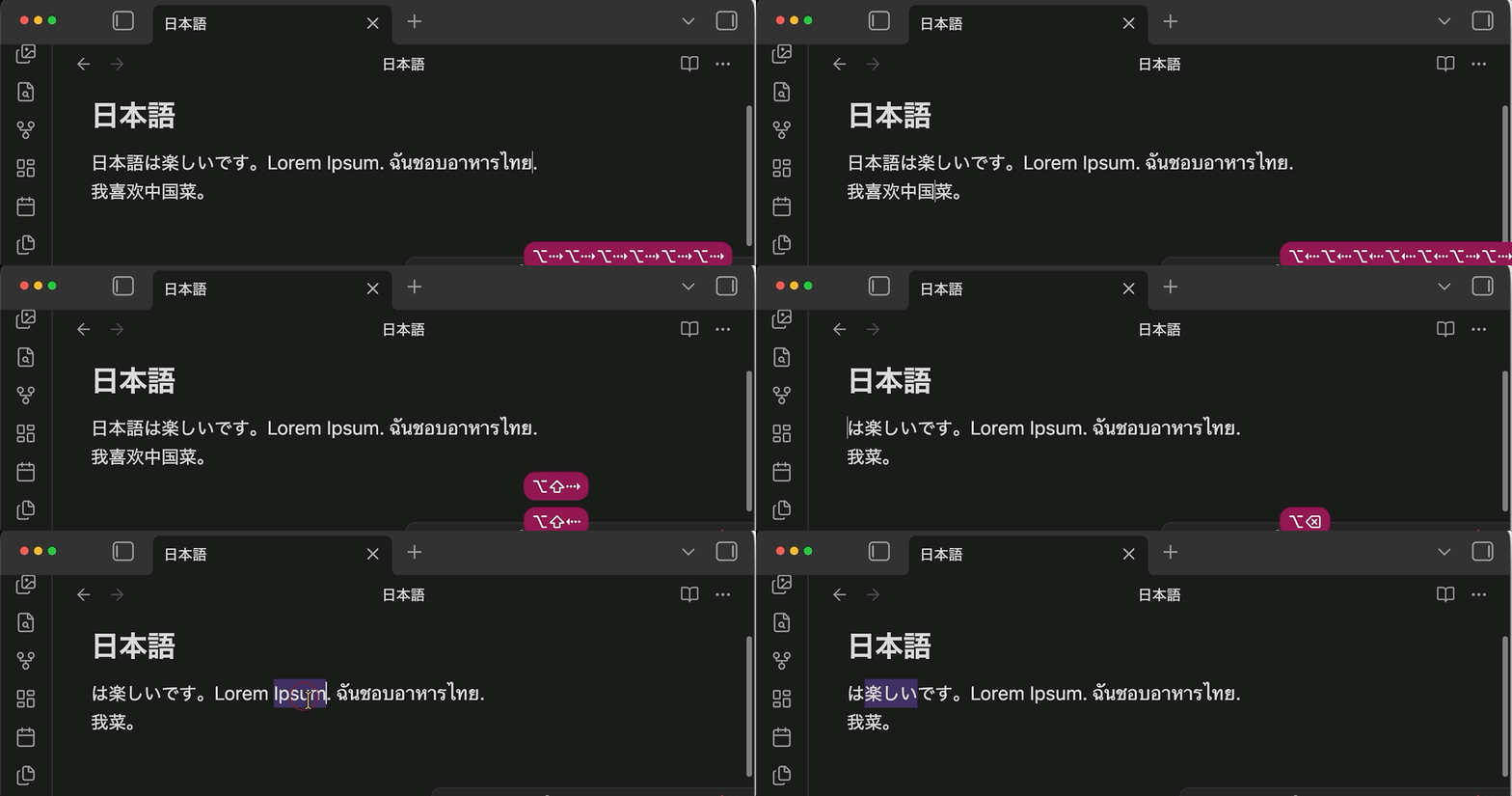
word move, word delete, and double-click.
Why you’ll like it
- Real words in Japanese, Chinese, Thai, Lao, Khmer, and Burmese
- Every word shortcut you already use: move, select, delete back, delete forward — Option on Mac, Ctrl on Windows and Linux
- Double-click (and double-tap on phone and tablet) selects one word
- Works with several cursors at once
- English and other space-separated languages behave exactly as before
- Zero setup: no settings, no downloads, fully offline, tiny
Shortcuts
| Action | macOS | Windows / Linux |
|---|---|---|
| Move by word | Option+Left / Option+Right | Ctrl+Left / Ctrl+Right |
| Select by word | Option+Shift+Left / Option+Shift+Right | Ctrl+Shift+Left / Ctrl+Shift+Right |
| Delete previous word | Option+Backspace | Ctrl+Backspace |
| Delete next word | Option+Delete | Ctrl+Delete |
| Select word | Double-click or double-tap | Double-click or double-tap |
Install
- Open Settings → Community plugins
- Select Browse, search for Word Segmentation
- Install and enable
License
MIT — see LICENSE.
Docs
HealthExcellent
ReviewPassed
About
Move, delete, and select one word at a time in languages without spaces such as Japanese, Chinese, Thai, Lao, Khmer, and Burmese. Make double-click select one word, preserve English behavior, work with multiple cursors, and require no setup.Details
Current version
1.0.2
Last updated
2 weeks ago
Created
2 weeks ago
Updates
2 releases
Downloads
53
Compatible with
Obsidian 1.4.0+
Platforms
Desktop, Mobile
License
MIT
Sponsor
Author