Web-Obs Site Globe
 Agrici Daniel57 downloads
Capture a website into your vault as clean Markdown notes, then explore its structure on an interactive 3D site globe.
- Overview
- Scorecard
- Updates9
Turn any website into notes in your Obsidian vault, then explore it as a 3D map.
Type a domain. Web-Obs reads the public pages, saves each one as a clean Markdown note, and draws the whole site as an interactive globe so you can see how everything connects.
What you get
- A note for every page. Clean Markdown with images saved locally, so your notes work offline.
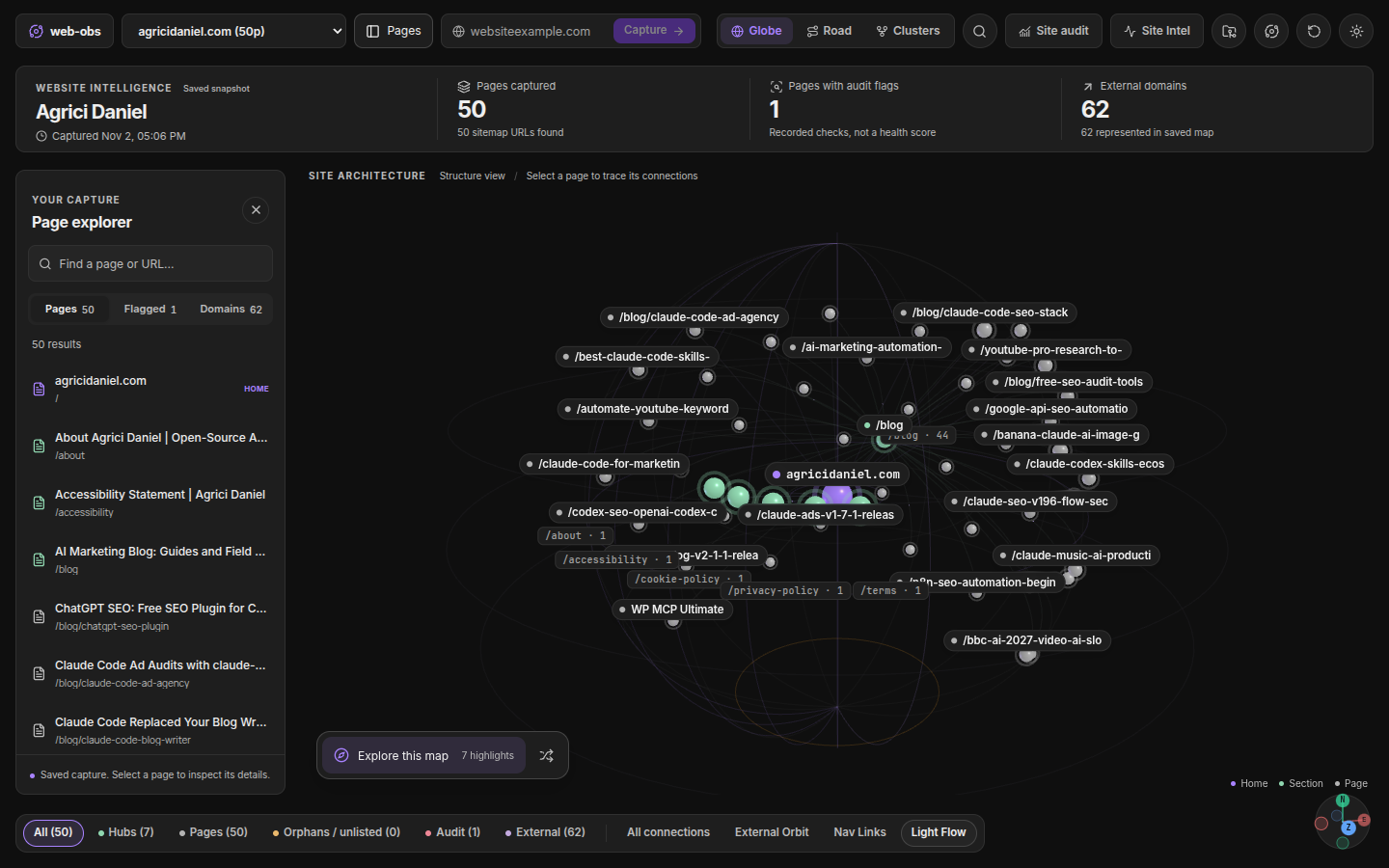
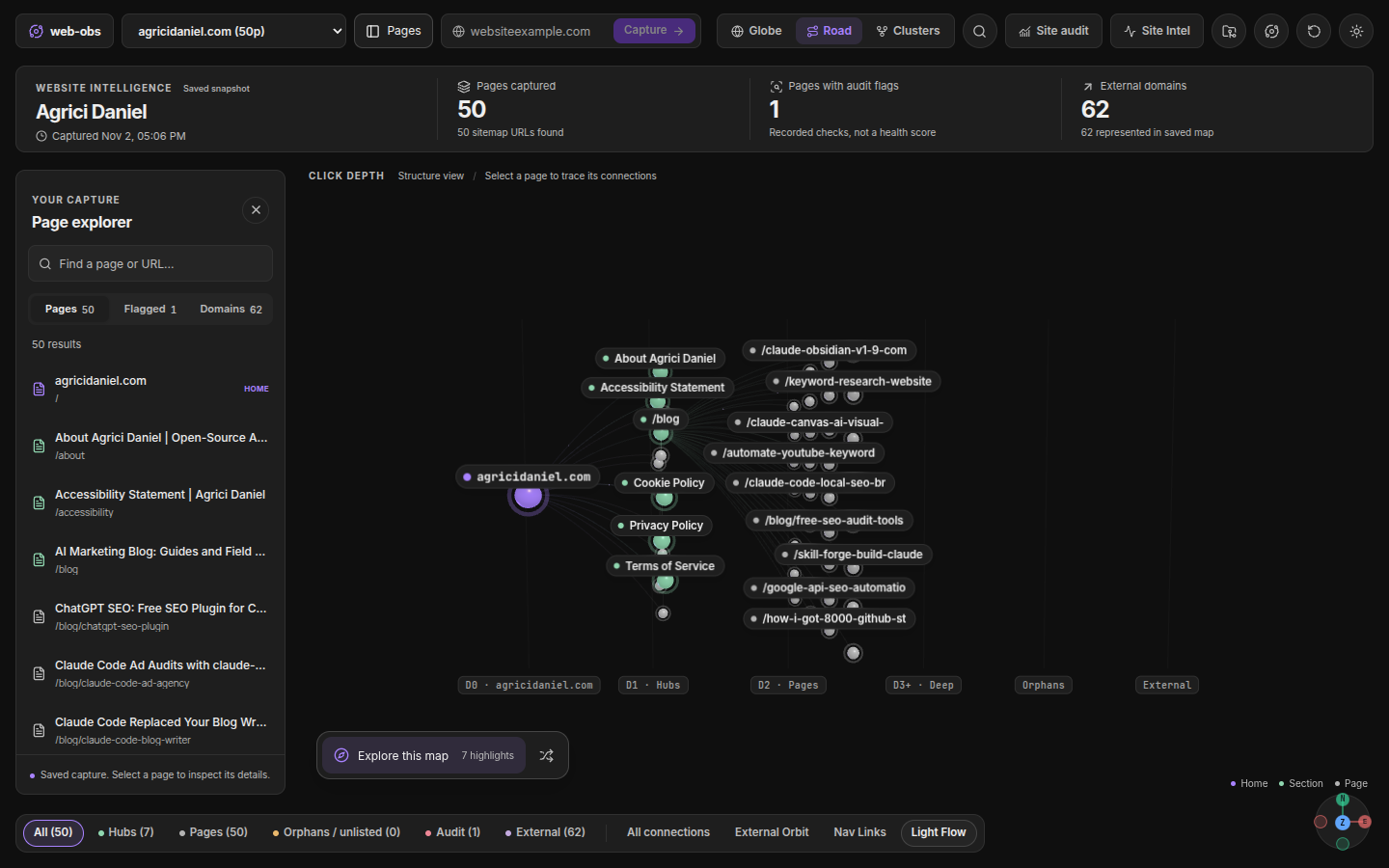
- A 3D site map. Your website sits at the center. Pages, sections and outside links orbit around it. Switch between Globe, Road and Clusters views.
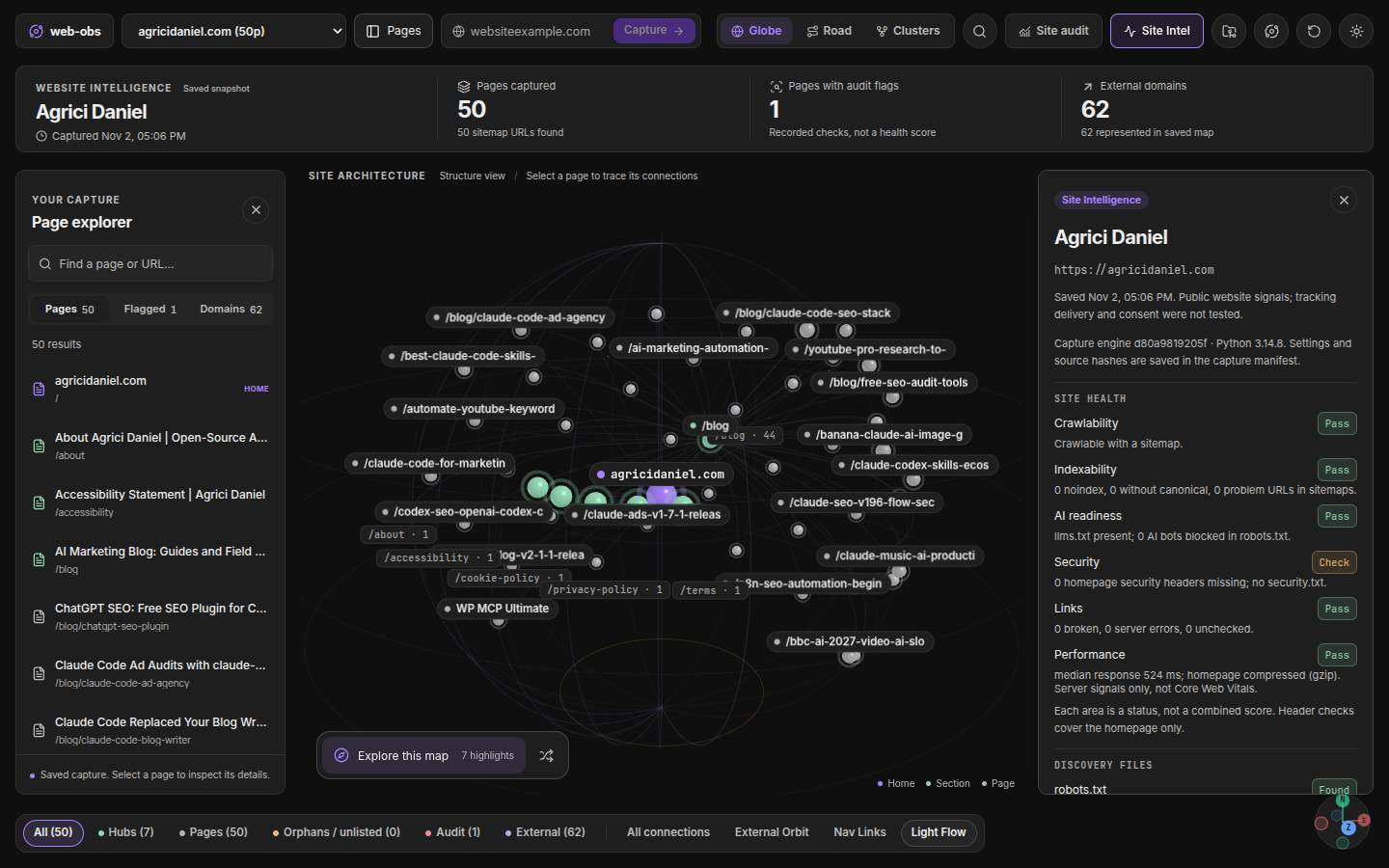
- A health check. One card shows how crawlable, searchable, AI ready, secure and fast the site looks, and which links are broken.
- A files checklist. See at a glance whether the site has a sitemap, robots.txt, llms.txt, security.txt and similar files, with a starter version to copy for any that are missing.
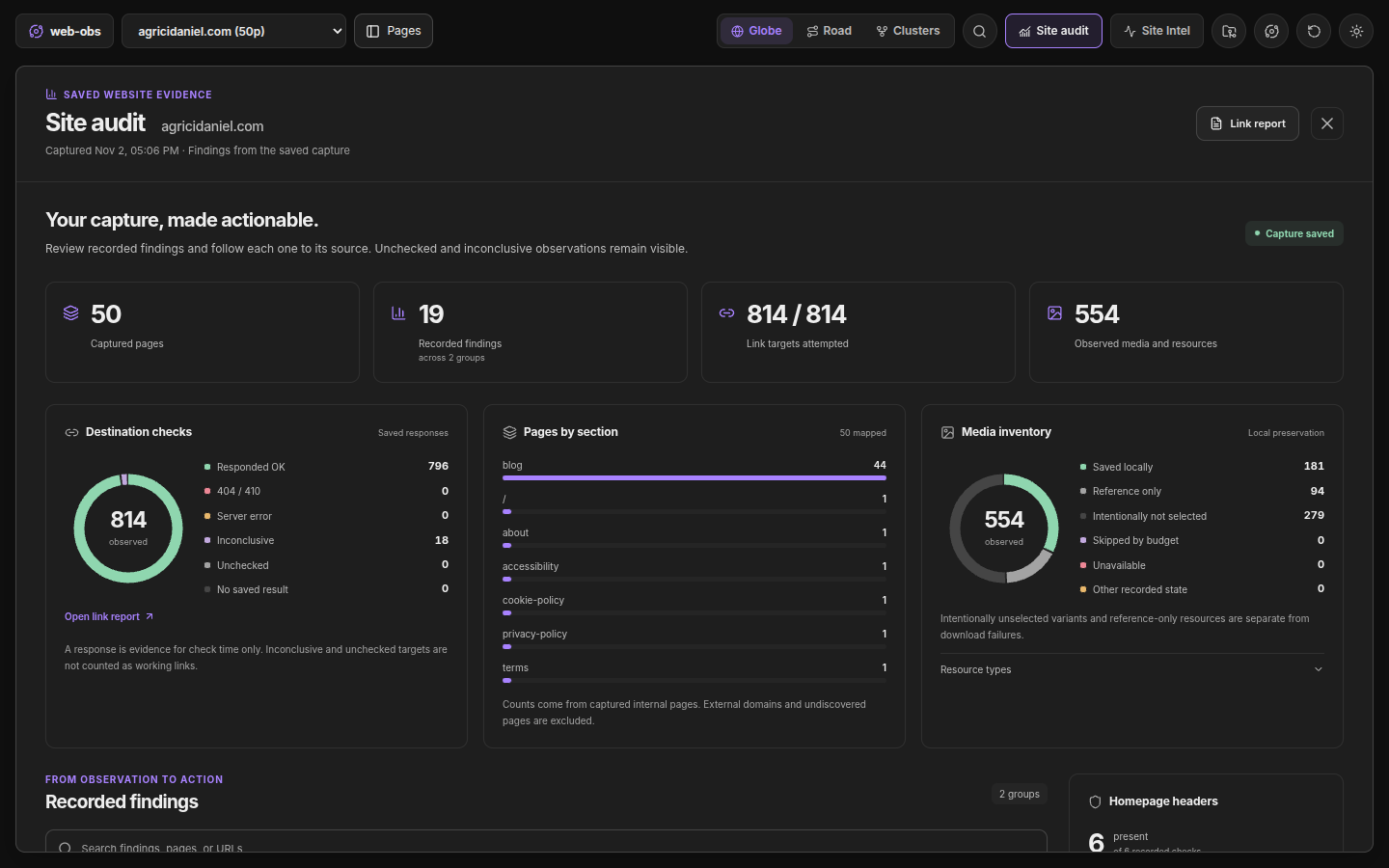
- A site audit. Charts and a findings list that point back to the page behind each result: duplicate and thin pages, internal links to fix, link opportunities, conflicting canonicals, structured data gaps, certificate and header problems, and more.
- A task list. Every finding becomes a checkbox in
_tasks.md. Your ticks survive the next capture, and tasks close by themselves once the problem is gone. - A browser sample. Up to five pages open in a headless browser for lab timings, automated accessibility rules, screenshots and the third parties that load before anyone clicks.
- Site comparison. Put two captured sites side by side in one note.
- Client reports. Approve a report from Site Audit, then save it locally or send it to your own report server for a private link. Archive a capture into a recoverable folder when you no longer need it. See Client reports.
Private by design
Captures run on your computer. There is no account, no tracking, no AI service and no API key needed for captures. Web-Obs talks to the website you ask it to capture and to the links found on it when it checks them. The optional email DNS check asks your own DNS resolver about the domain; you can turn it off in settings. Publishing a client report is a separate action: it can send the approved report to a server you configure. Your capture notes stay in your vault.
Network use
Web-Obs connects to the website you ask it to capture and to the links it finds there, to check them. The optional email DNS check asks your DNS resolver about that domain. Publishing a client report, only when you choose to, sends the approved report to the server or SSH host you set up. Nothing else: no tracking, no analytics, no AI service.
Requires an external program
Captures run in Python 3.14 or newer, which you install yourself (see below). The optional browser step uses Playwright with Chromium. Web-Obs starts these as local processes, which is why it is desktop only.
Files outside the vault
Captures, images and reports are saved inside your vault. Outside it, Web-Obs only writes a short-lived temp folder while publishing a client report, and the report itself to the folder or server you choose for publishing.
Before you start
Web-Obs needs Python 3.14 or newer on your computer. It does not install anything for you, so set it up once:
python3.14 -m venv ~/web-obs-python
~/web-obs-python/bin/pip install requests beautifulsoup4 lxml
On Windows, in PowerShell:
py -3.14 -m venv $HOME\web-obs-python
& $HOME\web-obs-python\Scripts\pip install requests beautifulsoup4 lxml
Three optional packages unlock extra checks: dnspython (email DNS), pyspellchecker (spell check) and html5lib (HTML validation). Install any of them the same way. Web-Obs works without them and says which checks were skipped.
Pages that need JavaScript to show anything are handled by an optional browser step. The same browser runs the browser sample. To turn it on, also run ~/web-obs-python/bin/pip install playwright and then ~/web-obs-python/bin/playwright install chromium (on Windows, the same two programs are in web-obs-python\Scripts\). You can skip this and still capture most sites.
Web-Obs is built for Obsidian on desktop and does not work on mobile. It is tested on Linux, and its automated checks also pass on macOS and Windows. Windows support is the newest of the three. If something misbehaves on your system, please open an issue.
Install
- In Obsidian, open Settings, Community plugins, Browse, search for Web-Obs Site Globe, then click Install and Enable. On first start Web-Obs unpacks its capture engine next to its plugin files. You do not need to copy anything else.
- Open the Web-Obs settings and set Python executable to the one you just made, for example
~/web-obs-python/bin/python3, or on WindowsC:\Users\YOU\web-obs-python\Scripts\python.exe.
Prefer to install by hand? Download main.js, manifest.json and styles.css from the latest release into a folder named web-obs inside YOUR-VAULT/.obsidian/plugins/, then turn it on in Settings, Community plugins.
Your first capture
- Click the globe icon in the left ribbon.
- Type a website address, such as
example.com. - Press Capture.
When it finishes, your notes appear in sites/example.com/ and the map opens. Click any page on the map to see its details, or press Site Intel for the health card.
Stuck? Run Web-Obs: Run diagnostics from the command palette. It checks your setup and tells you how to fix anything that is wrong.
A closer look
 |
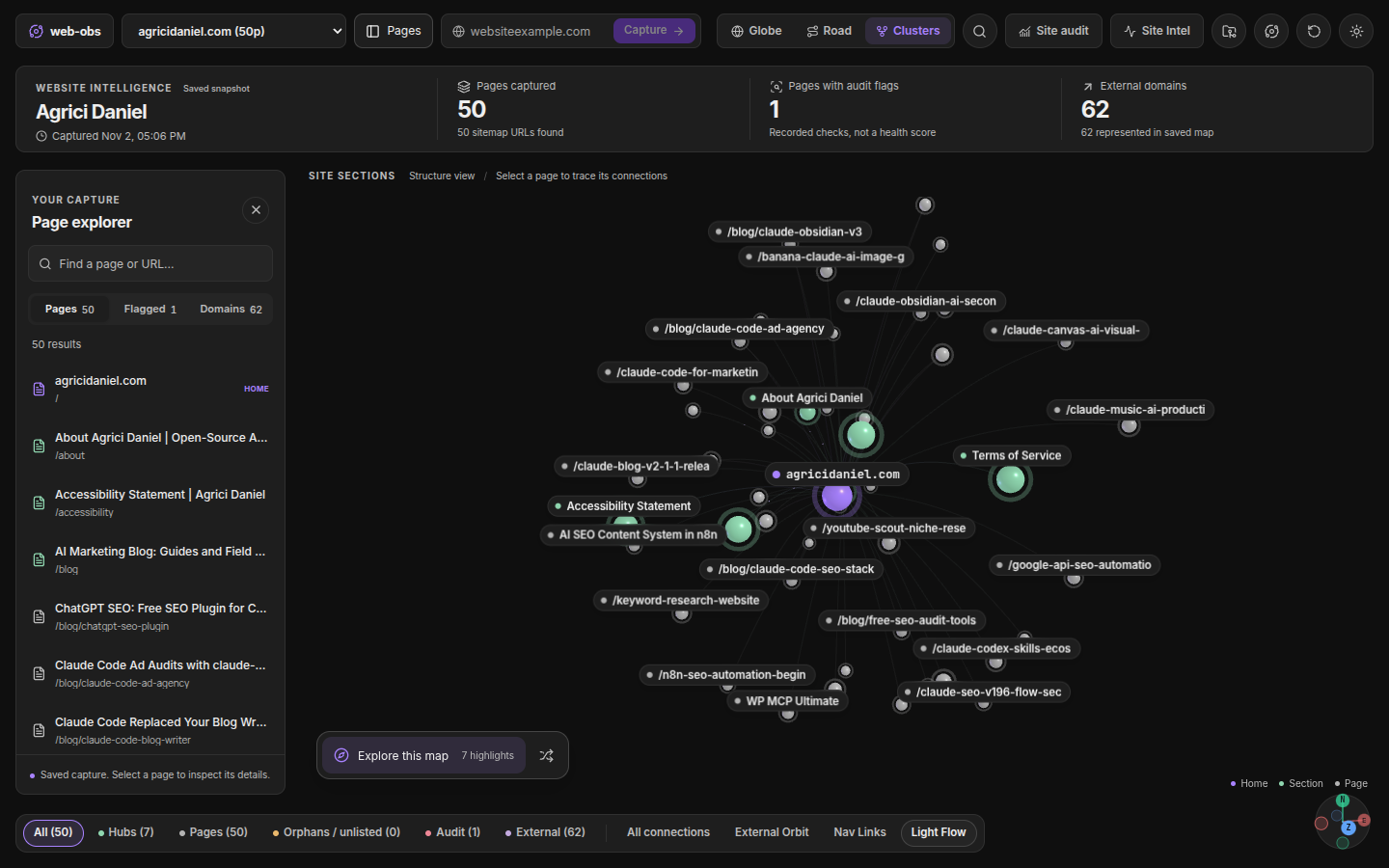 |
| Road follows the click path from the homepage outward. | Clusters groups pages by section. |
 |
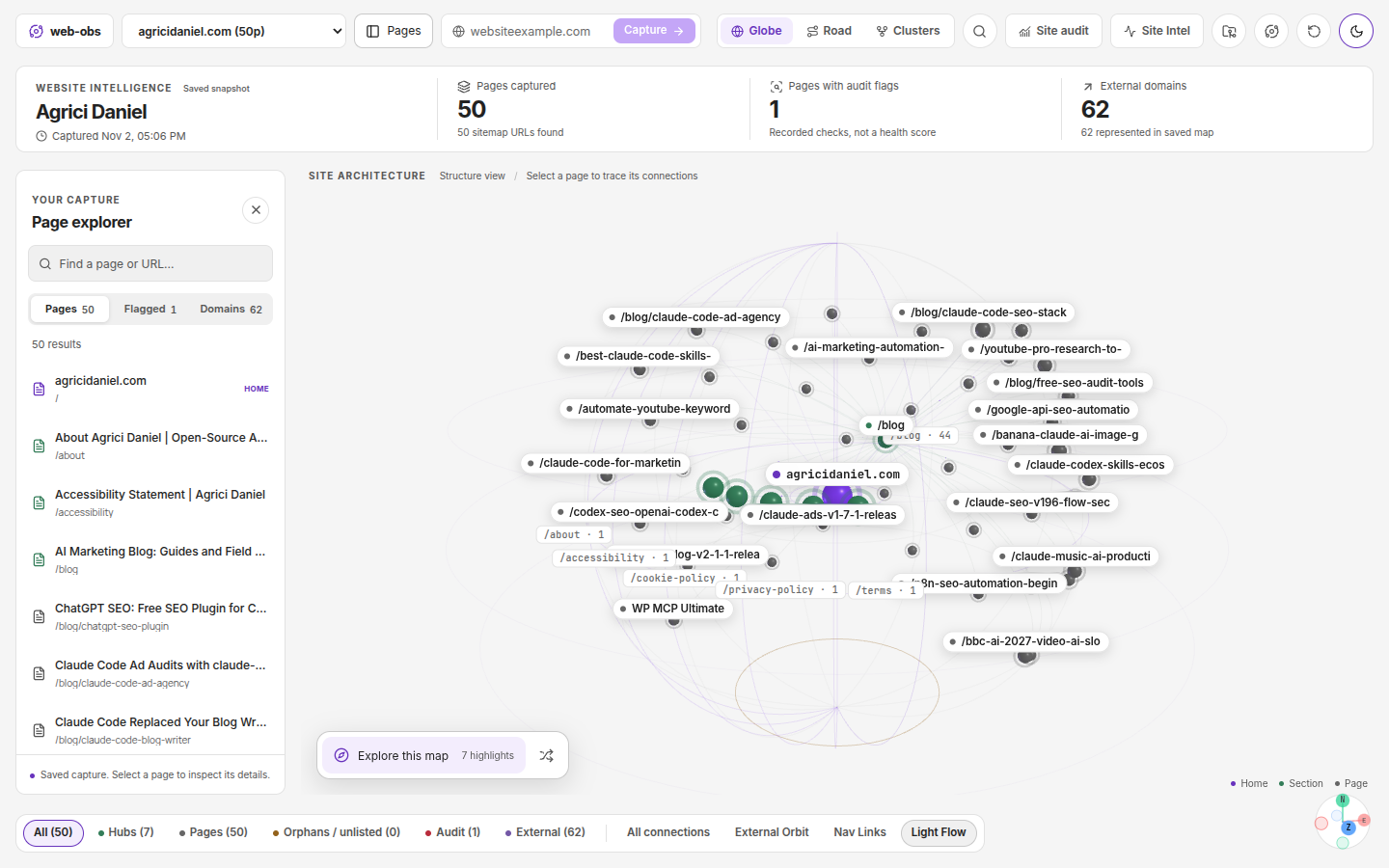 |
| Site audit turns the capture into charts and findings. | Light and dark themes, following Obsidian or your choice. |
Good to know
- Web-Obs follows each site's robots.txt, honours
Crawl-delay, backs off when a site answers 429 or sendsRetry-After, and identifies itself honestly asMozilla/5.0 (compatible; WebObs/<version>; +<info page>). It captures up to 250 pages unless you change it. Site owners can read what it sends and how to control it in docs/CRAWLER.md. - A capture shows what a visitor could reach. It is not a full SEO score. Browser timings are lab numbers from one load on your computer, not Core Web Vitals field data, and the accessibility rules are automated checks, not a full audit.
- Capturing again never overwrites notes you edited. Fresh versions are saved for you to review.
- Only capture sites you are allowed to read, and respect their terms.
More
- Troubleshooting
- Technical reference for how capture, storage and checks work
- Changelog
- Contributing and Security
Contributors
Thanks to everyone who has improved Web-Obs, including gcollins808 for the Clusters and Road view fixes, map performance improvements, optional translucent orbs, and client report publishing and archive controls. The full list is on the contributors page.
License
MIT. Made by Daniel Agrici.