Search...Search plugins and themes...
⌘K
Sign in
  • Get started
  • Download
  • Pricing
  • Enterprise
  • Account
  • Obsidian
  • Overview
  • Sync
  • Publish
  • Canvas
  • Mobile
  • Web Clipper
  • CLI
  • Learn
  • Help
  • Developers
  • Changelog
  • About
  • Roadmap
  • Blog
  • Resources
  • System status
  • License overview
  • Terms of service
  • Privacy policy
  • Security
  • Community
  • Plugins
  • Themes
  • Discord
  • Forum / 中文论坛
  • Merch store
  • Brand guidelines
Follow us
DiscordTwitterBlueskyThreadsMastodonYouTubeGitHub
© 2026 Obsidian

Vitepress Publisher

tyradtyrad705 downloads

Conveniently preview and publish Markdown files using vitepress.

Add to Obsidian
  • Overview
  • Scorecard
  • Updates5

Obsidian Vitepress Plugin is a flexible tool that allows you to easily preview and compile your .md files using VitePress or other static site generators (Hugo, Hexo, Docusaurus) in Obsidian.

Installation

Community Plugin Store

This Plugin can be installed through the community plugin browser in Obsidian.

Manual Installation

Download main.js, manifest.json, and styles.css from the release page and place them in <vault>/.obsidian/plugins/obsidian-vitepress directory.

Configuration

Required Settings
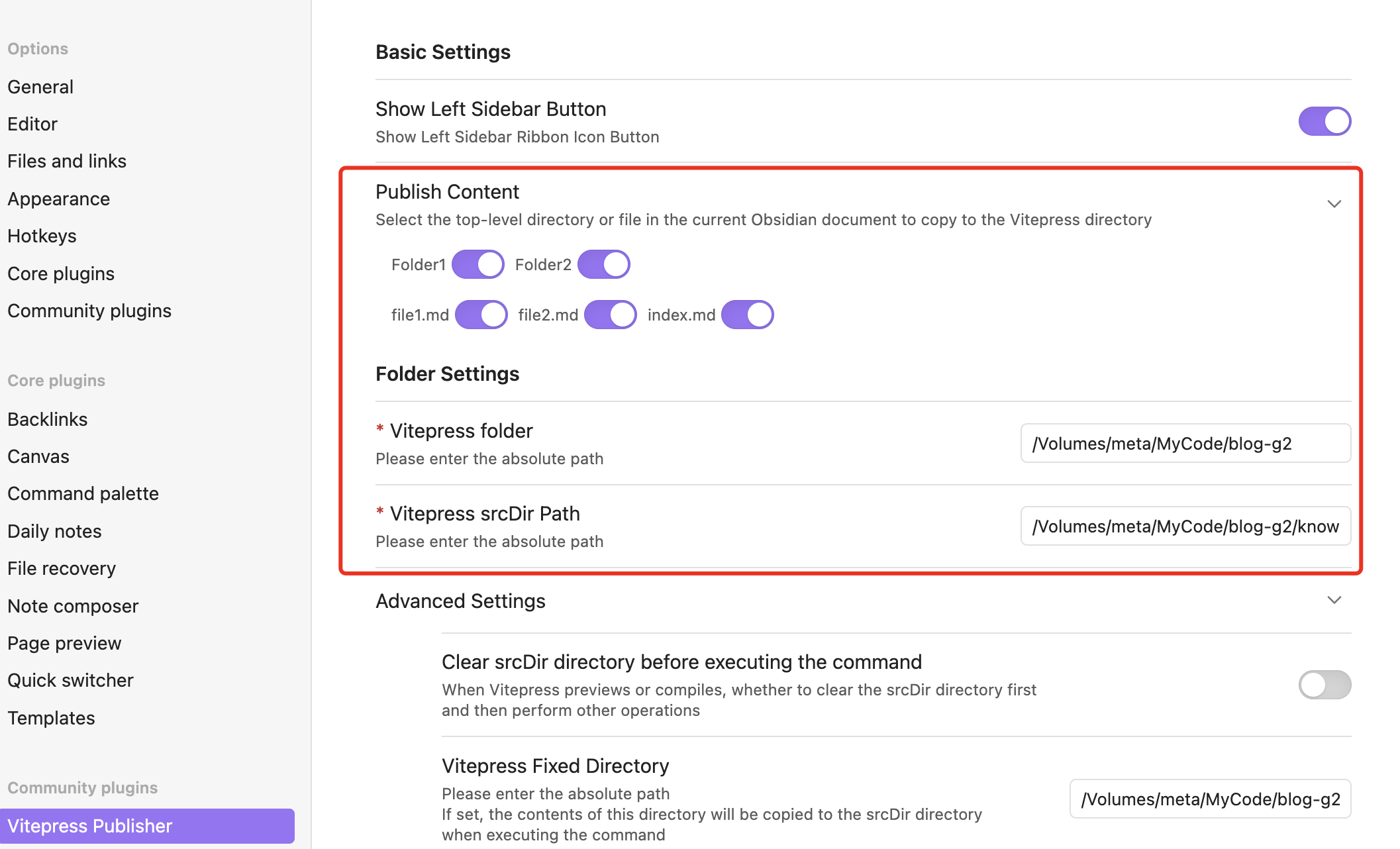
Settings

  • Publish Content: Select the top level directories or files to be previewed or published using VitePress
  • Directory Settings:
    • VitePress Path: Path to VitePress on your local machine
    • VitePress srcDir Path: Location of VitePress src directory

Advanced Settings
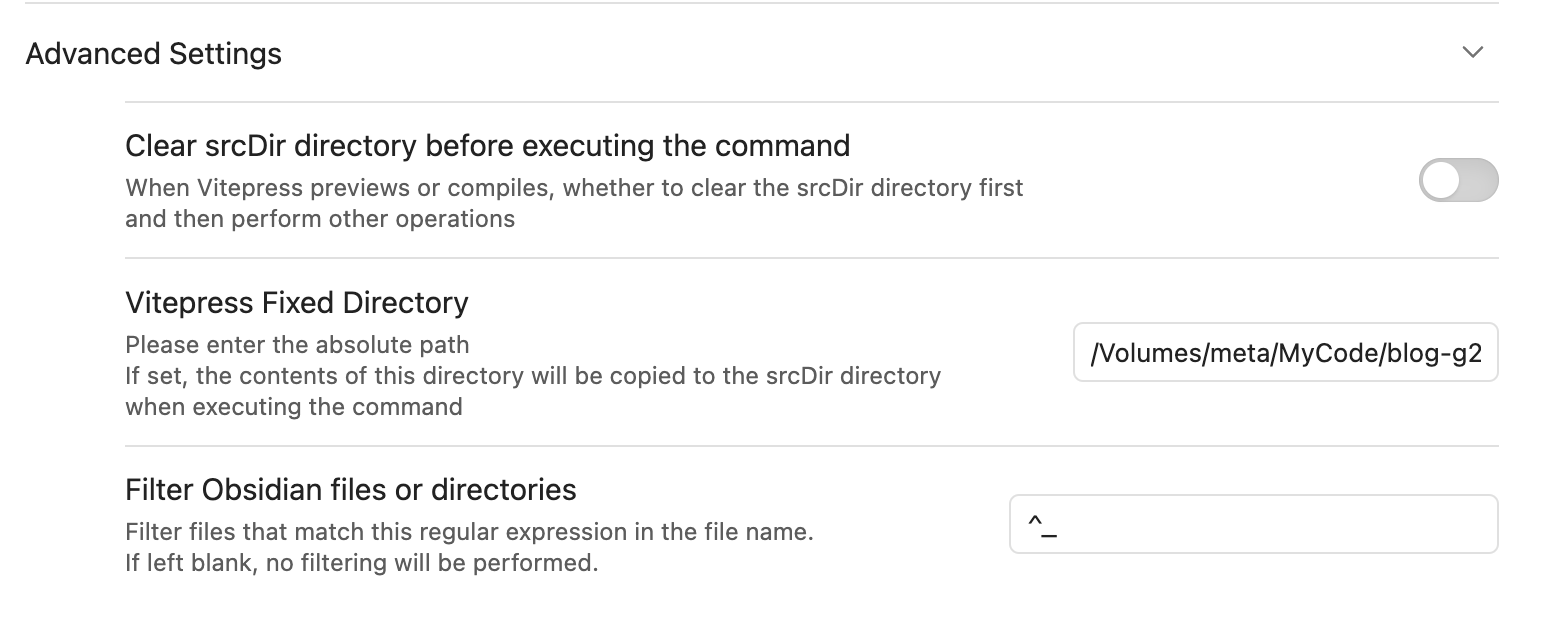
Advanced Settings

Custom Command Configuration

The plugin now supports configurable commands, allowing you to use other static site generators beyond VitePress:

  • Development Command: Command to start local preview server (default: npm run docs:dev)
  • Build Command: Command to generate static files (default: npm run docs:build)
  • Preview Command: Command to preview built site (default: npm run docs:preview)

Supported Static Site Generators:

  • Hugo: /opt/homebrew/bin/hugo serve
  • Hexo: npx hexo server
  • Docusaurus: npm start
  • Custom: Any command-line static site generator

This flexibility allows you to use the plugin with your preferred static site generator while maintaining the same workflow.

Usage

Sidebar Button
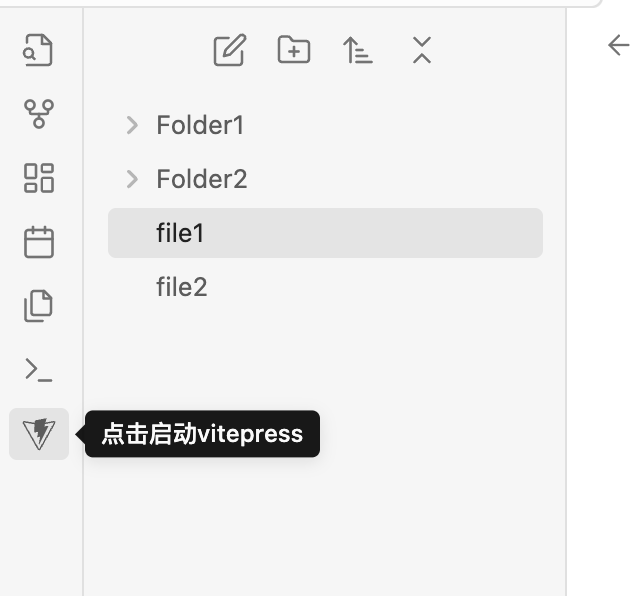
Sidebar Button

Click to start or stop vitepress dev and open the VitePress homepage in your browser.
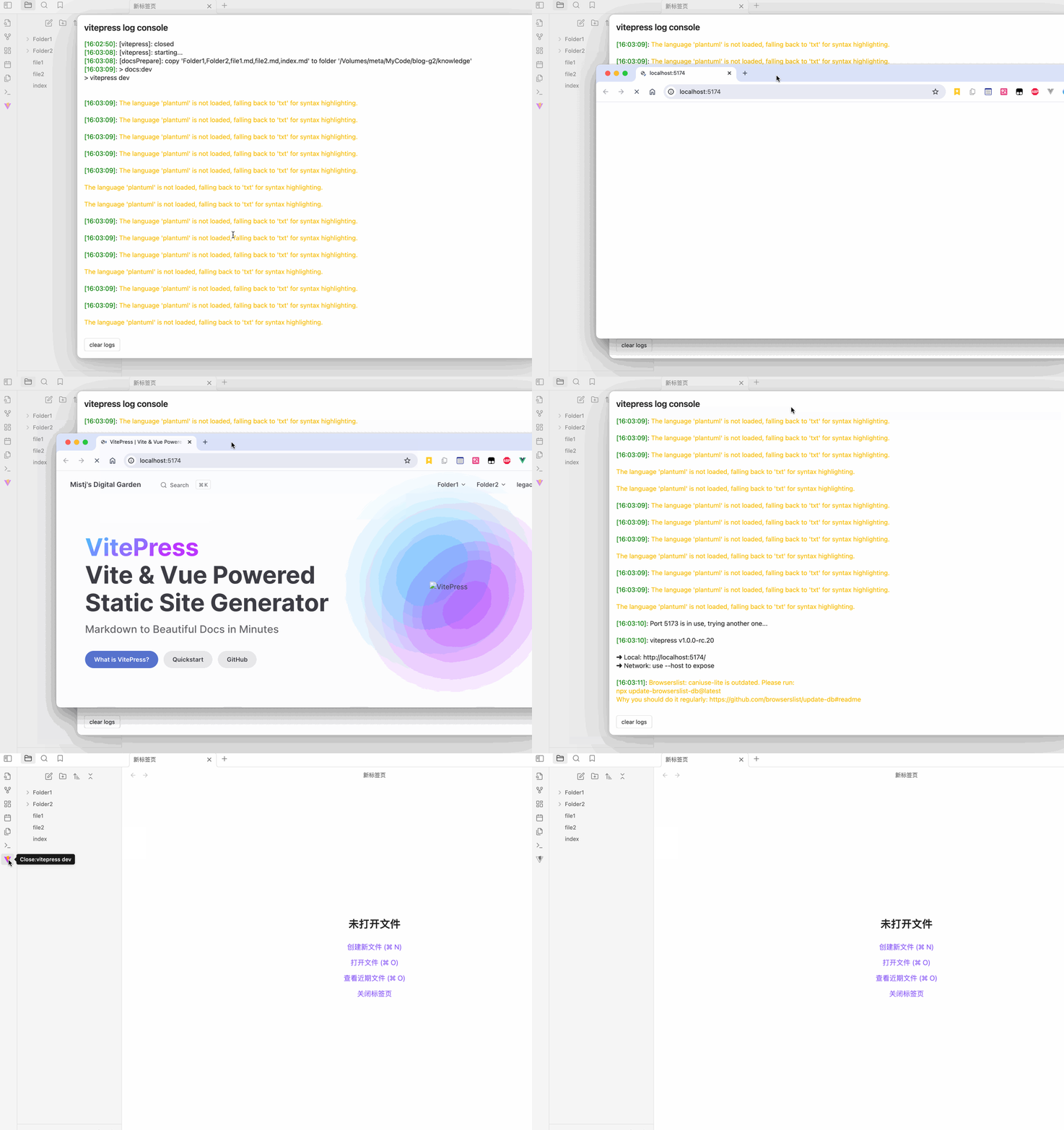
Preview Action

Top Bar Button

Click to copy the current document to the VitePress srcDir directory and preview it.
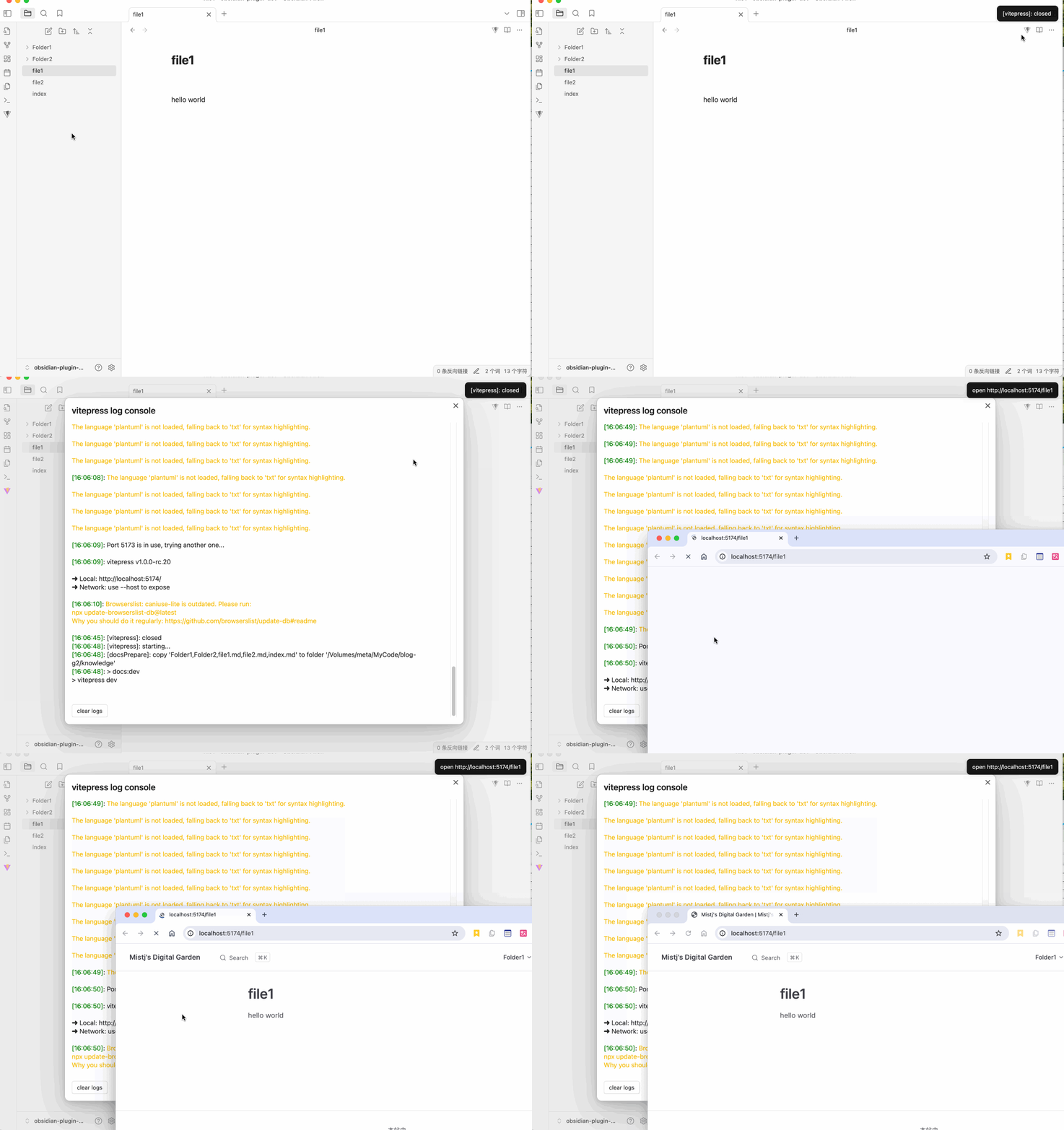
Preview Action 2

Commands

Commands

Commands are now customizable through the Custom Command Configuration settings.

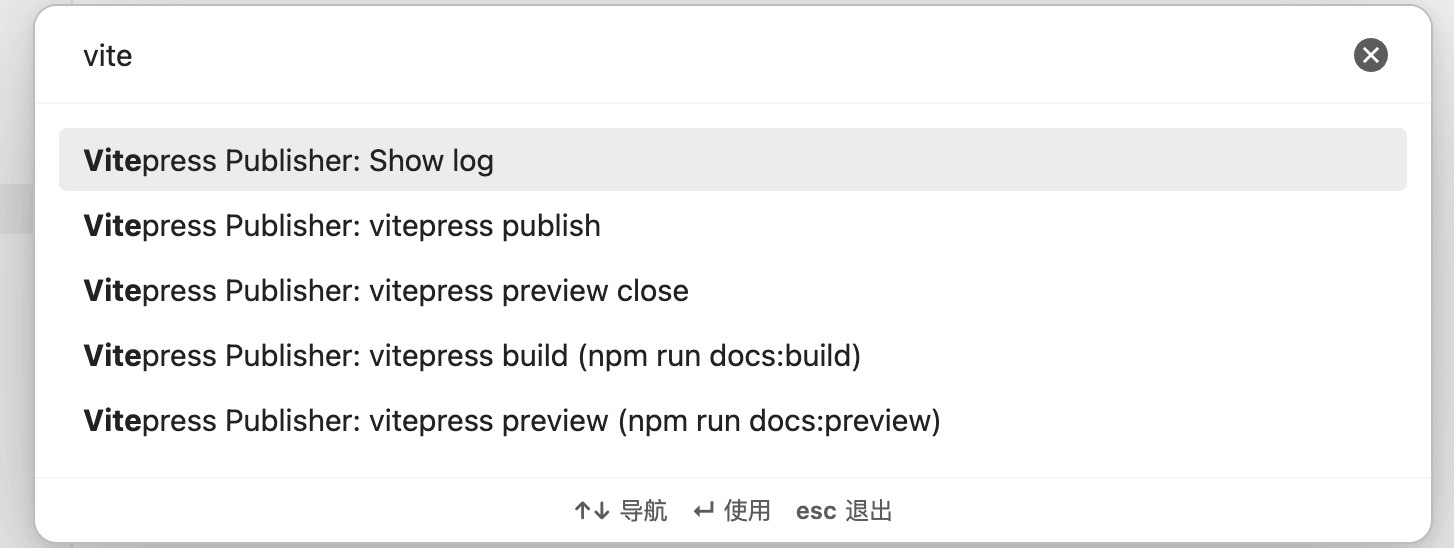
  • Show log: Open the log window for this plugin
  • vitepress build: Execute the build command npm run docs:build in the VitePress directory
  • vitepress preview: Execute the preview command npm run docs:preview in the VitePress directory
  • vitepress preview close: Close VitePress preview
  • vitepress publish: Open a new terminal window and run the publish script specified in the settings

Support

If you find this plugin helpful, please consider giving it a ⭐ on GitHub! Your support helps improve the plugin and lets others discover it.

License

MIT

71%
HealthExcellent
ReviewCaution
About
Preview and compile Markdown notes with VitePress or other static site generators directly from Obsidian. Start and stop a local dev server, build and preview the site, copy the current document into your VitePress srcDir, and customize commands for Hugo, Hexo, Docusaurus or any CLI SSG.
PublishingIntegrationsCommands
Details
Current version
1.3.0
Last updated
10 months ago
Created
2 years ago
Updates
5 releases
Downloads
705
Compatible with
Obsidian 0.15.0+
Platforms
Desktop only
License
MIT
Report bugRequest featureReport plugin
Author
tyradtyrad
mistj.com
GitHubtyrad
  1. Community
  2. Plugins
  3. Publishing
  4. Vitepress Publisher

Related plugins

Open vault in VS Code

Ribbon button and command to open vault as a Visual Studio Code (VSCode) workspace.

Shell commands

Define system commands that you want to execute via command palette, hotkeys, URI links or automated events. E.g. open external applications or perform automated file modifications.

GitHub

Share as Gist

Share a note as a GitHub.com Gist.

Permalink Opener

Open URLs based on a permalink or slug in the note properties. Useful with static site generators such as Jekyll, Hugo, Eleventy, etc.

Quartz Syncer

Manage and publish your notes to Quartz, the fast, batteries-included static-site generator.

Actions URI

Add additional `x-callback-url` endpoints to the app for common actions — it's a clean, super-charged addition to Obsidian URI.

Local REST API & MCP Server

Unlock your automation needs by interacting with your notes over a secure REST API.

Quick Switcher++

Enhanced Quick Switcher, search open panels, and symbols.

BRAT

Easily install a beta version of a plugin for testing.

Commander

Customize your workspace by adding commands everywhere, create macros and supercharge your mobile toolbar.