Vault Tidy
 elab-studio3 downloads
Rename, merge and delete tags, bulk-edit properties and find & replace across your vault, with a preview of every change and one-click undo.
- Overview
- Scorecard
- Updates2
Clean up your Obsidian vault in minutes: rename, merge and delete tags, bulk-edit properties, and find & replace across every note. Every change is previewed first and can be undone with one click.
Free features
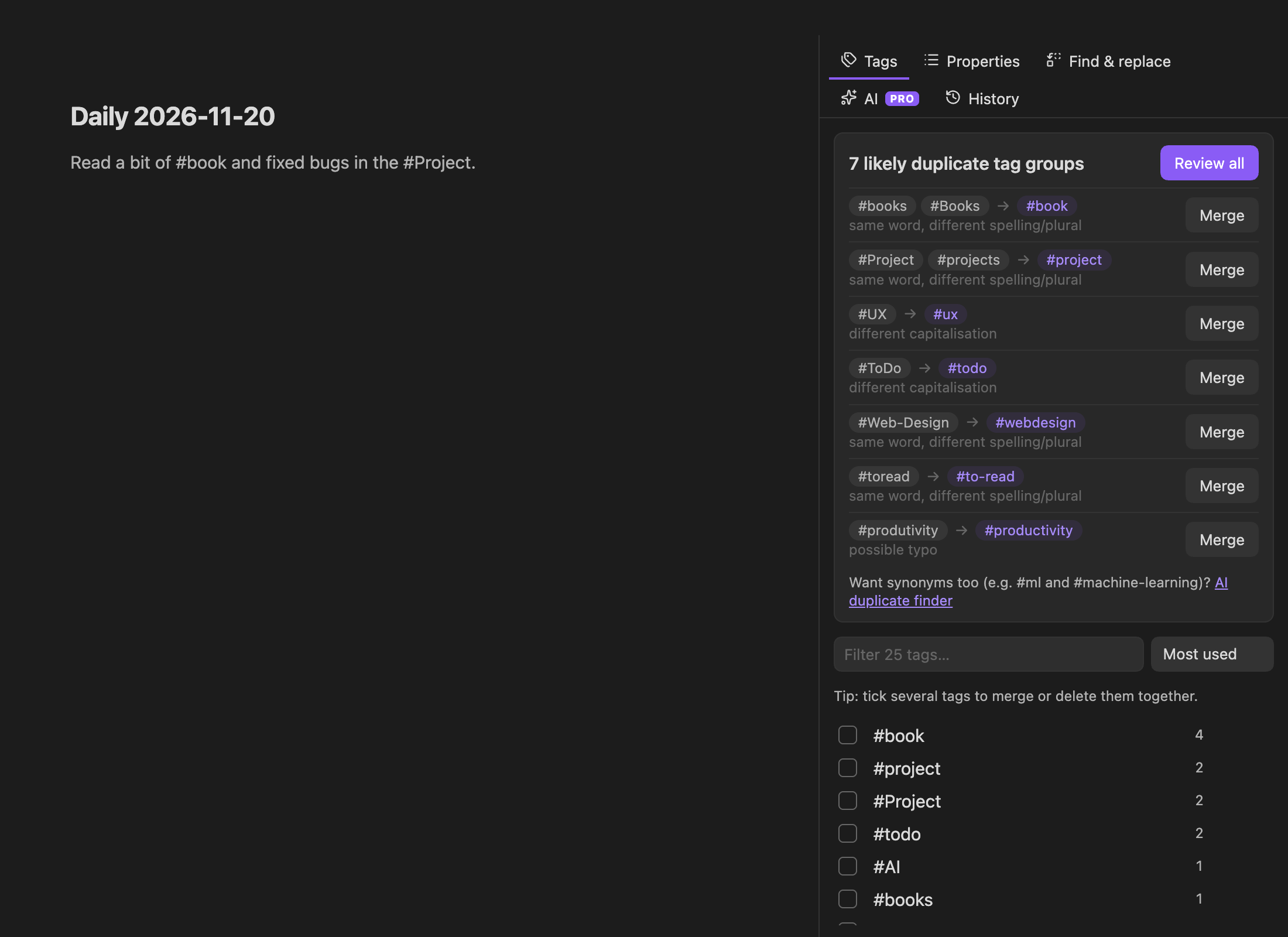
- Tag manager: see every tag with usage counts, rename (nested tags follow), merge several tags into one, delete. Works on frontmatter
tagsand inline#tags, skips code blocks. - Duplicate tag finder: spots tags that are probably the same (
#Book/#books,#to-read/#toread, typos like#produtivity) and merges them in one go. - Properties: rename or delete a property across the vault, replace a value (
status: wip→status: in-progress), or set a property on every note in a folder. Your YAML formatting and key order are kept. - Find & replace: plain text or regex (with
$1groups), whole word, case, folder scope, skips code blocks by default. - Preview + undo: a diff of every affected note before anything is written, untick the notes you want to keep, and undo any batch later from the History tab or the
Vault Tidy: Undo last changecommand.
Pro (optional, paid)
Pro adds AI tools that understand what your tags mean. No API key and nothing to set up.
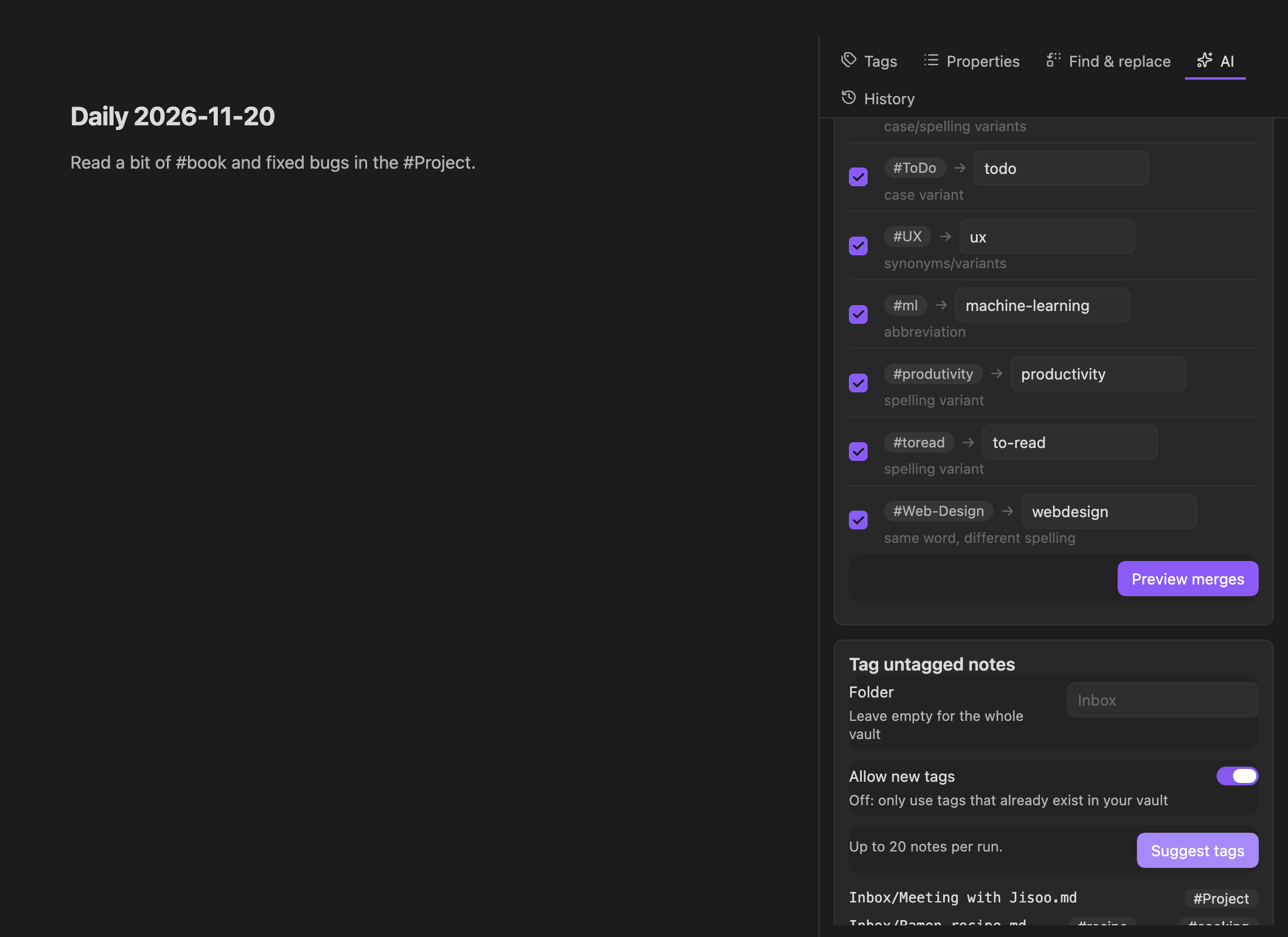
- AI duplicate finder: finds synonyms, abbreviations and translations (
#ml→#machine-learning,#js→#javascript,#책→#book) and double-checks every pair so related-but-different tags are left alone. - Tag untagged notes: suggests 1–3 tags per note, using your existing tags first.
Get a license at https://vault-tidy-api.gdode2080.workers.dev/pro and paste the key in Settings → Vault Tidy. One license works on up to 3 devices.
Disclosures (required by Obsidian's developer policies)
- Payment: the AI features require a paid license. Everything else is free forever.
- Network use: only when you use Pro. License activation and AI requests go to the Vault Tidy API (
vault-tidy-api.gdode2080.workers.dev, Cloudflare Workers AI; licenses are checked with Lemon Squeezy). AI requests contain only tag names with counts, or the title and first 1,500 characters of the notes you chose to tag. Nothing is stored on the server and nothing is used for training. - No telemetry, no ads, no access to files outside your vault. Undo snapshots are stored locally in the plugin folder (
history.json) and can be cleared in settings.
Install
Community plugins → search "Vault Tidy". Or download main.js, manifest.json, styles.css from the latest release into .obsidian/plugins/vault-tidy/.
Development
npm install
npm test        # core text-transform tests
npm run build
HealthExcellent
ReviewSatisfactory
About
Clean up your vault: rename, merge and delete tags (frontmatter and inline), bulk-edit YAML properties, and run find-and-replace across notes with regex support. Preview every change and undo batches with one click. Add Pro for AI tag deduplication and tag suggestions.Details
Current version
0.1.1
Last updated
31 minutes ago
Created
39 minutes ago
Updates
2 releases
Downloads
3
Compatible with
Obsidian 1.7.2+
Platforms
Desktop, Mobile
License
MIT
Author