Search...Search plugins and themes...
⌘K
Sign in
  • Get started
  • Download
  • Pricing
  • Enterprise
  • Account
  • Obsidian
  • Overview
  • Sync
  • Publish
  • Canvas
  • Mobile
  • Web Clipper
  • CLI
  • Learn
  • Help
  • Developers
  • Changelog
  • About
  • Roadmap
  • Blog
  • Resources
  • System status
  • License overview
  • Terms of service
  • Privacy policy
  • Security
  • Community
  • Plugins
  • Join the community
  • Discord
  • Forum / 中文论坛
  • Merch store
  • Brand guidelines
Follow us
DiscordTwitterBlueskyThreadsMastodonYouTubeGitHub
© 2026 Obsidian

Vault Name

gapmissgapmiss1k downloads

Display and customize the vault name (title) in the side navigation file explorer.

Add to Obsidian
  • Overview
  • Scorecard
  • Updates5

An Obsidian.md plugin for customizing and displaying the vault name (title) in the side navigation file explorer, similar to pre 1.6.0 versions of Obsidian.

Pairs well with the Legacy vault switcher plugin.

Screenshots

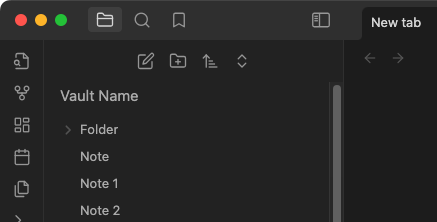
Default styling

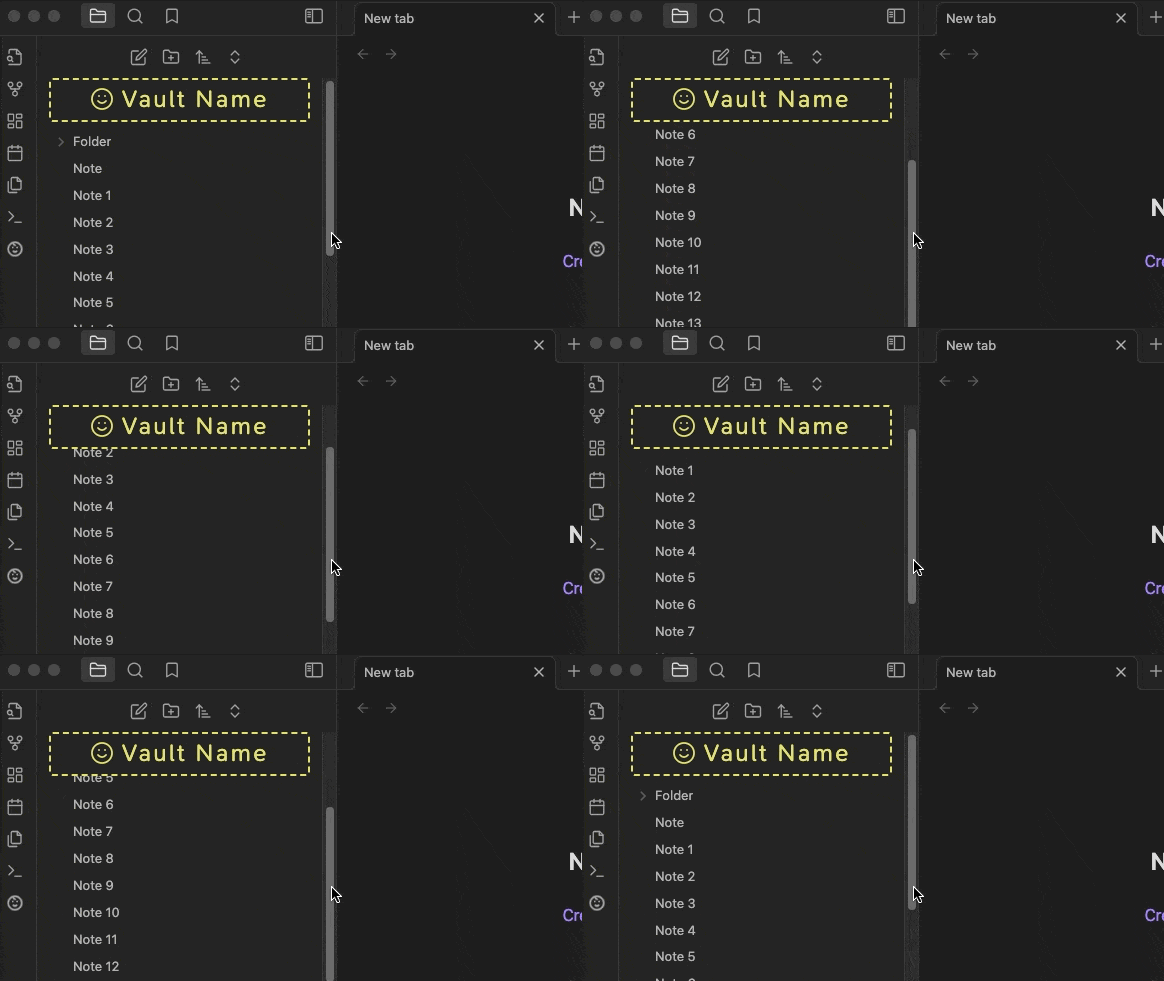
Customized styling with sticky position
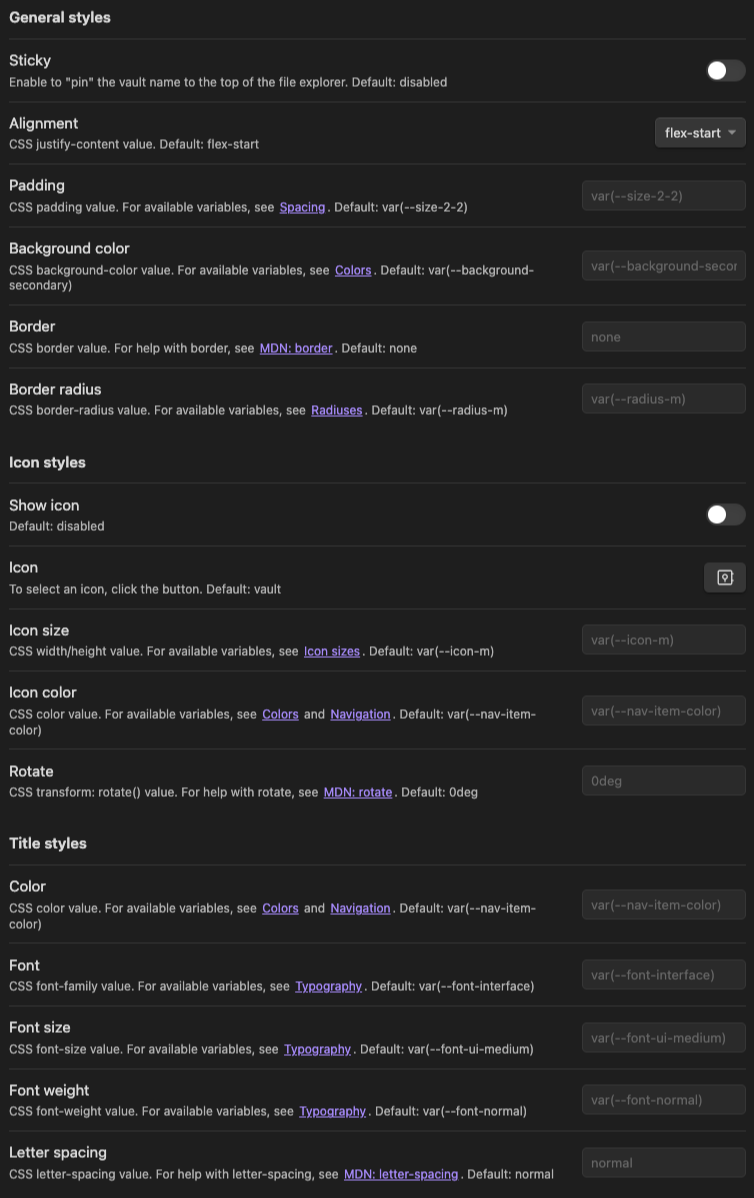
Settings tab
Installation

Community plugins

  1. Obsidian.md/plugins or
  2. Open Settings > Community Plugins > Browse
  3. Search for "vault name"

via BRAT (Beta Reviewer's Auto-update Tool)

  1. Ensure BRAT is installed
  2. Trigger the command Obsidian42 - BRAT: Add a beta plugin for testing
  3. Enter this repository, gapmiss/obsidian-vault-name
  4. Enable Vault Name plugin in community plugin list

Manually

  1. download main.js, manifest.json & styles.css from the latest release
  2. create a new folder /path/to/vault/.obsidian/plugins/obsidian-vault-name
  3. move all 3 files to /path/to/vault/.obsidian/plugins/obsidian-vault-name
  4. Settings > Community plugins > reload Installed plugins
  5. enable Vault Name plugin
77%
HealthExcellent
ReviewCaution
About
Display the vault name in the side file explorer to restore pre-1.6.0 behavior. Customize styling and set a sticky position, and integrate with the Legacy Vault Switcher for quick vault switching.
SidebarAppearanceNavigation
Details
Current version
0.1.4
Last updated
Last year
Created
2 years ago
Updates
5 releases
Downloads
1k
Compatible with
Obsidian 1.6.0+
License
MIT
Report bugRequest featureReport plugin
Author
gapmissgapmiss
github.com/gapmiss
GitHubgapmiss
  1. Community
  2. Plugins
  3. Sidebar
  4. Vault Name

Related plugins

Notebook Navigator

Alternative file browser with folders, tags, properties, shortcuts, previews, keyboard navigation, drag and drop, and pinned notes.

Recent Files

Display a list of recently opened files.

TagFolder

Show tags as folder.

Reveal Active File Button

Add a button to the top of the File Explorer, to reveal the active file.

Floating TOC

A floating directory that hovers a widget of the current directory on the notes page.

Beautitab

Creates a customizable new tab view with beautiful backgrounds, quotes, search, and more.

Relative Line Numbers

Enable relative line numbers in editor mode.

Minimal Theme Settings

Control the colors and fonts in Minimal Theme.

Hider

Hide interface elements such as tooltips, status bar, titlebar, and more.

Style Settings

Adjust theme, plugin, and snippet CSS variables.