Unread+
 Lucy516 downloads
Marks new files with a dot. Propagates unread counts up the folder tree.
- Overview
- Scorecard
- Updates6
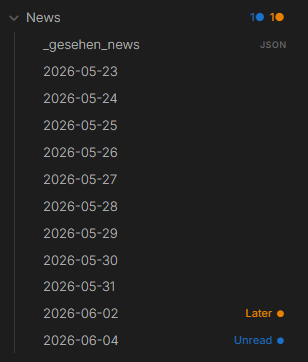
Track unread files in Obsidian. New files get a colored dot — folder badges propagate counts up the entire tree so you always know where to look, even in a collapsed vault.
Features
Colored dots — Unread (blue) and Later (orange) by default. Fully customizable — add any status with any color, and optionally a custom icon/emoji instead of the default dot.
Folder badges — each parent folder shows a per-status count (1● 1●) at every depth, even collapsed. Hover a segment to see which status it is.
Status bar — total unread count visible at the bottom of Obsidian at all times.
Dot aging — fresh dots start at full opacity and fade slightly each day. Files you've been sitting on for a week look the part.
Snooze — right-click → Snooze 1 day / 3 days / 1 week. The dot disappears and comes back automatically when the time is up. All currently snoozed files are also listed in Settings, with remaining time and a one-click unsnooze.
Offline detection — files created by scripts or sync tools while Obsidian was closed are picked up automatically on the next launch, with a configurable grace period so files you create and edit yourself very quickly aren't mistakenly flagged.
Open Next/Previous Unread — Ctrl+Shift+U steps through unread files one by one, showing progress ("3 of 12"). Step back with the Previous in review command if you went too far.
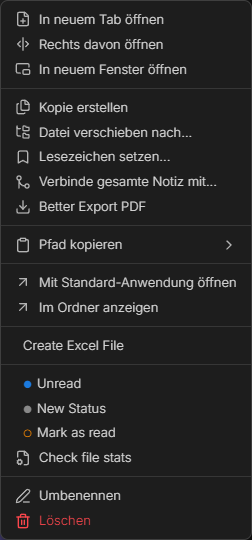
Colored context menu — each status shows its own colored circle. No guessing.
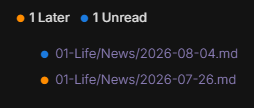
Unread overview codeblock — embed a live, filterable overview of your unread/later files directly in any note (e.g. a daily-note template):
```unread-overview
status: unread, later
folder: Projects
limit: 5
sort: created
```
Installation
- Download
main.js,manifest.json,styles.cssfrom the latest release - Copy to
.obsidian/plugins/unread-plus/in your vault - Settings → Community Plugins → enable Unread+
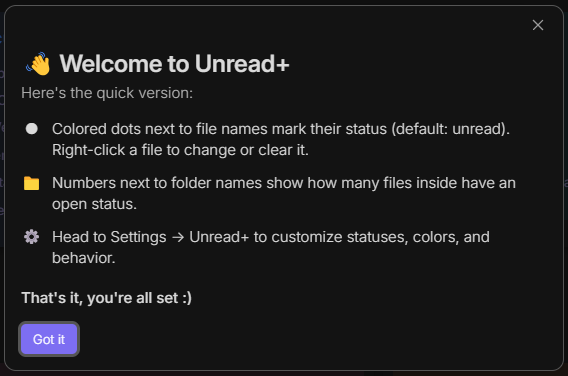
On first install, a short welcome modal explains dots, folder badges, and right-click statuses.
# From source
git clone https://github.com/kashicards/unread-plus.git
cd unread-plus && npm install && npm run build
Usage
| Action | How |
|---|---|
| Set status | Right-click file → pick status |
| Set selected files unread | Select files → right-click → Mark selected as Unread |
| Clear selected files | Select files → right-click → Mark selected as read |
| Clear status | Right-click → Mark as read |
| Snooze | Right-click → Snooze 1 day / 3 days / 1 week |
| Open next unread | Ctrl+Shift+U |
| Open previous unread | Command palette → Previous in review |
| Mark all as read | Command palette → Mark all as read |
Settings
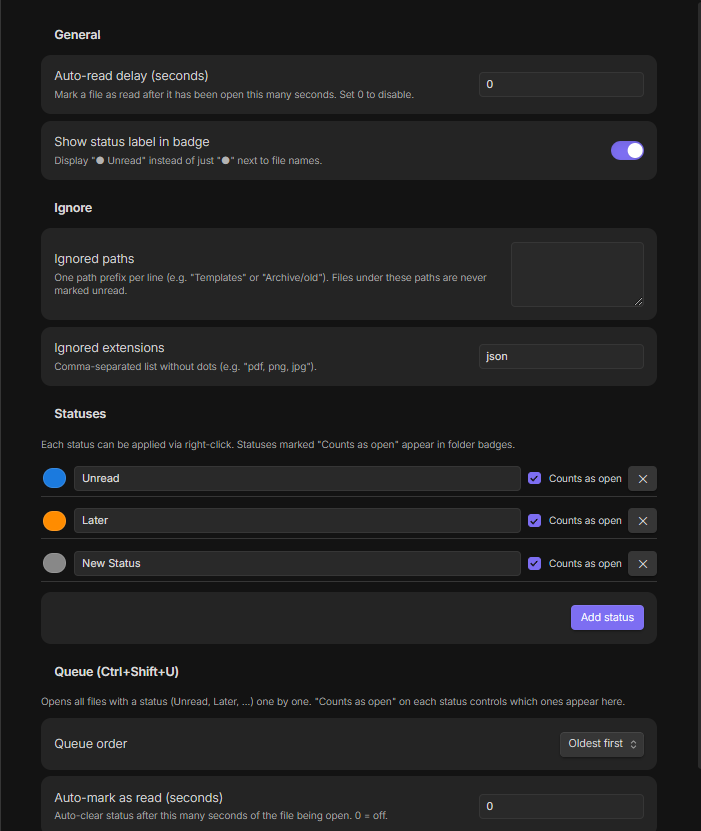
- Auto-read delay — auto-clear status after N seconds of the file being open
- New file grace period — how long a newly created file is watched for becoming active before it's marked unread (protects fast create → paste → switch-away workflows)
- Show label in badge — display
Unread ●instead of just● - Ignored paths / extensions — never track certain folders or file types. Folder paths are typed with autocomplete suggestions from your vault;
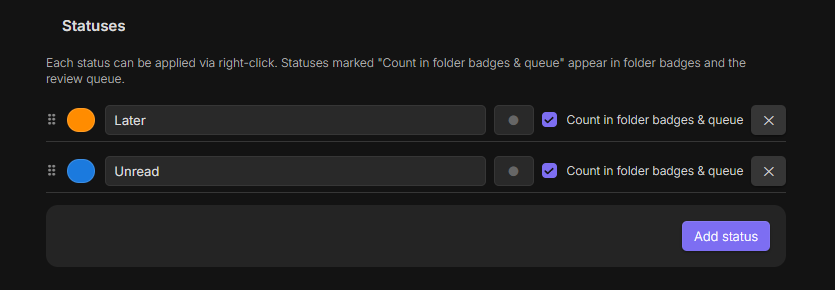
jsonis excluded by default. - Statuses — add, rename, recolor, give each an optional icon/emoji, and reorder them by drag-and-drop. "Count in folder badges & queue" controls folder badges and queue inclusion. Deleting a status asks for confirmation and shows how many files are affected.
- Snoozed files — overview of every currently snoozed file with remaining time and a one-click unsnooze button.
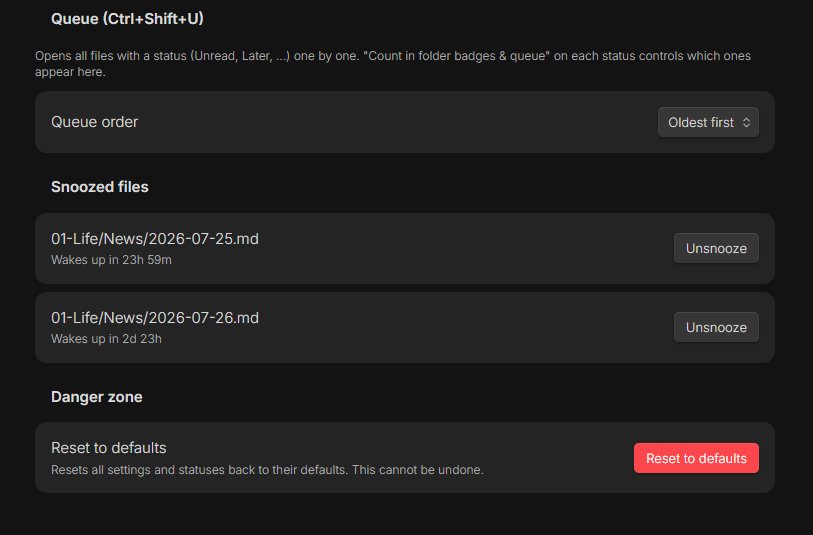
- Queue — order and auto-mark behavior for
Ctrl+Shift+U - Reset to defaults — resets all settings and statuses back to their defaults, behind a confirmation dialog