Trust Vault
Lock your notes into an encrypted container and unlock them again, powered by the tvault-core CLI.
- Overview
- Scorecard
- Updates5
Desktop-only Obsidian plugin that wraps the tvault-core CLI and turns a vault
into a lockable safe: Lock encrypts your notes into a container and removes
the plaintext; Unlock restores the notes from the container.
Website: tvault.app
Screenshots
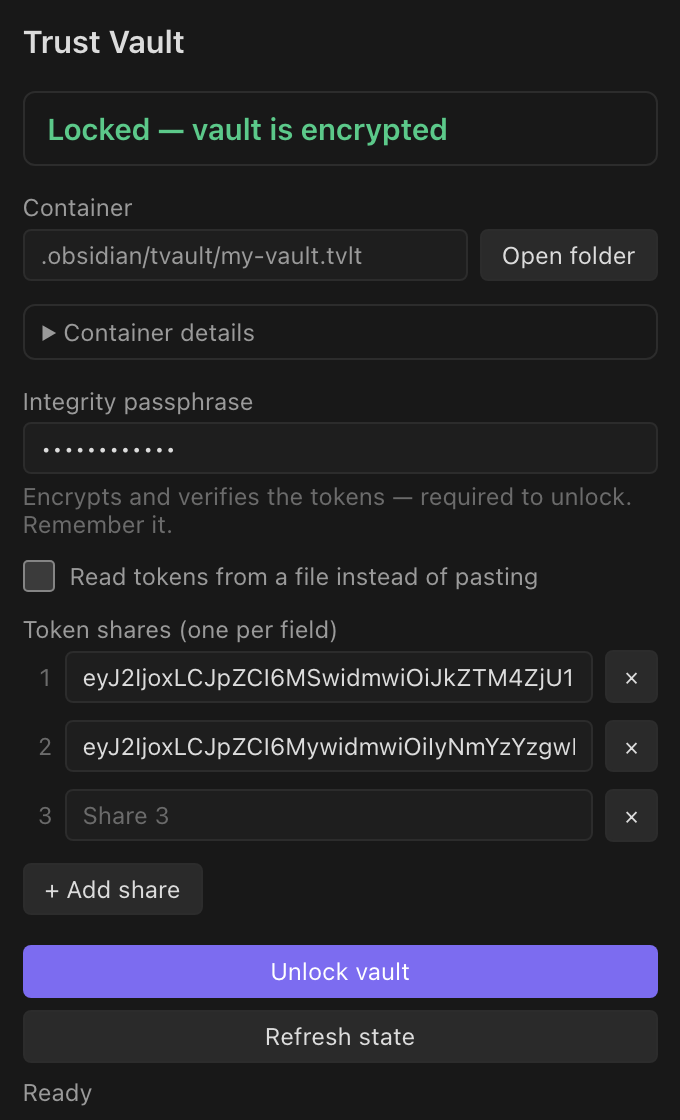
Side panel — the current state and one primary action (lock when unlocked, unlock when locked):
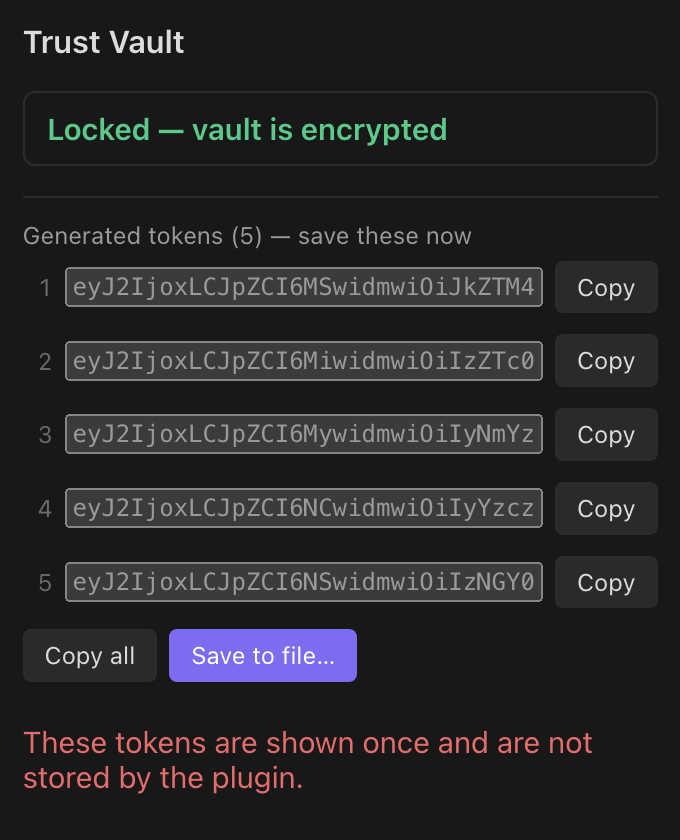
Generated tokens — save the Shamir shares to a file, or copy each share individually:
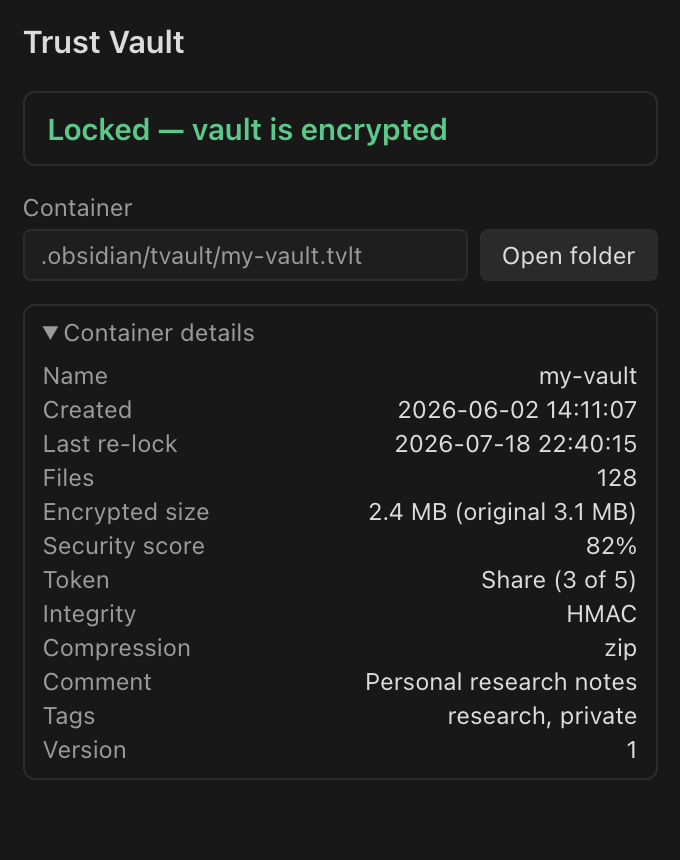
Container details — created / last re-lock, size, security score, token type, shares / threshold and more:
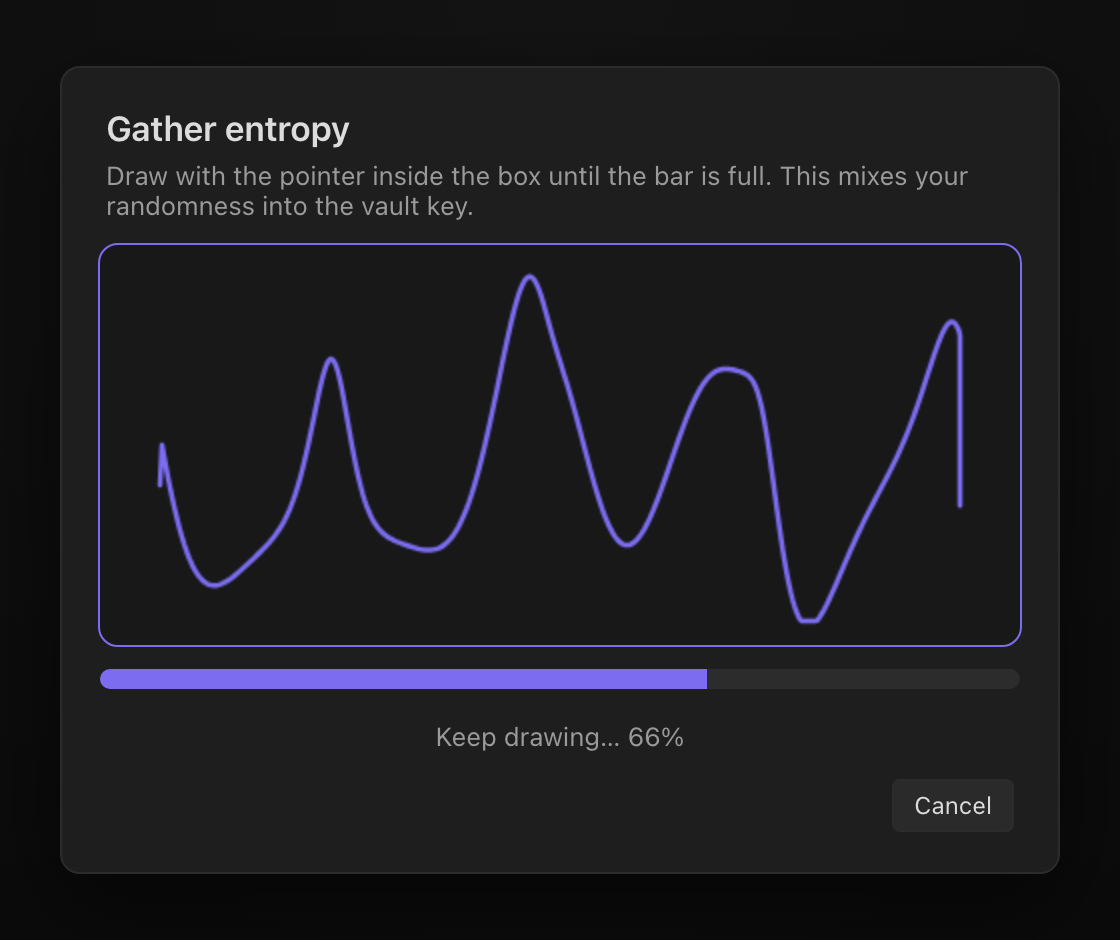
Gathering entropy — draw inside the box to mix randomness into the container key:
The lock / unlock model
- Unlocked — plaintext notes are present in the vault.
- Locked — notes are encrypted in the container; only
.obsidian(Obsidian config and this plugin) remains in the vault.
The .obsidian directory is never encrypted or removed: on lock the plugin
moves the notes into a temporary staging folder and packs only that, so the
plugin, its settings, and the bundled binary stay in place across a lock/unlock
cycle.
Side panel
Open the Trust Vault side panel from the ribbon (shield icon) or the Trust Vault: Open Trust Vault panel command. It shows the current state and one primary action:
- When unlocked, the button locks the vault (first lock creates the
container with
seal; later locks update it withreseal). - When locked, the button unlocks the vault (
unseal).
Fields adapt to the action and the container's token type:
- Container passphrase — only for
none(passphrase-only) vaults, where it is the single secret. Forshare/masterthe container key is generated with 256-bit entropy (see "Passphrases and entropy" below), so no container passphrase is asked. - Integrity passphrase — for
share/master, this encrypts and verifies the tokens and is required to unlock. Choose a strong one and remember it. - Tokens — to unlock or re-lock a
share/mastervault, paste the token shares (one per line, or the{"token_list": [...]}JSON from a previous lock). Enough shares to meet the threshold are required. A Read tokens from a file checkbox uses a file path instead. - After the first lock the generated tokens are shown once with a Copy tokens button — save them immediately, they are not stored.
The token type is chosen only for a brand-new container; for an existing one it is read from the container header, so you never have to remember it.
Safety
A lock never loses data:
- Notes are moved into
.tvault-stage; the container is written from there. - The container is verified with
tvault-core container info— itsfile_countmust match the number of staged files. - Only then is the staged plaintext deleted.
If the CLI fails, verification fails, or the app is interrupted mid-lock, the notes are restored from staging (on the next load if necessary) and the plaintext is kept.
Commands
- Trust Vault: Open Trust Vault panel — open the side panel.
- Trust Vault: Lock vault — encrypt notes and remove plaintext.
- Trust Vault: Unlock vault — restore notes from the container.
- Trust Vault: Lock and close vault — lock, then close the Obsidian window.
Command-palette actions use a single passphrase (reused for container and integrity) and read/write tokens via the token-file path in settings. The side panel is the flexible path for pasted tokens.
Passphrases and pasted tokens are never persisted by the plugin. The executable
is launched directly without a shell. The current tvault-core CLI accepts
passphrases only as command-line flags, so a secret can be briefly visible to
local process-inspection tools while an operation is running.
How the CLI binary is delivered
The plugin ships only main.js, manifest.json, and styles.css. On first use
it downloads the tvault-core binary for the current platform from the pinned
tvault-core release, verifies it against a SHA-256 checksum baked into
main.js, and caches it under the plugin folder. The release to download from
is pinned in cli.json (repo + version); the expected checksums live in
cli-checksums.json and are embedded at build time by esbuild.config.mjs.
To use your own build instead, set an absolute path in the plugin settings.
Build
cd obsidian-plugin
npm install
npm run build          # builds only the plugin (main.js)
npm run build:cli      # cross-compiles the CLI into bin/ + refreshes cli-checksums.json (needs Go)
npm run bundle         # both of the above
The CLI binaries are published by the tvault-core repository's
Release CLI binaries workflow (tag vX.Y.Z), which cross-compiles
darwin/linux/windows on amd64 and arm64. The plugin's own Release plugin
workflow (tag X.Y.Z) builds and attaches main.js, manifest.json, and
styles.css.
Releasing a new CLI version:
- bump
versionincli.jsonto the newtvault-corerelease tag; - run
npm run build:cliand commit the refreshedcli-checksums.json; - run
npm run buildand cut the plugin release.
Install (manual / BRAT)
Copy manifest.json, main.js, and styles.css into
<vault>/.obsidian/plugins/tvault/, then enable Trust Vault in Obsidian's
community-plugin settings. The binary downloads on first use.
Configuration
Everything has a working default, so the plugin runs with no configuration:
- tvault-core executable — empty uses the binary bundled with the plugin; set an absolute path (or a PATH command name) to override.
- Container path — empty stores it at
.obsidian/tvault/<vault>.tvlt, which is preserved on lock and never sealed into itself, keeping the vault portable. You may instead set an absolute path outside the vault. A container must never live in the note area (it would be encrypted into itself and then deleted); it is only allowed outside the vault or inside.obsidian. - Token file path — empty stores it at
.obsidian/tvault/<vault>.keys.json, used by the command palette and the panel's token-file option (not used with token typenone).
The default token mode for a new container is Shamir share with 5 shares and a
threshold of 3.
Passphrases and entropy
none— the container passphrase is the only secret; choose a strong one.share/master— the container's master key is generated with 256-bit entropy and split into the tokens; it is never shown or reused, because a human-chosen container passphrase would be a brute-forceable backdoor around the Shamir scheme.- Entropy by drawing (setting, on by default): on a first lock you are
asked to draw in a box; those pointer samples are hashed together with the
system CSPRNG to form the key — it is never weaker than
crypto.randomBytesalone, the drawing only adds entropy. - Integrity passphrase (toggle when creating the container): when on, the tokens are encrypted with it, so unlocking needs enough tokens and that passphrase (a leaked token file is useless without it — use a strong one). When off, the tokens alone unlock the vault with no passphrase; keep them safe. Existing containers keep whichever setting they were created with.
- Entropy by drawing (setting, on by default): on a first lock you are
asked to draw in a box; those pointer samples are hashed together with the
system CSPRNG to form the key — it is never weaker than
Security note. Because the tokens are encrypted with the integrity passphrase, storing the token file inside the vault (the default) is protected by that passphrase. For stronger separation you can still keep the token file outside the vault, or use pasted tokens (the panel default), which never writes a token file.
Keep independent backups of the container and token file. Losing the required token shares or the integrity passphrase makes the encrypted data unrecoverable.