Search...Search plugins and themes...
⌘K
Sign in
  • Get started
  • Download
  • Pricing
  • Enterprise
  • Account
  • Obsidian
  • Overview
  • Sync
  • Publish
  • Canvas
  • Mobile
  • Web Clipper
  • CLI
  • Learn
  • Help
  • Developers
  • Changelog
  • About
  • Roadmap
  • Blog
  • Resources
  • System status
  • License overview
  • Terms of service
  • Privacy policy
  • Security
  • Community
  • Plugins
  • Themes
  • Discord
  • Forum / 中文论坛
  • Merch store
  • Brand guidelines
Follow us
DiscordTwitterBlueskyThreadsMastodonYouTubeGitHub
© 2026 Obsidian

Theme Picker

trey-sedatetrey-sedate38k downloads

Quickly preview and select installed themes.

Add to Obsidian
  • Overview
  • Scorecard
  • Updates16

This plugin allows for quick selection of an installed theme without needing to navigate out of the Settings modal.

Currently limited to selecting from installed themes in YOUR_VAULT/.obsidian/themes

Usage
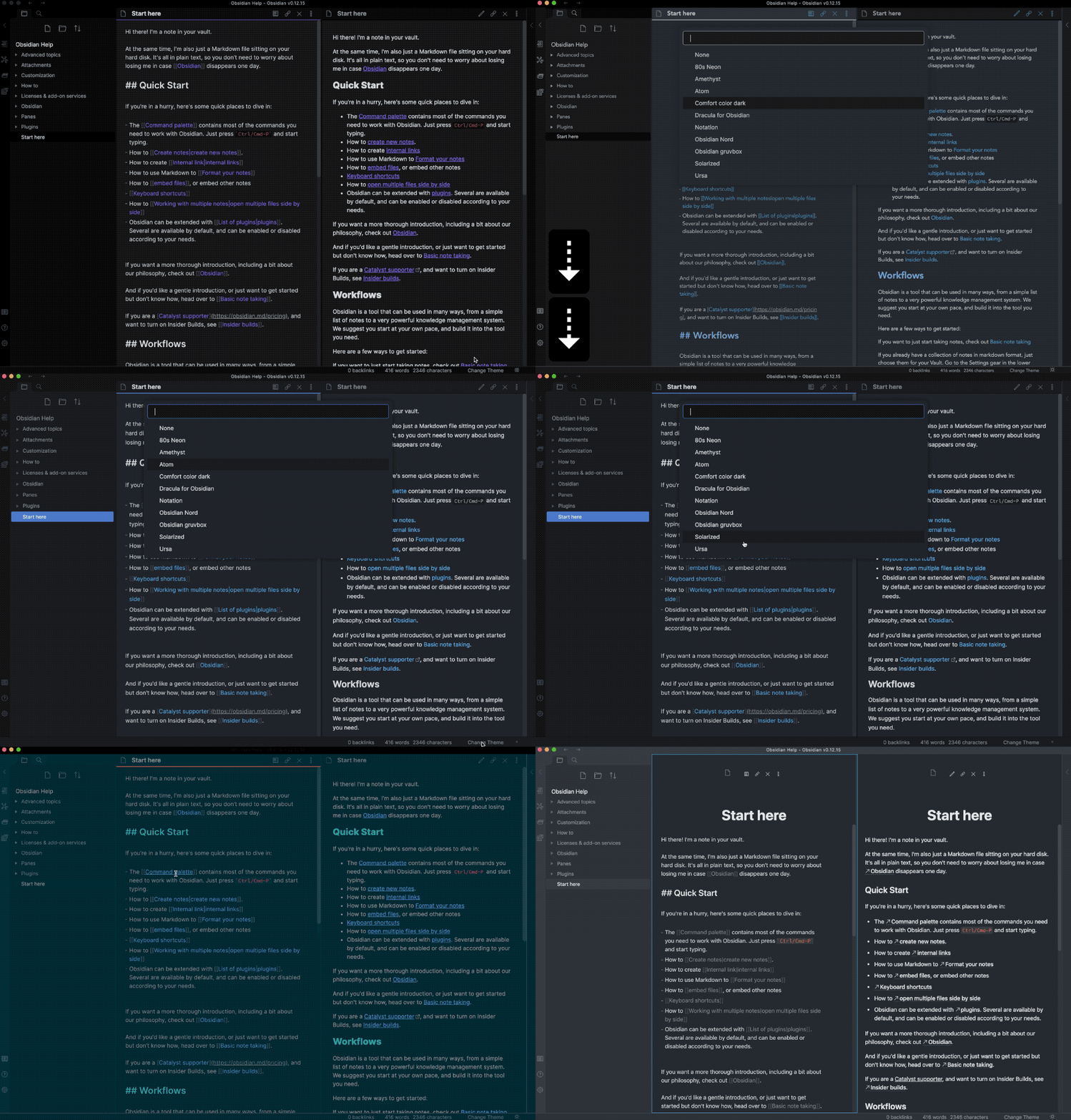
Plugin Usage GIF

52%
HealthFair
ReviewRisks
About
Select installed Obsidian themes from a quick picker inside the Settings modal. Switch themes instantly from your vault's .obsidian/themes folder without navigating away.
ThemingAppearance
Details
Current version
1.0.8
Last updated
4 years ago
Created
5 years ago
Updates
16 releases
Downloads
38k
Compatible with
Obsidian 1.0.0+
Platforms
Desktop only
License
MIT
Report bugRequest featureReport plugin
Author
trey-sedatetrey-sedate
github.com/kenset
GitHubtrey-sedate
  1. Community
  2. Plugins
  3. Theming
  4. Theme Picker

Related plugins

Minimal Theme Settings

Control the colors and fonts in Minimal Theme.

Hider

Hide interface elements such as tooltips, status bar, titlebar, and more.

Style Settings

Adjust theme, plugin, and snippet CSS variables.

Callout Manager

Easily create and customize callouts.

Contextual Typography

Add a data-tag-name attribute to all top-level divs in preview mode containing the child's tag name, allowing contextual typography styling.

Background Image

Specify a remote URL as the background image, and a few settings to tweak the experience.

Link Favicons

See the favicon for a linked website.

Lapel

Show the heading levels in the gutter of the editor.

Note Toolbar

Add customizable toolbars to your notes.

Pretty Properties

Makes note properties look more fun: adds side image, banners, list property colors and allows to hide specific properties.