The Deleometer
 michellegdyason209 downloads
A plugin for deep self-discovery journaling using AI. Use analysis history, and export options. Requires an OpenAI API key.
- Overview
- Scorecard
- Updates55
AI-powered journaling, multi-perspective analysis, goal generation, and reflective chat for Obsidian.
There's more to life than what psychiatry knows about.
Active repository: github.com/MichelleGDyason/The_Obsidian_Deleometer_v2
Current release: 1.0.11
Safety and Interpretation
The Deleometer is a reflective conversation and journaling tool. It is not a medical device, diagnosis, treatment, or substitute for medication, therapy, crisis support, or professional care already used by the journal author.
AI can make mistakes and can sound more certain than it is. Treat Deleometer responses as invitations to think with, question, revise, and discuss, not as truth to absorb undiluted. Use it like a rigorous conversation with a thoughtful friend, not an all-knowing or infallible robot. Continuing to chat with the AI can help mistakes become clearer, because you can challenge the response, ask for evidence, request a simpler explanation, or ask it to reinterpret the same entry through another frame.
If you use OpenAI mode, your OpenAI API key is hidden in the settings screen, but it is still stored locally in Obsidian plugin data. If your vault, device backups, or plugin data are synced or shared, treat the key as sensitive.
Security and Privacy
The Deleometer is an Obsidian plugin, not a sealed or encrypted vault. AI features send the relevant journal, chat, goal, author memory, and analysis context to the AI provider selected in settings. OpenAI mode sends context to OpenAI. Local Ollama mode sends context only to the configured local endpoint and does not silently fall back to OpenAI. The settings include privacy controls for redacting common sensitive details before AI calls, keeping author memory local, excluding the personality profile from prompts, clearing stored author memory, clearing the API key, avoiding full-journal context in perspective chat, and checking the local Ollama model library for changes.
Saved analyses, chats, goals, author memory, and plugin settings are stored locally as Obsidian data or Markdown. The Deleometer does not encrypt those files. Anyone with access to the vault, backups, sync provider, device account, or another sufficiently powerful Obsidian plugin may be able to read them. Install the plugin only from the MichelleGDyason GitHub repository or the official Obsidian community plugin listing when available, and treat BRAT beta releases as development builds.
File discovery is limited to the journal, goals, milestones, and Full Calendar folders configured in The Deleometer settings. The plugin does not enumerate every Markdown file in the vault. Author memory is updated incrementally from journal entries the user explicitly analyses; it does not scan the journal folder or the rest of the vault to learn about the author.
License Position
This project is licensed under the GNU Affero General Public License v3.0.
Why AGPL-3.0:
- it keeps the plugin open source
- it prevents privatized improvements from being closed off from the community
- it requires derivative works, including hosted or networked versions, to provide source code under the same license
As copyright holder, Michelle G Dyason may choose to relicense future versions under MIT if community adoption clearly requires a more permissive license. That does not change the license of versions already released under AGPL.
What It Does
The Deleometer helps you:
- write journal entries inside Obsidian
- generate multi-perspective AI analyses from each entry
- continue a live AI chat from a specific analysis perspective
- save that chat back into the original journal analysis note
- turn analysis suggestions into editable goals
- track goals and generated milestone notes
- consolidate similar goals and similar milestones
- optionally sync goals and milestones into the Full Calendar plugin
- review activity in an emotional intelligence dashboard
The plugin keeps an author memory summary so later analyses can respond as part of an ongoing reflective conversation with previous analyses. This is meant to help recurring themes, values, supports, risks, and patterns become easier to notice over time.
Requirements
- Obsidian
1.7.2or later - either an OpenAI API key or a local Ollama installation with a downloaded model
- desktop Obsidian is recommended for the full workflow; OpenAI mode works on mobile, while local Ollama mode is desktop-only
Installation
BRAT Beta Install
Obsidian42 - BRAT is the easiest way to install and update beta builds of The Deleometer before it is available in Obsidian's official community plugin directory.
- Back up your vault before testing beta software.
- In Obsidian, open
Settings -> Community plugins. - Turn off Restricted Mode if it is still enabled.
- Browse community plugins, install
Obsidian42 - BRAT, and enable it. - Open the command palette and run:
BRAT: Add a beta plugin for testing - When BRAT asks for the repository, paste either:
https://github.com/MichelleGDyason/The_Obsidian_Deleometer_v2or:MichelleGDyason/The_Obsidian_Deleometer_v2 - If BRAT asks which version to install, choose
Latestunless you intentionally want to freeze testing on one specific beta release. - Click
Add Pluginand wait for BRAT to finish downloading the plugin. - Go back to
Settings -> Community plugins, refresh the installed plugin list if needed, findThe Deleometer, and enable it. - Open
Settings -> Community plugins -> The Deleometerand complete the setup steps below.
To update a BRAT install later, open the command palette and run:
BRAT: Check for updates to all beta plugins and UPDATE
If The Deleometer does not appear after BRAT installs it, restart Obsidian, then check that your vault contains .obsidian/plugins/the-deleometer/ with manifest.json, main.js, and styles.css inside it. If BRAT reports an error, remove the beta plugin entry from BRAT and add the repository again.
Manual Install
- Create a plugin folder in your vault:
.obsidian/plugins/the-deleometer/ - Copy these files into that folder:
manifest.jsonmain.jsstyles.css
- Restart Obsidian or reload community plugins.
- Enable
The Deleometerin Community Plugins.
Development Build
- Install dependencies:
npm install
- Build the plugin:
npm run build
- Copy the runtime files into your Obsidian plugin folder:
main.jsmanifest.jsonstyles.css
Obsidian does not load main.ts directly. It must be built into main.js.
Setup
After enabling the plugin:
- Open
Settings -> Community plugins -> The Deleometer. - Choose an AI provider: OpenAI or Local Ollama.
- For OpenAI, paste your OpenAI API key. For Local Ollama, make sure Ollama is installed and running on this computer. The settings screen links to the official Ollama download page.
- Confirm or change the journal, goals, and milestones folders.
- If you use Full Calendar, set the
Full Calendar Folderto the folder watched by your Full Calendar local source.
Local Ollama models are local files. They do not come bundled with The Deleometer and they do not update themselves inside The Deleometer. The user must download at least one model in Ollama before local AI can work. In settings, use Find installed models to detect the models already available on the machine, then choose one from the installed model dropdown. If no models are found, use Download model into Ollama in settings, or install one directly in Ollama. Starter examples include llama3.1, qwen2.5, or mistral.
The Deleometer records the selected model digest and local model library signature, and shows a notice when your local Ollama model library changes. Use Find installed models again after pulling or replacing local models.
The settings screen also shows an approximate cost estimate based on how many analysis lenses are selected. OpenAI mode estimates API spend using gpt-4o-mini token pricing. Local Ollama mode has no OpenAI/API cost, but the user pays in local model download size, disk space, battery, CPU/GPU use, and slower runtime depending on the computer and model.
Basic Workflow
- Create a journal entry.
- Use
Save & Analyze. - Review the AI analysis sections.
- Click the perspective chat link you want to continue.
- Save the chat back into the source journal analysis note.
- Draft goals from the analysis.
- Optionally sync goal milestones into the milestones folder.
- Consolidate similar goals or milestones when the AI proposes overlapping next steps.
- Optionally sync goals and milestones into Full Calendar.
Analyses can be extensive. With all 262 frames enabled, an appended note may produce around 62,750 words, roughly a 301-minute read. Settings provide family shortcuts and one chronological catalogue for choosing individual analyses, so you can tune the output to the time and attention you have. Generated analyses follow historical chronology first. Period and intellectual-family labels provide context but never move a perspective out of its temporal milieu.
The analysis reader level can also be changed in settings. The available levels range from Grade 5 primary through professor-level analysis. This changes how much the AI explains specialist terms and how far it tries to guide the reader beyond their current zone of proximal development. The output language can also be changed in settings for generated analyses, syntheses, goals, chat replies, and journaling prompts. Current language options are English, French, and German.
Screenshots
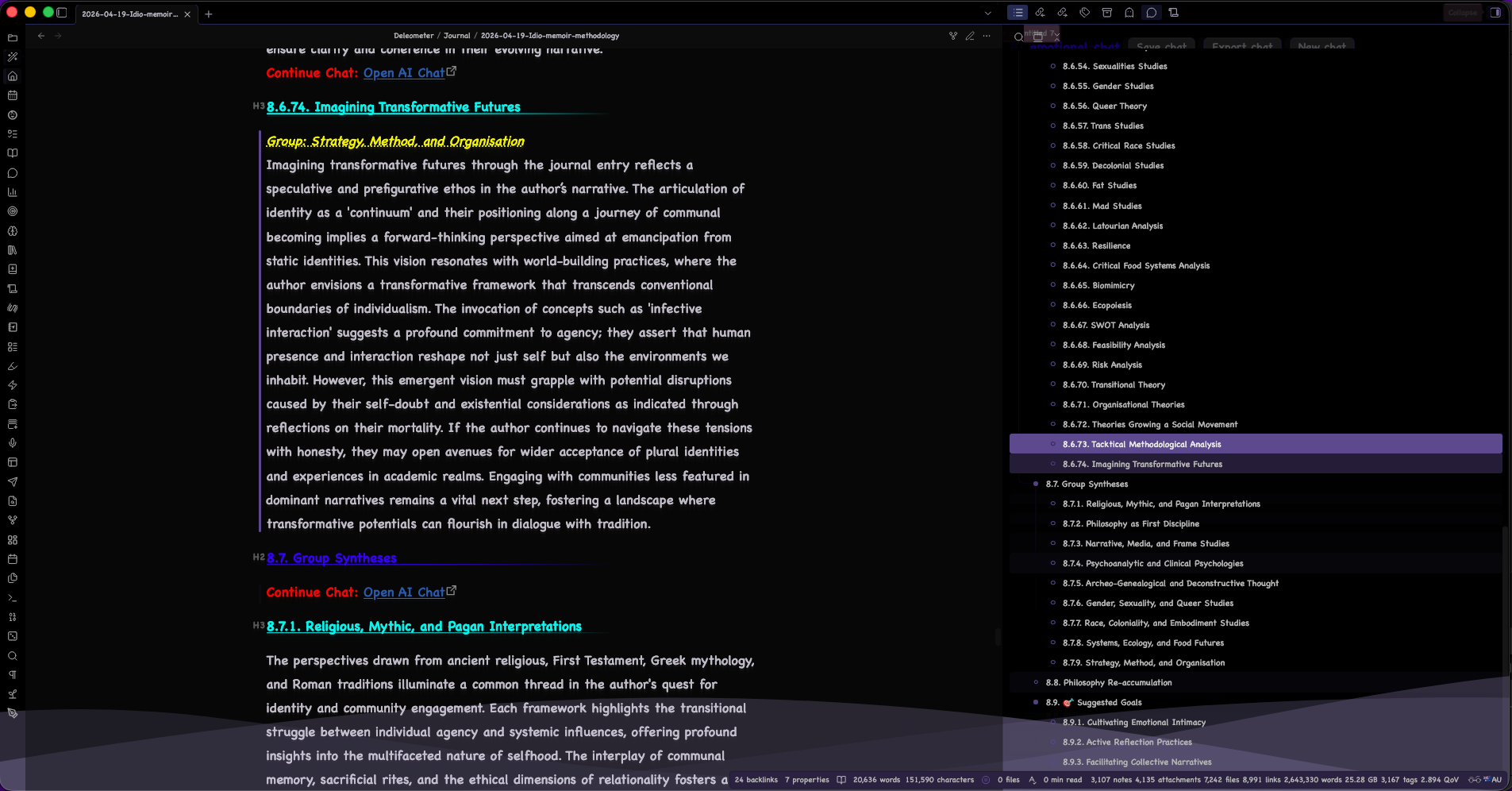
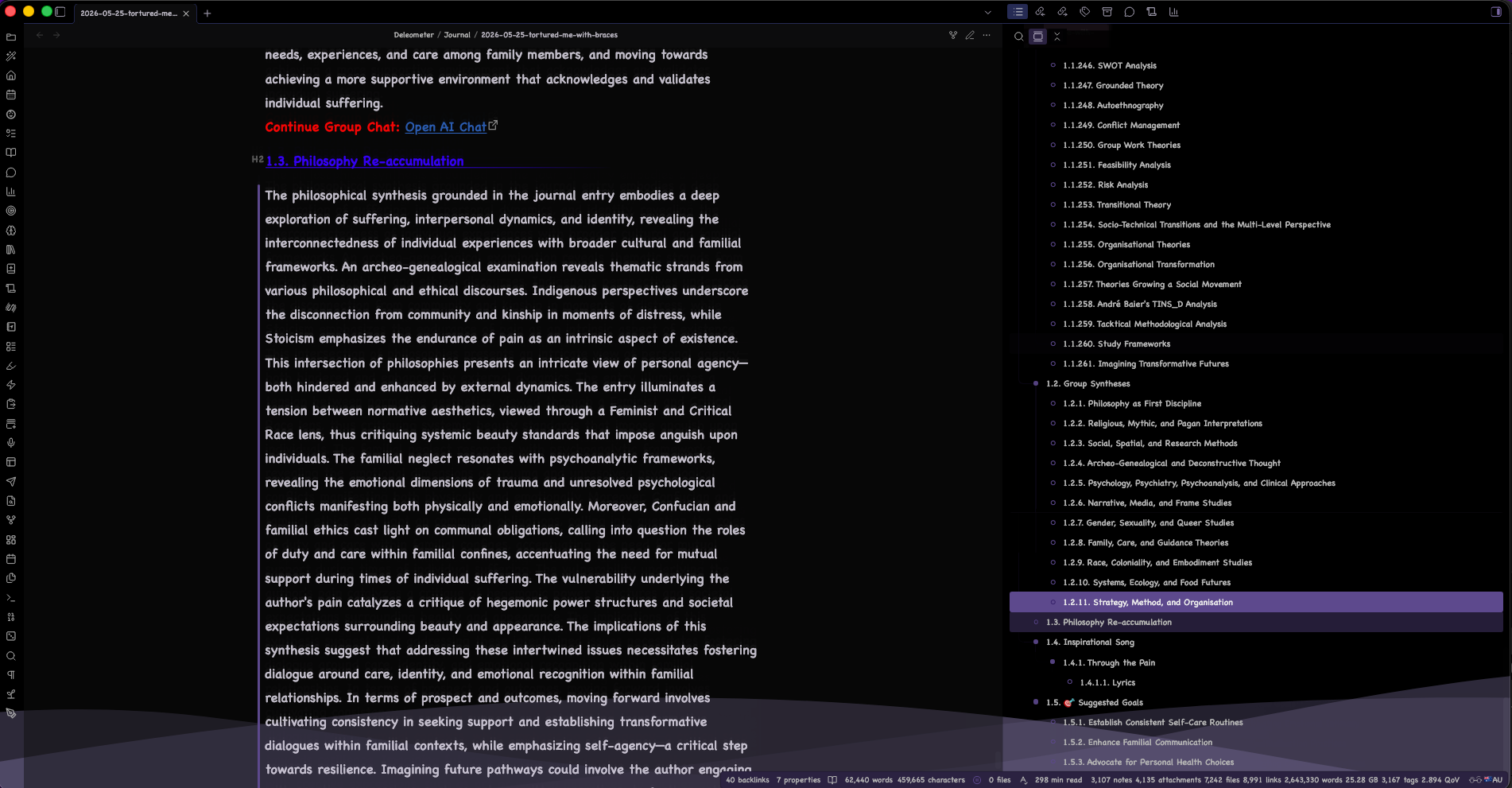
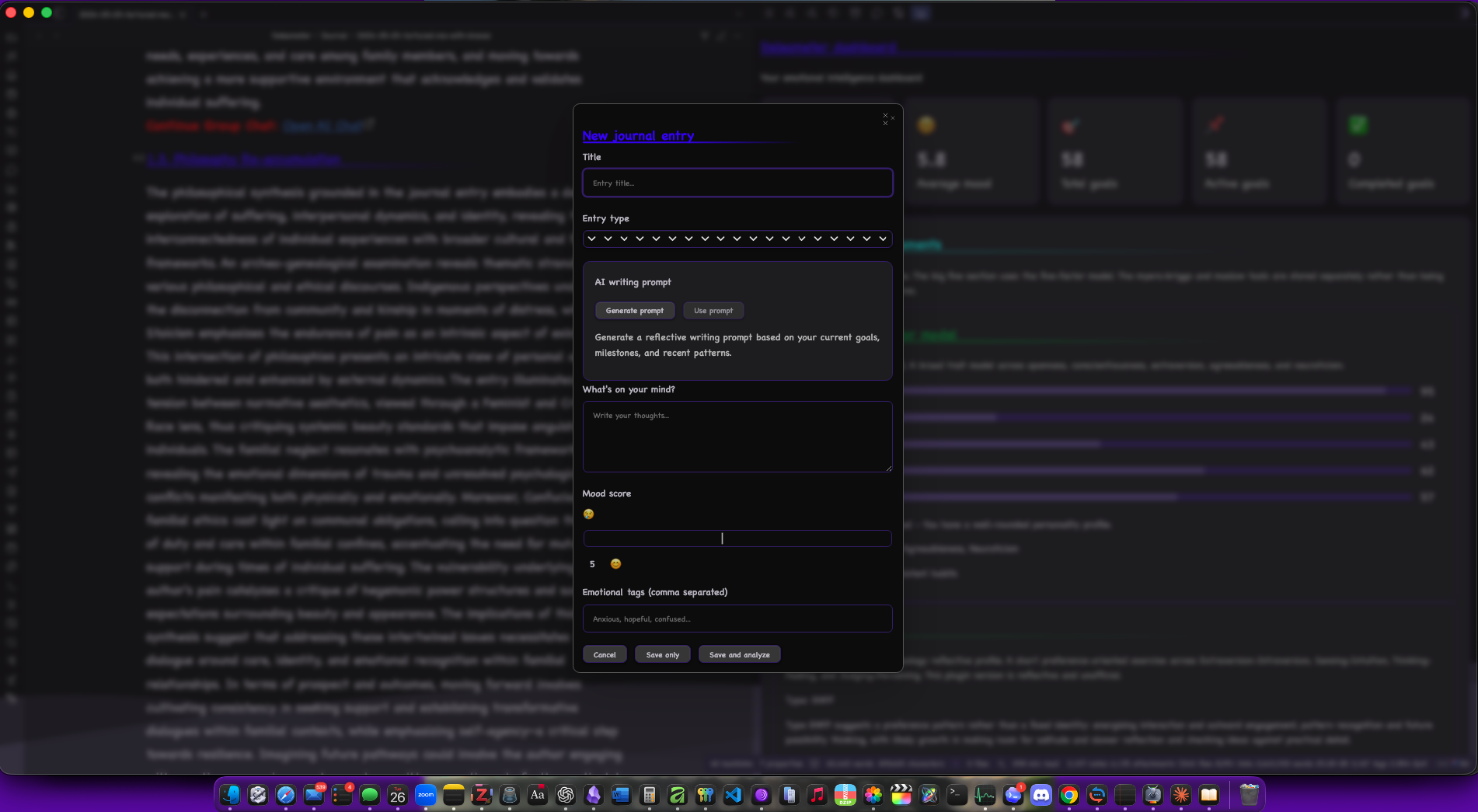
These captures show the current Obsidian workflow: long-form analysis output, group synthesis and goal sections, the journal-entry composer, and the reflective assessments modal.

Why This Exists
When I began my undergraduate course at university, I was learning new theories about self and subjectivity and wondered what it would be like if those theories could work as therapy. The Deleometer grew out of that question.
I am not a coder, but with the help of OpenAI's Codex I have been able to build a form of theoretical therapy intended for anyone who wants to think with more than one framework at once. The plugin treats a journal entry as something that can be read through philosophy, psychoanalysis, social theory, religion, cultural studies, and other traditions, not only as mood tracking or productivity data.
The goal is reflective agency. The author is meant to argue with the AI, learn from it, reject parts of it, and use the conversation to make their own meanings clearer.
Full Calendar Integration
The plugin can create dated goal and milestone event notes that the Full Calendar plugin can display.
It supports:
- goal due dates
- recommended milestone dates
- auto-sync when goals are created
- manual resync via command:
Sync goals to Full Calendar
Milestone Notes
The plugin can turn the milestones inside each goal into first-class Markdown notes under Deleometer/Milestones by default. This makes milestones easier to review, search, link, and reorganise in Obsidian.
Milestone support includes:
- automatic milestone notes when goals are drafted or created
- manual resync via command:
Sync milestones to folder - a dashboard and settings button for syncing milestones
- consolidation of similar milestone notes via command:
Consolidate similar milestones
Consolidation keeps one merged milestone note and marks the duplicate milestone notes as merged redirects, so the history of where the milestone came from is not simply erased.
Commands
The plugin includes commands for:
- creating journal entries
- opening the AI chat
- opening the dashboard
- creating goals
- taking the personality assessment
- syncing goals to Full Calendar
- syncing milestones to their folder
- consolidating similar goals
- consolidating similar milestones
- repairing goal note frontmatter
- backfilling analysis chat links for older notes
Notes for Public Release
Before publishing widely, you will probably want to:
- review RELEASE_CHECKLIST.md
- confirm your GitHub repository details are current in
package.json - keep
versions.jsonin sync with each release
Support
- Buy Me a Coffee: buymeacoffee.com/michellegdyason
- GitHub Sponsors: github.com/sponsors/MichelleGDyason
BRAT Beta Feedback
If you are testing a BRAT prerelease, please open a GitHub issue and include the exact beta version, what you expected, what happened instead, and the steps that led there.
- Open a beta feedback issue: github.com/MichelleGDyason/The_Obsidian_Deleometer_v2/issues/new/choose
- Mention whether the behavior happened in:
- a linked source note
- a newly exported note
- goal drafting
- milestone syncing or consolidation
- calendar syncing
- AI chat
Even a short note saying "BRAT beta X works for me on platform Y" is useful, because it helps show whether anyone besides the maintainer is actively testing.
You may also want to add:
- GitHub Issues link
- feature request link
- contact email or site
License
This project is licensed under the GNU Affero General Public License v3.0. See LICENSE.
Analysis Catalogue
The Deleometer currently includes 262 individual analysis frames across 11 intellectual families. Generated analyses are ordered by chronology, beginning with accumulated Australian Indigenous philosophy and then moving through ancient, classical, modern, and contemporary traditions so the analyses can show a progression in thought. A perspective's family is descriptive metadata rather than a shelf: it remains in its given period. Family syntheses are produced separately after the chronological individual analyses have been explicated.
Philosophy as First Discipline
- Australian Indigenous Philosophy Accumulated
- Buddhist Psychology
- Confucianism
- Platonic Philosophy
- Aristotle's Argonic Teachings
- Cynics' Philosophy
- Stoic Philosophy
- Bible Teachings
- Metaphysical Analysis
- Ontological Analysis
- Ethical Analysis
- Moral Philosophy
- Value Theory
- Philosophy of Mind
- Francis Bacon's Experimental Method
- René Descartes' Cogito and Subject
- Spinoza's Theologic-Ethico Philosophy
- Gottfried Wilhelm Leibniz's Monadology
- John Locke's Personal Identity
- David Hume's Bundle Theory of Self
- Aesthetics
- Moral Naturalism
- Metaethics
- Immanuel Kant's Transcendental Subject
- G.W.F. Hegel's Recognition and Subjectivity
- F. W. J. Schelling's Nature Philosophy
- Ralph Waldo Emerson's Environmental Thought
- Nietzschean Philosophy
- Henri Bergson's Duration and Creativity
- William James' Pragmatism
- Set Theory
- Phenomenology
- J. L. Austin's Speech Act Philosophy
- Analytic Moral Philosophy
- Martin Heidegger's Dasein Analysis
- Emmanuel Levinas' Ethics of the Other
- Continental Moral Philosophy
- Hermeneutics
- Existential Analysis
- Jean-Paul Sartre's Subjectivity
- Simone de Beauvoir's Situated Subject
- Maurice Merleau-Ponty's Embodied Subject
- Enactivism
- Feminist Philosophy
- Continental Feminist Philosophy
- Feminist Ethics
- Process Philosophical Analysis
- Vitalism
- Organicism
- P. F. Strawson's Personhood
- Harry Frankfurt's Volitional Self
- Sydney Shoemaker's Self-Knowledge
- Bernard Williams' Personal Identity
- Paul Ricoeur's Narrative Identity
- Derek Parfit's Reductionist Identity
- Jürgen Habermas' Communicative Subject
- Discourse Ethics
- Hannah Arendt's Action and Plurality
- Amartya Sen's Capability Approach
- Charles Taylor's Sources of the Self
- Alasdair MacIntyre's Narrative Self
- Edith Cowan's Civic Reform
- Diane "Ding" Dyason's Practical Ethics
- Jean-Luc Nancy's Being-With
- Judith Butler's Performativity and Subjectivation
- Catriona Mackenzie's Relational Autonomy
- Christine Korsgaard's Self-Constitution
- Marya Schechtman's Narrative Self
- Linda Martín Alcoff's Visible Identities
- Kwame Anthony Appiah's Identity Ethics
- Adriana Cavarero's Relational Uniqueness
- Dan Zahavi's Minimal Self
- Shaun Gallagher's Embodied Self
- Shaun Gallagher's Pattern Theory of Self
- Rosi Braidotti's Nomadic Subjectivity
- Continental Political Aesthetics
- Topological Analysis
Religious, Mythic, and Pagan Interpretations
- Ancient Religious Interpretation
- Ancient Egyptian Interpretation
- First Testament / Hebrew Interpretation
- Greek Gods Interpretation
- Roman Gods Interpretation
- Druidic Interpretation
- Celtic Religion Interpretation
- Second Testament / Christian Interpretation
- Muslim Interpretation
- Pagan Interpretation
- Herbalism
- Witchcraft
Social, Spatial, and Research Methods
- Cartographic Analysis
- Geography
- Anthropology
- Archaeology
- Sociology
- Public Policy Analytics
- Social Research Methods
- Pierre Bourdieu's Field, Habitus, and Capital
Narrative, Media, and Frame Studies
- Linguistic Analysis
- Semiotic Analysis
- Structuralism
- Textual Analysis
- Narrative Psychology
- Creative Non-Fiction
- Music Songwriting Analysis
- Idiotextual Analysis
- Intertextuality
- Frame Analysis
- Erving Goffman's Frame Analysis
- Media Studies
- Jean Baudrillard's Simulacra and Hyperreality
- Poetics
- Art Theory
- Susan Sontag on Interpretation
- Tessa Laird's Cinemal
Psychology, Psychiatry, Psychoanalysis, and Clinical Approaches
- Freudian Psychoanalysis
- Jungian Analysis
- Lacanian Psychoanalysis
- Julia Kristeva's Abjection and Semiotic
- Psychiatric Assessment
- Psychology
- Anti-Psychiatry
- General Practice Medical Diagnosis
- Attachment Theory
- Gestalt Therapy
- Transpersonal Psychology
- Maslow's Hierarchy of Needs
- Myers-Briggs analysis
- Cognitive Behavioral
- Positive Psychology
- Emotional Intelligence
Family, Care, and Guidance Theories
- Montessori Method
- Steiner Education
- Jean Piaget's Developmental Theory
- Lev Vygotsky's Sociocultural Theory
- Freirean Pedagogy
- Teaching in Primary School
- Teaching in Secondary School
- Teaching in Tertiary Education
- Trades Pedagogy
- Asian / Japanese Parental Guidance Practices
- African / Zimbabwean Parental Guidance Practices
- Western Parental Guidance Theories
- Advice from Grandma
Archeo-Genealogical and Deconstructive Thought
- Marxian Analysis
- Georges Bataillean Analysis
- Critical Theory
- Frankfurt School Critical Theory
- Max Horkheimer's Critical Theory
- Theodor W. Adorno's Negative Dialectics
- Louis Althusser's Ideology and Apparatuses
- Simondonian Analysis
- Foucaultian Analysis
- Foucauldian Discourse Analysis
- Derridian Analysis
- Deleuzian Schizoanalysis
- Žižekian Analysis
- Gayatri Chakravorty Spivak's Subaltern Analysis
- Posthumanism
Gender, Sexuality, and Queer Studies
- Feminist Psychology
- Luce Irigaray's Sexuate Difference
- Women's Studies
- Feminist Epistemology
- Feminist Methodologies
- Standpoint Theory
- Radical Feminism
- Ecofeminism
- Lesbian & Gay Studies
- Sexualities Studies
- Gender Studies
- bell hooks' Love and Pedagogy
- Elizabeth Grosz's Corporeal Feminism
- Donna Haraway's Situated Knowledges
- Queer Theory
- Trans Studies
Race, Coloniality, and Embodiment Studies
- Anti-Colonial Studies
- Critical Race Studies
- Frantz Fanonian Analysis
- Postcolonial Studies
- Decolonial Studies
- Pluriversal Politics
- Edouard Glissant's Poetics of Relation
- Moten and Harney Undercommons
- Crip Studies
- Fat Studies
- Mad Studies
Systems, Ecology, and Food Futures
- Ecology
- Traditional Ecological Knowledges
- Quantum Theory Analysis
- Gregory Bateson's Ecology of Mind
- James Lovelock's Gaia Theory
- Science and Technology Studies
- Latourian Analysis
- Karen Barad's Agential Realism
- Isabelle Stengers' Cosmopolitics
- New Materialisms
- Naturalism
- Philosophy of Science
- Philosophy of Physics
- Paul Feyerabend's Epistemological Anarchism
- French Philosophy of Science and Relation
- Michel Serres' Relations and Parasites
- Resilience
- Social-Ecological Systems Theory
- Critical Food Systems Analysis
- Food Sovereignty
- Feminist Food Studies
- Biomimicry
- Ecopoiesis
- Rewilding
- Regenerative Design
- Permaculture
- Theory of Landscape Design
- Reciprocity, Mutual Aid, and Sharing Economies
- Jesper Hoffmeyer's Biosemiotics
Strategy, Method, and Organisation
- Mechanical Engineering Analysis
- Electronics
- Computer Science
- Data Science
- Metascience
- Interdisciplinary Studies
- Australian Legal Discourse
- Architectural Theories
- SWOT Analysis
- Grounded Theory
- Autoethnography
- Conflict Management
- Group Work Theories
- Feasibility Analysis
- Risk Analysis
- Transitional Theory
- Socio-Technical Transitions and the Multi-Level Perspective
- Organisational Theories
- Organisational Transformation
- Theories Growing a Social Movement
- André Baier's TINS_D Analysis
- Tacktical Methodological Analysis
- Study Frameworks
- Imagining Transformative Futures