Table Checkbox Renderer
 dannns13k downloads
Interactive checkboxes for Markdown tables. Toggle checkboxes in Reading Mode to instantly update the Markdown file. Supports multiple checkboxes per cell and any table layout.
- Overview
- Scorecard
- Updates16
Enables interactive checkboxes inside Markdown tables. When you click a checkbox in Reading Mode, the plugin updates the underlying Markdown source, keeping your table and file in sync. It supports multiple checkboxes per cell and works robustly for any table layout.
Demo
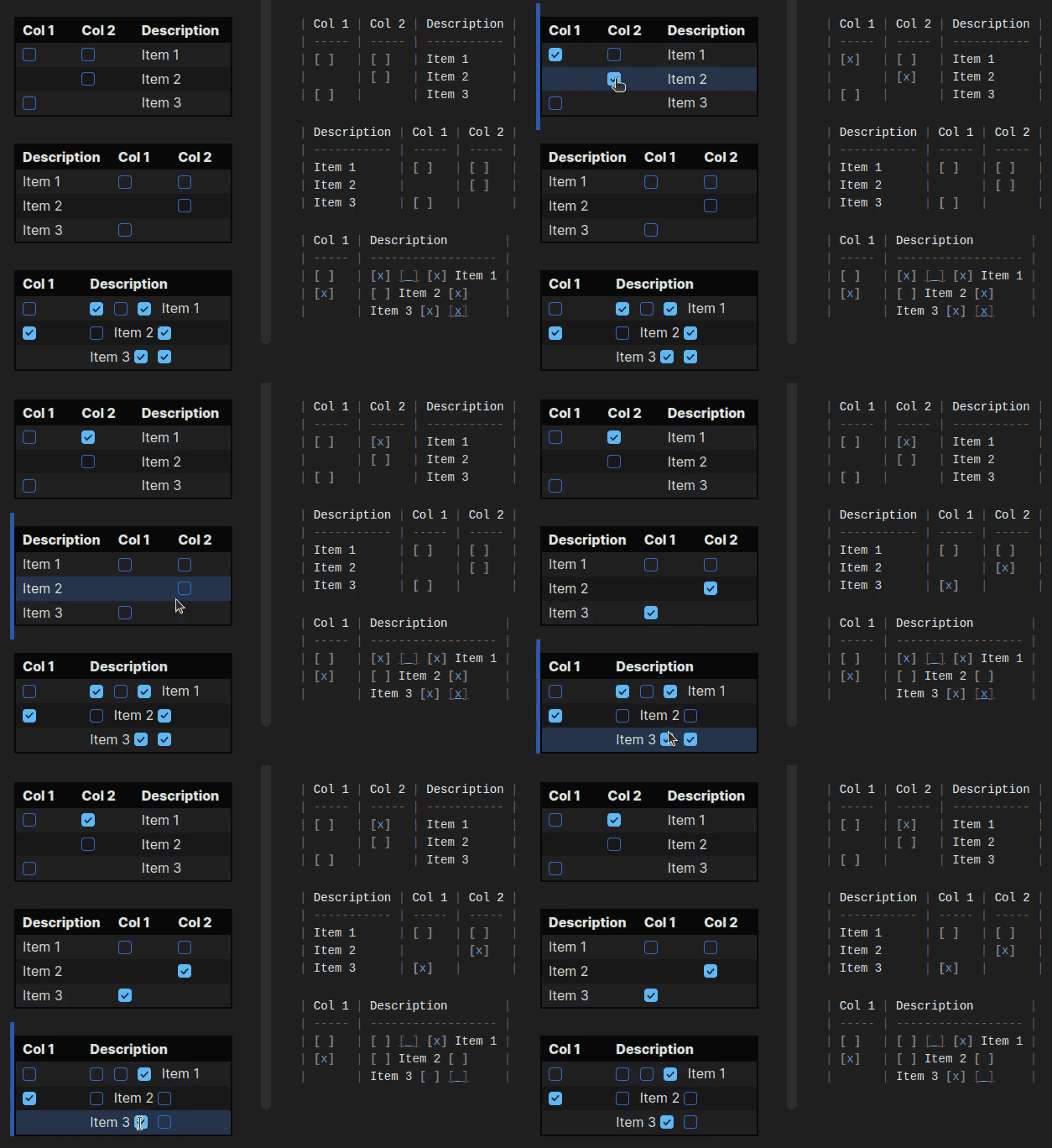
Features
- Interactive checkboxes in Markdown tables (Reading Mode).
- Supports multiple checkboxes per cell and per row.
- Changes are immediately saved to the Markdown file.
- Robust mapping between rendered checkboxes and source Markdown.
- Works with any table structure, including complex layouts.
Usage
- Install the plugin in Obsidian.
- Create a Markdown table with checkboxes (e.g.
[ ],[x]). - Click checkboxes in Reading Mode to toggle and save changes.
- In Edit Mode, checkboxes are in text form and can be toggled directly in the editor.
How It Works
- The plugin parses the rendered table and the original Markdown source.
- For each table row, it matches checkboxes in each cell to the corresponding checkbox in the source line using a global index.
- When a checkbox is toggled, the plugin updates the correct
[ ]or[x]in the Markdown file. - In Edit Mode, a CodeMirror extension decorates checkboxes and allows toggling directly in the editor.
Development
- Edit the TypeScript source files in the project directory.
- Install npm
npm install. - Run
npm run buildafter making changes to produce the updated plugin files. - Load the plugin in Obsidian's community plugins folder for testing.
Contributing
Pull requests and suggestions are welcome!
License
MIT
HealthGood
ReviewSatisfactory
About
Enable interactive checkboxes inside Markdown tables and toggle them directly in Reading Mode. Keep the rendered table and Markdown file in sync by updating the source on each toggle, with support for multiple checkboxes per cell and complex table layouts.Details
Current version
1.0.2
Last updated
7 months ago
Created
Last year
Updates
16 releases
Downloads
13k
Compatible with
Obsidian 1.8.0+
Platforms
Desktop, Mobile
License
MIT