Tab Group Arrangement
 situ2001931 downloads
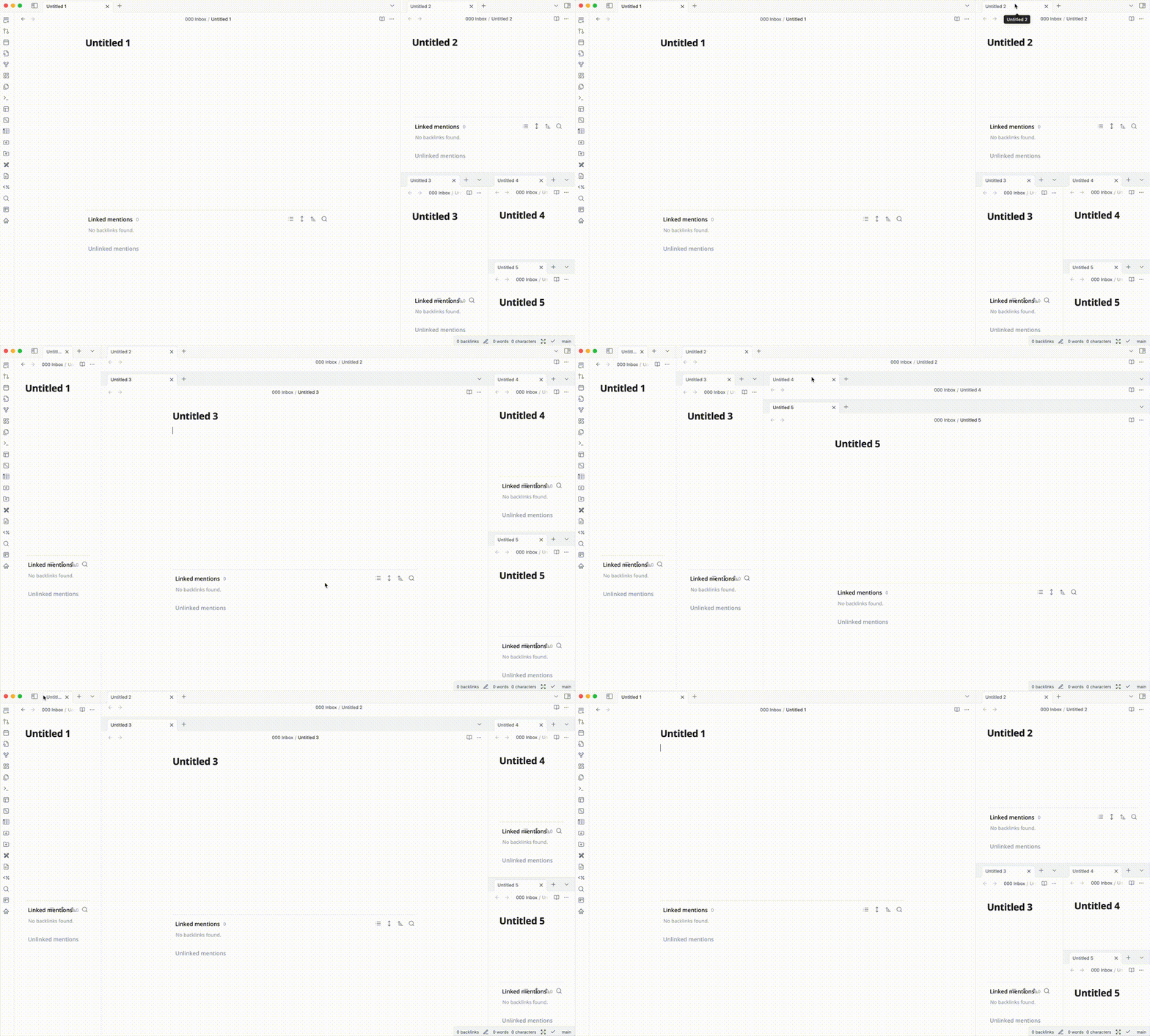
Arrange the tab group in a more flexible way. For now, it supports arranging evenly and expanded like VSCode. User can make action and switch mode of arrangement by clicking the status bar or executing commands.
- Overview
- Scorecard
- Updates2
Arrange your tab group in a more flexible way.
Introduction
This is a plugin for Obsidian, which provides a way to arrange the tab group in a more flexible way. Currently, the plugin supports the following features:
- Arrange action
- Arrange evenly: this action will arrange the tab group evenly.
- Expand active tab group: this action will expand the active tab group, and shrink the other editors to the minimum size. Just like what vscode does.
- Arrange Mode
- Manual: Do nothing.
- Auto Expand: Automatically expand the active tab group when the active tab group is changed or when you click on the editor tab.
How to use
- Install and enable the plugin.
- Then you can make actions and switch modes from
- The status bar. You can find a clickable icon with tooltip
Tab Group Arrangementwhen you hover on it. - The command palette. Just type
Tab Group Arrangementand you will find the commands.
- The status bar. You can find a clickable icon with tooltip
- Enjoy!
Limitations
- The plugin is still in the early stage, so there might be some bugs.
- In some cases, after switching mode to auto expand, you should change the active tab group or click on the editor tab to trigger the expand action.
- Since double click on tab of editor will cause Obsidian window to maximize, the plugin does not support double click on tab to expand the active tab group.
TODOs
- Write the README
- Fix some bugs that impact the basic functionality
- Support tab group expand mode similar to vscode
- Support ratio mode, for example, 3:1, 1:2:1, 1:1:1:1 etc.
- Support ratio mode from UI. For example, user can drag the border/input ratio to change the ratio of the tab group.
- Support custom arrangement mode, by the workspace layout state provided by user. For example, the plugin can read the root split state from workspace layout, and then apply the arrangement to the tab group without replacing the open editors.
HealthGood
ReviewSatisfactory
About
Arrange tab groups evenly or expand the active group while shrinking the others, mirroring VS Code behavior. Switch between manual and auto-expand modes to auto-expand the active group on focus change or editor tab click.Details
Current version
1.0.1
Last updated
2 years ago
Created
2 years ago
Updates
2 releases
Downloads
931
Compatible with
Obsidian 0.15.0+
Platforms
Desktop only
License
MIT
Sponsor