Storyteller Comic Drafter
 Jim24 downloads
Draft comic scripts with drag-and-drop page, panel and lettering blocks, then export to an editable Word file.
- Overview
- Scorecard
- Updates7
Draft comic scripts in Obsidian with drag-and-drop pages, panels and lettering blocks, then export them to an editable Word file.
Scripts are .comic files with their own editor. The editor and the export follow Greg Pak's comic script template: Courier 12pt, PAGE ONE, Panel 1: running into its description, and numbered dialogue hanging at 2".
Features
Writing
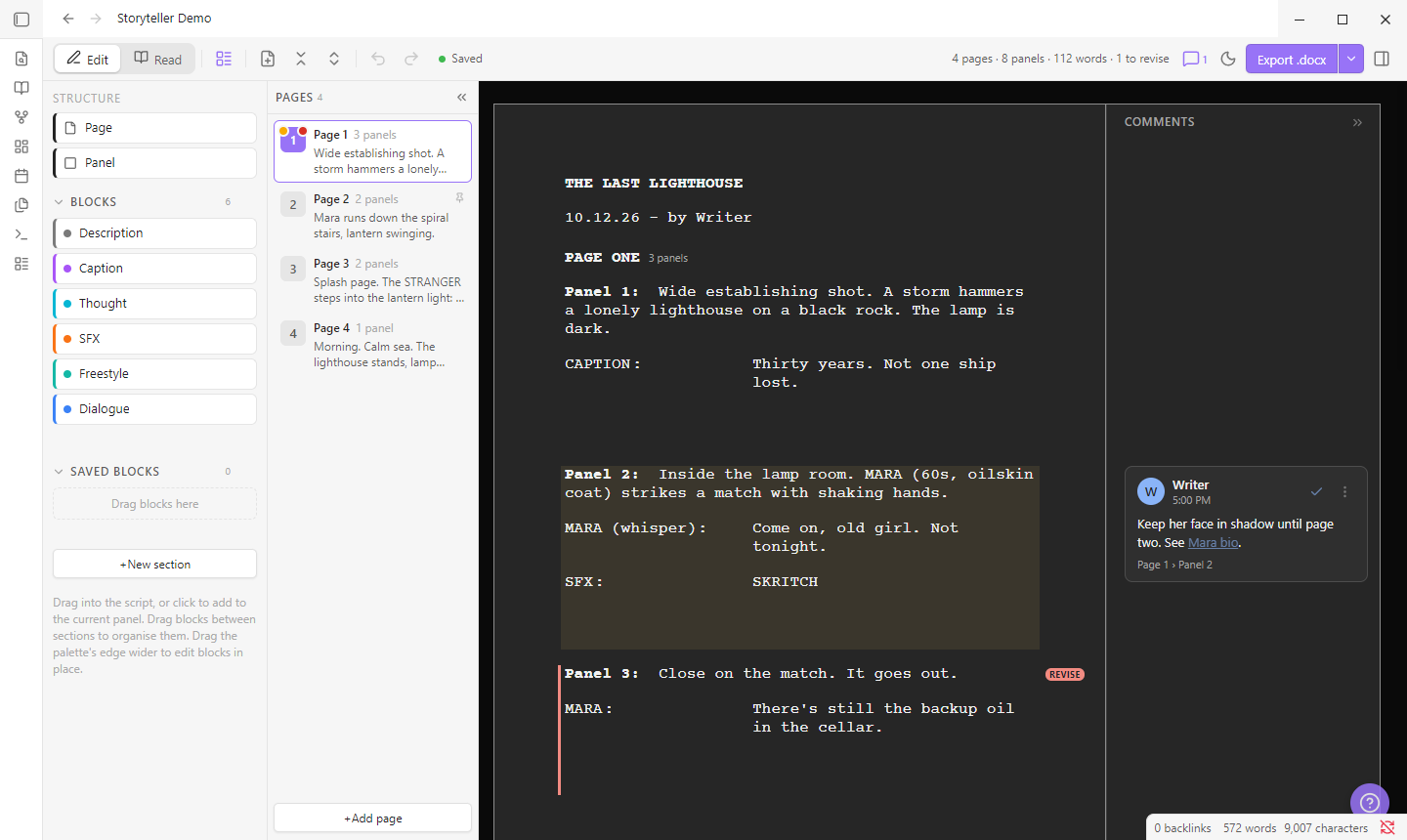
- Pages → panels → blocks. Drag to reorder anything. Page, panel and balloon numbers update automatically.
- Block palette. Drag or click Description, Dialogue, Caption, Thought, SFX or Freestyle into the script. Add your own block types and save reusable blocks, then organise them into sections.
- Quick-add row. Each panel has a row of "+" buttons for adding blocks. Star (☆) the blocks you use most in the palette and only those appear there, in palette order, so the row stays short however big your palette gets.
- Speaker field. Type
MAYA (off)and it splits into speaker and modifier. Names autocomplete from the script. - Formatting. Bold, italic, underline and highlight (Ctrl+B / I / U, Ctrl+Shift+H). Freestyle blocks can also be aligned, indented, boxed or resized.
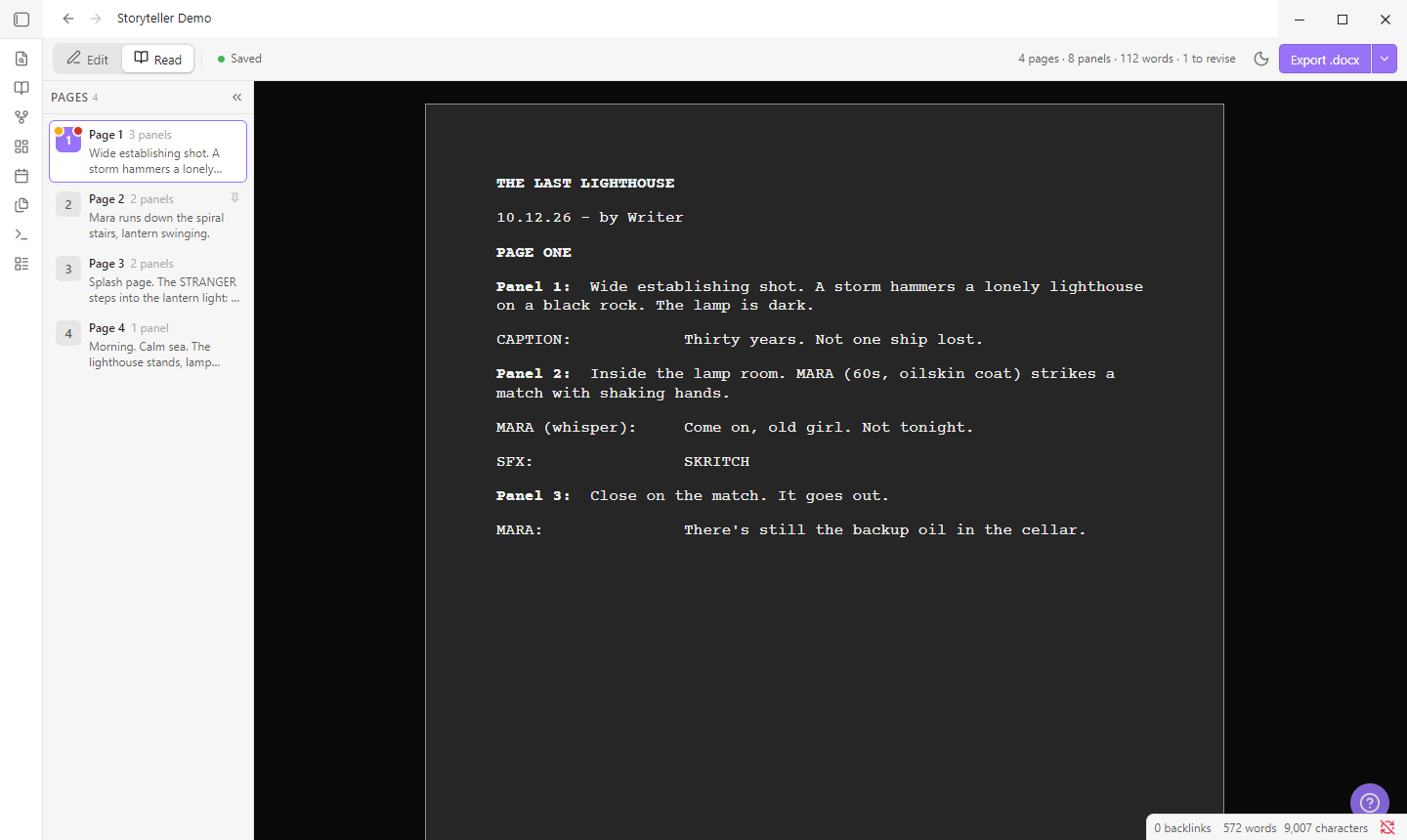
- Read mode (Ctrl+E) shows the script as it will print.
Organising
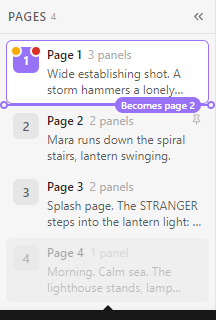
- Pages list. Jump to any page, drag to reorder, or collapse it to a rail of numbers. A line shows exactly where a dragged page will land.
- Swap or move pages from a picker, without dragging.
- Comments in a Google Docs-style margin, with
[[links]]to your notes. - Mark for revision, pin, highlight and lock any page, panel or block (right-click).
- Undo for every change, including deletes.
| Read mode | Moving a page |
|---|---|
 |
 |
Exporting
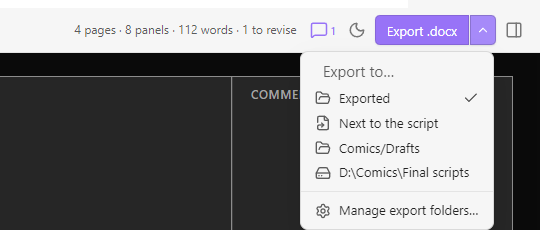
- Export .docx saves a Word file with the template's styles, a page break per comic page, margin comments,
[REVISE]markers and your highlights. It then opens in Word (optional). - Several export folders. Add vault folders, "next to the script", or any folder on your computer (desktop only). The ▾ arrow beside the button picks one, and the button remembers it.
- Script folders. Choose where new
.comicscripts are created. With several, you're asked each time.
Keyboard shortcuts
| Keys | Action |
|---|---|
| Ctrl/Cmd + B / I / U | Bold / italic / underline |
| Ctrl/Cmd + Shift + H | Highlight |
| Ctrl/Cmd + E | Edit / Read mode |
| Ctrl/Cmd + Enter | New block of the same type |
| Ctrl/Cmd + Shift + Enter | New panel |
| Alt + ↑ / ↓ | Move the current block |
| Alt + PageUp / PageDown | Previous / next page |
| Ctrl/Cmd + Z / Shift + Z | Undo / redo (outside text fields) |
| ? or Ctrl/Cmd + / | Help and all shortcuts |
Settings
- Block types, palette and new pages: your own block types, and which blocks a new panel starts with.
- Numbering:
PAGE ONEorPAGE 1; balloon numbers per page, per panel, or off. - Appearance: draft font and size, light / dark / auto paper, animations.
- Word export: comments, revision markers, highlights, page breaks, Word font, open after export, export folders.
- New scripts: script folders.
Privacy
- No network access and no telemetry.
- Reads and writes your
.comicscripts and exported.docxfiles only. Files go outside the vault only if you add a computer folder as an export folder. - After exporting, it can open the
.docxin your default app. You can turn this off.
Install (manual)
npm install
npm run build
Copy main.js, manifest.json and styles.css into <vault>/.obsidian/plugins/storyteller-comic-drafter/ and enable the plugin under Settings → Community plugins. Use npm run dev to rebuild on save and npm run lint to run Obsidian's review rules.
Tips
- Obsidian hides
.docxfiles unless Settings → Files and links → Detect all file extensions is on. Use the export notice's Show in file manager link. - For an exact template match, set Word font to Courier Final Draft if you have it installed.
- On touch devices, use right-click (long-press) → Move up / Move down instead of dragging.
HealthExcellent
ReviewSatisfactory
About
Draft comic scripts with drag-and-drop pages, panels and reusable blocks. Reorder pages, move panels and blocks by dragging while balloon and panel numbers renumber automatically. Export editable Word scripts using Greg Pak's comic template and edit .comic JSON files in a dedicated editor. Send me an email if you want sumn to add too :>Details
Current version
0.3.0
Last updated
14 hours ago
Created
Yesterday
Updates
7 releases
Downloads
24
Compatible with
Obsidian 1.4.0+
Platforms
Desktop, Mobile
License
MIT
Sponsor