Still
 suka23314 downloads
Track subscriptions and free trials, and decide before each renewal whether to keep paying.
- Overview
- Scorecard
- Updates4
Before it renews, Still asks: still using it?
Still keeps track of your subscriptions and free trials, inside the notes app you already use. Before each charge it shows a card — keep, cancel, or decide later — one click. Available for Obsidian and SiYuan.
中文说明 · Changelog · Developing
Features
- Reminders before every charge — 3 days and 1 day ahead by default, and before free trials convert; same-day reminders wait for your notify time.
- The "still using it?" card — what this charge costs and roughly how much you've paid so far. "Cancel it" marks the subscription cancelled, with Undo and a shortcut to the provider's cancellation page.
- Push to your phone — Bark, ntfy, Telegram, Server酱 (WeChat), WeCom, DingTalk, Feishu, Discord, Slack, Gotify or any webhook.
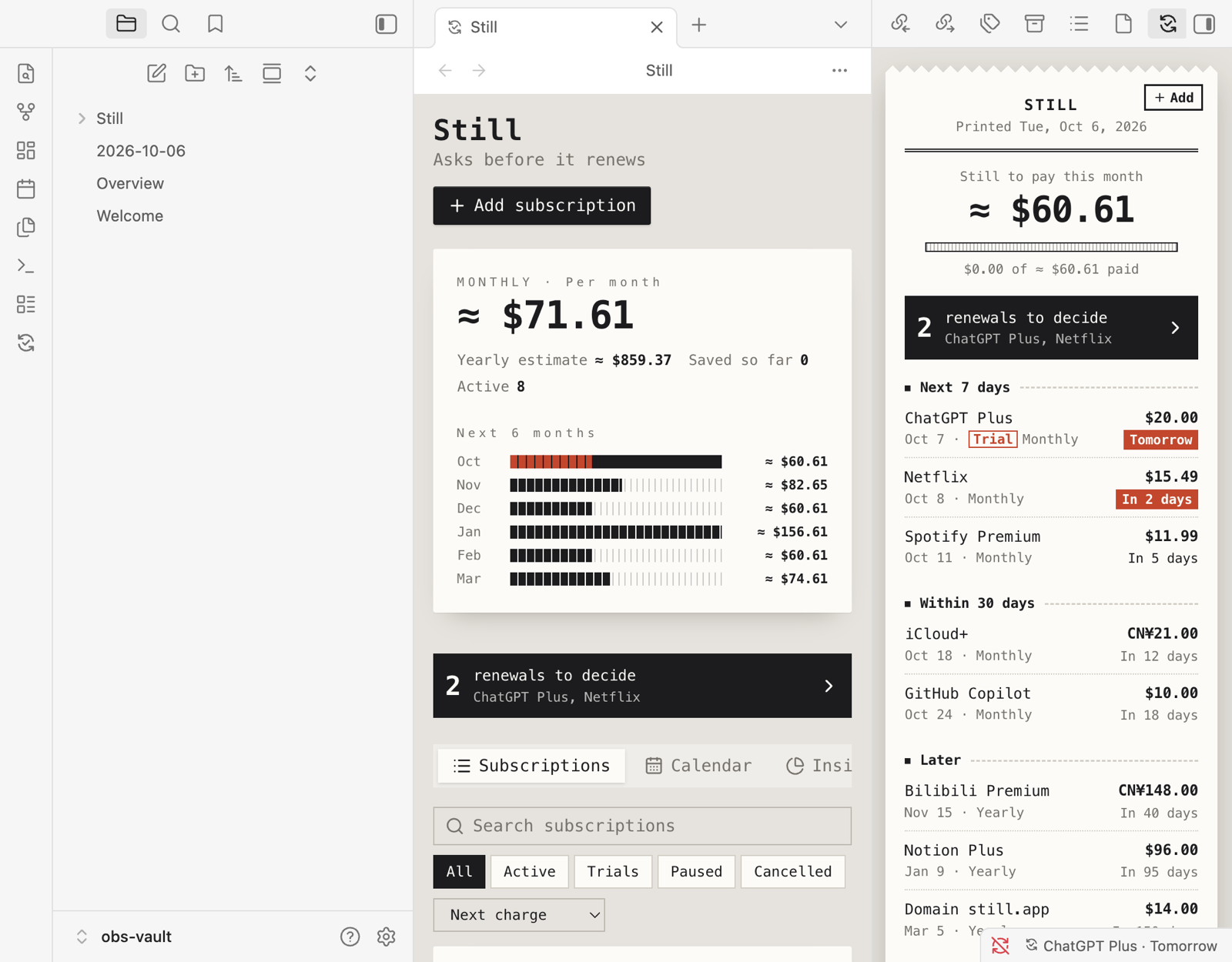
- A sidebar that answers "what's next?" — what's left to pay this month, decisions waiting for you, upcoming charges; the status bar shows the next one.
- Manager — monthly and yearly spend, savings, six-month forecast, calendar and category insights.
- 90+ services with brand icons; multi-currency totals combined with exchange rates.
- Eight themes — five receipt styles (Thermal, Boutique, Ticket, Riso, Swiss) plus Calm, Wallet and Timeline — each in light and dark, following your app.
- Lives in your notes — daily-note entries for charges and cancellations, and a live overview table in any note.
- Your data stays yours — plain JSON files in your vault or workspace, synced however you sync it; JSON export and import, and the same format in both apps.
Obsidian
Install from Settings → Community plugins → Browse, search for "Still". Requires Obsidian 1.8.7 or later; works on desktop and mobile.
Open the sidebar with the ribbon icon or the command Still: Open upcoming charges; Still: Open subscriptions opens the manager in a tab.
Data is kept in the vault folder
Still/(one JSON file per record); rename or move it in Settings → Still, and the data moves with it.Put a live table of upcoming charges in any note:
```still
days: 30
limit: 10
```
Both lines are optional. Still: Insert subscription overview inserts a static table instead.
Daily notes — turn on "Write to daily note" in Still's settings; entries go into today's note using your Daily notes settings (folder, date format, template).
Markdown notes (optional, in Settings → Still) — one note per subscription in
Still/Notes, with its details as properties, plus aSubscriptions.baseview. Still maintains these notes; change subscriptions in Still.Obsidian has no background process, so reminders and pushes happen while Obsidian is open on any of your devices; anything missed is caught up the next time it starts. If several devices sync the vault, pick one as the sender in Settings → Notifications.
SiYuan
Install from Bazaar → Plugins, search for "Still" or "续了么". Requires SiYuan 3.8.5 or later. Reminders are computed by a kernel plugin, so they're scheduled and pushed even with every window closed. See the SiYuan guide for the dock, the /still overview table and the AI agent tool.
Privacy
Apart from push channels you configure, Still only calls public exchange-rate APIs (open.er-api.com / Frankfurter; turn conversion off in Settings to stop). Your subscription data is never uploaded.
License
MIT © suka233