Stashwise
The Stashwise Reads the videos, posts and articles you save from your phone and writes the summary and key points. Those notes land in your vault, ready to search, link and build on.
- Overview
- Scorecard
- Updates8
Bring your Stashwise library and wiki into your vault as real notes, search them from anywhere in Obsidian, and send what you write back.
Stashwise saves what you find on the web, on social platforms and in video, then reads it and builds a wiki of the topics that keep coming up. This plugin puts that in the vault where you already think, so saved material sits beside your own writing instead of behind another app.
It works on your phone too. Save something from any app with the Stashwise share sheet, open Obsidian on the same phone, and the note is waiting for you.
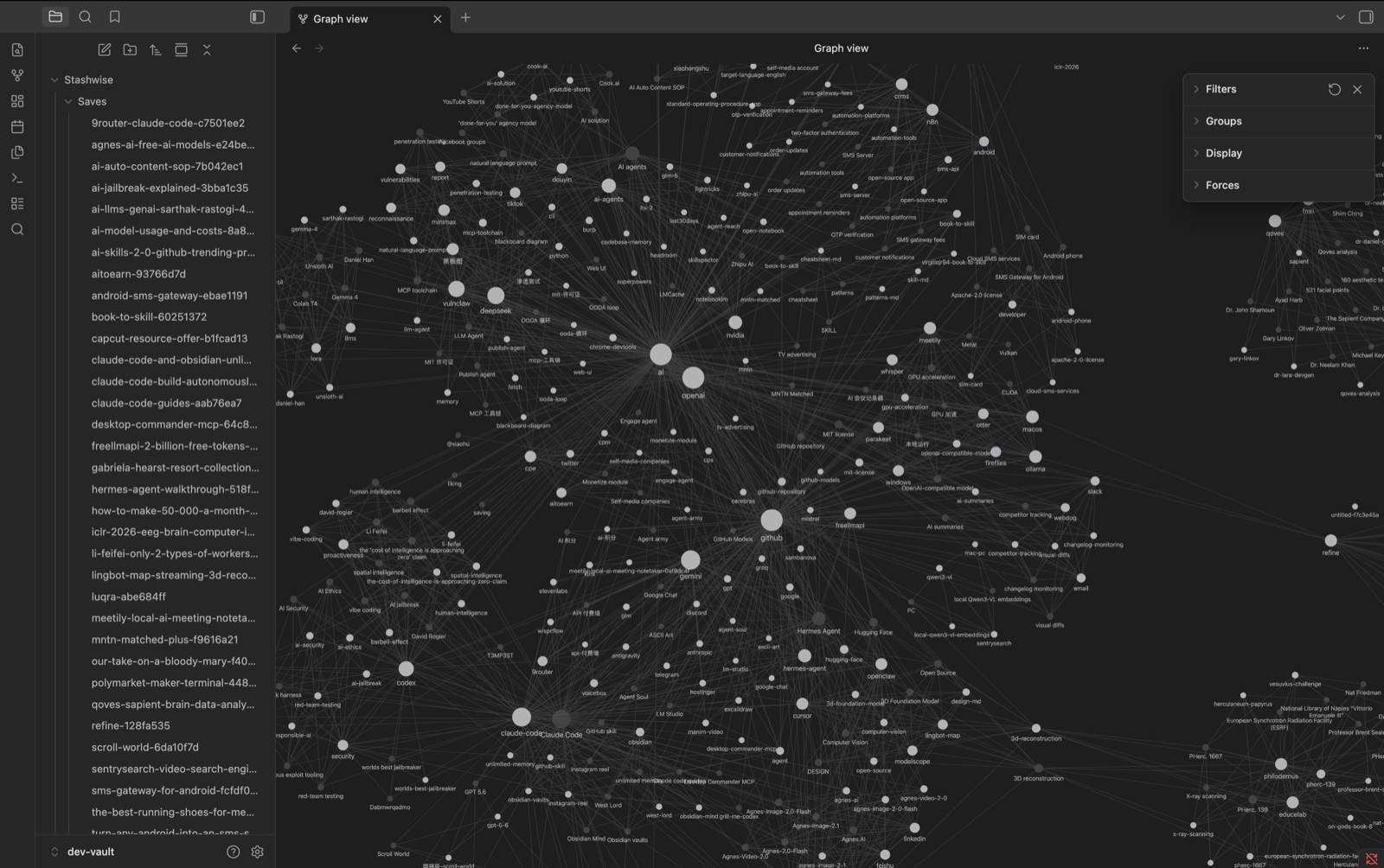
Your wiki topics in Obsidian's graph view, linked the way Stashwise found them.
Install
Stashwise is in Obsidian's community plugin directory, so it installs from inside the app. No downloads, and nothing to copy into your vault.
- Open Settings with
Cmd/Ctrl + , - Go to Community plugins in the left sidebar
- If you see Restricted mode, click Turn on community plugins
- Click Browse
- Search for Stashwise
- Click Install, then Enable
That is it. Skip to First run.
The same steps work on iOS and Android, and Obsidian keeps the plugin updated from there. Its directory page is community.obsidian.md/plugins/stashwise.
Installing a specific version by hand
Worth doing only if you need a version other than the current one, or you are testing a build before it ships.
- Download
main.js,manifest.jsonandstyles.cssfrom the releases page - Create the folder
.obsidian/plugins/stashwise/inside your vault - Put the three files in it
- Restart Obsidian, then enable Stashwise under Community plugins
On mobile the .obsidian folder is hidden, so this is easiest with a vault you
sync from a computer.
First run
Connect your account. Settings, Stashwise, click Connect account.
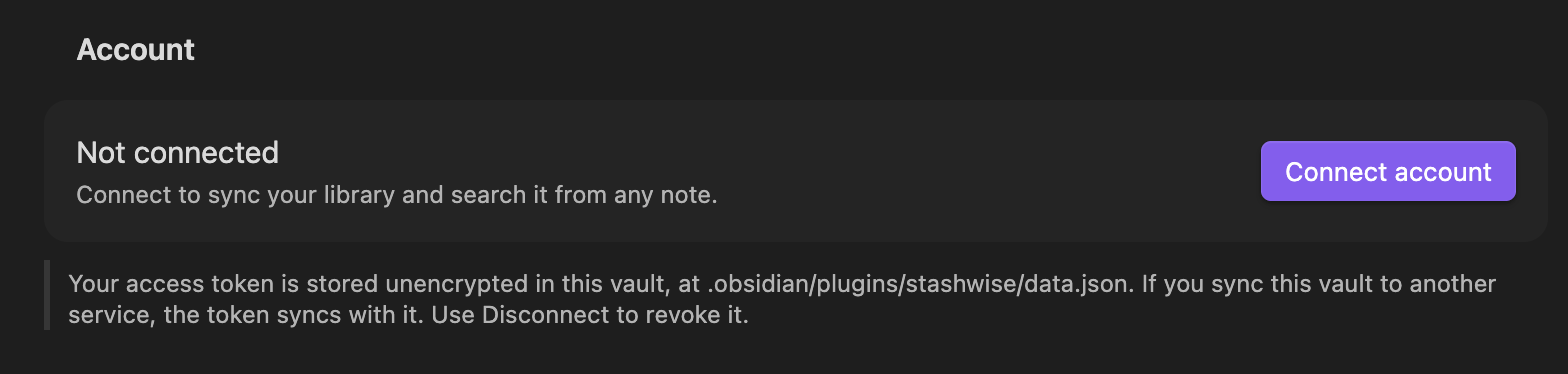
A browser opens, or the Stashwise app if you have it on iPhone, where you approve the connection.
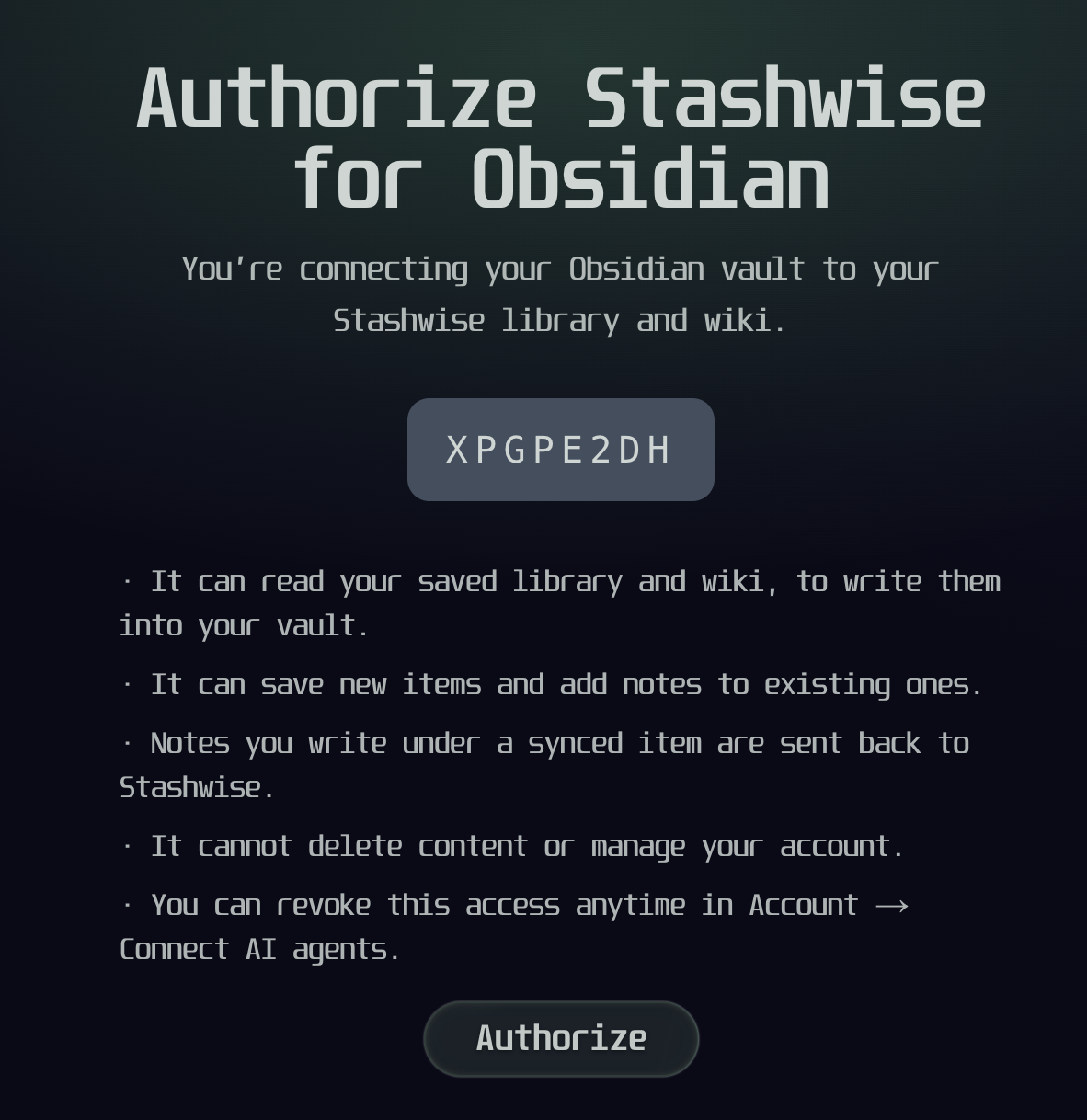
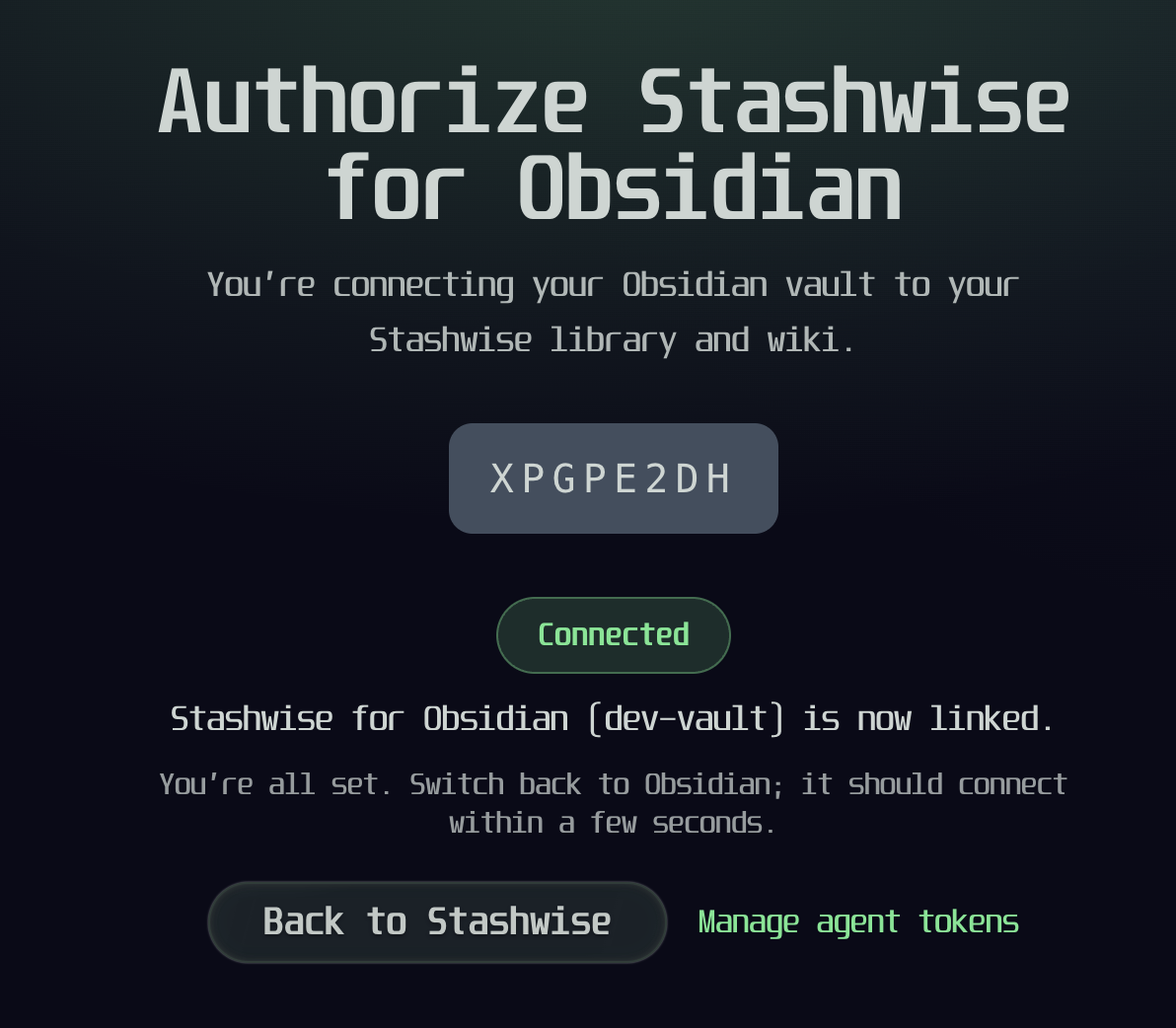
Obsidian picks it up a few seconds later; there is nothing to copy back. You need a Stashwise account, and the free plan works.
Sync. It syncs on its own every 15 minutes, or run Stashwise: Sync now from the command palette to start immediately. The first sync takes a moment if your library is large.
Look in your vault. A Stashwise folder appears:
Stashwise/
  Saves/    one note per saved item
  Topics/   one note per wiki topic, linked to related topics
Open graph view (Cmd/Ctrl + G). Your topics are linked to each other, so
the graph shows the shape of what you have been reading rather than a scatter of
unconnected notes.
Using it
Search without leaving your note. Click the search icon in the left ribbon to open the Stashwise panel, or run Stashwise: Search and insert a link from the command palette to search and drop a result at your cursor without touching the mouse.
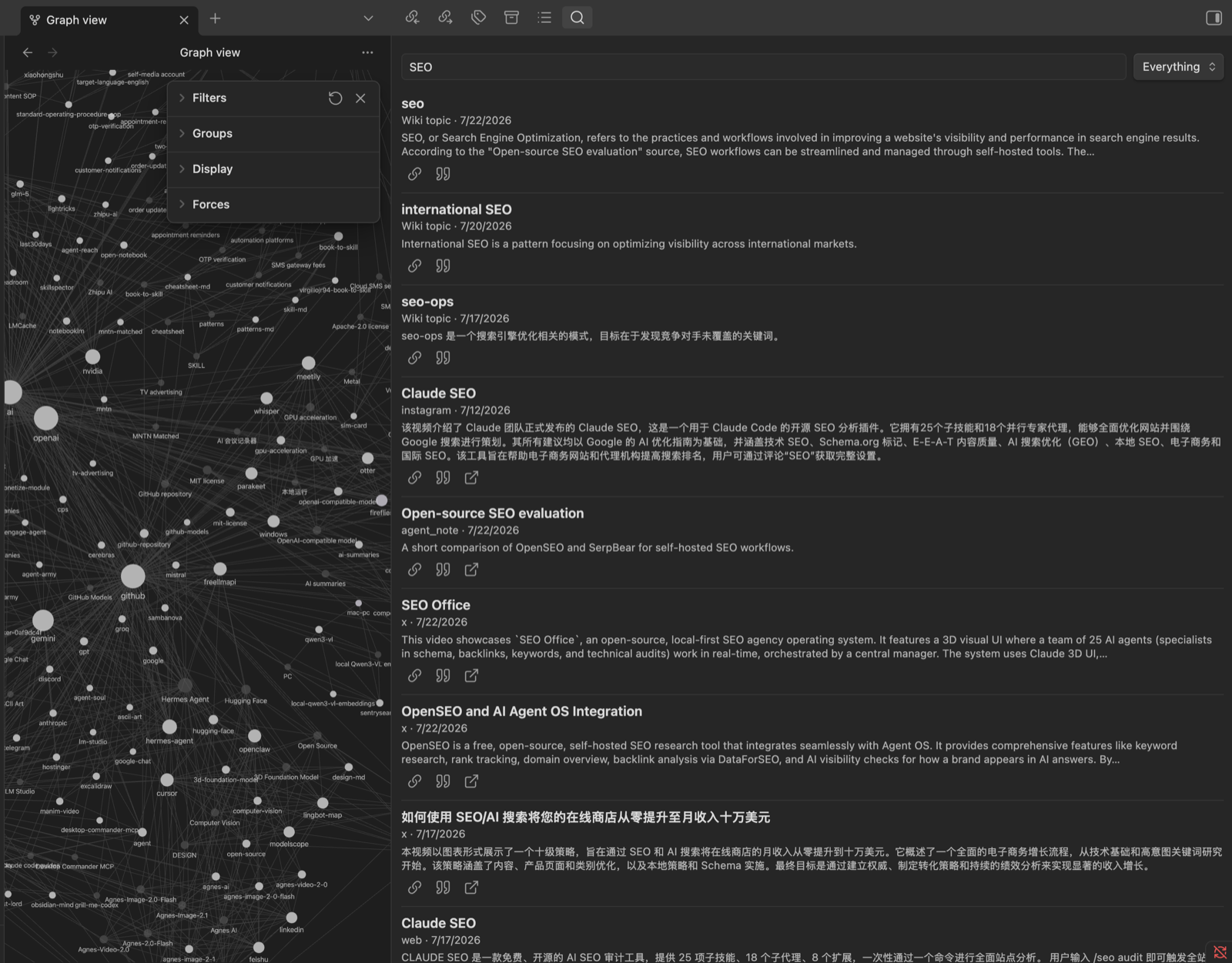
Saves and wiki topics come back together. Each result can be inserted as a link or a quote, or opened at its source.
| Command | What it does |
|---|---|
| Search and insert a link | Drops [Title](url) at the cursor |
| Search and insert a quote | Drops a quote callout with the snippet |
| Open search panel | Opens the sidebar, also on the ribbon |
| Save current note to Stashwise | Sends this note up as a library item |
| Save URL to Stashwise | Saves a URL from your selection or the current line |
| Sync now | Pulls anything that changed |
| Full resync | Rebuilds everything, and tidies notes for deleted items |
Write back. Anything you type underneath a synced note is sent to Stashwise as your note on that item, so it is there in the app and in chat too.
On your phone
The plugin runs on Obsidian for iOS and Android, which makes a loop that is otherwise hard to get: capture on your phone, and it lands in your vault without a computer involved.
- Share something to Stashwise from any app, a video, a post, an article
- Stashwise reads it and writes the summary, takeaways and wiki topics
- Open Obsidian on the same phone. It syncs when it comes to the foreground, and the note is there
Nothing to paste, and no laptop step in the middle. The same applies in reverse: search your library and insert a link from the phone, and notes you write under a synced item go back to Stashwise.
Connecting is one tap. Tap Connect account and the Stashwise app opens directly if you have it installed, already signed in, so there is no code to type and no signing in again in a mobile browser. Without the app you get the same page in your browser, which works too.
Two honest caveats:
- The foreground sync respects your Sync every setting. At the default of 15 minutes, opening Obsidian twice in a minute syncs once. Run Stashwise: Sync now when you want it immediately.
- Analysis takes a moment. Open Obsidian the instant you save and the note may read Still being analyzed; it fills itself in on a later sync, without you doing anything.
Your writing is never overwritten
This is the promise the plugin is built around.
Each synced note has a region Stashwise owns, marked by comments that stay invisible while reading:
%% stashwise:begin %%
# Jukdo

Jukdo is a traditional Korean folding knife.

## Related
- [[Korean folding knife]] _(extends)_
%% stashwise:end %%

## My notes

Everything down here is yours. It is never touched.
Everything between the markers is refreshed on every sync. Everything below the end marker belongs to you.
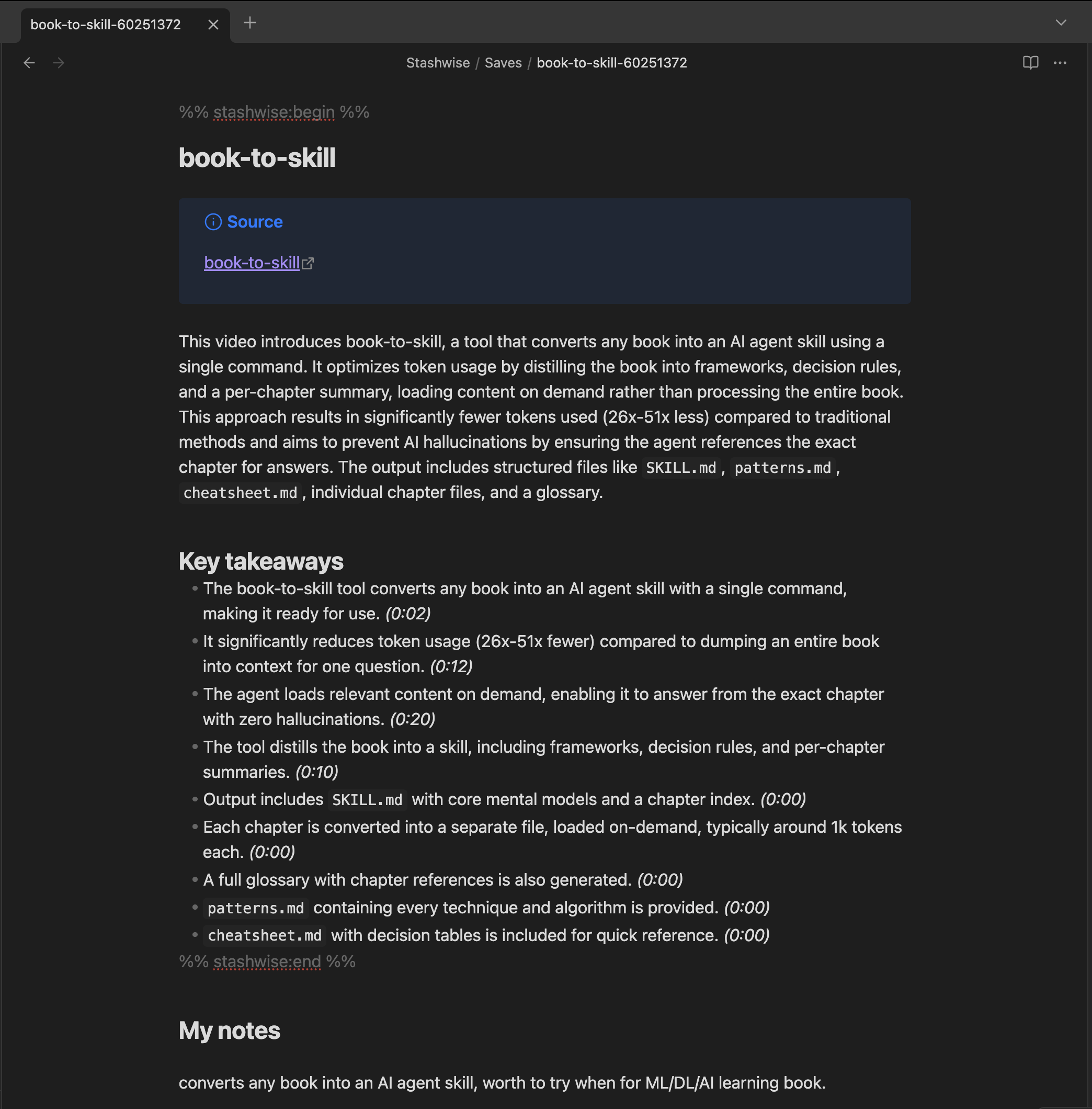
Above the end marker is regenerated. Below it is untouched, and sent back to Stashwise as your note on that item.
If those markers go missing, the plugin refuses to write to that file and tells you it skipped it. It will not guess where your writing begins. A note you have to repair is recoverable; overwritten writing is not.
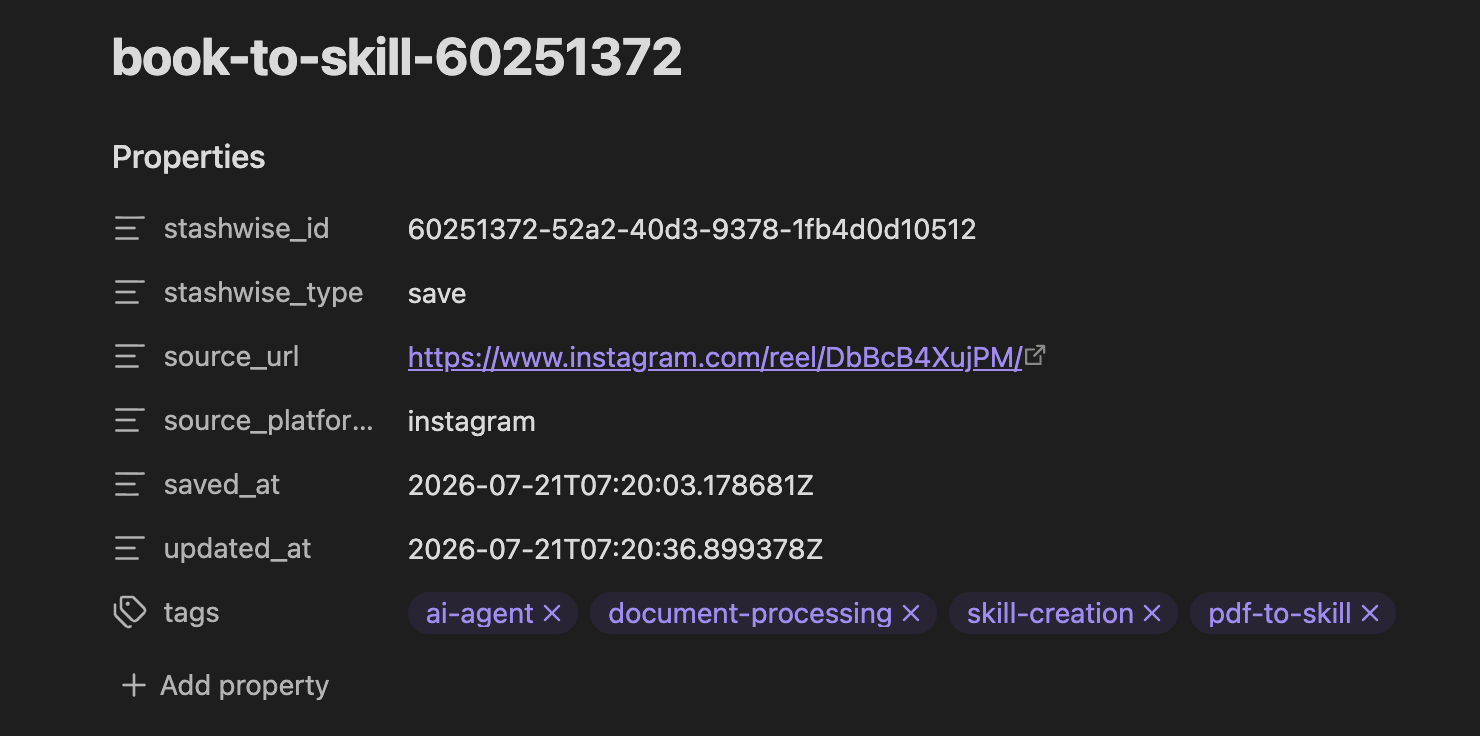
Each note also carries its Stashwise metadata as properties, so you can sort and query them with Dataview or Obsidian's own search.
Settings
| Setting | Default | What it does |
|---|---|---|
| Vault folder | Stashwise |
Everything the plugin writes lives here. Nothing outside it is touched |
| What to sync | Saves and wiki topics | Topics are what make graph view worth opening |
| Sync every | 15 minutes | Set to 0 to sync only when you ask |
| Delete notes for removed saves | Off | See below |
Delete notes for removed saves is off on purpose. Deleting something in Stashwise should not quietly remove a vault note you may have written your own thinking underneath. Turn it on and removed items go to the system trash, where you can still get them back.
Your data
The plugin talks only to Stashwise. It reads nothing in your vault except the
Stashwise folder and any note you explicitly ask it to save.
Connecting stores an access token unencrypted inside your vault, under the
plugin folder (usually .obsidian/plugins/stashwise/, though Obsidian lets you
move the config folder). That is how every Obsidian plugin holding an API key
works, and it has a consequence worth knowing: if you sync your vault through
iCloud, Dropbox or Obsidian Sync, the token goes with it.
Disconnect revokes the token on the server, not just locally, so a copy that has travelled elsewhere stops working.
Help
Something wrong, or an idea? Open an issue.
Want to work on it? See CONTRIBUTING.md.