Slash Blocks
 Stefan Imbesi191 downloads
Type `/` to open a menu and insert content blocks (task, headings, lists, etc.).
- Overview
- Scorecard
- Updates2
Type / at the start of a line to open a quick-access block menu — inspired by Superlist and Notion. Pick a block type and the corresponding Markdown is inserted instantly. Works on both desktop and mobile.
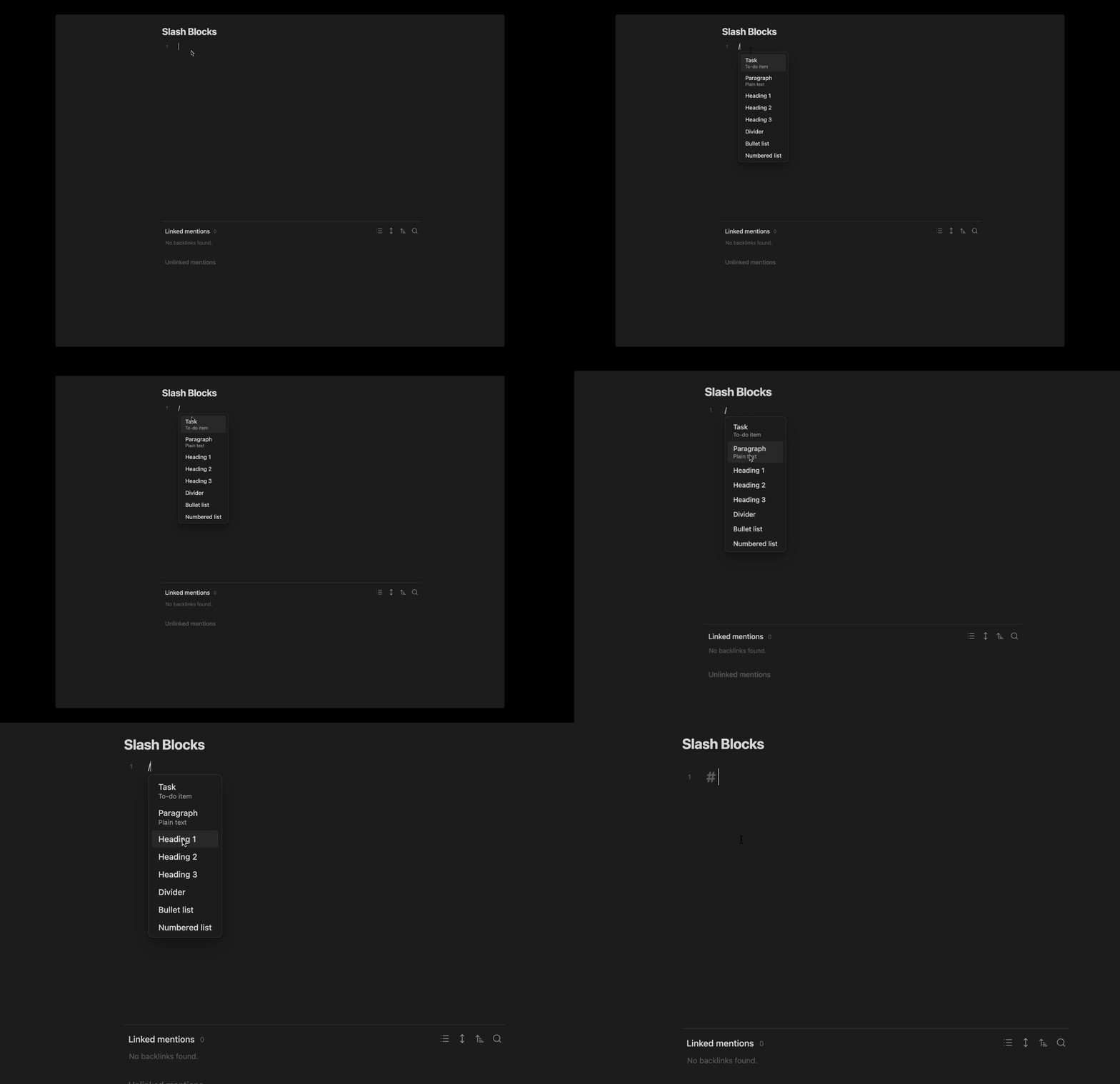
Available blocks
- Task — inserts a to-do checkbox (
- [ ]) - Paragraph — plain text (clears the slash command)
- Heading 1 / 2 / 3 — Markdown headings
- Divider — horizontal rule (
---) - Bullet list — unordered list item
- Numbered list — ordered list item
- Blockquote — quote block
- Image — image syntax with cursor placed inside the URL parentheses
- Attachment — link syntax with cursor placed inside the URL parentheses
Usage
- Place your cursor at the beginning of a line (or after a space).
- Type
/. - A suggestion menu appears — keep typing to filter, or use the arrow keys.
- Press Enter to insert the selected block.
Installation
Search for Slash Blocks in Settings → Community plugins → Browse and click Install.
Development
npm install
npm run dev    # watch mode
npm run build  # production build
Copy the plugin folder into <vault>/.obsidian/plugins/slash-blocks/ and enable it in Obsidian.
License
HealthExcellent
ReviewPassed
About
Type / at the start of a line to open a quick-access block menu and insert common Markdown blocks instantly. Choose tasks, headings, lists, quotes, dividers, images or attachments and get the correct Markdown inserted with the cursor ready for editing.Details
Current version
0.2.0
Last updated
4 months ago
Created
5 months ago
Updates
2 releases
Downloads
191
Compatible with
Obsidian 1.5.0+
Platforms
Desktop, Mobile
License
MIT