Search...Search plugins and themes...
⌘K
Sign in
  • Get started
  • Download
  • Pricing
  • Enterprise
  • Account
  • Obsidian
  • Overview
  • Sync
  • Publish
  • Canvas
  • Mobile
  • Web Clipper
  • CLI
  • Learn
  • Help
  • Developers
  • Changelog
  • About
  • Roadmap
  • Blog
  • Resources
  • System status
  • License overview
  • Terms of service
  • Privacy policy
  • Security
  • Community
  • Plugins
  • Themes
  • Discord
  • Forum / 中文论坛
  • Merch store
  • Brand guidelines
Follow us
DiscordTwitterBlueskyThreadsMastodonYouTubeGitHub
© 2026 Obsidian

Simple Sticky Notes

Alper DoganAlper Dogan63 downloads

Open floating sticky-note popups with pin, colors, and workspace restore.

Add to Obsidian
  • Overview
  • Scorecard
  • Updates8

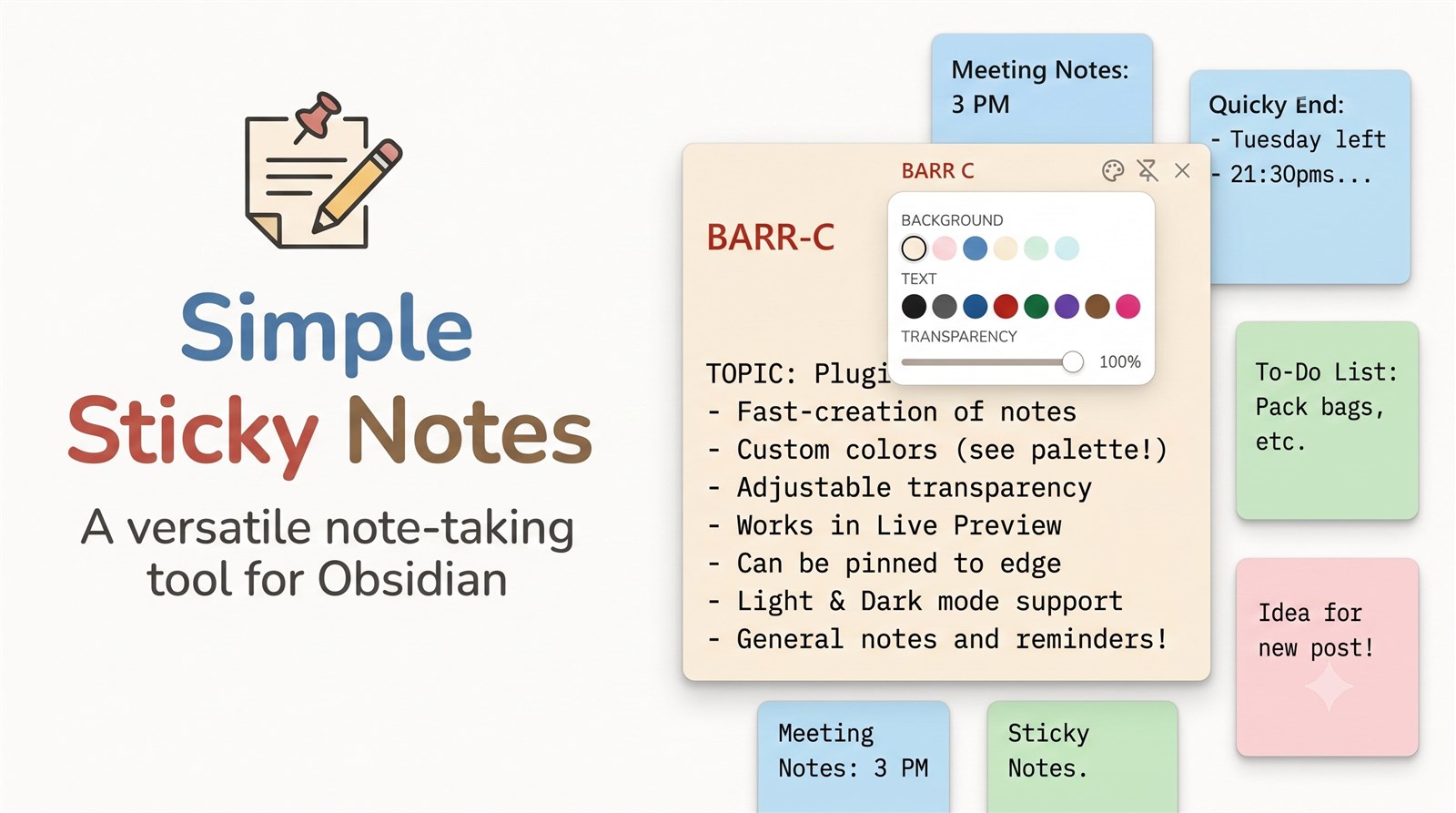
Sticky Notes Cover

Floating sticky-note windows for Obsidian — pin, colors, opacity, text colors, and workspace restore.

Open a sticky note from the ribbon, command palette, or file context menu.

Installation

Community plugins (after approval)

  1. Open Settings → Community plugins → Browse
  2. Search for Simple Sticky Notes
  3. Install and enable

Manual

  1. Download main.js, manifest.json, and styles.css from the latest release
  2. Put them in <vault>/.obsidian/plugins/simple-sticky-notes/
  3. Reload Obsidian and enable the plugin

Commands

  • Open sticky note
  • Create sticky note
  • Destroy all sticky notes

Settings

  • New sticky note folder
  • Restore open sticky notes (position, size, colors, transparency)
  • Show in taskbar
  • Default pin mode
  • Default window size / resizable
  • Default transparency
  • Background colors (same palette as on the note)
  • Text colors (same palette as on the note)
  • Save appearance to note frontmatter

Support

If you find this useful:

  • GitHub Sponsors
  • Buy Me a Coffee
  • PayPal

Limitations

  • Requires Obsidian 1.13.0+ (declarative settings API)
  • Desktop only — uses Electron APIs for pin, opacity, and window sizing
  • Relies on Obsidian popout / header DOM structure, which may change in future Obsidian versions

License

GNU Affero General Public License v3.0 — see LICENSE.

HealthExcellent
ReviewSatisfactory
About
Create floating sticky-note windows that stay above other apps and restore their position, size, colors, and opacity with your workspace. Pin notes, set background and text colors and transparency, and open notes from the ribbon, command palette, or file context menu (desktop only via Electron APIs).
InterfaceWorkspaces
Details
Current version
1.0.7
Last updated
Last week
Created
2 weeks ago
Updates
8 releases
Downloads
63
Compatible with
Obsidian 1.5.0+
Platforms
Desktop only
License
AGPL-3.0
Report bugRequest featureReport plugin
Sponsor
Buy Me a Coffee
PayPal
GitHub Sponsors
Author
Alper DoganAlper Doganrephila
GitHubrephila
  1. Community
  2. Plugins
  3. Interface
  4. Simple Sticky Notes

Related plugins

Hider

Hide interface elements such as tooltips, status bar, titlebar, and more.

Homepage

Open a note, base, or workspace on startup, or set it for quick access later.

Meta Bind

Make your notes interactive with inline input fields, metadata displays, and buttons.

Vertical Tabs

Offer an alternative view that displays open tabs vertically, allowing users to group and organize tabs for a better navigation experience.

Commander

Customize your workspace by adding commands everywhere, create macros and supercharge your mobile toolbar.

Note Toolbar

Add customizable toolbars to your notes.

Agent Client

Chat with Claude Code, Codex, Gemini CLI, and more via the Agent Client Protocol — right from your vault.

Typewriter Mode

Typewriter scroll, writing focus, current line highlight, paragraph dimming, and more!

Iconic

Customize your icons and their colors directly from the UI, including tabs, files & folders, bookmarks, tags, properties, and ribbon commands.

Open Tab Settings

Adds options to customize how tabs are opened, including open in new tab by default, preventing duplicate tabs, and more.