Edit mode switch
 Mara6k downloads
Add a button in the file header, in edit mode, to switch between source and live-preview.
- Overview
- Scorecard
- Updates13
Add a button to the file header in edit mode to switch between Source and Live Preview.
Doesn't work if Live Preview or the file header is disabled.
There are three settings:
- Reverse button icons — Display the next mode button instead of the current one. For example, if you are in Live Preview, it will display the Source icon instead of the Live Preview icon.
- Include reading mode — Include Reading mode in the switch. One button will cycle through a configurable order.
- "All button" mode — Each mode (Source, Live Preview, and Reading) is separated. This mode is not compatible with the two other options.
All button mode
All icons will be displayed for each mode in the file header, like this:

The active mode will be highlighted, and the highlight will move when switching modes:
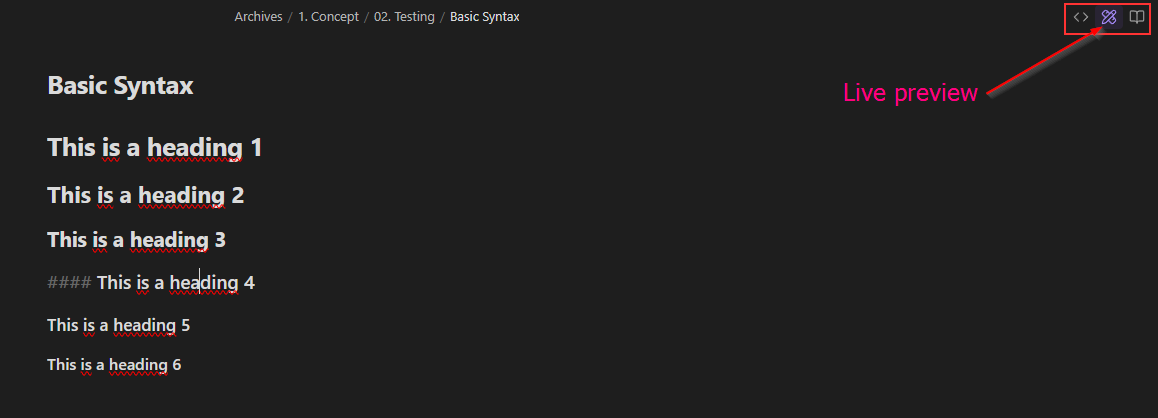
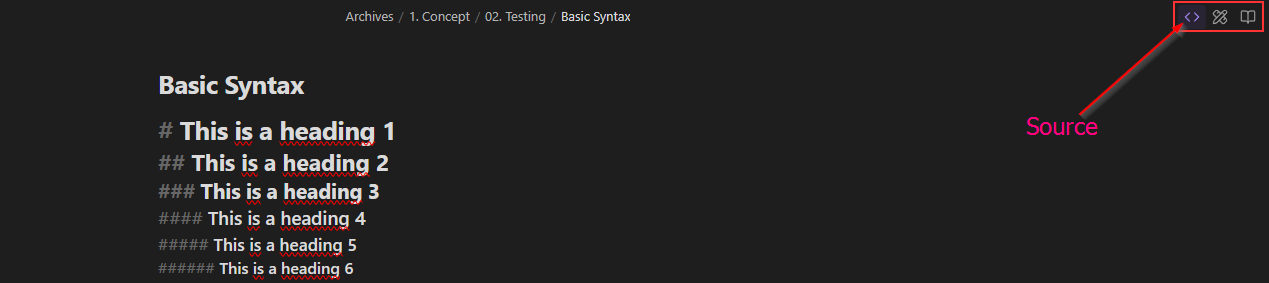
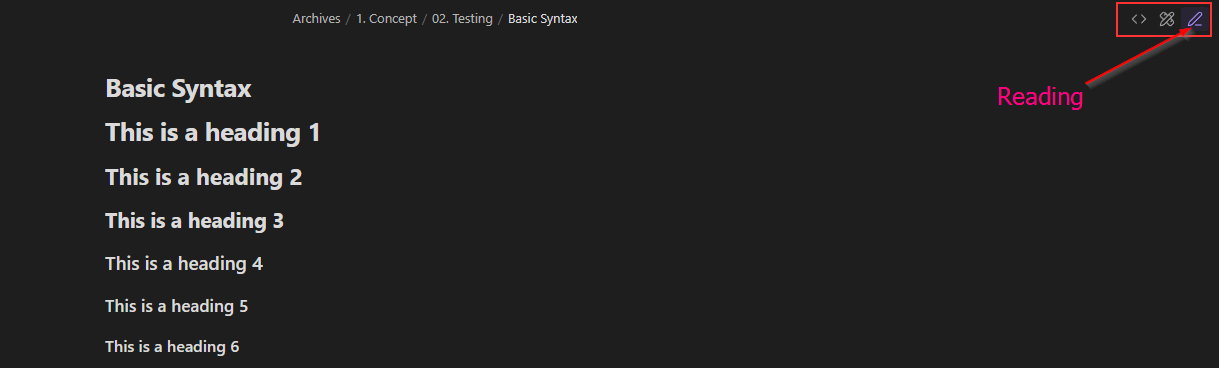
[!note] The Reading button is the default button. Its icon will change when switching to one of the edit modes.
Styling
The plugin uses the following CSS classes:
.edit-mode-button: Button added in the file header.edit-mode-hide: Class used to hide the Reading button.edit-mode-default-button: Reading button in the three-mode behavior
Buttons in the three-mode layout will get the is-active class when necessary.
📥 Installation
- From Obsidian's community plugins
- Using BRAT with
https://github.com/Mara-Li/obsidian-shortcuts-LP_Source - From the release page:
- Download the latest release
- Unzip
shortcuts-edit-mode.zipinto the.obsidian/plugins/path - In Obsidian settings, reload the plugin
- Enable the plugin
HealthGood
ReviewSatisfactory
About
Add a file-header button to switch between Source, Live Preview, and Reading modes. Use a single cycling button or display separate icons for each mode with active highlighting, and optionally show the next-mode icon instead of the current one. Requires file header and Live Preview enabled.Details
Current version
0.0.10
Last updated
4 months ago
Created
2 years ago
Updates
13 releases
Downloads
6k
Compatible with
Obsidian 1.5.12+
Platforms
Desktop, Mobile
License
GPL-3.0
Sponsor