Shared Vault
 fangface-hub58 downloads
Serverless, conflict-free collaboration layer for shared vaults.
- Overview
- Scorecard
- Updates5
SharedVault is a serverless, conflict-free collaboration layer for Obsidian. It stores Yjs-compatible operation files inside the vault, keeps local CRDT cache state under .obsidian/cache/{vault-id}/{node-id}/, and applies remote changes later without a dedicated server.
flowchart LR
    subgraph Node["Each device node"]
        Editor["Markdown files in vault"]
        Cache["Local CRDT cache\n.obsidian/cache/{vault-id}/{node-id}/docs"]
        State["Processed state\n.obsidian/cache/{vault-id}/{node-id}/state.json"]
        LocalData["Local plugin data\n.obsidian/cache/{vault-id}/local-plugin-data.json"]
    end

    subgraph Shared["Shared vault storage"]
        Ops["Operation cache\n.obsidian/shared-vault/operation-cache/"]
        Registry["Node registry\n.obsidian/shared-vault/node-registry/"]
        Snapshots["Snapshots\n.obsidian/shared-vault/snapshots/"]
    end

    Editor -->|local diff| Cache
    Cache -->|Yjs update files| Ops
    Ops -->|poll and apply| Cache
    Cache -->|write merged markdown| Editor
    Cache --> State
    LocalData -->|persist nodeId| Cache
    Editor -->|first local edit / heartbeat| Registry
    Cache -->|snapshot export| Snapshots
An image of editing this README.md on my own node and viewing it from another node
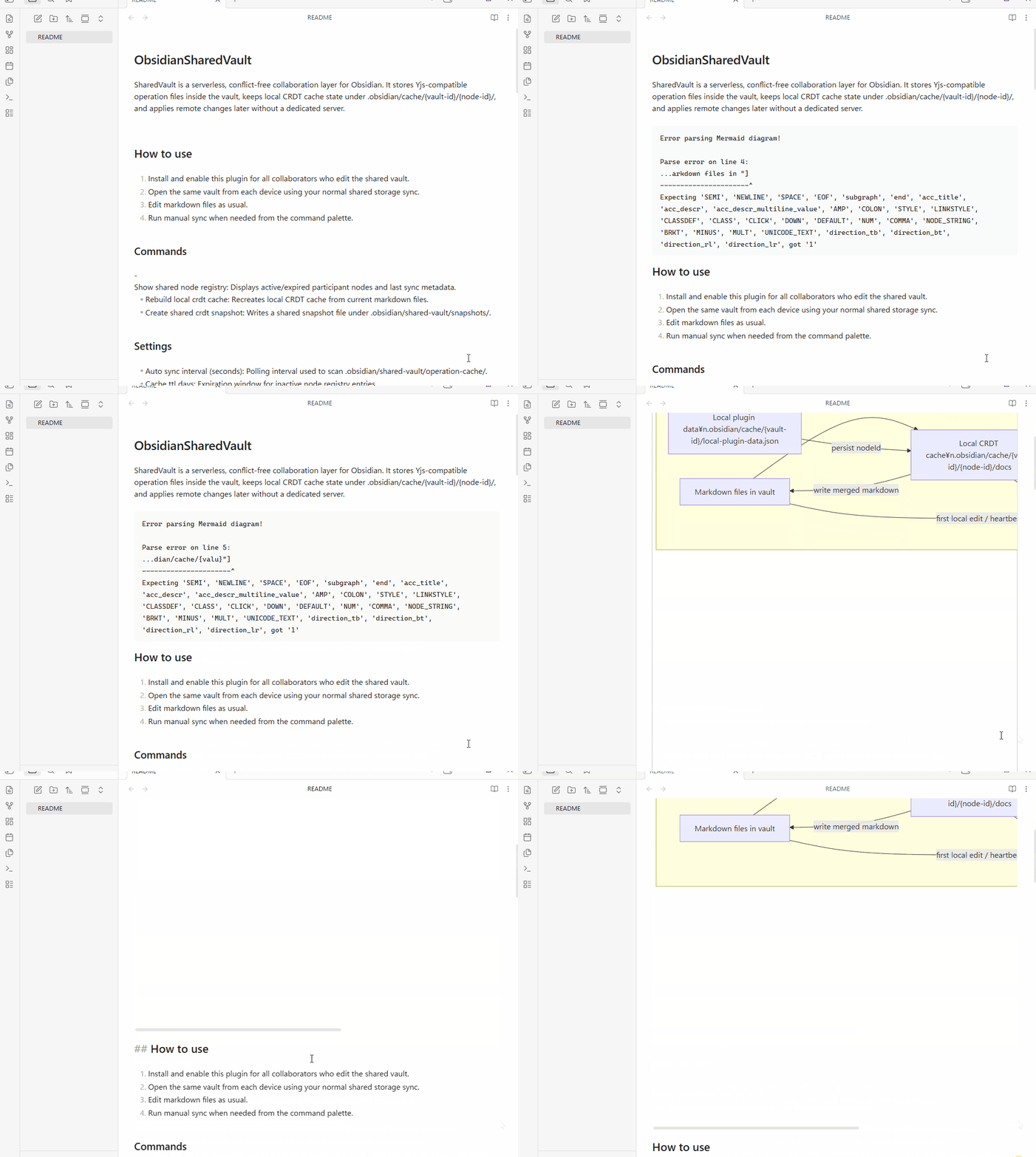
[!NOTE] The mouse cursor on the other node is positioned at the bottom‑right, showing that it is reflecting the edits made on my own node.
Current implementation
- Shared operation log in .obsidian/shared-vault/operation-cache/
- Shared node registry in .obsidian/shared-vault/node-registry/
- Shared snapshots in .obsidian/shared-vault/snapshots/
- Non-shared local CRDT cache in .obsidian/cache/
- Manual sync command and background polling sync
- Per-device node ID persisted in plugin data
- A node joins the registry only after it makes a local change
- Expired nodes are evicted on the next local change based on the configured cache TTL
How to use
- Install and enable this plugin for all collaborators who edit the shared vault.
- Open the same vault from each device using your normal shared storage sync.
- Edit markdown files as usual.
- Run manual sync when needed from the command palette.
Commands
- Apply pending shared operations: Manually imports unapplied operations from .obsidian/shared-vault/operation-cache/.
- Show shared node registry: Displays active/expired participant nodes and last sync metadata.
- Rebuild local crdt cache: Recreates local CRDT cache from current markdown files.
- Create shared crdt snapshot: Writes a shared snapshot file under .obsidian/shared-vault/snapshots/.
Settings
- Auto sync interval (seconds): Polling interval used to scan .obsidian/shared-vault/operation-cache/.
- Cache ttl days: Expiration window for inactive node registry entries.
User ID is not configurable. The plugin uses the per-device node ID as the collaboration identity.
Development
Install dependencies
npm install
Type-check
npm run check
Build the plugin bundle
npm run build
During development, watch and rebuild automatically
npm run dev
Lint
Run lint checks:
npm run lint
Run lint checks with auto-fix:
npm run lint:fix
The lint rules are aligned with the reference plugin and treated as protected project configuration.
Scripts
This project includes release helper scripts under scripts/.
Release notes
Generate release notes from git history:
npm run generate:release-notes
This command reads the current version from manifest.json, compares commits with the previous git tag when available, and groups the notes into Added, Fixed, Changed, Removed, and Other.
Version bump commands
This project follows Semantic Versioning (MAJOR.MINOR.PATCH).
- Major version bump for breaking changes:
npm run version:major
- Minor version bump for new features:
npm run version:minor
- Patch version bump for fixes:
npm run version:patch
These commands update package.json, manifest.json, and versions.json together. The patch command also updates package-lock.json.
Release workflow
The release workflow is defined in .github/workflows/release-zip.yml.
- Run
npm run lint. - Run one of the version bump commands.
- Run
npm run build. - Trigger the GitHub Actions workflow manually.
The workflow will:
- install dependencies with npm ci
- build the plugin
- verify lint passes
- prepare manifest.json, main.js, styles.css, and versions.json for packaging
- upload the packaged files as a workflow artifact
- create the version tag if it does not already exist
- generate release notes from git history
- create build provenance attestations for main.js and styles.css
Shared vault layout
Vault/
    .obsidian/
        shared-vault/
            operation-cache/
                *.json
            node-registry/
                *.json
            snapshots/
                *.snapshot.json
        cache/
            {vault-id}/{node-id}/
Notes
- This collaboration model assumes all collaborators who edit the shared vault have this plugin installed and enabled.
- For stable behavior, collaborators should use the same plugin version whenever possible.
- This implementation assumes the markdown files themselves are already synchronized by the underlying shared storage.
- The plugin currently records Yjs incremental updates derived from markdown diffs and replays them by scanning .obsidian/shared-vault/operation-cache/.
- If the local CRDT cache is missing, the plugin seeds it from the current markdown file contents instead of emitting a bootstrap operation.
- Viewing only does not register the node in the shared registry. The node joins .obsidian/shared-vault/node-registry/ when it makes a local edit.
- Cache expiration is configured in days. When a local edit occurs, expired registry entries are removed before the editing node re-registers itself.