Search...Search plugins and themes...
⌘K
Sign in
  • Get started
  • Download
  • Pricing
  • Enterprise
  • Account
  • Obsidian
  • Overview
  • Sync
  • Publish
  • Canvas
  • Mobile
  • Web Clipper
  • CLI
  • Learn
  • Help
  • Developers
  • Changelog
  • About
  • Roadmap
  • Blog
  • Resources
  • System status
  • License overview
  • Terms of service
  • Privacy policy
  • Security
  • Community
  • Plugins
  • Join the community
  • Discord
  • Forum / 中文论坛
  • Merch store
  • Brand guidelines
Follow us
DiscordTwitterBlueskyThreadsMastodonYouTubeGitHub
© 2026 Obsidian

Settings Management

xhuajinxhuajin4k downloads

Manage settings options, including show enabled/disabled plugins and css, grid layout, save current plugins/css enable config for quick enable/disable, etc.

Add to Obsidian
  • Overview
  • Scorecard
  • Updates8

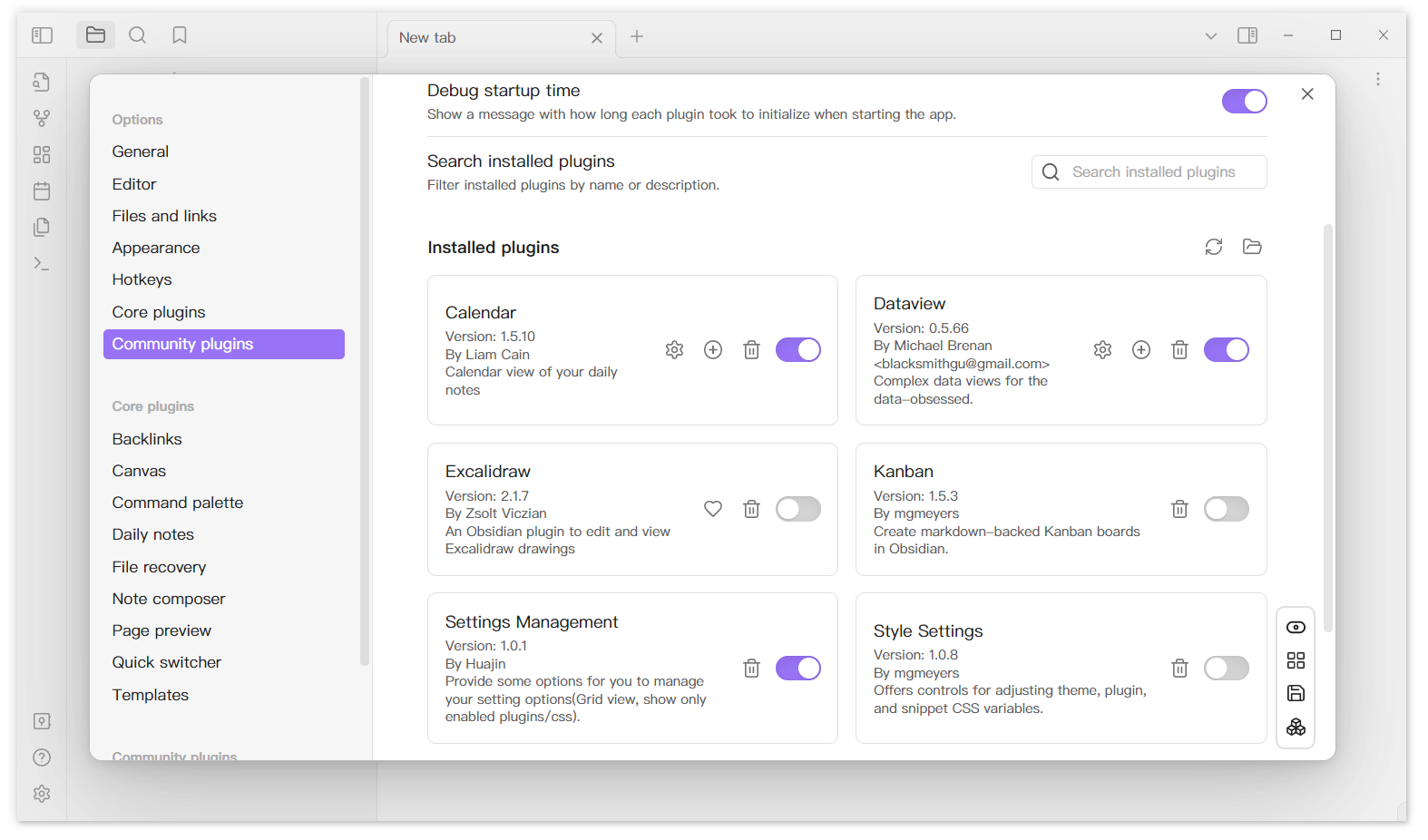
This plugin add a menu in the buttom right corner of the Settings Tab. It provides some functions.

  • Show all enabled/disabled plugins and css
  • Grid layout
  • Save current plugins/css enable config
  • Quickly enable/disable the configuration that you saved.

Feature

Show all enabled/disabled plugins and css.
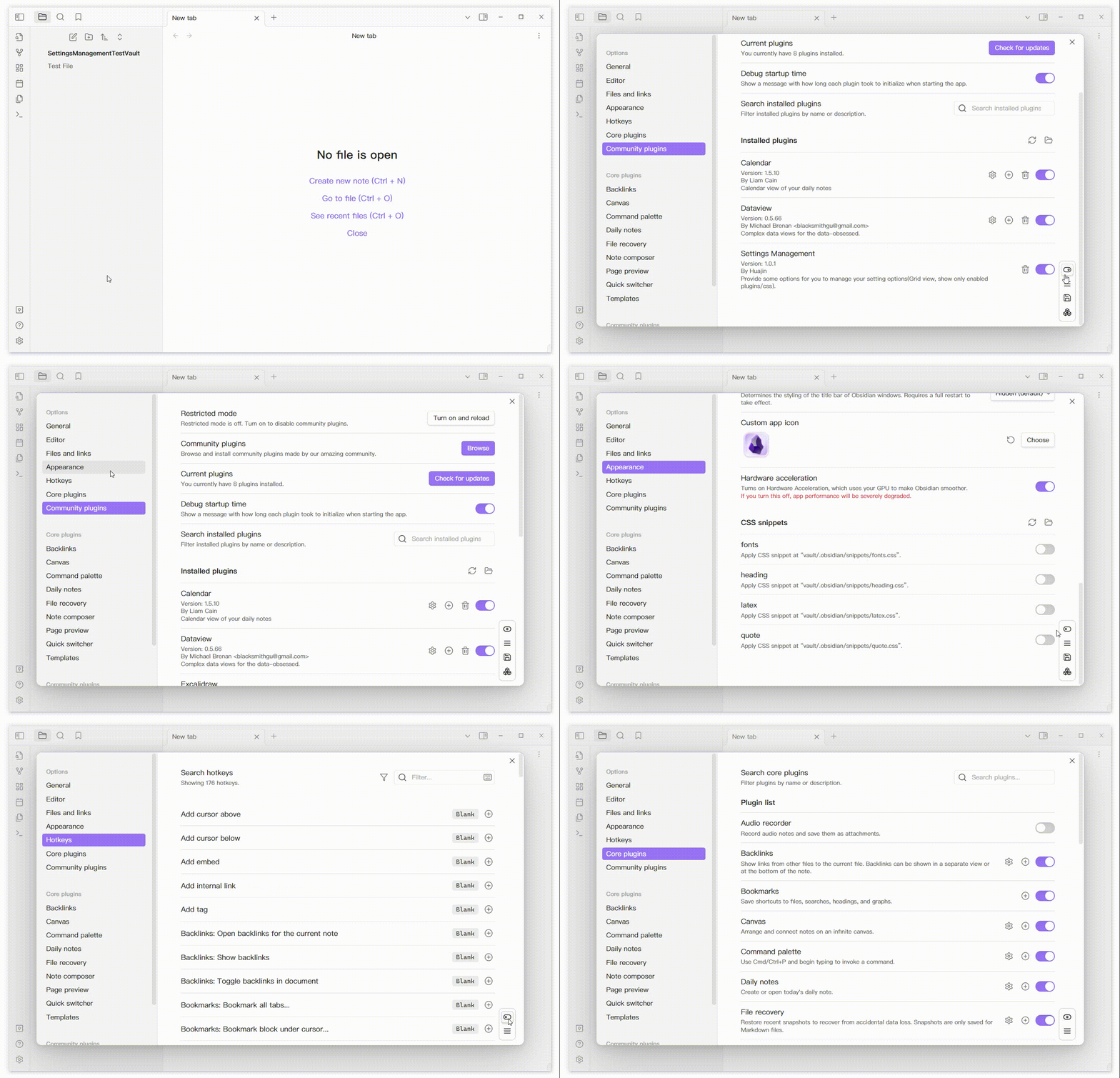
ToggleEnabledDisabled

Grid Layout

grid-view

About Configuration

Save current config and enabled it.
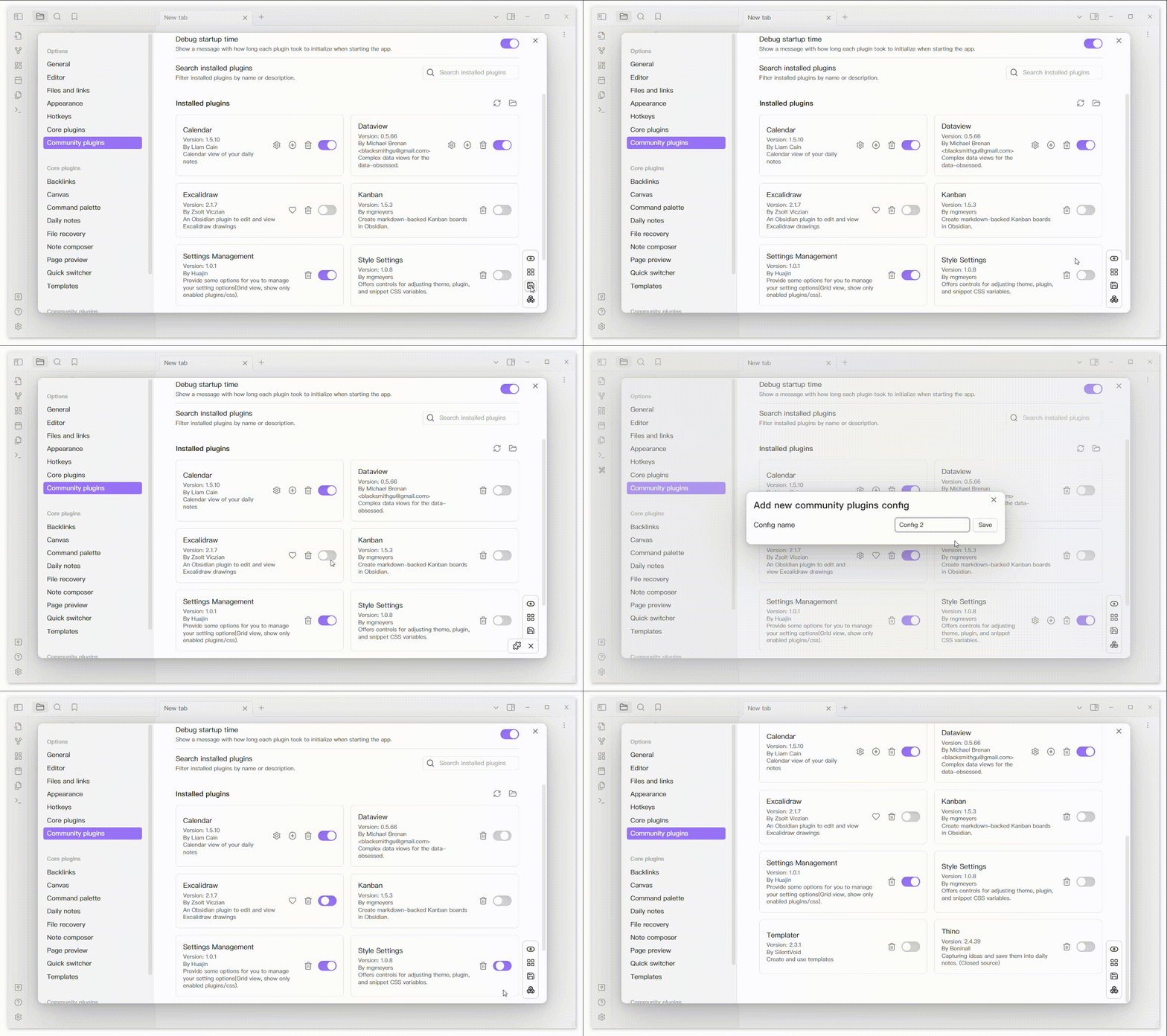
SaveAndUseConfig

Right click the config can open a menu to delete or rename the config.
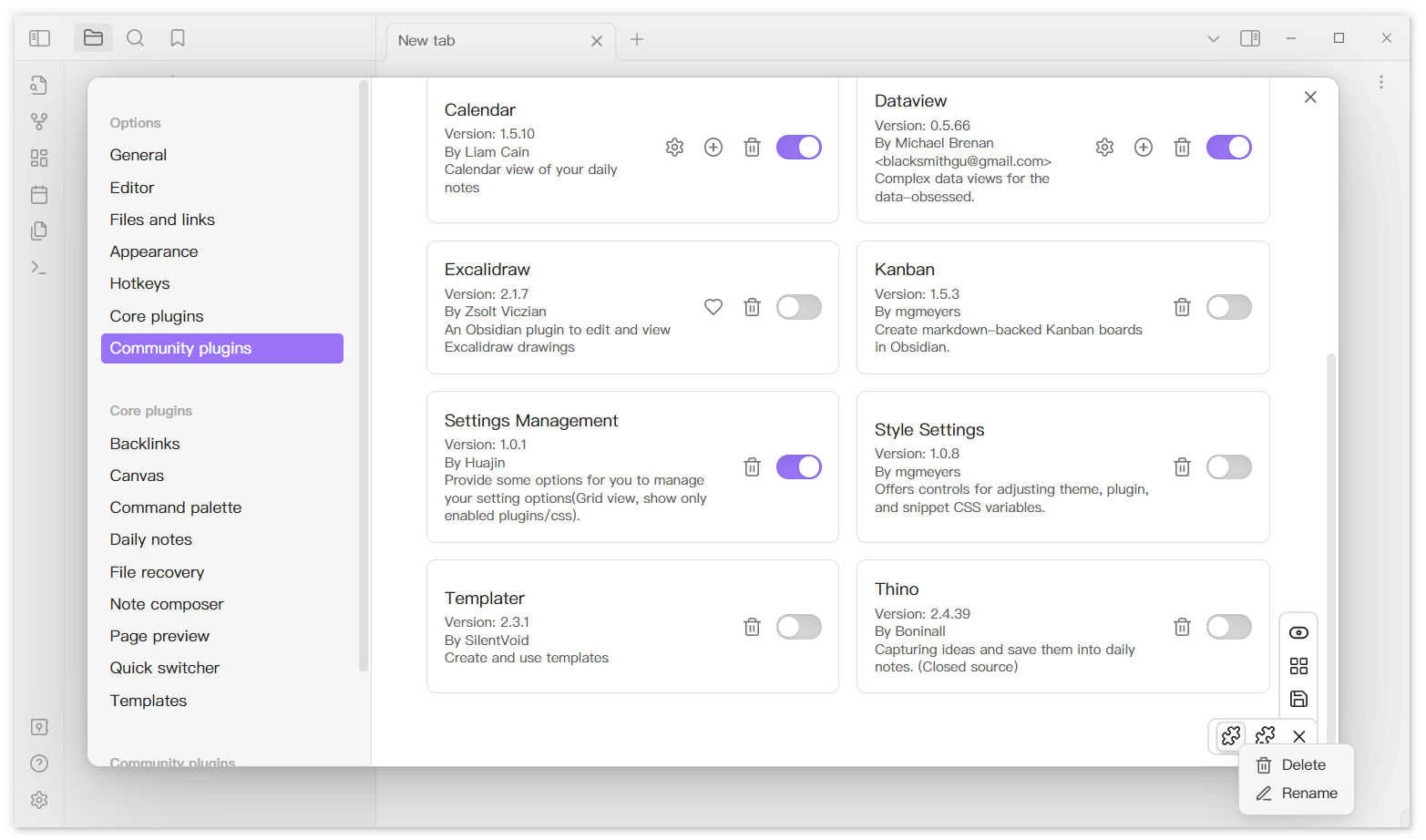
Delete/Rename-Config

Support use lucide icon as custom config icon. (https://lucide.dev/)
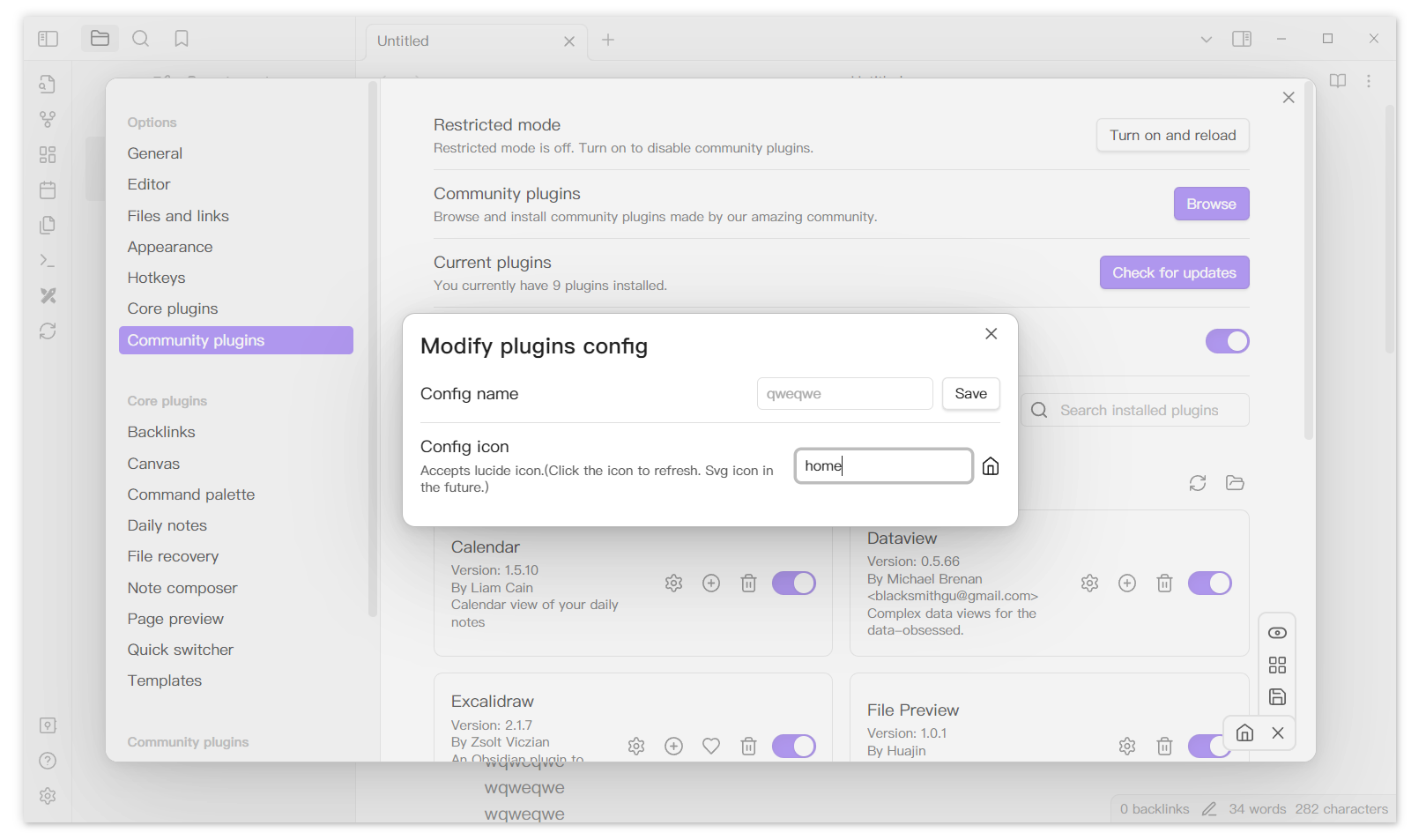
iconSetting

Additional

If you encounter styling issues, verify that your Obsidian version is 1.11.7 or higher. If you are using a version below 1.11.7, please download version 1.0.6 of this plugin from the releases page.

77%
HealthExcellent
ReviewCaution
About
Add a menu to the bottom-right of the Settings tab that lists all enabled and disabled plugins and CSS in a grid layout. Save current plugin and CSS enable states as named configs, rename or delete them via right-click, and apply saved sets instantly using optional Lucide icons.
CSSWorkspacesInterface
Details
Current version
1.0.7
Last updated
3 months ago
Created
2 years ago
Updates
8 releases
Downloads
4k
Compatible with
Obsidian 1.0.0+
License
MIT
Report bugRequest featureReport plugin
Author
xhuajinxhuajin
github.com/xhuajin
GitHubxhuajin
  1. Community
  2. Plugins
  3. CSS
  4. Settings Management

Related plugins

Fullscreen Focus Mode

Add a command to view a single document leaf in a fullscreen focus mode.

Hider

Hide interface elements such as tooltips, status bar, titlebar, and more.

Meta Bind

Make your notes interactive with inline input fields, metadata displays, and buttons.

Commander

Customize your workspace by adding commands everywhere, create macros and supercharge your mobile toolbar.

Style Settings

Adjust theme, plugin, and snippet CSS variables.

Iconic

Customize your icons and their colors directly from the UI, including tabs, files & folders, bookmarks, tags, properties, and ribbon commands.

Lapel

Show the heading levels in the gutter of the editor.

Admonition

Admonition block-styled content.

Custom Frames

Turn web apps into panes using iframes with custom styling. Also comes with presets for Google Keep, Todoist and more.

Hover Editor

Transform the Page Preview hover popover into a fully working editor instance.