Save History
 Gugl5k downloads
Save, restore, compare, export, and import file versions; use autosave and custom settings for each file.
- Overview
- Scorecard
- Updates18
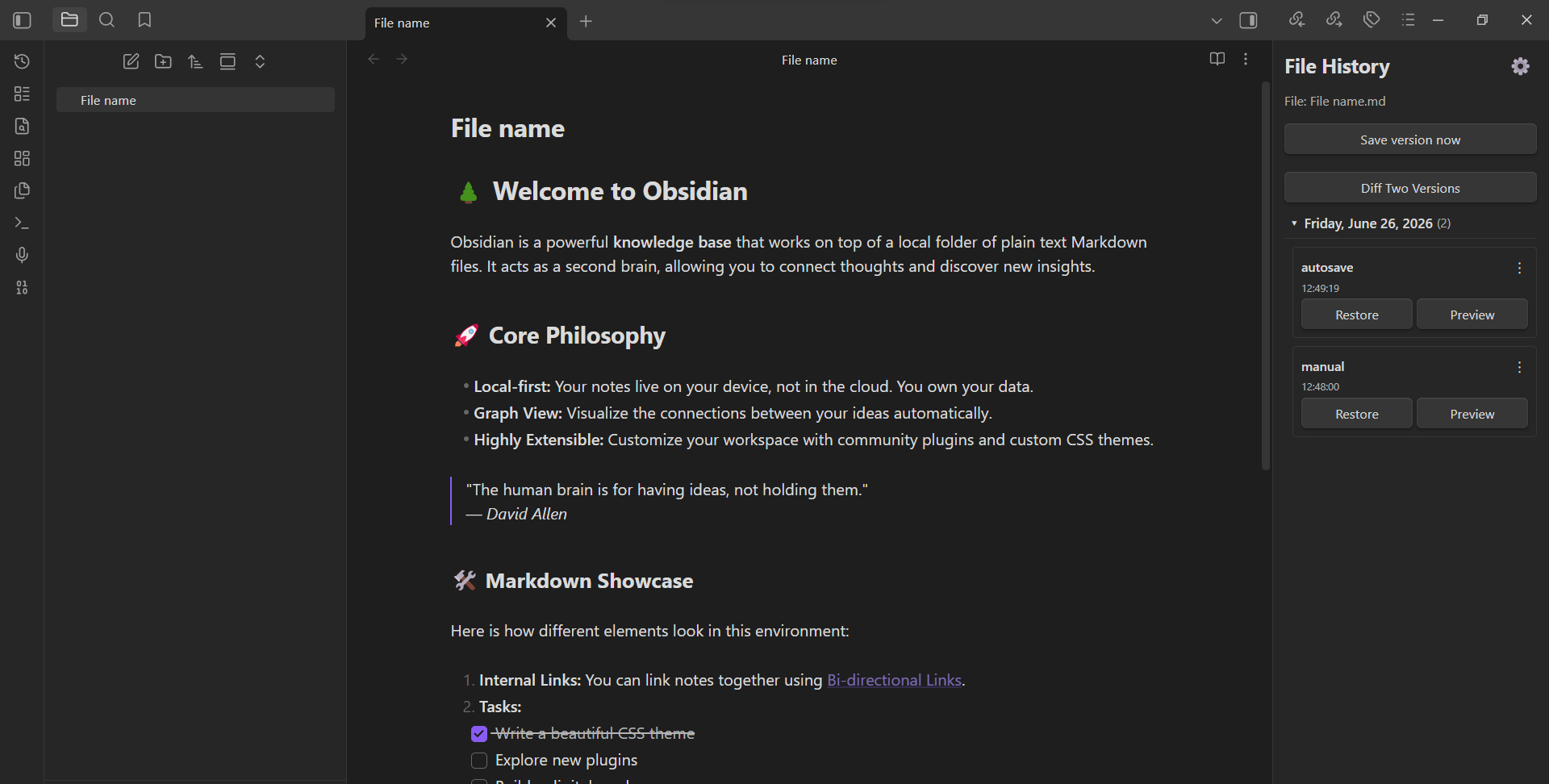
Obsidian plugin for saving and restoring file versions.
Features
- Manual version saving — save the current state of a file at any time
- Version restore — restore any previously saved version with one click
- Pre-restore backup — before restoring, the current state is automatically saved as a backup
- Diff comparison — compare any two versions or a version with the current file (with character-level highlighting)
- Preview modal — preview a version before restoring (draggable and resizable)
- Version grouping — group versions by day, week, month, or year (collapsible)
- Rename labels — give custom names to saved versions
- Bulk delete — select and delete multiple versions at once
- Export / Import — export a single version or all versions of a file; import previously exported versions
- Autosave — automatically save versions at a configurable interval
- Autosave on tab close — save a version when closing a file tab
- Per-file settings — override autosave interval, autosave on tab close, max autosave versions, and grouping per file
- Max autosave versions — limit how many autosaved versions are kept per file
- Allowed file extensions — choose which file types are tracked (
.mdalways included) - Multi-language — English, Russian, and Spanish interface
- Customizable snapshot folder — change where versions are stored in the vault
- Customizable export folder — fallback folder for exports when browser picker is unavailable
- File rename tracking — snapshots follow renamed files and folders
- Deleted history retention — versions of deleted or externally moved files are kept for a configurable period, with manual restore and content-based reconnection
- Ribbon icon — quick access to the history sidebar
- Restore last unsaved version command — quickly restore the pre-restore backup
Installation
From GitHub Releases
- Download the latest release zip from Releases
- Extract
main.jsandmanifest.jsoninto your vault's.obsidian/plugins/save history/folder - Enable the plugin in Obsidian settings → Community plugins
Manual
- Clone this repository
- Run
npm install - Run
npm run build - Copy
main.jsandmanifest.jsonto your vault's.obsidian/plugins/save history/folder
Usage
- Open a file in Obsidian
- Use the sidebar panel "File History" to view and manage versions
- Or use commands from the command palette:
- Save version now — save the current state
- Restore version — open the restore modal
- Open history sidebar — open the version list panel
- Restore last unsaved version — restore the pre-restore backup
- Open deleted version histories — attach saved versions to another file
- Right-click a file in the file explorer to export or import versions
Development
npm install
npm run build
To watch for changes:
npm run watch
License
MIT
HealthExcellent
ReviewPassed
About
Save manual snapshots of files and restore previous versions with one click, with an automatic pre-restore backup. Preview and diff versions, group and label snapshots by day/week/month/year, choose a custom snapshot folder, and require confirmation before deleting. Supports autosave at a configurable interval and on tab close, per-file custom settings for autosave interval and max versions, snapshot export and import, image embedding in previews.Details
Current version
1.3.7
Last updated
3 days ago
Created
5 months ago
Updates
18 releases
Downloads
5k
Compatible with
Obsidian 0.15.0+
Platforms
Desktop, Mobile
License
MIT
Author