RowStitch
 Tanjialin Labs29 downloads
Bulk edit properties and tags in Obsidian Bases. Preview changes, undo batches, restore deleted notes, and export selected rows to CSV or Markdown.
- Overview
- Scorecard
- Updates2
English · 简体中文 · 繁體中文 · 日本語 · Deutsch
Bulk editing, with room to think.
Select notes in Obsidian Bases, combine property rules, and see exactly what will change before applying them. All features are free, including unlimited templates.
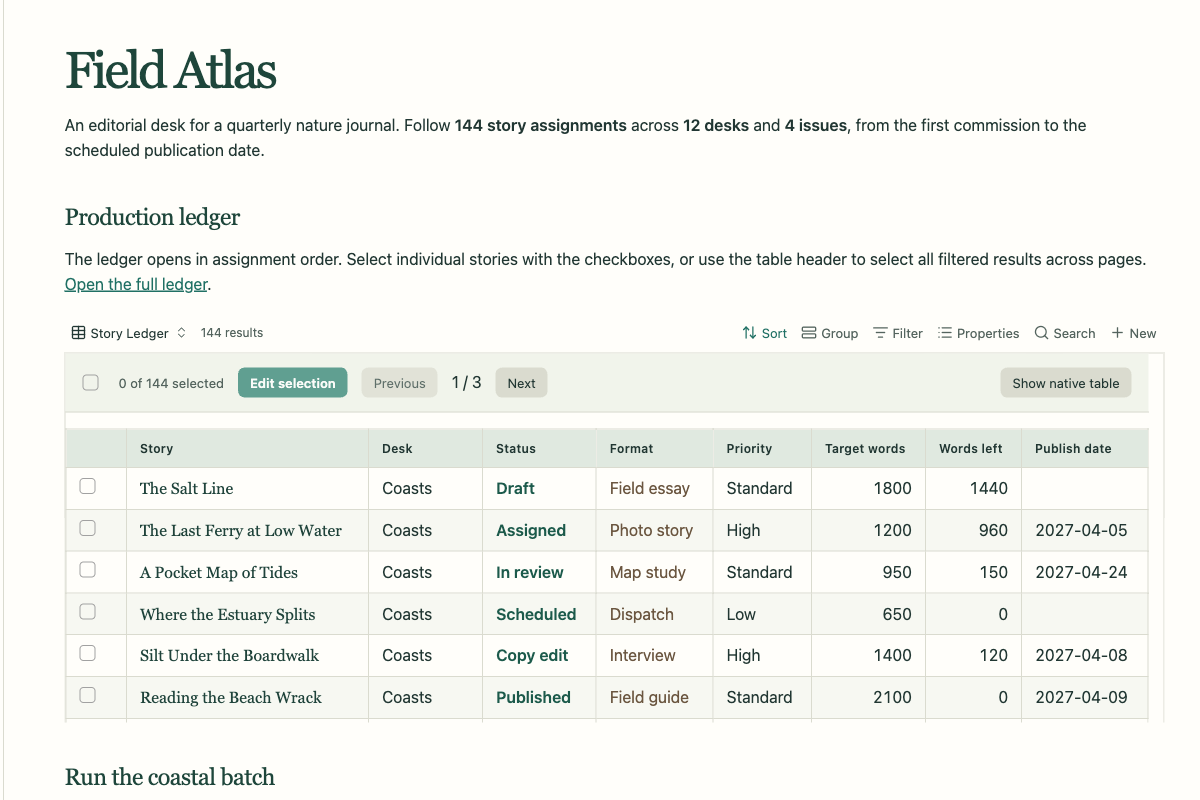
Select your notes
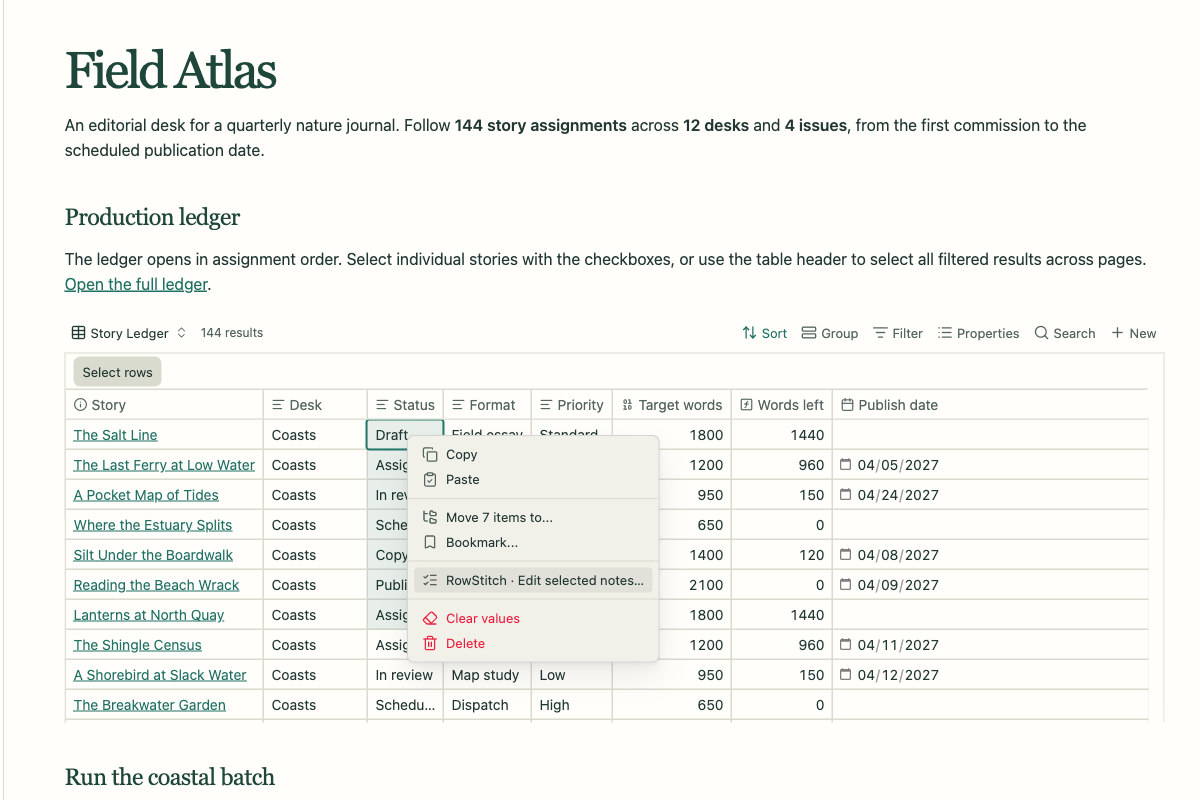
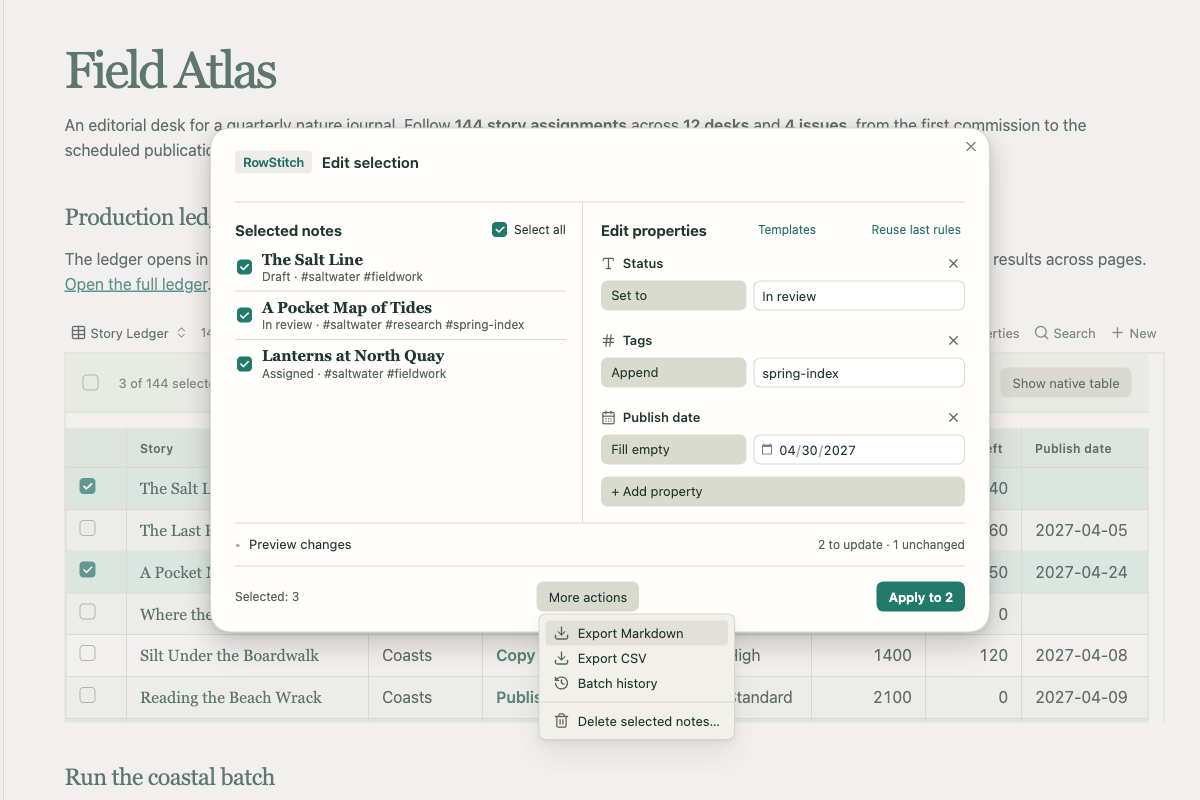
Drag a range in the native Bases table and right-click RowStitch · Edit selected notes…. For scattered rows or an entire filtered result, choose Select rows. Selections work across pages.
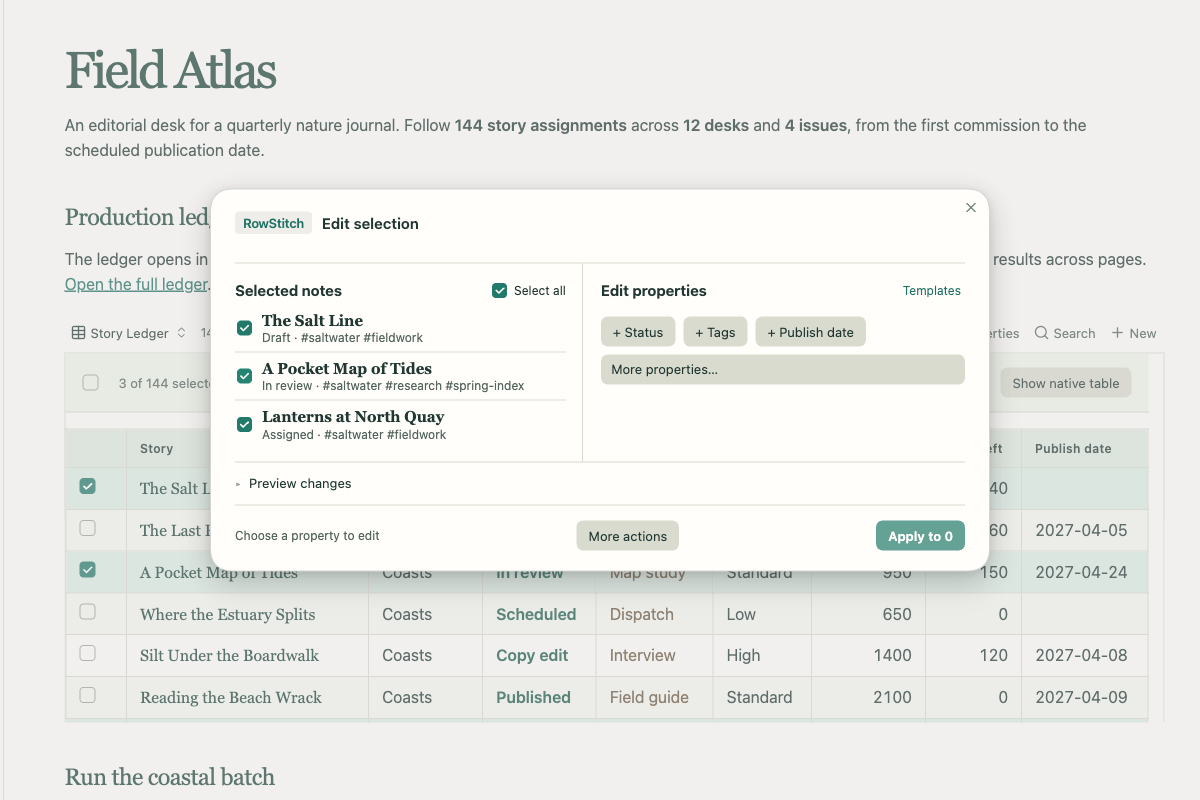
One selection, several properties
Set text, numbers, dates and checkboxes. Append, remove or replace tags and list items, or fill only empty values. Commas and internal links stay inside their list items. Clear value keeps the property; Remove property deletes its key.
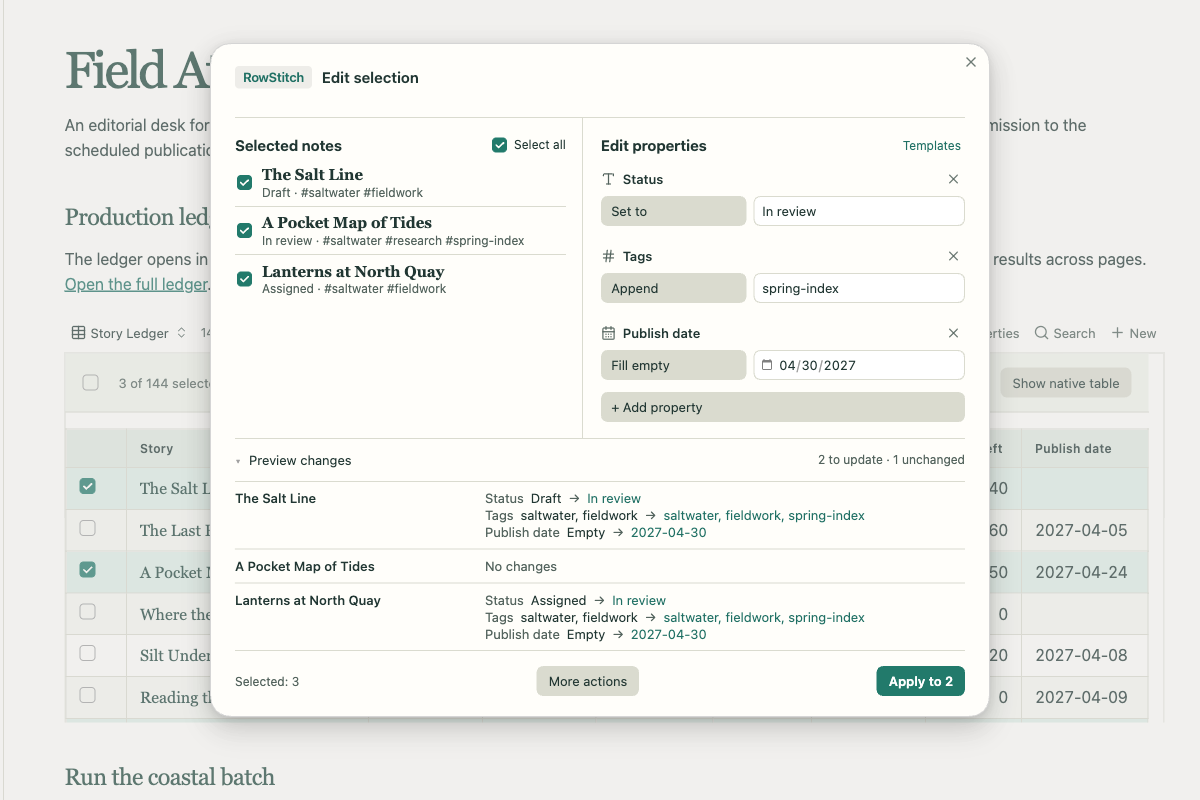
Preview, apply, undo
Review each note before applying. The button counts notes that will actually change. Undo from the result, or use Batch history to restore individual notes from the last ten pending batches, even after restarting. Deleted notes can be restored while their backup remains available.
Keep your workflow close
Save, update and rename as many templates as you need. Export selected notes as CSV or Markdown; checkbox mode includes the displayed columns and current formula results. RowStitch remembers the display mode for each Base view. Bases and embedded tables remain standard Obsidian tables when the plugin is removed.
Installation
Requires Obsidian Desktop 1.15.1 or later with Bases enabled. Download main.js, manifest.json and styles.css from the latest release. Put them in .obsidian/plugins/rowstitch/ inside your vault, then enable RowStitch in Community plugins. Installation through the community directory will be available after approval.
Privacy and license
RowStitch runs locally: no account, activation, analytics or background network requests. Notes, templates and batch history stay in your vault. Support images are bundled. Links to GitHub open only when selected. Source is maintained privately; public releases include readable JavaScript. See the license and third-party notices.
Knowing RowStitch has a place in your day means a lot. A note about how you use it is always welcome. If you feel like leaving a little coffee money, thank you — any amount is appreciated. Every feature stays free.
PayPal

Alipay
WeChat Pay