Right-Click Tag Colors
 Alex Totolici2 downloads
Right-click any tag to color it: in notes, reading view, Tasks and Dataview results, and Properties. Pick from your palette or any custom color.
- Overview
- Scorecard
- Updates2
Color any tag in Obsidian with a right-click. No settings page, no CSS snippets: right-click the tag where you see it, pick a color, done.
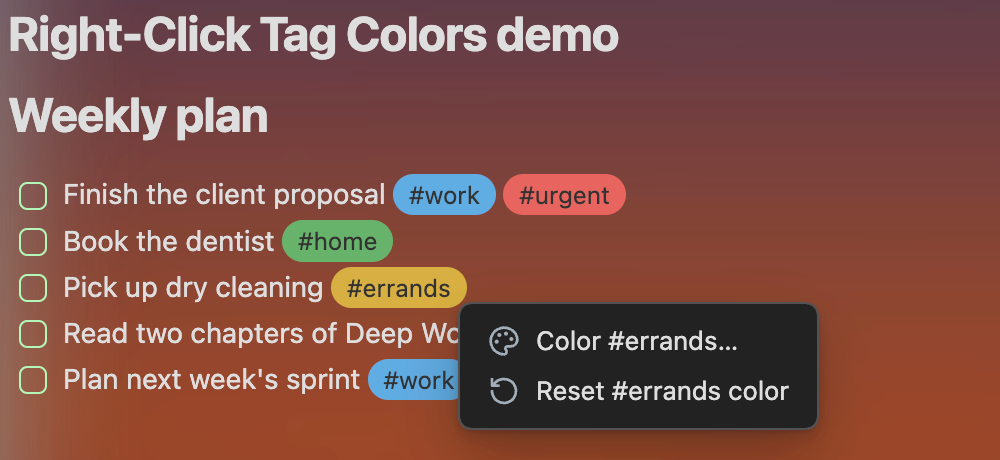
Right-click works everywhere tags show up
- Notes you are editing (Live Preview and source mode). "Color #tag…" is added to Obsidian's own right-click menu.
- Reading view.
- Tasks plugin query results (
taskscode blocks). - Dataview and DataviewJS output.
- Tag pills in Properties and Bases.
Nested tags like #people/anna work too, and each one gets its own color.
Pick a palette color, or any color
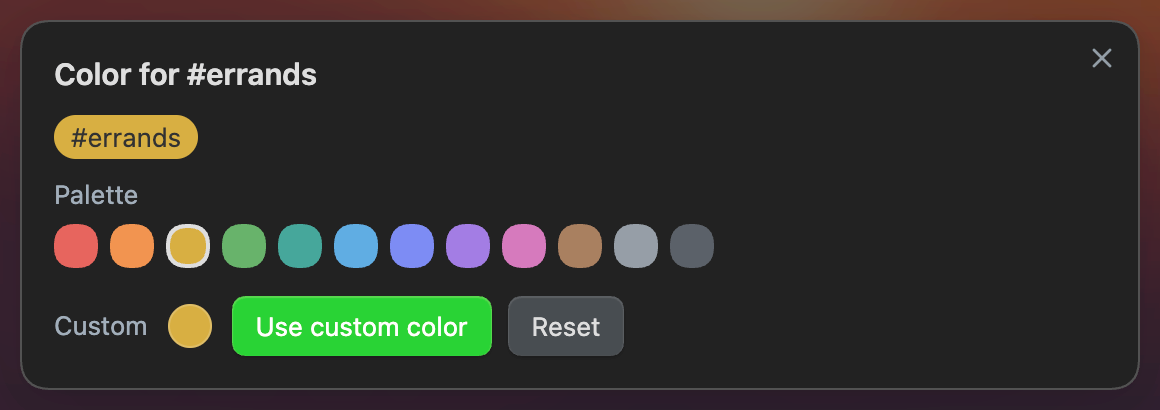
The color window shows your palette for one-click picks. If no palette color fits, use the custom picker to choose any color. Reset gives the tag back its default look. Text on a colored tag automatically turns dark or light, so it stays readable.
Edit everything in settings
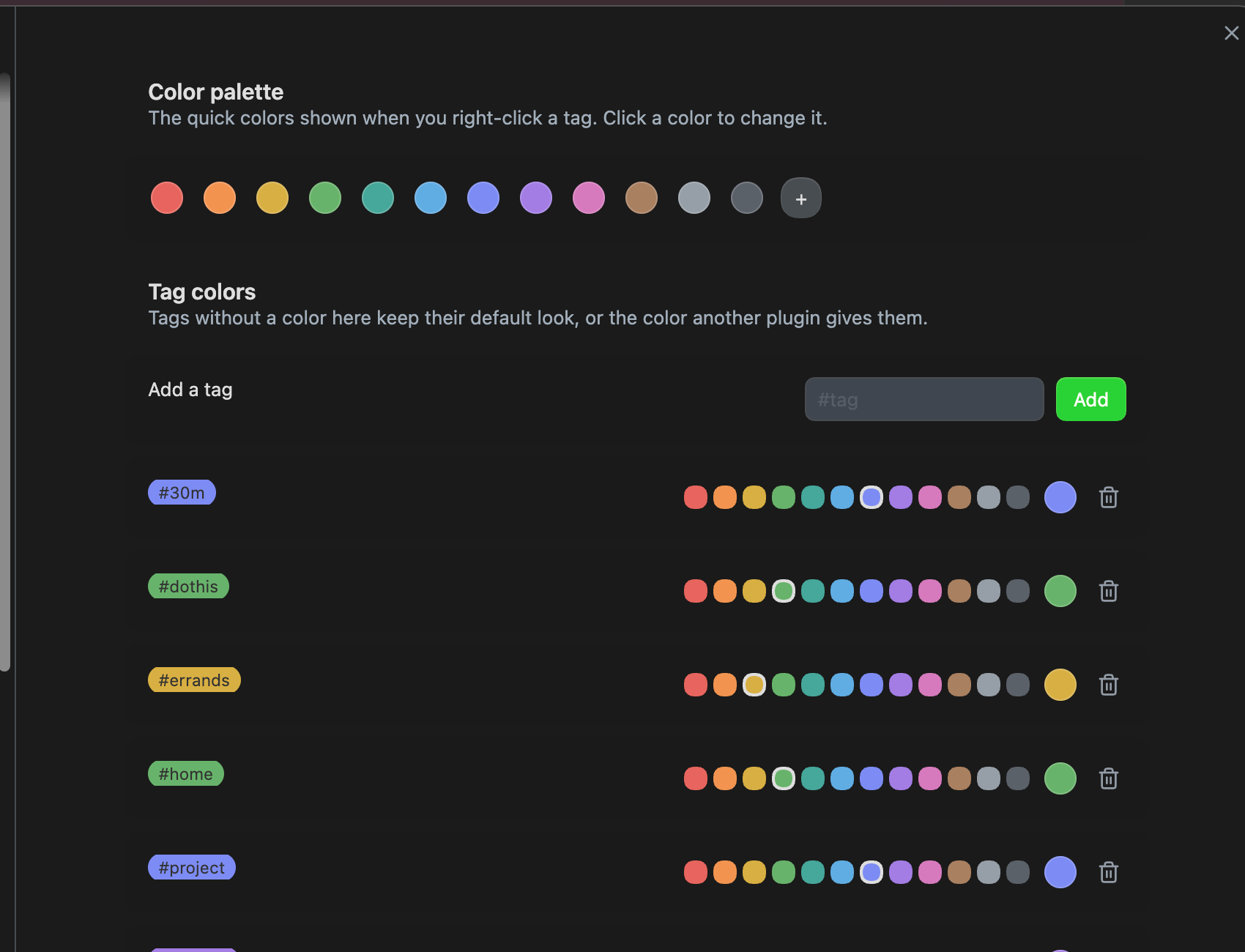
- Color palette: change, add or remove the quick colors.
- Tag colors: every colored tag in one list. Recolor it from the palette or with the color picker, or remove its color. You can also add a tag by name (press Enter or click Add). A search box appears once the list grows.
Works with Colored Tags
Using an automatic tag-coloring plugin such as Colored Tags? Keep it. Tags you color with this plugin use your color, and every other tag keeps its automatic color.
Installation
From Obsidian: Settings → Community plugins → Browse → search for "Right-Click Tag Colors" → Install → Enable.
Manually: download main.js, manifest.json and styles.css from the latest release, put them in <your vault>/.obsidian/plugins/right-click-tag-colors/, then enable the plugin in Settings → Community plugins.
Phone and tablet
The plugin works on mobile. Long-press a tag instead of right-clicking.