Repeated Words
 Elisa De Gregorio3 downloads
Highlights words repeated too close together, in English and Spanish.
- Overview
- Scorecard
- Updates3
Obsidian plugin that highlights words repeated too close together while you write, in English and Spanish.
Hover a highlighted word to see how far apart the repeats are.
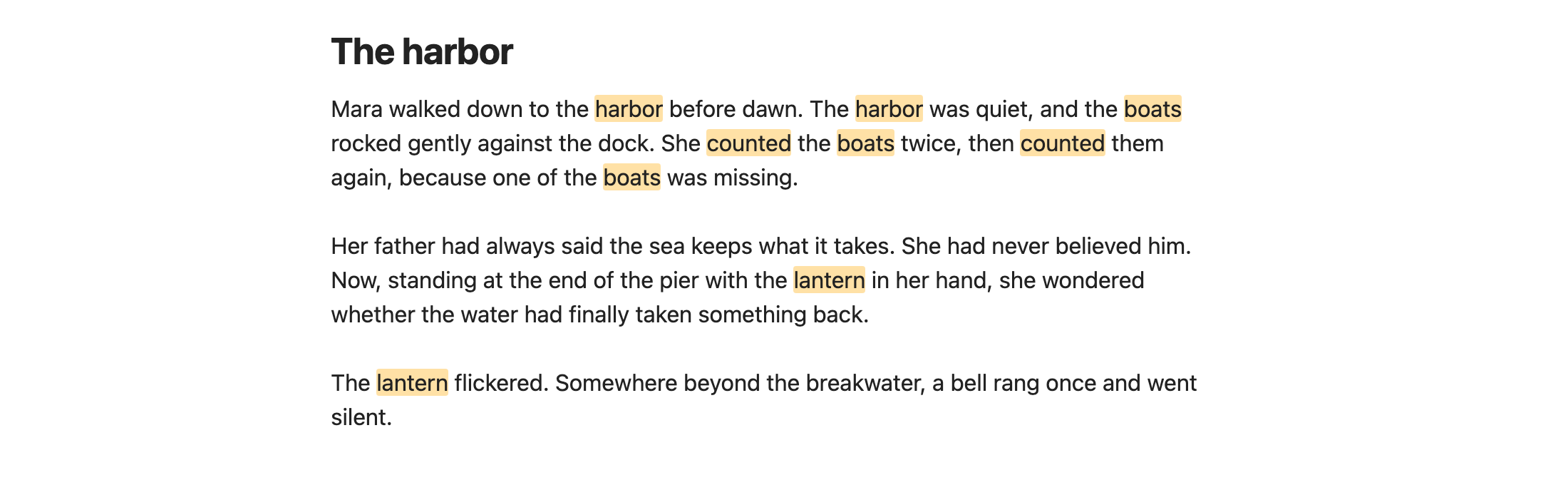
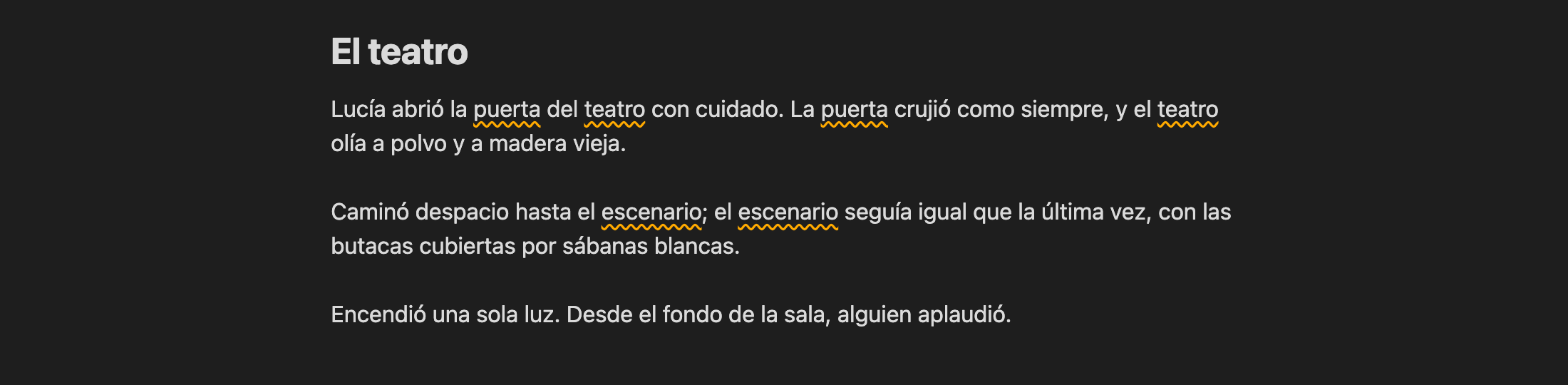
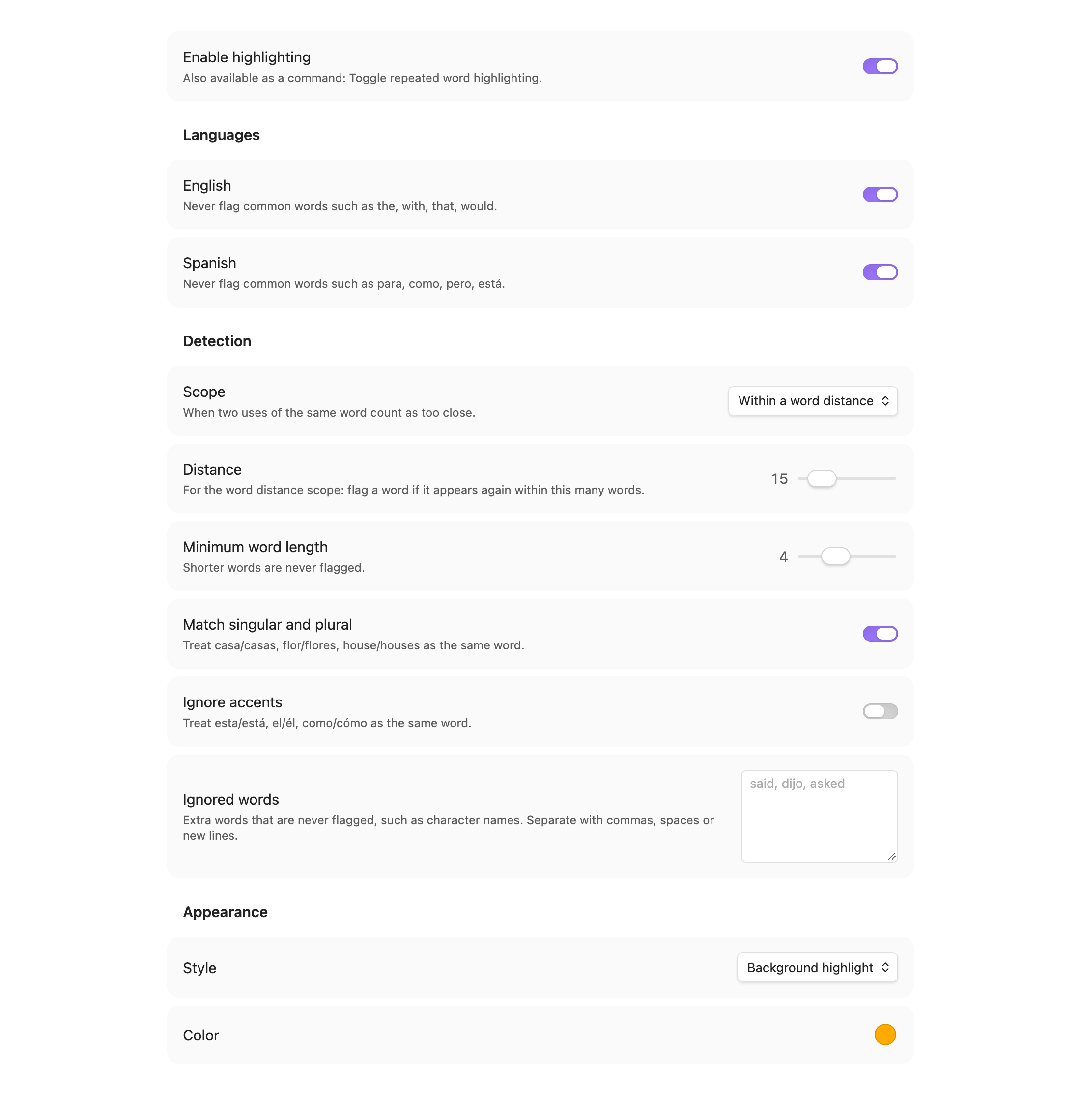
Settings
- Languages: English and/or Spanish common words (the, with, para, como…) are never flagged.
- Scope: within N words, same sentence, or same paragraph.
- Distance: max words between repeats (word distance scope only).
- Minimum word length: shorter words are ignored.
- Match singular and plural: casa/casas, flor/flores, house/houses.
- Ignore accents: esta/está, como/cómo count as the same word.
- Ignored words: your own list, such as character names.
- Style / Color: background highlight or wavy underline.
Command: Toggle repeated word highlighting (assign a hotkey in Settings → Hotkeys).
Skips frontmatter, code blocks, inline code, math, links, URLs, tags and %%comments%%.
Works in Live Preview and Source mode (not Reading view).
Develop
npm install
npm run dev     # watch build
npm run build   # production build
npm test        # detection unit tests
npm run lint    # Obsidian's official lint rules (same as the plugin review)
npm run screenshots  # regenerate docs/images (macOS, needs Obsidian and Chrome)
Install manually
Copy main.js, manifest.json and styles.css to <vault>/.obsidian/plugins/repeated-words/,
then enable Repeated Words in Settings → Community plugins.
Support
If this plugin helps you write, you can buy me a coffee:
License
MIT © Elisa De Gregorio
HealthExcellent
ReviewSatisfactory
About
Highlight words repeated too close together in English and Spanish while you write, matching singular/plural and ignoring accents. Hover a highlight to see how far apart repeats are and skip common words, code, links and comments to reduce false positives.Details
Current version
1.0.2
Last updated
7 hours ago
Created
9 hours ago
Updates
3 releases
Downloads
3
Compatible with
Obsidian 1.0.0+
Platforms
Desktop, Mobile
License
MIT
Sponsor